How to Test a Magnetic Sensor With a Multimeter
As an Amazon Associate we earn from qualifying purchases.
How to test a magnetic sensor with a multimeter starts with knowing which type you have. This guide covers two families that are not Hall-effect ICs: reed switches, which are sealed contacts that close in a magnetic field, and magnetoresistive sensors, which need a supply voltage and give a small output that changes with the field. Both checks run on the bench at low voltage, with the sensor disconnected from any controller or mains-powered equipment. Each step names the source it comes from.
Electrical safety
Work on mains wiring can kill, and this guide does not cover it. Keep every check on a sensor that is out of its circuit and powered only from a low-voltage bench source inside the datasheet range. Before you connect a meter, check that its CAT rating suits the circuit you are touching, and read that rating from the meter’s listing or manual. The sources we opened do not give a CAT rating for every meter, so a rating you cannot find is a reason to stop.
Klein’s MM300 manual says that failing to use the CAT III or CAT IV shield “increases arc-flash risk.” Fluke’s safety page describes an arc fault as producing “a massive electrical explosion.” OSHA’s eTool for construction notes that, without ground-fault protection, a ground fault through a worker’s body can cause electrical burns, explosions, fire, or death. OSHA’s rule at 29 CFR 1910.333 requires live parts to be de-energized before an employee works on or near them, unless the employer can show that de-energizing adds hazards or is infeasible.
Work inside a panel or on service wiring is for a licensed electrician. That line is our site rule, and the sources we opened do not use the word licensed. For how a voltage tester differs from a multimeter, see our explainer on voltage tester mechanics.
Quick answer
- A reed switch has no supply pin. Check its contacts with continuity: open with no magnet, closed with the magnet near.
- A magnetoresistive sensor needs a supply inside its datasheet range. Measure that supply first, then the differential output with and without a magnet.
- Compare each reading with the figure printed for your exact part, because the sources give no go or no-go threshold for a generic part.
Identify the sensor type first
The two families behave differently on the bench, so read the datasheet before you connect anything. A reed switch has two contacts and no supply pin. PIC GmbH lists “No power supply required” among the advantages of reed switches, and describes a reed switch as “a pair of ferromagnetic reeds” sealed in a glass tube. Its contact forms are Form A, normally open, and Form B, normally closed.
A magnetoresistive sensor has a supply pin and a bridge output. The AMR2501 datasheet describes a push-pull bridge built from four AMR elements, and the AAK001 datasheet describes a GMR sensor with ratiometric Wheatstone bridge outputs. The AMR datasheets state sensitivity in mV/V, so the output scales with the supply. That matters for every reading in the magnetoresistive steps below.
What to prepare on the bench
- A digital multimeter with a continuity or resistance function for reed switches and a DC volts function for magnetoresistive supplies. For meter setup, see our guide to using a continuity tester.
- A bench DC source that you can set inside the sensor’s own supply range.
- A magnet. The GR100 datasheet gives its pull-in sensitivity in ampere-turns, and the AAK001 datasheet gives its saturation field in oersteds. A bench magnet has no stated strength in either unit, so use the same spacing for every reading. That spacing rule is our own assumption.
- The datasheet for your exact part number, with its pin list and electrical table. The figures in this guide come from specific datasheets, so do not carry them over to a different part.
Reed switch: check the contacts with continuity
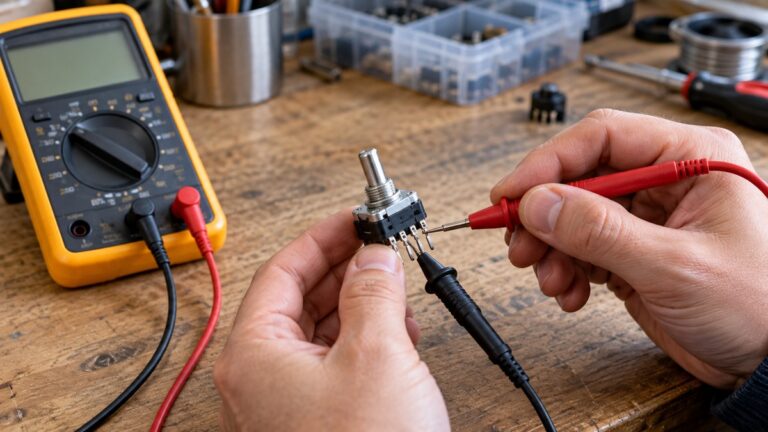
A reed switch has no supply pin, so the supply steps below do not apply. Check the contacts instead, with the switch out of its circuit and the meter on its continuity or resistance function.
Step 1: Set the meter to continuity
Fluke’s continuity guide tells you to “Turn the dial to Continuity Test mode.” Some models also need a continuity button pressed before that mode becomes active, so check your meter’s manual.
Step 2: Isolate the switch
The same guide says that, with the circuit de-energized, you should “connect the test leads across the component being tested.” Fluke also says to make sure the component is isolated from other components in the circuit before you read it.
Step 3: Read the open state with no magnet
Hold the magnet well away from the switch and read the display. PIC GmbH says a Form A switch will “close contact in presence of a magnet,” so with no magnet the contacts should be open. Fluke says that with the probes separated, the display may show OL and Ω.
Step 4: Read the closed state with the magnet near
Bring the magnet toward the switch. PIC GmbH says the reeds “become magnetized the opposite polarity” and then attract and close the contact. The meter should emit a beep when the path closes: Fluke says the DMM emits a beep if a complete path is detected, and that it will not beep if the circuit is open. PIC GmbH also lists the switch as “magnetic and electrical pole independent.” The sources we opened do not say how that applies to every part, so check the actuation notes in the datasheet.
Step 5: Check the contact rating before you apply power
The GR100 datasheet lists a switching voltage of 100 VDC or 150 VAC, a maximum switching current of 1.0 A DC, and a maximum carry current of 1.5 A DC. These figures apply to that part only. Keep the bench source and any current through your own switch inside its rating.
Step 6: Read contact resistance as a reference only
The GR100 datasheet lists a contact resistance of 100 milliohms. Its footnote says the figure is measured at 10 mA from a 1-volt source, with 50% overdrive, using a four-wire (Kelvin) system. A two-lead meter reading does not follow that four-wire method, which is our reading of the footnote, so treat the reading as a rough check. Our own assumption is that a reading far above the datasheet figure deserves a second look, not an automatic fail.
Magnetoresistive sensor: check the supply, then the output
Magnetoresistive sensors are powered from a DC source. The AAK001 datasheet says “Any operating supply voltage up to 12V,” and the AMR2501 datasheet gives 12 V as its absolute maximum supply. Use the operating range in your own part’s electrical table.
Step 1: Measure the supply pin
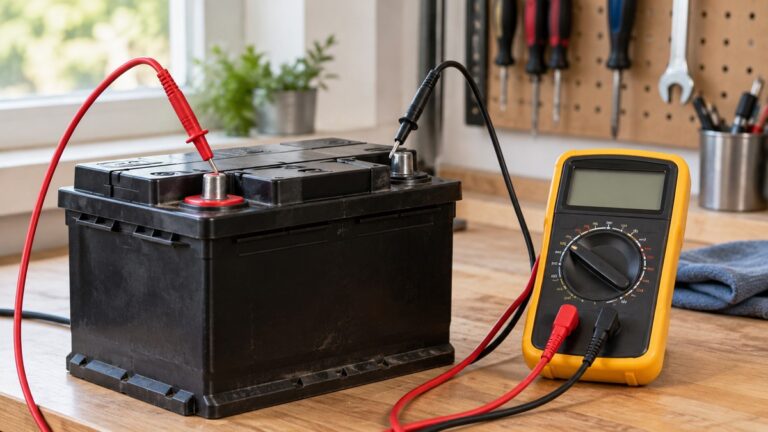
Select the DC volts function on the meter. Fluke’s DC guide says to “refer to manufacturer’s specifications for specific values in the circuit,” so compare your supply reading with the datasheet, not with a number from memory. Connect the bench source, measure the supply pin against ground, and confirm the value is inside the range before you add a magnet. For a meter with a DC volts setting, see our DC volt meter roundup.
Step 2: Read the differential output with no magnet
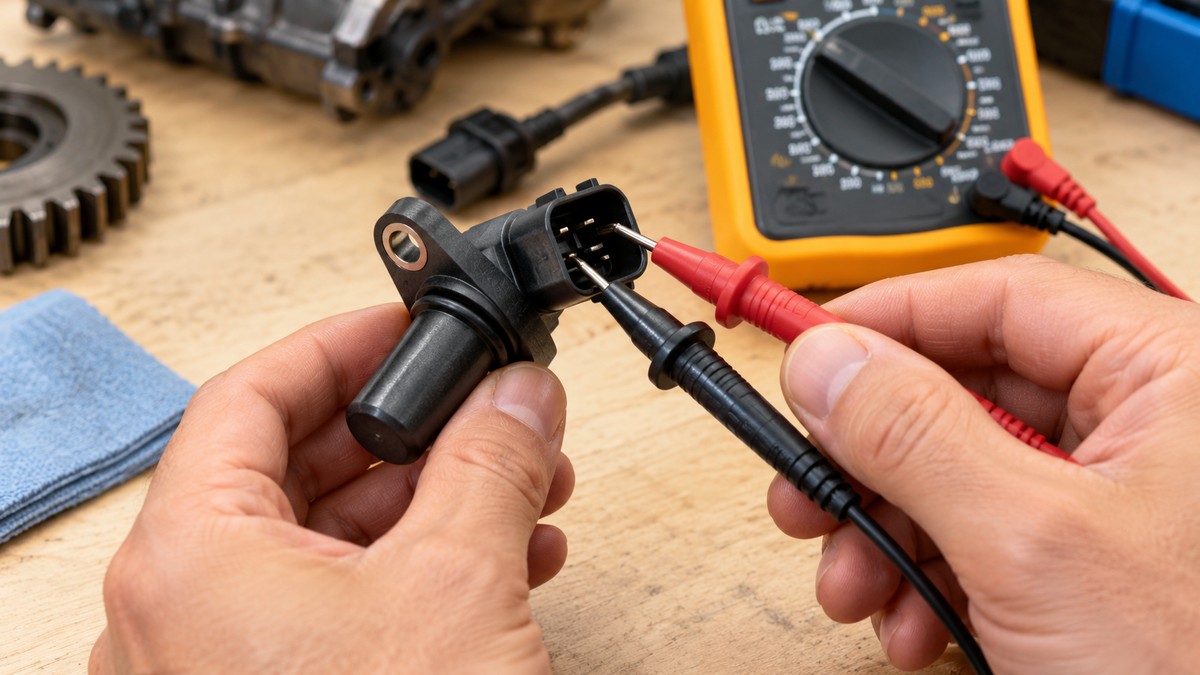
The AMR2501 electrical specifications are stated for “differential output unless otherwise specified.” Measure between the two output pins, not from one output pin to ground. With no magnet nearby, the zero-field reading should sit near the offset in the datasheet. The AAK001 datasheet lists an electrical offset of -4 to 4 mV/V. At a 5 V supply, that is about ±20 mV, which is our own arithmetic.
Step 3: Bring the magnet close and read the change
The AMR2501 datasheet lists a sensitivity of 2.5 mV/V/Gs for its ±1 Gs linear range. At 5.0 V, that works out to 12.5 mV per gauss, which is our own arithmetic. The AMR2302 datasheet lists 0.9 mV/V/Gs for a ±3 Gs linear range. The AAK001 datasheet says it is “Sensitive to fields of any direction in the IC plane,” and its output is roughly proportional to the cosine of the angle as the field moves out of that plane. The sources we opened do not describe the polarity of the change in plain text. The AMR2501 datasheet shows its sensing direction in a figure, so read that figure before you assign a sign to the change.
Step 4: Compare readings as a fraction of the supply
The AAK001 datasheet describes its outputs as ratiometric, and the AMR datasheets express sensitivity per volt of supply. Our own assumption is to divide each millivolt reading by the supply reading from Step 1 before you compare two parts, or two supply voltages. This step is arithmetic, not a procedure taken from a datasheet.
Reading the results
- A reed switch that reads open with no magnet and beeps with the magnet close matches the Form A behavior that PIC GmbH describes.
- A reed switch that reads closed with no magnet does not match PIC GmbH’s description of Form A. Check the contact form on the datasheet before you draw a conclusion.
- A reed switch that stays open with the magnet close may mean the magnet is too far away or too weak. That is our own assumption. The GR100 datasheet states pull-in in ampere-turns, and the sources we opened give no conversion to gauss.
- A magnetoresistive part whose supply sits inside its datasheet range, whose zero-field output is near the datasheet offset, and whose output moves when the magnet approaches, matches the behavior its datasheet describes. The sources we opened give no pass or fail limit for a generic part.
- If a magnetoresistive output does not move, check the supply reading before the magnet, since the output scales with supply. This list is a checklist, not a diagnosis, because the sources give no fault table.
Common mistakes
- Looking for a supply pin on a reed switch. There is none to measure, so skip the supply steps and check the contacts.
- Testing with the circuit live. Fluke’s continuity guide starts from a de-energized circuit, and the sensor must be out of its circuit for the contact check.
- Exceeding the contact rating. The GR100 datasheet’s switching limit of 1.0 A DC applies to that part.
- Reading a magnetoresistive output without the supply. The AAK001 outputs are ratiometric, so the reading depends on the supply.
- Matching a bench magnet to a datasheet figure. The GR100 pull-in value is in ampere-turns, and the sources give no conversion for a bench magnet.
- Measuring from one output pin to ground. The AMR2501 electrical table is stated for differential output.
How we chose
This guide leaves out Hall-effect ICs, so it covers two families: reed switches and magnetoresistive sensors. Each figure had to come from a manufacturer datasheet, a manufacturer page, or a government safety page, and each procedure step had to rest on a source we opened. The Standex-Meder website did not respond to curl, so the GR100 figures come from the datasheet copy hosted by DigiKey. Every page was fetched with curl on 2026-10-22; we read the text and matched each quoted phrase against it. We left out retailer listings and search snippets as evidence.
What we could not verify
The sources we opened leave out the points below, so this guide makes no claim about them.
- The operating supply range of the AMR2501. The datasheet table is hard to read in the copy we opened, so the 12 V figure is the absolute maximum only.
- The polarity of the output change for any magnetoresistive part, because the sensing direction appears only in a figure.
- Whether a meter’s continuity or resistance test current could affect a reed switch. The sources do not state that current.
- Whether the GR100’s 100 milliohm contact resistance is a typical or a maximum value. The text we extracted gives only the test method.
- A gauss value for the GR100 pull-in rating, which is given in ampere-turns.
- A pass or fail limit for a generic reed switch or magnetoresistive sensor.
- Any licensing rule for panel or service work. None of the sources we opened sets one.
Frequently asked questions
Can a multimeter check a reed switch without a supply?
Yes, for the contacts. PIC GmbH says reed switches need no power supply, so the bench check is an open or closed reading with the switch out of its circuit. The sources we opened do not give the test current of a meter’s ohms function, so confirm that in your meter’s manual.
Why does a reed switch show OL with the magnet close?
Check the contact form first. PIC GmbH describes Form A as normally open, closing when a magnet is present, and Form B as normally closed. Magnet distance and strength can also matter, but the sources give no distance for any part, so check the operate value in your own datasheet.
Do magnetoresistive sensors need a supply the way a reed switch does not?
Yes. A reed switch has no supply pin at all. The AAK001 datasheet allows any operating supply up to 12 V, and the AMR2501 absolute maximum is also 12 V. Use the operating range printed for your exact part instead of these examples.
Why does the output change when the supply changes?
The AAK001 datasheet calls its bridge outputs ratiometric, and both AMR datasheets state sensitivity in mV/V. Both facts mean the output moves with the supply, so a reading taken at a different supply is not directly comparable.
What does 2.5 mV/V/Gs mean at 5 V?
It means 2.5 mV of output for each volt of supply, per gauss, within the ±1 Gs linear range that the AMR2501 datasheet lists. Multiplied out at 5.0 V, that gives 12.5 mV for each gauss, and the multiplication is ours. The datasheet’s electrical table uses 5.0 V as its test condition.
Is a magnetoresistive sensor a Hall-effect sensor?
No. The AAK001 datasheet names its technology as giant magnetoresistive (GMR), and the AMR2501 datasheet names anisotropic magnetoresistance. Hall-effect ICs fall outside the scope of this guide.
Sources
- PIC GmbH, Reed Switches. https://www.pic-gmbh.com/en/reed-switches. Opened 2026-10-22.
- Standex-Meder, GR100 Reed Switch datasheet, copy hosted by DigiKey. https://mm.digikey.com/Volume0/opasdata/d220001/medias/docus/8888/GR100SME11799341.pdf. Opened 2026-10-22.
- Fluke learning center, A Guide to Continuity Testing with a Multimeter. https://www.fluke.com/en-us/learn/blog/digital-multimeters/how-to-test-for-continuity. Opened 2026-10-22.
- Fluke learning center, DC voltage measurement guide. https://www.fluke.com/en-us/learn/blog/digital-multimeters/how-to-measure-dc-voltage-with-a-digital-multimeter. Opened 2026-10-22.
- MultiDimension Technology, AMR2501 datasheet. https://mm.digikey.com/Volume0/opasdata/d220001/medias/docus/3607/AMR2501.pdf. Opened 2026-10-22.
- MultiDimension Technology, AMR2302 datasheet. https://mm.digikey.com/Volume0/opasdata/d220001/medias/docus/3599/AMR2302.pdf. Opened 2026-10-22.
- NVE Corporation, AAK001 High-Field Magnetic Sensor datasheet. https://www.nve.com/Downloads/AAK001.pdf. Opened 2026-10-22.
- Klein Tools, MM300 instruction manual. https://data.kleintools.com/sites/all/product_assets/documents/instructions/klein/MM300_1390109ART_WEB.pdf. Opened 2026-10-22.
- Fluke, safety resources page. https://www.fluke.com/en-us/learn/blog/safety. Opened 2026-10-22.
- OSHA, electrical incidents eTool for construction. https://www.osha.gov/etools/construction/electrical-incidents. Opened 2026-10-22.
- OSHA regulation text, 29 CFR 1910.333. https://www.osha.gov/laws-regs/regulations/standardnumber/1910/1910.333. Opened 2026-10-22.