How to Test a Rotary Encoder With a Multimeter
As an Amazon Associate we earn from qualifying purchases.
How to test a rotary encoder with a multimeter starts with taking the encoder out of its circuit and turning the power off. Then use the meter’s continuity mode on each pair of pins the datasheet names. The datasheet tells you which pin is common and which pins carry the A and B outputs. The push switch has its own pins. The sources we opened give those A, B and C terminal names and a general continuity method. They do not give a bench step for turning the shaft during a continuity check, so this guide stops where those sources stop.
Electrical safety
Work on mains circuits can kill. OSHA says its electrical standards exist to protect workers from electric shock and electrocution. The Klein Tools MM300 manual warns that failure to observe its warnings can result in severe injury or death. This guide covers only a bench check of a low-voltage component. Do not use these steps on an encoder inside a powered device, and do not use them on mains wiring, panels, outlets or service wiring.
Before you measure anything, check that the meter’s CAT rating suits the circuit you are testing, and read the rating from the listing or the manufacturer’s manual. Klein says never to use its meter on a circuit with voltages that exceed the category-based rating of the meter. Fluke advises choosing a meter rated for the highest category you could encounter. The Fluke 114, 115, 116 and 117 manual lists measurement Category III, 600 V, Pollution Degree 2 for those models.
Panel and service work belongs to a licensed electrician. OSHA limits work on electric circuit parts that have not been de-energized to qualified persons. OSHA also treats parts that are de-energized but not locked out or tagged as energized.
The Bourns and Alps datasheets we opened do not mention a CAT rating. The meter’s rating is the one that applies to the test.
Quick answer
- Remove power and take the encoder out of its circuit before any continuity check.
- In continuity mode, a beep means the meter has found a complete path, and an open circuit shows OL.
- Use the pin map from the datasheet for your exact part. The Bourns sheet labels the common terminal C COMMON.
- The push switch is a momentary single-pole, single-throw contact. The sources do not give a pass or fail value for the A to C and B to C pairs.
Read the pin map first
The Bourns PEC11R series datasheet describes the output as a 2-bit quadrature code. Its terminals are labelled A CHANNEL, B CHANNEL and C COMMON. The switch is listed as “Push ON Momentary SPST.”
The Alps Alpine EC11 series datasheet describes its outputs as A and B signals that are proportionate to phase difference. Its output waveform figures are labelled terminal A to C and terminal B to C, so each output is shown against terminal C. Its push switch is listed as single pole and single throw.
The model code also sets the detent and pulse count, so read it before you assume a pulse pattern. On the Bourns sheet, the code allows 0 detents with 12, 18 or 24 pulses, 18 detents with 18 pulses, 24 detents with 12 or 24 pulses, and 12 detents with 12 or 24 pulses. The Alps output table lists models such as 18 detents with 9 pulses, 30 detents with 15 pulses and 36 detents with 18 pulses.
The text we extracted from the Bourns sheet does not name the two switch terminals. Check the drawing on the datasheet for your exact part before you assign the switch pins.
Optical encoders are a different case. The Fluke troubleshooting article notes that a dirty or worn disk may not interrupt the light path in an optical encoder. The sources we opened give no bench continuity method for optical types, so this guide does not cover them.
Ratings to check on the datasheet
Ratings come only from the manufacturer’s datasheet. Both sheets list some ratings by model, so use the row for your part.
| Item | Bourns PEC11R | Alps EC11 series |
|---|---|---|
| Contact rating | 10 mA @ 5 VDC | 10mA 5V DC in the series specification |
| Switch contact resistance | 100 milliohms @ 5 VDC | Listed for the push switch; units unclear in the text we extracted |
| Contact bounce | 2.0 ms max. at 15 RPM | Shown by model in the datasheet |
| Switch life | 20,000 cycles min. | Shown by model in the datasheet |
| Rotational or operating life | 30,000 cycles min. (rotational) | 15,000 cycles (operating life, series specification) |
| Insulation resistance | 100 megohms @ 250 V DC | 100M min., 250V DC in the specification table |
| Detent torque | 30 to 90 gf-cm (0.41 to 1.25 oz.-in.) | Listed by model in the datasheet |
| Operating temperature | -30 °C to +70 °C | Listed by model in the datasheet |
The Bourns sheet adds a warning that users should verify actual device performance in their specific applications. Treat the table as a starting point and read the row for your exact model.
Preparation
- Get the datasheet for your exact part number. Both sheets we opened give ratings and terminal details that vary by model.
- Remove power and isolate the encoder. Klein’s continuity steps begin with removing power from the circuit. Fluke says the component should be isolated from other components in the circuit before the leads are connected.
- Check the test leads. The Fluke 114 manual says to check the test leads for continuity before use. The Fluke troubleshooting article says to touch the probe tips together in ohms mode, and that good leads measure 0.1 to 0.3 ohms.
- Verify the meter. Klein says to verify meter operation before each use by measuring a known voltage or current.
- Set the meter. Turn the dial to continuity. Fluke says to insert the black lead in COM and the red lead in the VΩ jack. The Klein MM300 manual uses its V and COM jacks.
- Choose the lowest range for switch contacts. Fluke advises the lowest range setting for low-resistance parts such as electrical connections or switch contacts.
Bench steps
Step 1: Confirm power is off and the encoder is out of its circuit
Klein’s continuity procedure says to remove power from the circuit before testing. Fluke’s continuity guide says to connect the leads with the circuit de-energized. Klein also says not to attempt continuity measurements on a live circuit.
Step 2: Identify the pins on the datasheet
Find the A, B and C terminals on the drawing for your part. The Bourns sheet names them A CHANNEL, B CHANNEL and C COMMON. Find the two switch terminals separately, because the text we extracted does not name them.
Step 3: Check the push switch
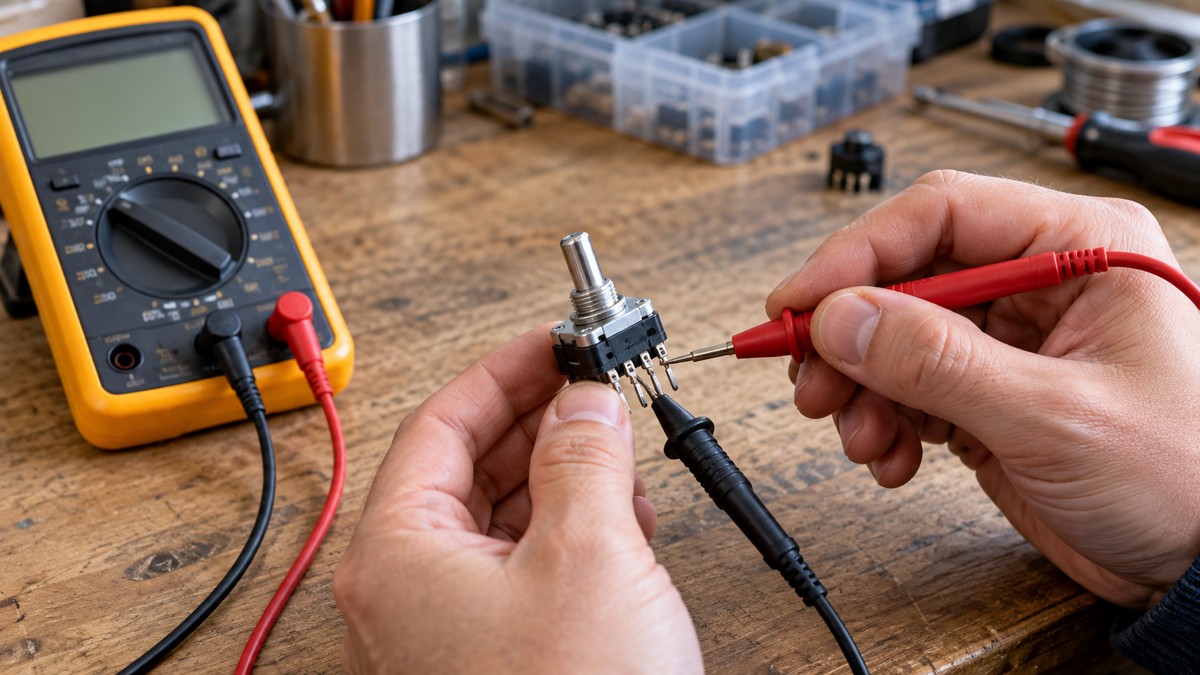
Connect the leads across the two switch terminals. Fluke says the meter beeps when it detects a complete path, and that an open switch in the off position does not beep. The Bourns sheet calls the switch “Push ON Momentary SPST” and gives a contact resistance of 100 milliohms at 5 VDC. That figure is a rating for the contact, not a pass limit for a meter reading. Press the switch and note the reading, then release it and note the reading again.
Step 4: Check the A to C pair, then the B to C pair
Connect the leads across terminal A and terminal C, and record the beep or the display. Repeat for terminal B and terminal C. Klein’s continuity steps use the same connection: test leads across the conductor or circuit under test. The sources give this as a general method for any component, not as an encoder-specific procedure.
Reading the results
- A beep means the meter has detected a complete path. Fluke says most meters show continuity at a measured value between 0 and 50 ohms.
- An open circuit shows OL on the display, according to the Klein MM300 manual.
- Fluke describes a continuity test as a quick check to see whether a circuit is open or closed, and says a closed, operational switch has continuity.
- The Klein manual sets its audible continuity signal below 100 ohms, so the threshold differs by meter.
- The Alps datasheet describes the A and B outputs as proportionate to phase difference, and the Bourns sheet describes a 2-bit quadrature code. The sources do not say what a reading that never changes means for either part, so this guide does not call any reading normal or abnormal.
Common mistakes
- Testing with power on. Klein says not to measure continuity on a live circuit. Fluke says continuity testing should be attempted only when voltage is not present in the circuit.
- Leaving the encoder in its circuit. Fluke says the component should be isolated from other components in the circuit before testing.
- Skipping the lead check. The Fluke 114 manual and the Fluke troubleshooting article both advise checking the leads before use.
- Using a high range for switch contacts. Fluke advises the lowest range for switch contacts.
- Expecting the meter to show phase. The Fluke troubleshooting article says each of the A and B channels may look correct on its own while the two are out of phase, and that a multimeter cannot tell whether they are incorrectly phased relative to each other.
How we chose
The criteria were manufacturer documents first. The Bourns PEC11R datasheet, the Alps EC11 series datasheet, the Klein Tools MM300 manual and the Fluke 114, 115, 116 and 117 manual were the sources for ratings and continuity steps. Fluke’s learn pages supplied the continuity method and the encoder troubleshooting context, and OSHA supplied the work rules. The scope is a bench check with power off and the encoder out of its circuit, on a mechanical contact-type encoder.
We left out pages that returned HTTP 403 or an access-denied page, including the Mouser datasheet page, the Bourns product page, an Adafruit forum thread and an RGB Elektronika guide. We also left out forum threads and module-vendor blogs, because they are not manufacturer documents. A blog procedure that runs an encoder from a 12 V supply was left out because it describes a powered check.
What we could not verify
- The sources do not give a bench continuity step for turning the shaft of a rotary encoder during a check.
- The sources do not give a pass or fail resistance value for the A to C or B to C pair.
- The sources do not state the contact resistance of the A and B contacts. The 100 milliohm figure is for the Bourns push switch.
- The text we extracted from the Bourns sheet does not name the switch terminals.
- Beep thresholds differ by meter. The Klein manual uses below 100 ohms, and the Fluke guide gives 0 to 50 ohms as typical.
- No encoder source we opened gives a CAT rating.
- Fluke says a continuity test sends a small current through the circuit. The sources do not say how that current compares with the 10 mA contact rating on the Bourns sheet, so this guide makes no comparison.
- The sources do not give a bench method for optical encoders.
Frequently asked questions
Can I test a rotary encoder with power on?
Not with the method in this guide. Klein says not to measure continuity on a live circuit, and Fluke says continuity testing should be attempted only when voltage is not present. The Fluke troubleshooting article measures voltage, frequency and duty cycle on the output channels. This guide does not cover those checks.
Which pin is common?
Terminal C is the common on the Bourns sheet, which labels it C COMMON. The Alps sheet shows its A and B outputs against terminal C.
What does the beep tell me?
Fluke says the beep means the meter has detected a complete path, which is continuity. The Klein MM300 manual uses a threshold below 100 ohms, so the meter model matters.
Why does my meter show OL?
The Klein MM300 manual says an open circuit shows OL on the display. Fluke’s continuity guide says that with the test probes separated, the display may show OL.
Does a continuity check prove the encoder works?
No. The Fluke troubleshooting article says a multimeter may not reveal a fault such as A and B channels that are out of phase, and that a handheld oscilloscope is needed for a more in-depth analysis.
Does the datasheet give a CAT rating for the encoder?
Neither the Bourns sheet nor the Alps sheet we opened gives a CAT rating. The CAT rating that matters is the meter’s, as stated in its listing or manual.
Related guides
For the continuity method itself, read How to Use a Continuity Tester Safely, Step by Step. For what the ohm setting on a meter means, read 200 Ohms on a Multimeter: What the Setting Means.
Sources
- Bourns, PEC11R Series 12 mm Incremental Encoder datasheet: https://www.bourns.com/docs/Product-Datasheets/PEC11R.pdf
- Alps Alpine, EC11 Series rotary encoder datasheet (hosted by Avnet): https://www.avnet.com/fsp/opasdata/d120001/medias/docus/196/Alps-Alpine-EC11-Series-EN-Datasheet.pdf
- Klein Tools, MM300 instruction manual: https://data.kleintools.com/sites/all/product_assets/documents/instructions/klein/MM300_1390109ART_WEB.pdf
- Fluke, 114, 115, 116 and 117 True-RMS Multimeter manual: https://assets.fluke.com/manuals/114_____cieng0000.pdf
- Fluke Learn, A Guide to Continuity Testing with a Multimeter: https://www.fluke.com/en-us/learn/blog/digital-multimeters/how-to-test-for-continuity
- Fluke Learn, What is Continuity?: https://www.fluke.com/en-us/learn/blog/electrical/what-is-continuity
- Fluke Learn, Guide to Digital Multimeter Safety: https://www.fluke.com/en-us/learn/blog/safety/multimeter-guide
- Fluke Learn, How to Troubleshoot Rotary Encoders in Conveyor Systems Using a Digital Multimeter: https://www.fluke.com/en-us/learn/blog/predictive-maintenance/troubleshooting-rotary-encoders-with-digital-multimeter
- OSHA, 29 CFR 1910.333 Selection and use of work practices: https://www.osha.gov/laws-regs/regulations/standardnumber/1910/1910.333
- OSHA, Electrical overview: https://www.osha.gov/electrical