How to Test a 3 Wire Sensor With a Multimeter
As an Amazon Associate we earn from qualifying purchases.
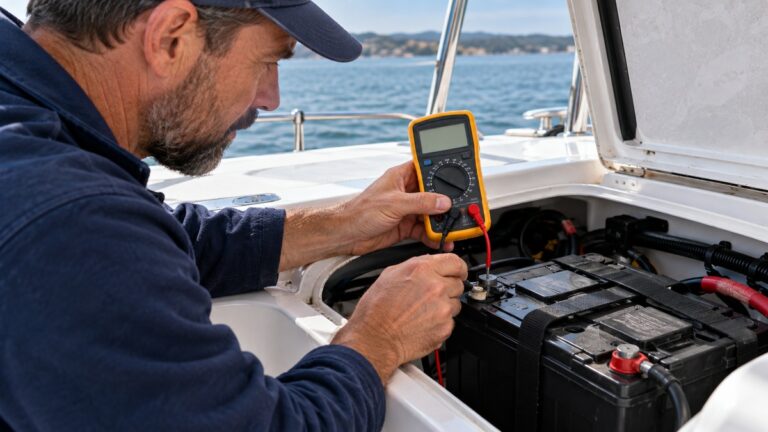
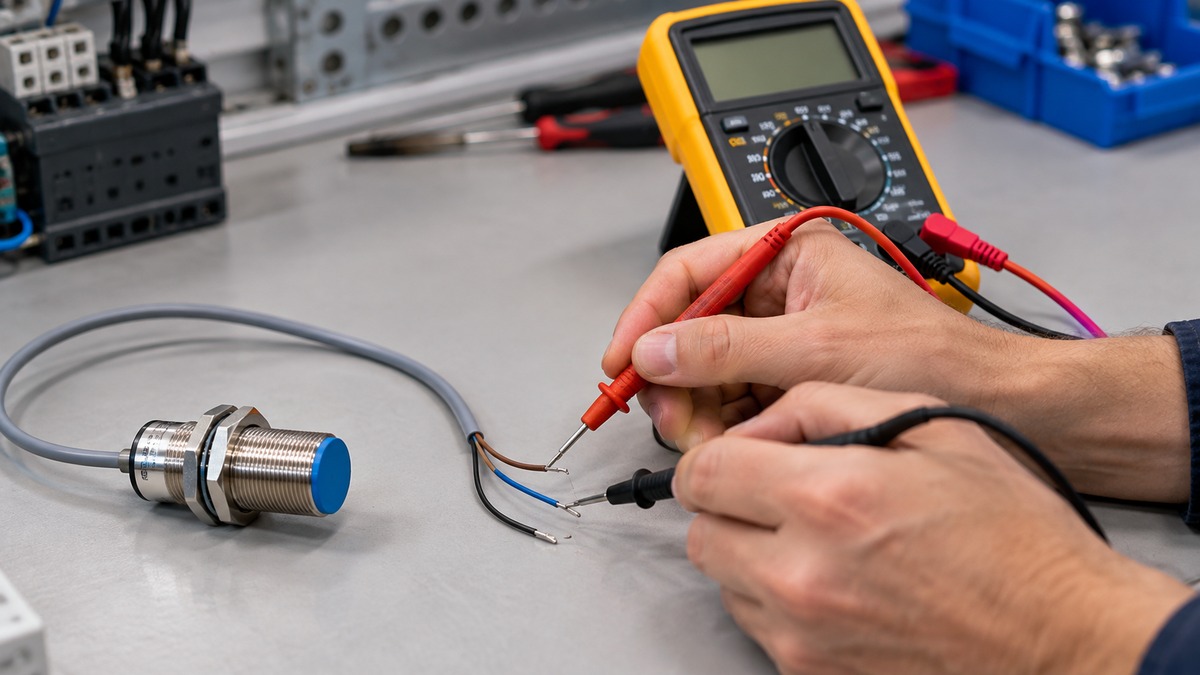
How to test a 3 wire sensor with a multimeter comes down to three checks, done in order: that the wiring is intact, that the sensor receives its supply voltage at the connector, and that the output changes when a target is present. This guide covers 3-wire DC sensors with a brown supply lead, a blue 0 V lead and a black output lead. Each check rules out one cause before you move to the next, so the order matters.
Electrical safety first
Work on mains circuits can kill. Before you measure anything, check that the meter’s CAT rating suits the circuit you are testing, and read the rating from the listing or the manufacturer’s manual. Panel and service work belongs to a licensed electrician.
The Canadian Centre for Occupational Health and Safety states that the voltage and current in regular businesses and homes have enough power to cause death by electrocution. It also says to make sure only qualified individuals work on or perform maintenance on electrical equipment.
Fluke’s terminology page describes installation categories from Category I to Category III, with higher categories rated for more demanding conditions. The category printed on your meter must suit the place you measure. The listing does not state a CAT rating for every meter, so confirm the rating before you connect a probe.
This guide does not describe testing outlets, panels or service wiring. A machine’s control power can still be hazardous, and the Fabrico troubleshooting article says to isolate every source of motion and follow your site’s lockout procedure before testing with power on.
Quick answer
- Disconnect the sensor from its power source, set the meter to continuity, and check the cable: a beep or reading means the wire path is intact.
- Reconnect power, measure DC volts between the brown and blue leads at the sensor, and compare the reading with the supply range on the datasheet.
- With power on and the sensor connected to its input, present a target and measure the black output against blue. A PNP output should move toward the supply voltage; an NPN output should move toward 0 V.
- If the supply is correct and the output never changes, the sources we opened recommend a swap test with a known-good sensor of the same part number.
What a 3-wire DC sensor is
A 3-wire DC sensor has two supply leads and one switched output. Pepperl+Fuchs labels the wires in accordance with EN 60947-5-2, and its datasheet for one 8 mm inductive sensor, the NBN8-18GM50-E2-V18, assigns brown to the positive supply, blue to 0 V and black to the output. That model’s connector also has a white lead, which this guide does not cover. The Fabrico article gives the same common convention: brown positive, blue 0 V and black output.
The output type decides how the black lead behaves. The Fabrico article describes PNP (sourcing) as switching the positive supply onto the input, and NPN (sinking) as switching the input to 0 V. The Pepperl+Fuchs datasheet for that model lists its output as normally open and PNP, with a 200 mA output switching current, a supply range of 10 to 30 V DC, and reverse polarity protection. Those values belong to that one model. Your sensor’s datasheet or label sets its own limits.
What you need before you start
Gather the sensor’s datasheet or label first. You need four facts from it: the supply voltage range, the output type (PNP or NPN), whether the output is normally open or normally closed, and the wire or pin assignment. The Fabrico article says to verify the wiring convention against the datasheet.
On the meter, you need three functions: DC volts, continuity and resistance. Fluke’s DC voltage guide starts with the dial set to DC voltage, with the black lead in the COM jack and the red lead in the V jack. Fluke also warns that placing test probes in the A or mA inputs and then measuring voltage will create a short in the measurement circuit. Keep the red lead in the voltage jack for every step in this guide.
Step 1: Check the wiring with continuity
Automation Products Group describes a continuity check first. Disconnect the sensor’s wires at the power source, then set the meter to continuity mode. The APG guide says to connect the red probe to the + wire going to the sensor and the black probe to the ground wire. A reading means the circuit wiring is intact. If the meter shows no reading, the wiring has a fault somewhere between the source and the sensor.
APG advises repeating the check along each section of the circuit between the source and the sensor to find the break. It also notes that communication wiring can vary, so the sensor’s user manual should confirm which wires to test. Fluke defines continuity as the presence of a complete electrical path for current flow, which is what this step confirms.
APG’s continuity steps begin with the sensor disconnected at its power source, so run this check with the power removed and before any voltage check.
Step 2: Check the supply voltage at the sensor
Once the wiring passes, reconnect the sensor’s power source. APG then says to disconnect the power wires at the sensor, or at the connection point nearest the sensor if the cable cannot be detached there.
With the red probe on the incoming positive lead and the black probe on the ground lead, select a DC voltage range that is closest to, yet bigger than, the source voltage. Turn the power on and read the value. APG says to verify that the voltage at the sensor falls within the range in the user manual. If it does, the source voltage is not the problem. If it does not, the power source is the problem, and you should turn the power off before you change anything.
The Fabrico article gives a typical range for 3-wire DC sensors: most are rated around 10 to 30 VDC. That is a general figure only. The Pepperl+Fuchs model above uses 10 to 30 V DC, but your sensor’s rating may be different. The Fabrico article says to measure at the connector, not at the panel.
Fluke notes that most modern meters autorange by default and that RANGE fixes a range. If the probes touch opposite terminals, a negative symbol appears on the display, which tells you the leads are reversed.
Step 3: Check the output with a target present
With the supply confirmed and the power on, connect the meter to the output. Put the black probe on the blue 0 V lead and the red probe on the black output lead. Set the meter to DC volts. Then present a metal target to the sensing face, hold it there, and watch the reading. Remove the target and watch it change back. The Fabrico article recommends presenting and removing a target by hand, and it notes that when the LED follows the target correctly, the sensor is probably fine and any fault lies downstream.
The Fabrico article describes the expected levels. A PNP output should swing to near the supply voltage when the target is present. An NPN output should swing to near 0 V. The article also says to check the output at the connector, because a PLC input wired for the other output type will never read the correct state. Use the datasheet to confirm which output type your sensor has before you judge the reading.
Press HOLD if you need to capture a reading that changes quickly. Fluke describes HOLD as a way to freeze a stable reading, which you can view after the measurement is complete.
If you cannot see a clear change, check the sensing face next. The Fabrico article says metal chips or coolant buildup on an inductive sensor face can cause a false ON reading. Clean the face and inspect it for damage before deciding the sensor has failed.
Step 4: Confirm with a swap test
If the supply voltage is correct, the wiring is intact and the output never changes, the Fabrico article recommends a swap test. Replace the sensor with a known-good sensor of the identical part number. If the new sensor works, keep the old one for inspection, because the damage often shows why it failed. The sources we opened do not describe any other test for this point in the sequence.
Before you order a replacement, check the output type printed on the old sensor. The Fabrico article calls a wrong output type the classic replacement mistake, because a PLC input wired for one output type will never read the other, even when the new sensor’s own LED works.
Reading the results
A supply reading outside the range points to the source, and the APG guide says to fix the source before testing the sensor further. The sources we opened do not give a single threshold voltage that marks ON or OFF for every sensor. They describe the output only as near the supply voltage (PNP, active) or near 0 V (NPN, active).
A stuck-on output is most often a buildup or face problem, according to the Fabrico article, so clean the face before you suspect the electronics. A dead output with correct supply and wiring points to the swap test.
Common mistakes
- Leaving the probes in the mA or A jacks while you measure voltage. Fluke says this creates a short in the measurement circuit.
- Assuming the wire colours set the output type. The Fabrico article says the output type is set by the sensor, so check the datasheet or label.
- Replacing a sensor with the wrong output type. The old sensor’s output type should match the input it feeds.
- Taking a voltage on one wire as proof the sensor is powered. Fluke notes that ghost voltages can appear on wiring that sits near energized circuits, so read the supply between the two supply leads at the connector.
- Skipping the sensing face. The Fabrico article says buildup is a common cause of a sensor that stays on.
How we chose
This guide uses the sequence that the Automation Products Group guide describes for a sensor check: continuity, then supply voltage, then the output. The output step follows the Fabrico article, because it is the only source we opened that describes the PNP and NPN output levels in plain terms and ties them to a meter reading at the connector. Fluke’s DC voltage guide supplies the meter steps.
A blog whose NPN readings contradict the Fabrico article was left out. A Balluff blog and a Phipps Electronics user guide returned HTTP 403 and do not count.
What we could not verify
The sources we opened do not give the threshold voltage that counts as ON or OFF for a given sensor. They also do not say how far a reading shifts when the sensor drives a PLC input, a relay coil or a lamp, so this guide does not give those numbers.
We opened one manufacturer datasheet for a PNP sensor. We did not open a manufacturer datasheet for an NPN sensor, so the NPN output level in this guide rests on the Fabrico article alone. The sources do not say whether a reversed brown and blue connection damages a sensor beyond the protection the datasheet states.
The listing does not state a CAT rating for any meter, because this guide names no meter model. The sources we opened do not cover automotive 3-wire sensors, such as crank, cam or Hall sensors, so this guide does not apply to them.
FAQ
Can I test a 3 wire sensor without disconnecting it?
The APG guide disconnects the sensor’s wires at the power source for the continuity check, and makes the voltage check at the connector. The sources we opened do not say whether the sensor must be unmounted.
Which wire is the output on a 3 wire sensor?
On the common EN 60947-5-2 convention, the black wire is the output. The Pepperl+Fuchs datasheet and the Fabrico article both describe black as the output, with brown as the positive supply and blue as 0 V.
How do I tell a PNP sensor from an NPN sensor?
The wire colours do not change between the two types, so the datasheet or the label on the sensor must give the output type. The Fabrico article says PNP output should move near the supply voltage when active, and NPN output should move near 0 V.
What supply voltage should I expect?
The Fabrico article gives a typical range of about 10 to 30 VDC for 3-wire DC sensors. The Pepperl+Fuchs datasheet for one model gives 10 to 30 V DC. Use the rating printed on your own sensor.
What if the continuity check shows no reading?
APG says the wiring has a fault. Repeat the continuity check along each section of the cable between the source and the sensor until you find the break, then repair or replace that section.
Does this guide cover mains or automotive sensors?
No. This guide covers low-voltage DC 3-wire sensors. It does not cover mains circuits, outlets or panels. The sources we opened do not cover automotive 3-wire sensors, so this guide does not describe them.
Sources
- https://apgsensors.com/troubleshooting-your-sensor-with-a-multimeter-guide/
- https://files.pepperl-fuchs.com/webcat/navi/productInfo/pds/194052_eng.pdf
- https://www.fabrico.io/blog/proximity-sensor-troubleshooting/
- https://www.fluke.com/en-us/learn/blog/digital-multimeters/how-to-measure-dc-voltage-with-a-digital-multimeter
- https://www.fluke.com/en-us/learn/blog/electrical/multimeter-common-terminology
- https://www.ccohs.ca/oshanswers/safety_haz/electrical.html
Related guides
- For the continuity step, see how to use a continuity tester on a wire path.
- For a shortlist of DC voltmeters to use in Step 2, see DC voltmeter options.
- For a voltage detector used before touching any wiring, see using a non-contact voltage detector.