How to test a stepper driver with a multimeter
As an Amazon Associate we earn from qualifying purchases.
How to test a stepper driver with a multimeter comes down to checking its power inputs, its enable pins, its current-limit reference voltage and the wiring to the motor, then comparing each reading with the datasheet or product page value.A multimeter can confirm that the supplies are in range and that the current limit is set as intended. It cannot prove that the driver chip is healthy, and the sources we opened do not describe a meter test for that. The steps cover the A4988 and DRV8825 carrier boards, using low-voltage bench work only.
Electrical safety first
Work on mains circuits can kill. Before you measure anything, check that the meter’s CAT rating suits the circuit you are testing, and read the rating from the listing or the manufacturer’s manual. Panel and service work belongs to a licensed electrician.
This procedure stays on the driver board, its motor leads and a separate low-voltage bench supply. Do not connect a meter to a wall outlet, a breaker panel or any mains-fed supply to follow it. The product pages give the motor supply range as 8 V to 35 V for the A4988 carrier and 8.2 V to 45 V for the DRV8825 carrier.
Three warnings set the first rules. The Pololu pages for both boards say that connecting or disconnecting a stepper motor while the driver is powered can destroy the driver. The A4988 page warns that low-ESR ceramic capacitors on the board can create voltage spikes above the 35 V rating, even at a 12 V motor supply, and suggests at least 47 µF of electrolytic capacitance across the motor supply near the board. The Fluke voltage guide adds that placing probes in the A or mA inputs and then measuring voltage creates a short in the measurement circuit.
Quick answer
- Check the A4988 logic supply between 3 V and 5.5 V, and the motor supply between 8 V and 35 V on the A4988 or 8.2 V and 45 V on the DRV8825.
- Power off before you connect or disconnect the motor, because the Pololu pages say that can destroy the driver.
- Set the current limit from VREF: on the A4988 it is VREF divided by (8 × sense resistance), and on the DRV8825 with 0.100 Ω it is twice VREF.
How we chose
The method uses only points that the sources state directly. Board facts and the driver steps come from the datasheets and product pages for the A4988 and DRV8825. The basic meter steps come from Fluke guides on DC voltage, continuity and resistance. The motor-winding check comes from one technical blog post and covers the motor side only. The two Pololu pages are retailer product pages. Under this batch’s source policy this guide used them for board facts and the steps they describe, and we took no prices, stock levels or ratings from them.
The order of the steps is our own arrangement of the sourced points. Pages that returned 403 or 404 were not counted.
What you need
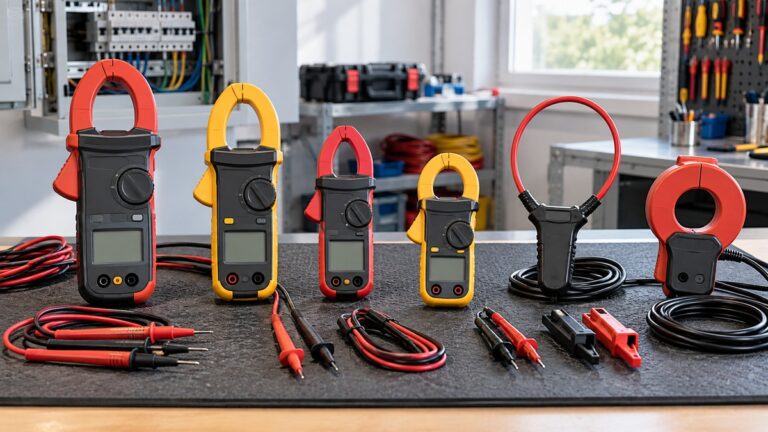
A digital multimeter with DC voltage, resistance and continuity functions. Fluke describes continuity mode as one that beeps when it detects a complete path, and it is often combined with the resistance (ohm) setting. If continuity mode is new to you, read our continuity tester guide first. For a wider look at meter types, see our multimeter roundup.
Fluke says manufacturers specify fuse ratings in the meter manual, and often on the meter itself. The sources we opened do not state a CAT rating or a fuse rating for any specific meter, so read those values from your own manual.
Step 1: Power down and disconnect the motor
Turn off the motor supply and the logic supply before you touch any connector. The Pololu pages warn that connecting or disconnecting a stepper motor while the driver is powered can destroy the driver. If you can reach a capacitor in the circuit, discharge it before any resistance reading, as Fluke’s resistance guide advises. Then set the meter to DC volts and check that the motor supply has dropped. Our own assumption is that a reading close to 0 V confirms this.
Step 2: Check the logic supply on VDD
The A4988 needs a separate logic supply. Its Pololu page gives 3 V to 5.5 V across VDD and GND, and the Allegro datasheet lists the same logic supply range. With the logic supply on and the motor still disconnected, set the meter to DC volts, connect the black lead to GND and the red lead to VDD. Fluke gives the same probe order: black to circuit ground, red to the positive test point.
The Allegro datasheet also lists a VDD undervoltage lockout with a rising threshold of 2.7 V to 2.9 V. A reading in that band is below the 3 V minimum, so check the supply before the driver. The DRV8825 does not need a logic supply at all. Its Pololu page says the board uses that pin for FAULT instead.
Step 3: Check the motor supply on VMOT
Turn the motor supply on, then measure from VMOT to GND on DC volts. The A4988 page gives 8 V to 35 V, and the DRV8825 page gives 8.2 V to 45 V. Fluke notes that small DC variations can still point to trouble. The sources do not state a ripple limit for the motor supply.
Step 4: Check the enable pins
The enable inputs decide whether the driver runs at all. On the A4988 carrier, the RST pin is floating, and the product page says you can connect it to the adjacent SLP pin to bring it high and enable the board. Measure RST and SLP to ground on DC volts. Our own assumption is that both should read high when the board is meant to run.
On the DRV8825 carrier, the Pololu page says the driver pulls SLEEP low through an internal 1 MΩ pull-down, and pulls RESET and ENBL low through internal 100 kΩ resistors. Both RESET and SLEEP must be high to enable the driver. The TI datasheet gives the same rule: nRESET and nSLEEP need to be driven to logic high for device operation. A low reading on either pin explains a driver that does not move.
Step 5: Measure the reference voltage and work out the current limit
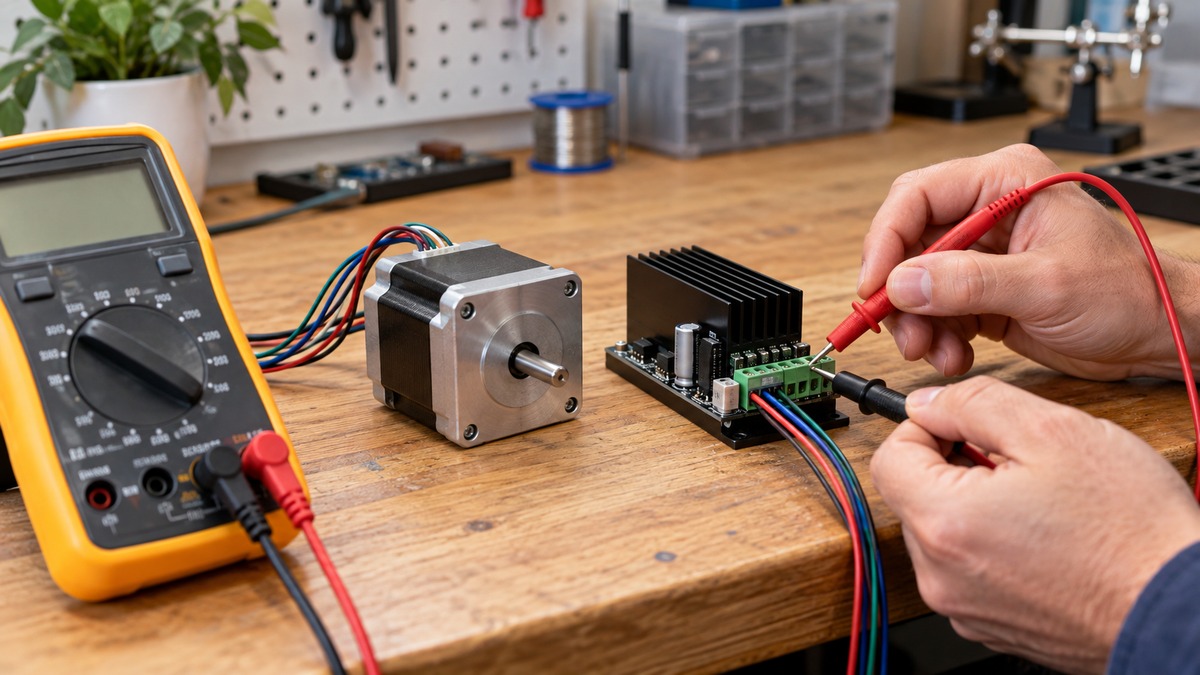
On both carriers the current limit is set by a trimmer. The Pololu pages say the VREF pin voltage is accessible on a via circled on the bottom silkscreen. Connect the black lead to GND, touch the red lead to that via, and read DC volts while you turn the trimmer slowly.
| Board | Sense resistor (as stated) | Current limit formula | Example in the source |
|---|---|---|---|
| A4988 carrier | 0.068 Ω on units made since 2017; 0.050 Ω on earlier green boards | VREF divided by (8 × sense resistance) | 1 A corresponds to 540 mV on VREF |
| DRV8825 carrier | 0.100 Ω | 2 × VREF | 1 A corresponds to 0.5 V on the ref pin |
As our own arithmetic on the A4988 formula, 0.54 V divided by (8 × 0.068 Ω) gives about 0.99 A, which matches the 1 A the page describes. The page gives 770 mV for a 1.4 A limit. It also says the reference voltage depends on VDD, so repeat this adjustment if you change the logic voltage.
Step 6: Check coil current in series (optional, power off first)
Checking the actual coil current means breaking one coil connection, so turn everything off first. Place the meter in series with one stepper motor coil on a current range suited to the expected current. Power the board, put it in full-step mode, and hold the motor still without sending STEP pulses. Both product pages say to use the coil current, not the supply current. Supply current can be quite a bit lower than coil current, so it does not confirm the limit.
In full-step mode each coil is limited to about 70% of the set limit. The A4988 page says the current you measure in that mode is only 70% of the actual setting, and the DRV8825 page gives the same 0.7 factor.
Step 7: Check the motor winding (optional, motor side only)
This step tests the motor, not the driver, so run it only after the driver checks look normal. With the motor disconnected and the power off, measure the resistance of each winding pair. The TechOverflow guide says a typical winding measures between 0.5 Ω and 5 Ω, and it advises comparing the reading with the motor’s datasheet. A reading far below that suggests a shorted winding. The resistance from one phase A pin to one phase B pin should typically read OL, and at least 5.0 MΩ. The guide says a very low reading is typically not caused by probe contact, but it advises re-measuring a few times to confirm.
Step 8: Check the wiring between the controller and the driver
With the circuit de-energized, set the meter to continuity mode and touch the leads across each wire between the controller header and the driver header. Fluke says to test with the circuit de-energized. A beep means a complete path, and an open circuit gives no beep.
If a path reads low, check for a part in parallel with it, because Fluke’s resistance guide says parallel paths lower the reading.
Reading the results
Stop when a reading falls outside the limit the source states.
- Supplies and enable pins: use the ranges and high-level pins from steps 2 to 4. Anything outside them is a fault to clear first.
- VREF: compare the reading with the value the formula gives for your target current. The sources do not give a tolerance.
- nFAULT on the DRV8825: the Pololu page says FAULT drives low when the FETs are disabled by overcurrent protection or thermal shutdown. The TI datasheet says the device stays disabled until nRESET is applied or VM is removed and reapplied. A low reading is a fault to clear, not a normal running state. The carrier connects FAULT to SLEEP through a 10 kΩ resistor that acts as a pull-up while SLEEP is held high.
- Motor winding (step 7): 0.5 Ω to 5 Ω is the typical range in the blog post, and an A to B reading of OL is expected.
The Allegro datasheet says a short to ground keeps the driver disabled until SLEEP goes high or VDD is removed. Our own assumption is that you should fix the wiring and re-check the supply before you clear that latch.
Common mistakes
- Connecting or disconnecting the motor while the board has power. The Pololu pages say this can destroy the driver.
- Leaving the probes in the A or mA jack while measuring voltage. The Fluke guide says this creates a short in the measurement circuit.
- Reading the supply current and treating it as the coil current. Both product pages say the two can differ a lot.
- Setting the current limit once and then changing the logic voltage. The A4988 page says the reference voltage depends on VDD.
- Leaving the RST pin of the A4988 floating. The product page says to connect it to SLP to enable the board.
FAQ
Can a multimeter tell me that the driver chip is dead?
The sources we opened do not give a meter test for an internal driver fault. They give supply, enable and reference checks, plus the nFAULT pin on the DRV8825, which goes low on overcurrent or thermal shutdown.
What logic voltage should I measure on an A4988?
The A4988 product page gives a logic supply of 3 V to 5.5 V across VDD and GND. The DRV8825 carrier does not need a separate logic supply, according to its Pololu page.
How do I set the current limit with a meter?
Measure the reference voltage at the via on the bottom silkscreen, then apply the formula for your board. On the A4988 the limit is VREF divided by 8 times the sense resistance. On the DRV8825 with a 0.100 Ω sense resistor, the limit is twice VREF.
Why does my coil current read lower than the limit?
In full-step mode, the A4988 and DRV8825 pages both say each coil is limited to about 70% of the set current limit, so the coil reads lower than the setting.
What we could not verify
The sources we opened do not cover the following points, so we could not verify them.
- A pass or fail resistance or voltage for the driver’s output transistors, or any reading that shows an internal driver chip has failed.
- A way to test the internal power transistors or the gate driver with a handheld meter.
- A tolerance band for VREF or VDD readings taken with a handheld meter, or a ripple limit for the motor supply.
- Sense resistor values for board revisions other than those the Pololu A4988 page names.
- Which meter model suits driver work. The sources we opened do not name a meter, and they do not state a CAT rating for one.
- A fuse size for the driver carriers. The Pololu listing does not state one, so do not take a fuse size from this page.
Sources
- Pololu, A4988 Stepper Motor Driver Carrier: https://www.pololu.com/product/1182
- Pololu, DRV8825 Stepper Motor Driver Carrier, High Current: https://www.pololu.com/product/2133
- Allegro MicroSystems, A4988 datasheet: https://www.allegromicro.com/-/media/files/datasheets/a4988-datasheet.pdf
- Texas Instruments, DRV8825 datasheet: https://www.ti.com/lit/ds/symlink/drv8825.pdf
- TechOverflow, How to check a stepper motor for open/short circuit: https://techoverflow.net/2021/11/16/how-to-check-a-stepper-motor-for-open-short-circuit/
- Fluke, Multimeter troubleshooting and solutions: https://www.fluke.com/en-us/learn/blog/digital-multimeters/how-to-use-a-multimeter
- Fluke, Measuring DC voltage with a digital multimeter: https://www.fluke.com/en-us/learn/blog/digital-multimeters/how-to-measure-dc-voltage-with-a-digital-multimeter
- Fluke, A guide to continuity testing with a multimeter: https://www.fluke.com/en-us/learn/blog/digital-multimeters/how-to-test-for-continuity
- Fluke, How to measure resistance with a digital multimeter: https://www.fluke.com/en-us/learn/blog/digital-multimeters/how-to-measure-resistance
- Fluke, Choosing the correct fuse for your tester: https://www.fluke.com/en-us/learn/blog/digital-multimeters/choosing-the-correct-fuse-for-your-tester