How to Choose a Multimeter for Arduino Projects
As an Amazon Associate we earn from qualifying purchases.
How to choose a multimeter for Arduino projects comes down to the low-voltage work you will do on the bench: DC voltage on the 5 V rail and signal pins, continuity and resistance on jumper wires and components, and current through a series load. The sources we opened describe those jobs in detail. They do not describe any meter model as suited to Arduino work, so the checks below are the ones to make on a listing.
Quick answer
- Check the listing for a stated CAT rating and voltage rating. If the listing does not state a CAT rating, say so and keep the meter off mains circuits.
- Look for DC voltage and resistance or continuity modes, plus a mA input and a high-current input, with fuse ratings stated in the manual.
- Compare the 5 V supply rail and analog readings with the 5 V scale that the analogRead reference describes.
- Turn the power off before measuring resistance, and measure current only in series with the load.
Electrical safety first
Work on mains circuits can kill. Before you measure anything, check that the meter’s CAT rating suits the circuit you are testing, and read the rating from the listing or the manufacturer’s manual. Panel and service work belongs to a licensed electrician.
An Arduino project is normally a low-voltage bench circuit, but it often connects to a wall adapter. Do not probe the mains side of an adapter, a power strip, or any outlet with the meter. The steps in this guide cover the low-voltage side only.
The BK Precision note says a CAT label generally indicates the safety level of the inputs, and its table ties each category to an environment. It lists CAT I for signal-level electronics, CAT II for portable equipment and appliances at the local level, CAT III for fixed installations at the distribution level of AC main power, and CAT IV for the outside of a building at the service level. Fluke advises that you always choose a tool rated for the highest category you could potentially use it in, and select a voltage rating that matches or exceeds those situations. The HSE’s GS38 guidance says that the test device, including all leads, probes, clips and connectors, must be suitably rated for the installation category and the voltages that may be present.
Low-voltage systems carry less risk. The GS38 guidance says systems below 50 V ac or 120 V dc reduce the risk of electric shock to a low level, but it also says that contact with inadequate test probes can result in shock injuries. A low-voltage bench project does not remove the need to check probes and leads before use.
Fluke’s guide adds two checks that apply to every measurement. Inspect the meter, probes and leads for damage before use, and verify that the meter works with a known voltage source or proving unit. Fluke also states that working with electricity always carries a risk, and that you should assume every component in a circuit is energized until you have taken steps to discharge it.
What an Arduino project asks of a meter
An Arduino board is a 5 V device for most projects, so the first measurement is usually the supply rail. The Arduino pinout labels a +5V power pin, and that is where a DC voltage check starts.
The analog inputs use the operating voltage as their upper reference. The analogRead reference says that an Arduino UNO, a 5 V board, maps input voltages between 0 and the operating voltage (+5 VDC) into integer values between 0 and 1023, a resolution of about 4.9 mV per count. The same page says the voltage input range can be changed using analogReference(). A meter reading on an analog pin should therefore be compared with the 5 V scale of the board, not with a higher range.
Current limits on the pins matter when you put a meter in a load path. The Arduino pinout gives a maximum of 20 mA per I/O pin. The ATmega328P datasheet from Microchip lists 40.0 mA as the DC current per I/O pin under absolute maximum ratings, and it gives 20 mA at VCC = 5 V as the test condition. The datasheet says that each port can source or sink more than the test condition under steady state, but pins are not guaranteed to carry more than that condition, and it sets sums across port groups. A design that sizes a load around the 20 mA figure leaves margin below the 40 mA absolute maximum.
Preparation
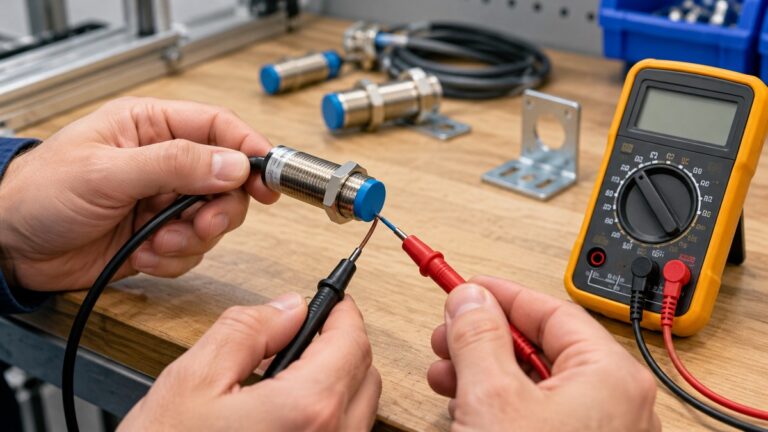
Before any measurement, set the leads and the function switch. The black lead goes to COM. The red lead depends on the measurement: the voltage and resistance jack for voltage, resistance and continuity, the mA jack for small currents, and the high-current jack for larger currents. In one Arduino forum thread on measuring current, the red lead was still in the mA jack, and the replies say it must move to the 10 A socket for that measurement. That thread is a community post, so use it as a warning, not as a specification.
Check the input ratings printed near the jacks. Fluke states that CAT ratings are usually located near the input jacks. The Fluke “go home safely” article adds that test probes carry their own voltage, amperage and category ratings, so the probes need to be checked as well as the meter.
Step 1: measure DC voltage on the supply rail
- Set the function switch to DC voltage. Do not use AC voltage for a regulated 5 V rail.
- Connect the black lead to GND and the red lead to the +5V pin. Keep the board powered from USB or a low-voltage supply.
- Read the value. The sources we opened do not state an acceptable tolerance for the 5 V rail of any board, so do not assume a fixed range is normal.
Step 2: check continuity and resistance on the bench
- Turn off the power to the circuit before measuring resistance or testing continuity. The Berkeley overview says the reading will be incorrect, and the meter may be damaged, if the component is still powered.
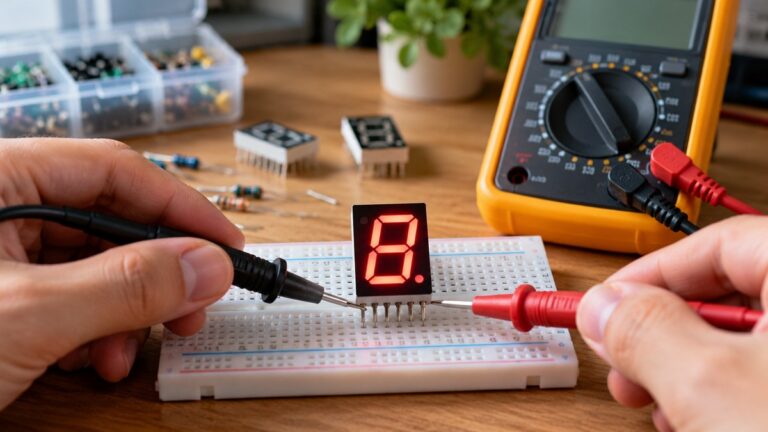
- Use continuity mode on jumper wires, switches and headers. The Berkeley overview describes the continuity tone as sounding when the resistance is small.
- Check a resistor by placing the leads across it, not across a live node.
Step 3: measure current in series
To measure current, the meter must be placed in series with the load. The CircuitBread ammeter guide explains that an ammeter acts like a short circuit if placed in parallel, and that connecting it across a substantial voltage source blows the internal fuse. The Berkeley overview says the meter should always be inserted in series with circuit components.
- Break the circuit at one point and connect the meter across the break.
- Choose the current range above the expected value before you connect the leads. A University of Minnesota lab appendix warns that measuring 1 ampere on the 2 milliamp scale will definitely blow a fuse.
- Do not connect the meter across the supply to measure current. The fuse in the meter is the protection, and the sources say it can blow.
Step 4: measure a PWM output
Arduino PWM outputs are square waves, and a meter reads their average. The Fiore analogWrite chapter says that the greater the duty cycle, the higher the average voltage level. A capacitor on the output can smooth the signal. A Brown University CS lab explains that the capacitor voltage settles to a small error around the average voltage of the PWM signal.
A duty cycle of 50 percent on a 5 V output therefore reads near 2.5 V on a suitable meter. The sources do not state how quickly a particular meter responds to PWM, so a meter that averages slowly may give an unstable reading. Check the meter’s manual for its frequency or response specification before relying on a PWM average.
Reading the results
Read the result against the source that defines it. The 20 mA pin figure and the 40 mA absolute maximum are the two pin limits to compare with a measured load current. The 0 to 5 V analog range is the input range that the analogRead reference states for 5 V boards. The sources do not give a range that marks a 5 V rail as faulty, a tolerance for a sensor, or a limit for a particular meter, so those readings need a datasheet for the part you are measuring.
Common mistakes
- Measuring current across the supply. The sources say an ammeter in parallel acts as a short circuit and can blow its fuse.
- Leaving the red lead in the mA jack while measuring voltage, as the Arduino forum thread describes.
- Measuring resistance on a live circuit. The Berkeley overview says to turn the power off first.
- Reading a PWM output as a steady level. The average depends on the duty cycle, and the reading depends on the meter’s response.
- Assuming an analog pin can read above 5 V. The analogRead reference ties the range to the operating voltage.
Buying checklist
- CAT rating and voltage rating stated on the listing or in the manual. If the listing does not state a CAT rating, write that down and do not use the meter on any mains circuit.
- A DC voltage range that covers 5 V with room to spare, and a resistance and continuity mode.
- A mA input and a high-current input, with the fuse rating stated on the listing or in the manual. If the listing does not state a fuse rating, the sources we opened do not supply one.
- Probe and lead ratings stated on the listing or in the manual, checked against the meter’s own rating.
- A stated PWM or frequency response only if you plan to read PWM outputs. The sources do not give a value for any model.
How we chose
This guide uses the job a meter must do on an Arduino bench as the criteria: the supply rail, the analog reference, pin current limits, series current, continuity, and PWM averages. Each criterion comes from a manufacturer page, a university page, or a standards-based guide that we opened on 2026-10-21. Fluke and BK Precision supply the CAT definitions. The Arduino pinout, analogRead reference and Microchip datasheet supply the board limits. The Berkeley, Minnesota and CircuitBread pages supply the meter procedures. The Fiore and Brown pages supply the PWM averaging facts. Community forum posts are used only for a practical warning and are marked as such. Retailer and course pages that did not carry procedure text were not used.
What we could not verify
The sources we opened do not cover meters designed for Arduino work, and they do not name any model for that job. The listing does not state a CAT rating for any model discussed here, because no meter listing was opened for this guide. The sources do not give a fuse rating for any mA input, a bandwidth for any meter’s PWM reading, a tolerance for the 5 V rail, or a resistor value for a voltage divider. Those points must be checked on the listing or the manual for the meter you are considering.
Frequently asked questions
Do I need a CAT rating for an Arduino project?
Yes, if you ever touch a mains circuit with the meter. The BK Precision note says the CAT label indicates the safety level of the inputs, and the GS38 guidance says the test equipment must suit the installation category. A bench project powered from USB does not involve a mains circuit, but the rating still matters if you ever probe a wall adapter.
Which voltage range should I use for the 5 V pin?
Use DC voltage, and choose a range that covers 5 V. The Arduino analogRead reference describes 0 to 5 V as the input scale for a 5 V board, which is the scale to compare the rail against. The sources do not state an acceptable tolerance.
Why does my meter show a different value on a PWM pin?
A PWM output switches between high and low levels, and the meter reads the average. The average is set by the duty cycle. The Brown lab and the Fiore chapter both describe this averaging. The meter’s response can still make the reading unstable.
Can I measure current through an Arduino pin?
You can place a meter in series with a load that the pin drives, but the sources set a limit of 20 mA per I/O pin on the pinout and 40 mA as the absolute maximum on the Microchip datasheet. A meter in that path adds to the load and must not exceed the pin limit.
What should I do if my current reading is zero?
Check the leads and the jack first. The CircuitBread guide says the meter’s fuse can be checked in resistance mode across the test leads. A community thread also notes that blown current fuses are common in meters. Replace a blown fuse only with one of the rating stated in the manual.
Is a cheap meter enough for Arduino work?
The sources we opened do not compare meters by price. Check the stated CAT rating, the voltage and current ranges, the fuse ratings and the probe ratings on the listing. If the listing does not state those values, the sources do not support a conclusion about that meter.
Sources
- Fluke, Guide to digital multimeter safety: https://www.fluke.com/en-us/learn/blog/safety/multimeter-guide
- Fluke, How to go home safely at the end of the day: https://www.fluke.com/en-us/learn/blog/safety/how-to-go-home-safely-at-the-end-of-the-day
- B&K Precision, What do the input CAT ratings mean?: https://www.bkprecision.com/knowledge/technical-notes/5/what-do-the-input-cat-ratings-mean
- HSE GS38, Test equipment for electrical systems (copy): https://tte-lisa.ac.uk/wp-content/uploads/vle_content/Phase2/electrical/CAROUSEL1/Resource/GS38%20Test%20Equipment.pdf
- Arduino, ASX00037 full pinout: https://docs.arduino.cc/resources/pinouts/ASX00037-full-pinout.pdf
- Microchip, ATmega48A/PA/88A/PA/168A/PA/328/P datasheet (DS40002061B): https://ww1.microchip.com/downloads/en/DeviceDoc/ATmega48A-PA-88A-PA-168A-PA-328-P-DS-DS40002061B.pdf
- Arduino, analogRead reference: https://docs.arduino.cc/language-reference/en/functions/analog-io/analogRead/
- CircuitBread, Ammeter usage: https://www.circuitbread.com/textbooks/lessons-in-electric-circuits-volume-vi-experiments/basic-concepts-and-test-equipment/ammeter-usage
- UC Berkeley EECS 100, Multimeter Overview: https://rfic.eecs.berkeley.edu/courses/ee42_100/man/Multimeter%20Overview.pdf
- University of Minnesota, physics lab equipment appendix: https://groups.spa.umn.edu/physed/Research/Lab%20Manuals/1201/1201Appendix%20A.pdf
- Fiore, Embedded Controllers Using C and Arduino, analogWrite (LibreTexts): https://eng.libretexts.org/Bookshelves/Electrical_Engineering/Electronics/Embedded_Controllers_Using_C_and_Arduino_(Fiore)/27%3A_Bits_and_Pieces__analogWrite()/27.1%3A_analogWrite()
- Brown University CSCI 1600 Lab 2 (2023): https://cs.brown.edu/courses/csci1600/2023/labs/lab_02/
Related guides
For the continuity steps, see the continuity tester guide on this site. For current clamps and when they suit a load, see the DC current meter roundup.