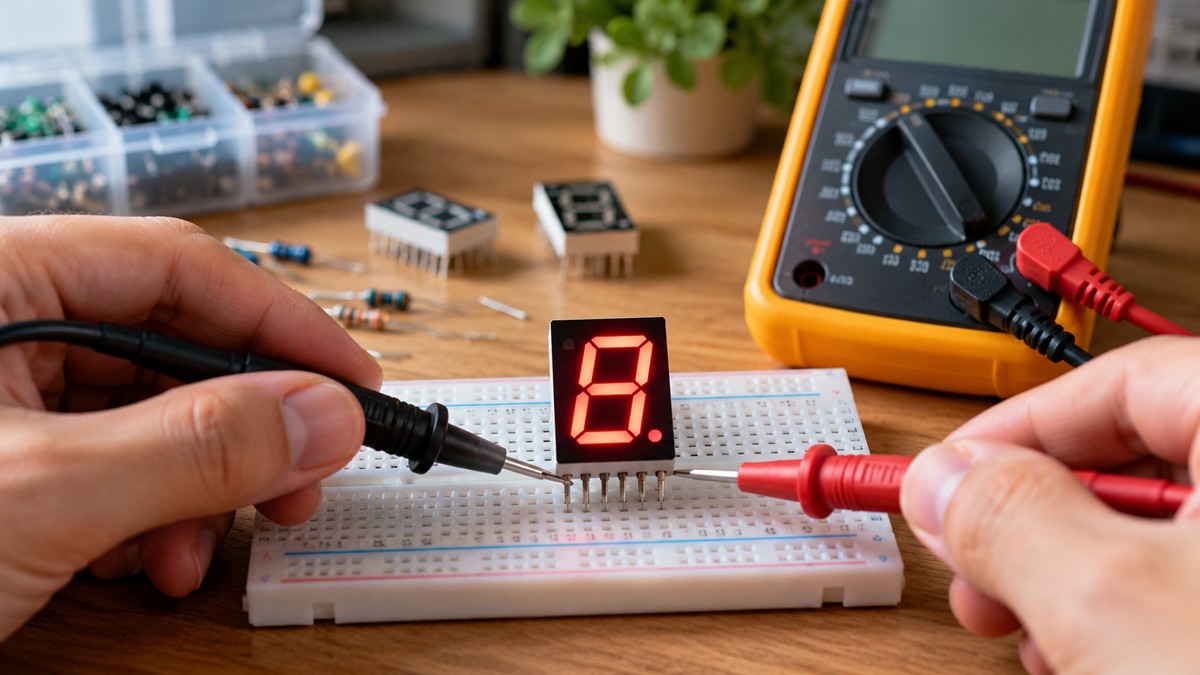
How to Test a 7-Segment Display With a Multimeter
As an Amazon Associate we earn from qualifying purchases.
How to test a 7 segment display with a multimeter comes down to four things: switch off all power, remove the display from its circuit, use the meter’s Diode Test mode on each segment pin paired with the common pin, and find that common pin on the manufacturer’s datasheet. The datasheet step matters because common-anode and common-cathode displays connect their LEDs in opposite directions. This guide covers bench checks on a display that is out of its circuit. It does not cover a display that is still powered.
Electrical safety comes first
Work on mains circuits can kill. Before you measure anything, check that the meter’s CAT rating suits the circuit you are testing, and read the rating from the listing or the manufacturer’s manual. Panel and service work belongs to a licensed electrician.
The Occupational Safety and Health Administration calls electricity “a serious workplace hazard” and lists “electric shock, electrocution, fires, and explosions” among the dangers its electrical standards address. The University of Washington electrical safety page says safe work practices prevent electric shock during work near or on energized equipment or circuits, and it describes a Qualified Person as someone who has received safety training to identify the hazards. Fluke’s multimeter safety guide says “Working with electricity always carries a risk.”
A CAT rating is an overvoltage category. The Fluke guide tells readers to choose “a tool rated for the highest category you could potentially use it in.” The CAT application note says the closer a location is to the power source, the higher the category. The Fluke catalog page states that IEC 61010-1 applies to low-voltage (< 1000V) test equipment. The Fluke guide also uses a 480 V distribution feeder panel as its example of a meter that must be at least CAT III-600 V rated. Panel work is therefore outside this guide.
This guide names no meter model, so it gives no CAT rating for any meter. If your meter’s listing or manual gives no CAT rating, this guide cannot tell you the meter suits any circuit.
Quick answer
- Turn the power off and confirm that no voltage remains before you start.
- Use Diode Test mode, and put the red lead on the anode side of each forward-biased segment.
- Take the common pin number from the datasheet, because pin numbers differ between parts.
- Read a drop in one direction with OL in the other as a normal diode, and OL in both directions as an open segment.
How we chose
We chose the diode test because the Fluke page on diode testing calls Diode Test mode “almost always the best approach.” A segment is an LED, and the Fluke what-is-a-diode page describes an LED as a light-emitting diode that emits light when forward-biased current flows through it.
Three kinds of source informed this guide. Meter makers’ guides describe the diode test and its readings. Display datasheets give the pin layout and the forward-voltage figures. Public safety pages, a university page, a Fluke catalog page and an application note on CAT ratings cover the power-off and CAT points. We left out tutorial pages and distributor listings as evidence for pin numbers and forward voltage, because the datasheets state those figures directly. A university lab page on seven-segment displays returned HTTP 403 when we opened it, so it does not count as a source.
Each step in this guide cites a sentence from a page we opened on 2026-10-22. Each figure is quoted from its datasheet with the condition the datasheet states, and the guide adds no numbers of its own.
Find the common pin on the datasheet
A datasheet pin table names the common pins. The Wayjun user manual, a datasheet from ShenZhen Wayjun Technology for its 7 Segment Single Digit LED Display range, labels the common pins “Common Anode DIG. 1” and “Common Anode DIG. 2” on its 0.36-inch and 0.56-inch common-anode devices. It labels them “Common Cathode DIG. 1” and “Common Cathode DIG. 2” on its 0.56-inch common-cathode device. Table 1 shows three layouts from that manual.
| Wayjun section | Type and size | Common pins | Segment pins and labels |
|---|---|---|---|
| 1.1 | Common anode, 0.36 inch | 1 and 6 | 2 F, 3 G, 4 E, 5 D, 7 DP, 8 C, 9 B, 10 A, all labeled Cathode |
| 1.3 | Common anode, 0.56 inch | 3 and 8 | 1 E, 2 D, 4 C, 5 DP, 6 B, 7 A, 9 F, 10 G, all labeled Cathode |
| 1.4 | Common cathode, 0.56 inch | 3 and 8 | 1 E, 2 D, 4 C, 5 DP, 6 B, 7 A, 9 F, 10 G, all labeled Anode |
The common pins move between parts, so a pin number from one datasheet does not carry over to another. The two 0.56-inch parts use the same segment positions, and only the label changes from Cathode to Anode.
The SA03-11GWA datasheet, specification DSAB5460 dated November 2, 2007, describes its device as common anode with a right-hand decimal point. Its package and internal circuit diagram is on its first page, but the pin numbers did not come through in our text extraction. Read them from that diagram for your part, because the table above does not list them.
Some parts in the Wayjun tables have two common pins. The sources we opened do not say whether those two pins are joined inside the display, so check the device diagram before you test a display with two common pins.
Forward voltage as the datasheets state it
Table 2 lists the forward-voltage figures each datasheet gives. Read them as datasheet values. They are not meter readings.
| Datasheet and part | LED material | VF typical (V) | VF maximum (V) | Test condition the datasheet states for VF |
|---|---|---|---|---|
| Wayjun LEDS5612AUR11 | AlGaAs red | 1.8 | 2.3 | Not stated in the table |
| Wayjun LEDS5612UY11 | AlInGaP amber | 1.8 | 2.3 | Not stated in the table |
| Wayjun LEDS5612YG11 | GaP green | 1.9 | 2.3 | Not stated in the table |
| Wayjun LEDS5612TB11 | InGaN blue | 3.3 | 4.0 | Not stated in the table |
| Wayjun LEDS5612TW11 | InGaN white | 3.3 | 4.0 | Not stated in the table |
| SA03-11GWA | GaP green | 2.2 | 2.5 | IF = 20 mA |
The Wayjun table gives its luminous intensity at 10 mA and gives no test current for its forward-voltage columns. The SA03-11GWA datasheet states its forward voltage at 20 mA. The Fluke diode page gives a range of 0.5 to 0.8 volts for a good forward-biased silicon diode, and it gives no range for an LED segment.
Diode test, one segment at a time
Follow these steps in order. Each step names the page that supports it.
- Remove power and check for stored charge. Fluke says to make certain “all power to the circuit is OFF” and that there is no voltage at the diode. It adds that charged capacitors can hold a voltage and need to be discharged.
- Remove the display from its circuit. Fluke says that “In some cases it may be necessary to remove one end of the diode from the circuit in order to test the diode.” This guide removes the whole display, because its scope is a display that is out of its circuit.
- Set the meter to Diode Test. Fluke says to turn the dial to Diode Test mode, which “may share a space on the dial with another function.”
- Find the common pin. Use the pin table from the datasheet for your part.
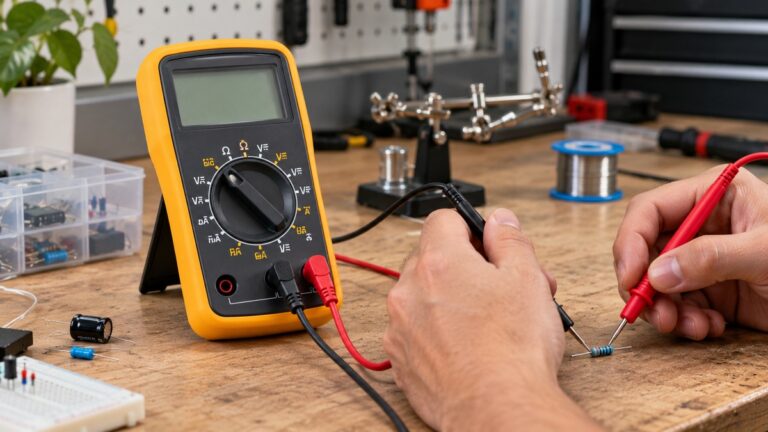
- Set the leads for the display type. Fluke says a diode “is forward-biased when the positive (red) test lead is on the anode and the negative (black) test lead is on the cathode.” On a common-anode display the common pin is the anode, so the red lead goes on the common pin and the black lead goes on each segment pin in turn. On a common-cathode display the leads swap: black on the common pin and red on each segment pin. The segment labels in Table 1 match this for the Wayjun parts.
- Touch the black lead to each segment pin in turn. Include the DP pin, which is the decimal point segment. Fluke says to “Connect the test leads to the diode. Record the measurement displayed.”
- Reverse the leads and record again, with a caution. Fluke lists “Reverse the test leads. Record the measurement displayed.” as a standard step. The Wayjun manual warns that “Reverse biasing of the dot matrix is not recommend, will cause damage to the leds”, and it gives a reverse voltage of 3 V. The SA03-11GWA datasheet gives 5 V. The sources we opened do not give the meter’s test voltage, so they do not show whether the reverse check stays within a display’s rating. Our own assumption: skip this step for a display whose datasheet you cannot read.
- Repeat steps 5 and 6 for every segment pin. Use the list of segment pins from the datasheet for your part.
Reading the results
The Fluke diode pages give the readings below. They describe diodes in general, not LED segments in particular.
- A forward reading shows a voltage drop. Fluke gives “0.5 to 0.8 volts” for the most commonly used silicon diodes. For LED segments the sources give only the datasheet figures in Table 2.
- OL in reverse is normal for a good diode. Fluke says “The multimeter displays OL when a good diode is reverse-biased.” It adds that “The OL reading indicates the diode is functioning as an open switch.”
- OL in both directions means an open segment. Fluke says a bad (opened) diode “does not allow current to flow in either direction.”
- The same drop in both directions means a short. Fluke says “A shorted diode has the same voltage drop reading (approximately 0.4 V) in both directions.”
The Fluke diode overview says an LED “emits light when forward-biased current flows through it.” The sources we opened do not say whether the meter’s test current is enough to light a segment, so this guide uses the meter reading as the result and does not treat light alone as a pass.
A datasheet forward voltage applies only to the test condition that datasheet gives: 20 mA for the SA03-11GWA, and none for the Wayjun table. The meter’s test current is not stated in any source we opened, so a meter reading and a Table 2 figure are not the same measurement.
If you are choosing a meter for diode checks, see our comparison of diode continuity test meters. For meters aimed at LED checks, see our LED continuity tester comparison.
Common mistakes
- Testing with power on. Fluke makes power-off the first step, so a display in a live circuit falls outside this method.
- Using Resistance mode on a display that is still wired in. Fluke says Resistance mode “Should not be taken when a diode is connected in a circuit since it can produce a false reading.”
- Calling a segment bad from one OL reading. Fluke says a good diode reads OL when reverse-biased, so one OL reading in one direction is not enough on its own.
- Swapping the lead placement for the display type. The red lead goes on the anode of a forward-biased diode. A common-cathode display has its common pin on the cathode side, so the leads flip.
- Using pin numbers from another datasheet. The Wayjun common pins are 1 and 6 on the 0.36-inch common-anode part and 3 and 8 on the 0.56-inch parts.
- Reverse-biasing a display without checking its rating. The Wayjun manual warns it “will cause damage to the leds”, and it gives a 3 V reverse rating, while the other datasheet in this guide gives a higher one.
Frequently asked questions
Can I test a segment while the display is still in its circuit?
The Fluke pages do not support in-circuit testing with Resistance mode, because a diode connected in a circuit can give a false reading. Diode Test may need one end of the diode removed from the circuit, so this guide tests with the display removed.
Which pin is the common pin?
The datasheet pin table names it. Wayjun labels the common pins “Common Anode DIG. 1” and “Common Anode DIG. 2” on common-anode parts, and “Common Cathode DIG. 1” and “Common Cathode DIG. 2” on common-cathode parts. Read the pin numbers for your part from its own datasheet.
Which lead goes on the common pin of a common-anode display?
The red lead. Fluke says the red lead sits on the anode of a forward-biased diode, and a common-anode display’s common pin is the anode side of each segment LED.
What does OL mean on a segment?
It depends on the direction. Fluke says OL in reverse is what a good diode shows, while OL in both directions points to an open diode.
What forward reading should an LED segment give?
The sources we opened do not give a meter reading range for LED segments. The datasheet forward-voltage figures are in Table 2, at the conditions stated there. Fluke’s 0.5 to 0.8 V range is for silicon diodes.
Can I test a display that is inside a powered device?
This guide does not cover that case. Fluke’s first step is that the circuit is off, and the University of Washington page places work on energized circuits under safe work practices and a Qualified Person.
What we could not verify
The sources we opened are limited for this topic, and the list below states what they do not say.
- They do not cover a display in a powered circuit, a panel, a service feed, or mains equipment, so this guide does not cover those.
- They do not give the test current or open-circuit voltage of a meter’s Diode Test mode, so we cannot size the risk of the reverse check.
- They do not give an expected meter reading for an LED segment. The Fluke range applies to silicon diodes.
- They do not give the pin numbers for the SA03-11GWA, because its diagram did not come through in the text we extracted.
- They do not say whether two common pins are joined inside a display, or how to test a display that has two common pins.
- They give no CAT rating for any meter, since this guide names no model.
- No source we opened states a licensing rule for electricians. The sentence Panel and service work belongs to a licensed electrician is the site’s own policy, not a finding from these sources.
Sources
- Fluke, How to Test Diodes with a Digital Multimeter: https://www.fluke.com/en-us/learn/blog/digital-multimeters/how-to-test-diodes
- Fluke, What is a diode?: https://www.fluke.com/en-us/learn/blog/electrical/what-is-a-diode
- Fluke, Guide to digital multimeter safety: https://fluke.com/en-us/learn/blog/safety/multimeter-guide
- OSHA, Electrical: https://www.osha.gov/electrical
- University of Washington, Electrical Safety: https://www.ehs.washington.edu/node/629
- Fluke catalog page on overvoltage categories: https://content.fluke.com/pdf/catalog/catalog-eng/files/assets/basic-html/page12.html
- Application Note 603, Understanding the CAT Ratings on a Voltmeter: https://www.advancedenergy.com/getmedia/90785e25-f83a-40e9-9151-5f5a0dafcaba/an603-understanding-the-cat-ratings-on-a-voltmeter.pdf
- ShenZhen Wayjun Technology, Segment Digit LED Display User’s Manual, V1.4 (PDF hosted by components101): https://components101.com/sites/default/files/component_datasheet/7%20Segment%20Display%20Datasheet.pdf
- Datasheet SA03-11GWA, spec DSAB5460 (hosted by Rapid Electronics): https://static.rapidonline.com/pdf/57-0103.pdf