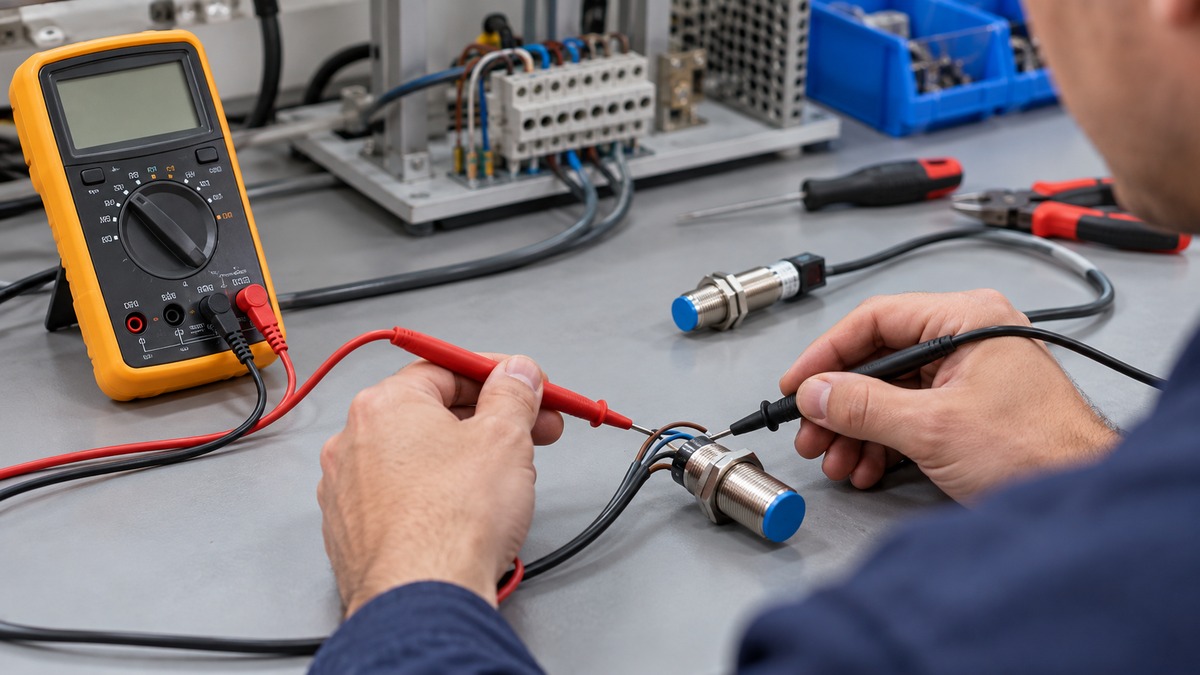
How to Test Sensor Wiring With a Multimeter
As an Amazon Associate we earn from qualifying purchases.
This guide explains how to test a sensor wiring with a multimeter, and it covers only low-voltage bench work and 12 V automotive sensor circuits. The order matters. First confirm that each wire is continuous with the power off and the sensor disconnected. Then, with power on, check the supply voltage, the ground reference and the signal voltage. Each step names the source behind it, and the last sections say what the sources do not cover.
Electrical safety first
Work on mains circuits can kill. Before you measure anything, check that the meter’s CAT rating suits the circuit you are testing, and read the rating from the listing or the manufacturer’s manual. Panel and service work belongs to a licensed electrician.
The Canadian Centre for Occupational Health and Safety states that the voltage and current in homes and businesses have enough power to cause death by electrocution. Its guidance also says to always disconnect the power source first.
This guide does not describe testing outlets, panels, breakers, or service wiring. Every continuity and resistance step starts with the power off and the sensor disconnected. The supply check is the only step with power on, and it is limited to the low-voltage sensor circuit. If the sensor wiring is connected to mains voltage, stop and call a licensed electrician.
Quick answer
- Check continuity first, with the power off and the sensor disconnected from its power source.
- Check supply voltage with the power on, using the DC volts range closest to, yet bigger than, the source voltage.
- Check the ground reference and the signal wire, measuring each relative to ground.
- Measure resistance only with the power off, and discharge any capacitor first.
How we chose
The steps come from three kinds of page: a sensor troubleshooting guide with a continuity check and a supply check in order, an automotive diagnostic page on supply, ground and signal voltages and wiring faults, and a meter manufacturer’s article on resistance measurement. A step is included only when an opened page states it. Search results were used to find pages, not as evidence. All five pages were opened with curl on 2026-10-21, and their text was checked for each statement used here.
No meter model is recommended. The Fluke 113 product page is cited only for listing facts, not for any procedure. No prices, star ratings, review counts or certifications are used.
What you need before you start
- A digital multimeter with a continuity setting, a DC volts range and an ohms range.
- The sensor’s manual or wiring diagram. The sensor guide notes that communication wiring can vary with the sensor’s output and control system, so the manual should confirm which wire does what.
- Access to the sensor’s power source and its connector.
- A way to switch the power off before any ohms or continuity reading. Fluke’s resistance guide says to turn power to the circuit off first.
The Fluke 113 product page lists a continuity beeper on 250 Ω, which the page describes as detecting opens or shorts of 500 μs or longer. The sources we opened do not give that threshold for other models, so check your own meter’s listing or manual.
Step 1: Identify the wires
Start with the sensor’s wiring diagram. The automotive page says that after consulting the wiring diagram, you can estimate which voltages to expect on each wire. For a three-wire sensor, the usual roles are supply, ground and signal. Confirm those roles in the manual before you connect any probe, because the sources we opened do not give a colour code that applies to every sensor.
Step 2: Check continuity with the power off
The continuity check tests whether the wiring between the power source and the sensor is intact. The sensor guide uses this order:
- Disconnect the sensor’s wires at its power source.
- Plug the black probe into the COM jack and the red probe into the VΩ jack.
- Set the meter to the continuity setting.
- Connect the red probe to the positive wire going to the sensor, and the black probe to the ground wire going to the sensor.
- If the meter registers a reading, the wiring is intact. If it does not, something is wrong with the wiring.
- Repeat the check along each section of the circuit between the source and the sensor to find the fault.
- Repeat the same check on any communication wiring.
Keep the power off for this whole step.
Step 3: Check the supply voltage with the power on
Once continuity passes, check that the power source delivers the voltage the sensor needs. The sensor guide uses this order:
- Reconnect the sensor’s power source.
- Disconnect the power wires at the sensor. If the cable cannot be unplugged there, disconnect it at the connection point closest to the sensor.
- Keep the same probe and meter connections.
- Connect the red probe to the incoming positive wire, pin or terminal, and the black probe to the ground.
- Select the DC volts range that is closest to, yet bigger than, the source voltage.
- Turn on the power source and check that the voltage at the sensor falls within the range in the user manual.
- Turn the power back off.
If the voltage is within range, the power source is not the problem. If it is not, the guide says the voltage source is the problem. The automotive page gives a similar example: a sensor receives a positive supply of 5 volts and a ground from the control unit, and the supply is fine when the reading matches that level.
Step 4: Check the ground reference
A ground fault can make a good supply look wrong. The automotive page describes an interrupted ground wire. A probe on the sensor’s ground side then reads 0 volts, because the meter has no reference. Moving the black probe to the chassis or battery ground shows the full supply voltage. To find the break, compare the ground terminals of two sensors on the same circuit. If one shows the full voltage and the other does not, the break lies in the wire between them.
Step 5: Check the signal wire
The signal voltage is measured relative to ground. The automotive page explains that an active sensor forms its signal from the 5-volt supply, and its example uses a signal band of 0.5 to 4.5 volts. That band belongs to the page’s example sensor. Read the band for your own sensor from its manual.
To check whether the signal wire is intact, measure the voltage at the sensor, then measure the same signal at the controller input or at a breakout box if one is available. The page says that if the voltage passes on unchanged, the wire is intact. A difference between the two ends points to a break or high resistance in the wire between them.
If the signal wire reads the full supply voltage, the page describes a short to the supply wire. Check that with an ohmmeter, as described in the next step.
Step 6: Check for shorts and open wires with the ohmmeter
The automotive page uses the ohmmeter to check wiring for shorts. Switch off the controller, remove its connector, and disconnect the connectors of the sensors on the same circuit. Then measure the resistance between the two wires you suspect are shorted. A short shows as a reading at or near 0.0 Ω. The page notes that the value may be a few ohms higher in practice. With no short, the meter shows OL, which means no electrical connection between the wires.
The same page describes a short between a supply wire and a ground wire, in which the controller switches off the supply pin and every sensor on it stops working. Check that pin’s connections before you replace a sensor.
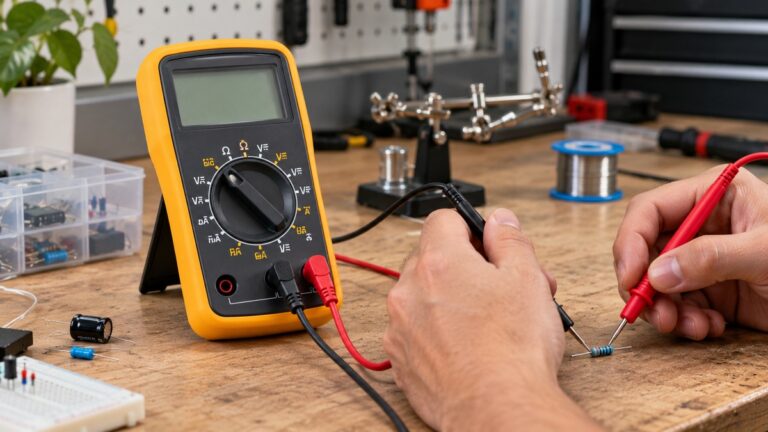
Step 7: Measure resistance on the wiring
Use this step only with the power off. Fluke’s resistance guide gives this order:
- Turn the power to the circuit off. If the circuit has a capacitor, discharge it before any resistance reading.
- Turn the dial to ohms. The display should show OL.
- Plug the black lead into COM and the red lead into the VΩ jack.
- Remove the component from the circuit where possible, because a component left in place can read differently due to parallel paths.
- Connect the leads across the component and make sure the contact is good.
- For very low resistance, use the relative mode (REL). Touch the two leads together first. Ideally the display shows 0 Ω, and REL subtracts the lead resistance.
The guide says autorange picks the best range automatically, and the Range button sets it by hand.
Reading the results
A continuity reading means the wire is intact. No reading means a fault between the points you tested, so narrow it down section by section. The sensor guide does not say how to repair that fault.
A supply voltage inside the manual’s range means the source is not the problem. A supply outside that range means the source needs attention before you judge the sensor.
In the automotive page’s example of contact resistance, the sensor pin read 4 volts where 5 volts was expected. A comparison with a second connector showed a 1-volt difference, and the page places the fault in the wire between the junction and the connector.
An ohms reading near 0.0 Ω between two wires is a short. OL means no connection. Any other value is not covered by the sources we opened, so compare it with the sensor’s manual.
Common mistakes
- Measuring continuity while the sensor is still connected to power. The sensor guide disconnects the sensor first.
- Reading a component that is still in the circuit. Fluke says parallel components can change the reading.
- Using a ground probe on a broken ground wire. The automotive page says the meter then shows 0 volts, even when the supply is fine.
- Reading a signal without knowing which wire carries it. Check the manual first.
- Calling a wire faulty from one low reading. The automotive page compares both ends of a wire before it names the fault.
- Treating a supply reading as proof that the sensor works. A supply check only covers the power wire.
FAQ
Can I test sensor wiring with the sensor still connected?
The sensor guide disconnects the sensor’s wires at the power source before its continuity check. For the supply check, it disconnects the power wires at the sensor or at the nearest connection point. The sources we opened do not describe a continuity check with the sensor connected.
What does a continuity beep tell me?
A reading means the wiring is intact between the points you tested. No reading means a fault. Repeat the check along each section of the circuit to find it.
My supply voltage is correct, but the sensor still fails. What now?
A correct supply only confirms the power wire, so check the ground and signal wires next. The sources we opened do not give a full troubleshooting sequence for every sensor.
The meter reads 0 volts on the ground side. Is the sensor broken?
The automotive page says a 0-volt reading on the ground side can come from an interrupted ground wire. Move the black probe to the chassis or battery ground to see whether the full supply voltage appears. Locate the break before you replace the sensor.
Do I need a CAT rating for sensor wiring work?
Check the CAT rating on the listing or in the manual before you test any circuit. The Fluke 113 product page we opened lists a CAT IV 600 V rating for that model, so confirm it in the manual. The sources we opened do not state a CAT rating for other meters.
What we could not verify
The sources we opened do not give pass or fail resistance values for sensor coils, sensor wiring or sensor outputs. The 0.5 to 4.5 volt band in this guide comes from one automotive example, and the sources do not state a band for other sensor types. They do not cover thermistors, thermocouples, 0 to 5 volt outputs, Hall-effect outputs, pull-up resistors for open-collector outputs, or sensors with an AC output. The sources also do not give a colour code or pinout for every sensor, and they do not state a continuity threshold or CAT rating for every meter. Confirm those items in the sensor datasheet and the meter manual before you test.
Related guides
For the basic continuity check on a meter, see our how-to guide on using a continuity tester. For a wider look at continuity settings, see the voltmeter continuity guide.
Sources
https://apgsensors.com/troubleshooting-your-sensor-with-a-multimeter-guide/
https://www.ccohs.ca/oshanswers/safety_haz/electrical.html
https://www.mvwautotechniek.nl/en/troubleshooting-sensor-wiring/
https://www.fluke.com/en-us/learn/blog/digital-multimeters/how-to-measure-resistance
https://www.fluke.com/en-us/product/electrical-testing/digital-multimeters/fluke-113