3000Fc Fluke
As an Amazon Associate we earn from qualifying purchases. Details
The 3000fc Fluke, written Fluke 3000 FC by the maker, is a True-rms digital multimeter that pairs with wireless remote modules and the Fluke Connect app. Fluke publishes 6000-count resolution, manual and automatic ranging, a 3-year warranty and a CAT IV 600 V / CAT III 1000 V rating in its product literature. This explainer covers what the 3000 FC does, what the manufacturer documents say about its ratings and radio range, the safe-use points from the Fluke users manual, and what a buyer should confirm before purchase.
Quick answer
- The 3000 FC is a True-rms digital multimeter, per the Fluke users manual. The product page adds 6000-count resolution and manual and automatic ranging.
- The manual lists the meter’s measurement category as IEC 61010-2-033: CAT IV 600 V / CAT III 1000 V.
- The radio range is up to 20 m (66 ft) in the manual’s wording. The manual gives that figure without an obstruction allowance, so plan the site layout before you rely on it.
- Do a fuse test before current measurements, and remove the test leads and all input signals before you replace batteries or fuses.
What the 3000 FC is
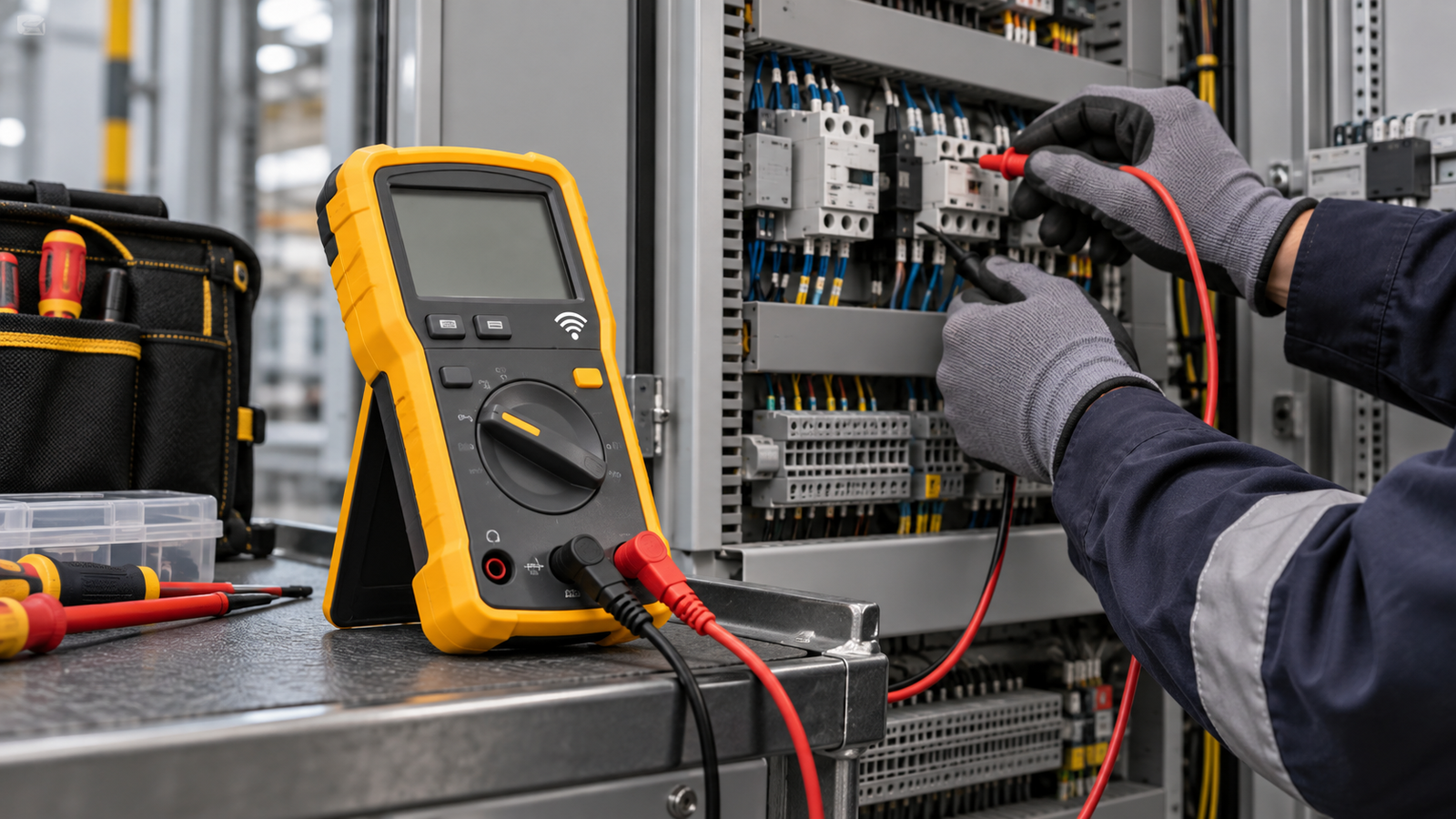
The users manual introduces the 3000 FC as a True-rms digital multimeter, and the product page describes it as the core of a wireless system. Fluke says the remote modules can measure AC, DC and AC plus DC voltage, AC and DC current, and temperature, and that those readings display on the 3000 FC. Choose a standard clamp or a flexible clamp to measure AC current, the page says. That means the meter is not a stand-alone clamp meter. It becomes a full system when the modules are added.
The manual also lists functions such as MIN MAX AVG recording, display hold, manual and automatic ranging, frequency measurement and fuse testing. Those functions are the everyday parts of the meter. Read the table of contents in the manual before you buy, and confirm that the function you need is in the version you are buying.
The meter pairs with the Fluke Connect app. The manual covers the wireless radio, the pairing steps and how to use the app with the meter. If you plan to share readings with a colleague or a customer, read the Fluke Connect section of the manual first, because the app and the meter share the same wireless setup.
Ratings in the manufacturer documents
The Fluke users manual lists the measurement category as IEC 61010-2-033: CAT IV 600 V / CAT III 1000 V. In plain terms, the meter is rated for certain high-energy circuit locations, and the manual’s rating is the number to check against your job. Do not read the rating as permission to work on every circuit at those voltages. The category tells you what the meter is built for, not what the circuit is safe to open.
The manual sets the voltage limits in its general specifications. The warning text warns against applying more than the rated voltage to the inputs, and the product page repeats the CAT rating as a headline feature. If your work involves a service entrance, a panel or any conductor at a high fault level, confirm the category for that exact location and use a licensed electrician where the work is outside your competence.
The product page and the manual describe a 3-year warranty. The manual’s warranty text says the period begins on the date of shipment and that it does not apply to fuses or disposable batteries. Keep the purchase record, because the warranty clock is measured from shipment, not from the day you first switch the meter on.
Wireless range and battery habits
The manual gives the radio range as up to 20 m (66 ft). The product page describes the same 20 m range for the remote modules. Treat that figure as the best case in open air. The sources we opened do not say how walls or enclosures change that figure, so plan the layout before you start a job and check the connection before you leave the meter in a cabinet.
The meter includes a battery saver. The manual says sleep mode turns off the display if there is no function change or button push for 20 minutes. A display that goes dark during a long job is usually the sleep mode, not a fault. Press a button to wake the meter before you assume the reading has stopped.
Safe-use points from the manual
- Do a fuse test before current measurements. The manual repeats this instruction in its current-measurement section and points to a dedicated Fuse Test procedure.
- Remove the test leads and all input signals before you replace the batteries or fuses. The manual’s warning makes this step explicit.
- Install only the specified replacement parts. The manual refers to the replacement parts table for the correct fuses and batteries.
- Confirm the function on the dial after the meter wakes from sleep mode. The manual’s sleep mode is a power-saving feature, so check the setting before you take a reading.
Mains electricity can kill. Wireless modules keep your hands away from live parts, which is one of the reasons the product page highlights the system. They do not remove the need for a correct category, a correct range and a sound method. Panel, service and uncertain live-circuit work belongs to a licensed electrician.
Who the 3000 FC suits
The product page frames the wireless system around measuring from a distance: it says the modules let you take measurements up to 20 meters away from the meter. A job that never needs a remote reading may not need the extra modules, and a simpler meter can cover it. The 3000 FC makes the most sense when the remote reading, the display of several modules or the minimum, maximum and average record is part of the work.
The kit form matters. The product page lists several combo and system packages, and each one includes a different set of modules and accessories. Buy the package that matches the measurements you plan to take, and check the module list on the listing before you pay. A meter alone does not cover the wireless functions.
Before you buy: a short checklist
- Confirm the kit contents. The meter and the remote modules are sold in different combinations.
- Confirm the category. The manual states CAT IV 600 V / CAT III 1000 V. If a listing states a different category, follow the listing and the manual for the variant you are buying.
- Confirm the radio range for your site. The 20 m figure is open-air. Plan around walls and enclosures.
- Confirm you need the app. The wireless features depend on the Fluke Connect app, so check the app requirements before you buy.
- Confirm the warranty. The 3-year warranty starts at shipment and excludes fuses and disposable batteries.
- Confirm the current range you need. The clamp and the leads determine the current range, not the meter alone.
How we chose
This explainer uses only the Fluke product page, the Fluke 3000 FC Users Manual (May 2014, Rev. 1, 9/16) and the 3000 FC calibration manual (July 2014), all opened on 2026-10-27. We did not compare the 3000 FC with other multimeters, and we did not rank it. The calibration manual refers readers to the users manual for usage information, which is why we used it to confirm the document set.
What we could not verify
The sources we opened do not give us a complete accuracy table in a form we can quote here. We did not verify the module-by-module specifications for every kit. The manual we opened is dated 2014 with a 9/16 revision, and Fluke states that newer supplements are available from its manuals page, so check for updates before relying on a figure from this guide. The product page does not describe the app’s features in full, so confirm them in the app documentation.
Mistakes to avoid
- Reading the CAT rating as permission to work on any circuit. The category describes what the meter is built for.
- Skipping the fuse test before current work. The manual asks for it before current measurements.
- Assuming the 20 m range holds through a wall. The product page and manual describe open-air conditions.
- Buying the meter without the modules you need. Wireless readings need the remote modules, and the kits differ.
FAQ
Is the Fluke 3000 FC rated CAT III or CAT IV?
The users manual lists CAT IV 600 V / CAT III 1000 V under IEC 61010-2-033. Confirm the category for the exact circuit location before you connect the meter.
How far can the wireless modules be from the meter?
The manual states up to 20 m (66 ft). That figure is the open-air best case, so allow for walls and enclosures.
What is the warranty period?
The manual states a 3-year warranty that begins on the date of shipment, and it does not cover fuses or disposable batteries.
Does the meter turn off by itself?
The manual says sleep mode turns off the display after 20 minutes without a function change or button push. Press a button to wake it.
Bottom line
The Fluke 3000 FC is a True-rms wireless multimeter with a published CAT IV 600 V / CAT III 1000 V rating and a 20 m radio range in open air. Buy the kit that matches your measurements, follow the manual’s fuse-test and battery steps, and leave panel and service work to a licensed electrician. If you are still choosing between a meter and a clamp, read Clamp Meter vs Multimeter: Which One Do You Need? and Best Clamp Meter: AC Current, True RMS and Logging Compared.
For a plain-language guide to the basic steps before any measurement, read How to Use a Clamp Meter Safely, Step by Step, then return to the checklist above.
Sources
- Fluke Corporation, “Fluke 3000 FC/EDA2 Combo Kit” product page. https://www.fluke.com/en-ie/product/electrical-testing/digital-multimeters/fluke-3000-fc-eda2-kit (opened 2026-10-27)
- Fluke Corporation, “3000 FC Wireless Multimeter Users Manual”, May 2014 Rev. 1, 9/16. https://media.fluke.com/437e18a0-de4d-4090-ab8a-b0df016de4fd_original%20file.pdf (opened 2026-10-27)
- Fluke Corporation, “3000 FC Calibration Manual”, July 2014. https://media.fluke.com/dbd75613-655c-4c3a-a9af-b10800c0068f_original%20file.pdf (opened 2026-10-27)