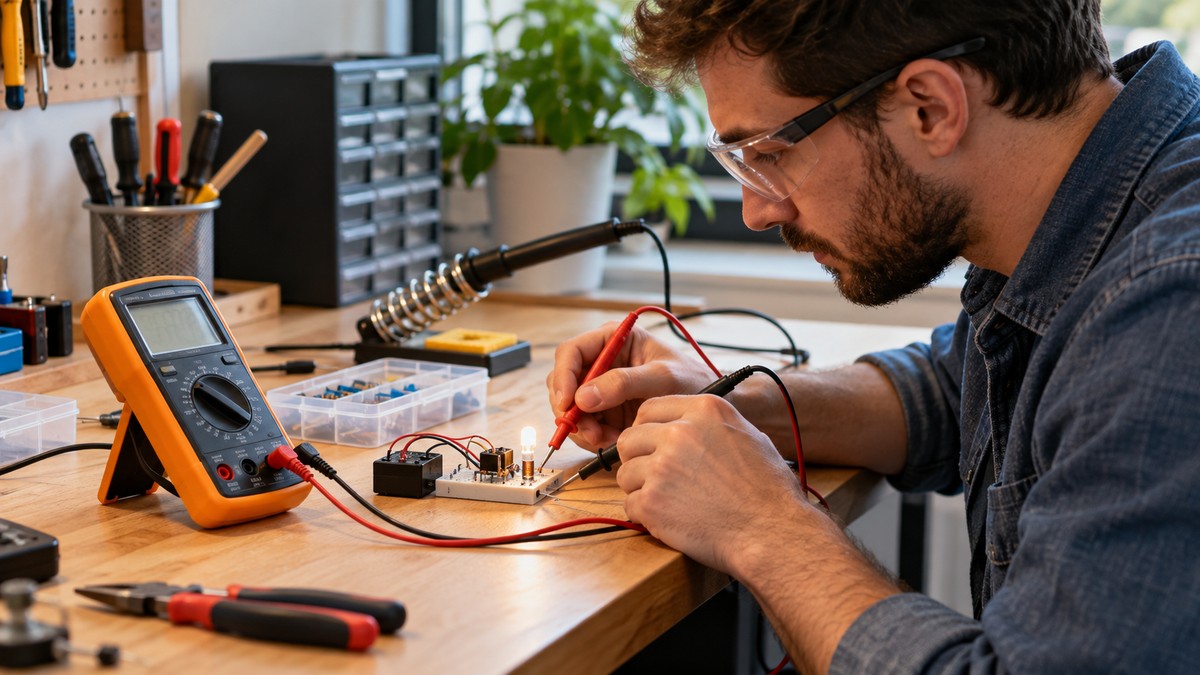
How to Measure Milliamps With a Multimeter
As an Amazon Associate we earn from qualifying purchases.
How to measure milliamps with a multimeter comes down to three steps: open the circuit at one point, connect the meter in series so the current flows through it, and read the value on a milliamp range. The steps below cover low-voltage bench and DC work only. The sources agree on the method, but they give different milliamp input limits for different meters, so the label and manual of your own meter decide which jack you use and how high the current may be.
Electrical safety first
Work on mains circuits can kill. This guide does not cover wall outlets, breaker panels, service wiring, or any circuit that can carry mains voltage. It covers batteries, low-voltage DC circuits, components, cables and switches on a bench. The Fluke 87 manual warns to use caution when working above 60V dc or 30V ac rms, and it says that such voltages pose a shock hazard [1].
Before you measure anything, check that the meter’s CAT rating suits the circuit you are testing, and read that rating from the meter’s label or the manufacturer’s manual. The Fluke 87 manual describes CAT III as the category for measurements on equipment in fixed installations, such as industrial equipment [1]. If the listing or manual does not state a CAT rating for your meter, write “the listing does not state a CAT rating” in your notes and do not use that meter on mains circuits. Panel and service work belongs to a licensed electrician. That last sentence is the site’s advice, not a finding from the sources.
Quick answer
- Turn off the power supply, open the circuit at the point you want to measure, and connect the meter in series with the load [3][4].
- Put the black lead in COM. Put the red lead in the milliamp jack only when the expected current is inside the limit printed for your meter [1][2][7][8].
- Start on the highest current range, then step down to a range that gives a clear reading [2][4].
- Keep the meter in series for brief readings only, because a long connection can blow the fuse [5].
How we chose
We limited the sources to publicly readable pages that we opened with curl on 2026-10-21, and we quote only text that appears in the fetched copy. Each claim cites at least one source that states it. Where sources disagree on a figure, the post shows each figure and names its meter. Manufacturer manuals supply meter-specific limits and fuse protection; university, teaching and training pages supply the general method. We did not use search snippets, summaries, or retailer listings for any step or safety claim.
What you need before you start
- A digital multimeter with a milliamp input, and its manual or the label on the meter. The Fluke 87 manual marks its mA/uA input as fuse protected [1].
- Test leads in good condition. The Extech MN35 manual says to inspect the leads and the meter for damage before use, and to repair any damage before use [8].
- A low-voltage DC source, such as a battery or a bench power supply, and a load, such as a resistor. The GSU handout sets up a circuit of this kind with a power supply, a resistor and a meter in current mode [4].
- An estimate of the expected current. The Fluke 87 manual says that if you do not know approximately what the current is, you should connect the circuit to the A input terminal first [1].
Steps to measure milliamps
Step 1: Turn off the power
Turn off the power supply before you touch or change the circuit. The GSU handout states this rule for its DC bench circuit [4]. The Klein MM400 manual gives the same starting point for current measurement: remove power from the circuit first [7].
Step 2: Open the circuit at the measuring point
Open the circuit at the point where the current will be measured. The UMD guide for a Fluke 287 says that you must open the circuit under test, then place the meter in series with it [3]. The GSU handout says to break the circuit and connect the meter across the break, so that the current flowing in the circuit passes through the ammeter. It calls that arrangement a series connection [4].
The meter has to sit in series because of how it is set up in current mode. Durham explains that the meter is in an extremely low resistance setting in that mode, so it must be connected in series [2]. The RMIT training page says that an ammeter must be connected in series with the circuit [6]. The GSU handout adds the reason for the series arrangement: a series connection is one in which the same current flows through each component [4].
Step 3: Connect the leads to the right jacks
Connect the black lead to the COM jack [2][7]. Then choose the red-lead jack from the expected current. Durham says that for current measurements up to 200 mA, the red lead goes into the mA µA port, and that for currents between 200 mA and 10 A it goes into the 10 A port [2]. The Fluke 87 manual lists its mA/uA input for current up to 400 mA, ac or dc, and its A input for up to 10 A continuous, with 20 A allowed for 30 seconds maximum [1]. The UMD guide for the Fluke 287 says to use the mA/uA terminal only if you are sure the current is less than 400 mA [3].
The Klein MM400 manual lists 500 mA as the maximum input on its A/mA setting, with a 500 mA, 600 V fuse for that input [7]. The Extech MN35 manual lists 250 mA DC as its mA DC input limit, and its DC current procedure begins with setting the function switch to the 200 mA DC position for currents up to 200 mA [8]. Those are four different figures from four meters. The table in the next section sets them side by side.
Step 4: Set the range
Start on the highest current range. Durham advises that if you are unsure of the current, you should go for a high current and work downwards [2]. The GSU handout gives the same advice for its lab meter. Set the meter to its highest setting first, because a large current on a low setting can blow the fuse [4]. Once the power is on, a lower range gives a finer reading, and the GSU handout says that you can increase the sensitivity of the ammeter by changing the knob to a lower range [4].
Step 5: Apply power and read the display
The Klein MM400 manual puts the order this way: remove power, open the circuit, connect the meter in series using the test leads, and then apply power to the circuit [7]. That manual says the meter auto-ranges to show the measurement in the most appropriate range [7].
Step 6: Keep the reading brief and restore the circuit
Make the amperage reading for a brief time only. The TeachEngineering page says that if you leave the meter connected for longer, you may blow the fuse [5]. When the reading is done, turn off the power supply before you change the circuit back to its normal wiring [4].
Choosing the jack and range: where the sources differ
The table lists what each source states. A blank cell means the source you opened does not state that figure.
| Source | Milliamp input or setting | Ampere input | Note |
|---|---|---|---|
| Fluke 87 manual [1] | mA/uA input, up to 400.0 mA ac or dc; marked fuse protected | A input, 10 A continuous, 20 A for 30 seconds maximum | Manual edition Rev. 8, 4/97 |
| Durham University lab page [2] | mA µA port, up to 200 mA | 10 A port, 200 mA to 10 A | General lab page; model not named |
| UMD guide for a Fluke 287 [3] | mA/uA terminal, use only if current is under 400 mA | Amperes terminal | Guide for one Fluke model |
| Klein MM400 manual [7] | A/mA setting, 500 mA maximum input; 500 mA, 600 V fuse | 10 A setting, 10 A maximum; 10 A, 600 V fuse | Auto-ranging meter; copy hosted by a university |
| Extech MN35 manual [8] | 250 mA DC input limit; 200 mA DC setting | 10 A DC, 15 seconds maximum, then 15 minute cool down | Manual-ranging meter; copy hosted by a university |
The figures are not interchangeable. Use the one printed for your meter. The sources do not say which figure applies to a meter that they do not name.
If you are looking at the meters themselves, the milliamp meter guide covers meters with a milliamp range, and the DC current meter guide covers meters for direct current. For a general meter that measures voltage, current and resistance, see the auto-ranging multimeter guide. This post does not recommend a model.
Common mistakes
- Connecting the meter across a source or a component, as you would for voltage. The RMIT page says an ammeter must be connected in series with the circuit [6]. The Fluke 87 manual says the meter goes in parallel for voltage and in series for current measurements [1].
- Using a range below the expected current. The RMIT page says the current to be measured must be within the range of the meter, or the fuse may blow or the meter may be damaged [6].
- Putting the meter in current mode across a resistor. Randolph College says that the fuse blows most often when the meter is used to measure current in parallel across a resistor instead of in series [9].
- Exceeding the mA input limit printed for your meter. The Klein manual lists 500 mA as its maximum on the A/mA setting, and the Extech manual lists 250 mA DC as its mA DC limit [7][8]. Using a figure from another meter is the error to avoid.
- Leaving the meter in series for a long time. The TeachEngineering page says amperage readings are for brief times only [5].
Reading the result
When the meter is in series, the reading is the current through the path where the meter sits. The GSU handout describes a series connection as one in which the same current flows through each component [4], so the reading applies to that whole path.
The sources in this post describe how to measure current. They do not give normal or abnormal milliamp values for any circuit, and this post does not add any. To judge a reading, compare it with the figure given for the circuit or component by its own documentation.
FAQ
Can I measure milliamps across a battery?
The sources describe current measured in series, not across a source. The Randolph College page describes a blown fuse when current is measured in parallel across a resistor instead of in series [9]. The Klein manual and the RMIT page both describe the series connection as the method for current [6][7].
Which jack do I use for milliamps?
Use the milliamp jack when the expected current is inside the limit printed for your meter. The limits differ between the sources: 200 mA on the Durham page, 250 mA DC on the Extech MN35 manual, 400 mA on the Fluke 87 manual, and 500 mA on the Klein MM400 manual [1][2][7][8].
Why do the sources give different limits?
They describe different meters. The Fluke 87 manual is a 1997 edition, and the Durham page does not name a model [1][2]. The sources do not say which limit is right for a meter they do not name, so the label on your meter decides.
How long can the meter stay in series?
Only briefly. The TeachEngineering page says amperage readings should be made for brief times only, because a long connection can blow the fuse [5]. The Extech MN35 manual sets a 15 second limit on its 10 A DC measurements, followed by a 15 minute cool down [8].
What if the milliamp input does not work?
Check the fuse before you assume the meter is faulty. The Fluke 87 manual has a section on testing the fuse and a section on replacing it [1]. The sources do not describe the fuse test in detail. The Klein manual gives the fuse rating for its own A/mA input, which is 500 mA at 600 V [7], but that rating belongs to that meter only. Replace a fuse only with the rating printed in your meter’s manual.
Can I use this method on mains?
No. This method covers low-voltage bench circuits only, and the safety section at the top of this post applies to every step. If the work involves a panel, an outlet or service wiring, a licensed electrician should do it [1].
What we could not verify
The sources we opened do not cover the points below, so this post does not claim them.
- The listing does not state a CAT rating for your meter. The Fluke 87 manual describes CAT III for fixed installations, but that does not give a rating for any other meter.
- The copy of the Fluke 87 manual we opened does not render the fuse rating for its mA/uA input in a clear form. The manual marks the input as fuse protected, and the replacement section holds the rating.
- The sources do not give the voltage drop, or burden voltage, that the meter adds to the circuit at each range.
- The sources do not give normal or abnormal current values for any circuit.
- Two of the manual copies are hosted by universities and not by the manufacturers, and the Fluke 87 manual is a 1997 edition. Check the manufacturer’s current manual for your model before you rely on any figure.
Sources
- [1] Fluke 87 True RMS Multimeter Users Manual, PN 834192, Rev. 8, 4/97. https://assets.fluke.com/manuals/87______umeng0800.pdf (opened 2026-10-21)
- [2] Durham University, Physics lab skills, Digital Multimeters. https://dur.ac.uk/departments/academic/physics/labs/skills/multimeters/ (opened 2026-10-21)
- [3] University of Maryland, Fluke 287 True RMS Multimeter SOP. https://dozuki.umd.edu/Guide/Fluke+287+True+RMS+Multimeter+SOP/30 (opened 2026-10-21)
- [4] Georgia State University, lab handout, Electrical Measurements. https://sites.gsu.edu/claphast/files/2017/08/ElectricalMeasurements-20z525j.pdf (opened 2026-10-21)
- [5] WPI and TeachEngineering, How to use a Multimeter. https://www.teachengineering.org/content/wpi_/activities/wpi_ohm_1/howtouseamultimeter.pdf (opened 2026-10-21)
- [6] RMIT University, Electrotechnology toolbox, Connection and measurement. https://learninglab.rmit.edu.au/dlsweb/Toolbox/electrotech/toolbox1204/units/03unit/08topic/text_alternative/ta_ch2.htm (opened 2026-10-21)
- [7] Klein Tools MM400 Auto-Ranging Digital Multimeter, instruction manual (copy hosted by the University of British Columbia). https://www.eoas.ubc.ca/courses/atsc303/Instruments/manuals/0_Klein-Tools-MultiMeter-MM400-UsersManual.pdf (opened 2026-10-21)
- [8] Extech MN35 Manual Ranging Mini MultiMeter, User’s Manual, V2.0 2/05 (copy hosted by Southern Methodist University). https://www.physics.smu.edu/tneumann/110X_Summer2025/intro/manuals/Extech-MN35-DMM.pdf (opened 2026-10-21)
- [9] Randolph College, Physics, Multimeter (Fluke) notes. https://physics.randolphcollege.edu/psheldon/classes/p3331/multimeter.html (opened 2026-10-21)