How to Choose a Multimeter for Sensor Testing
As an Amazon Associate we earn from qualifying purchases.
How to choose a multimeter for sensor testing comes down to the signal the sensor produces. The sensor checks described in the sources we opened use DC voltage, resistance, continuity, and sometimes a milliamp range or a frequency reading. This guide explains which of those features to look for and what to check on a listing. Read the sections in order, because they separate what the sources state from what they do not.
Electrical safety first
Work on mains circuits can kill. Before you measure anything, check that the meter’s CAT rating suits the circuit you are testing, and read the rating from the listing or the manufacturer’s manual. Panel and service work belongs to a licensed electrician.
The Canadian Centre for Occupational Health and Safety states that the voltage and current in homes and businesses have enough power to cause death by electrocution. It also says that only qualified individuals, such as electricians, should work on or maintain electrical equipment. Fluke adds that shock occurs when the human body becomes part of an electrical circuit, and that working with electricity always carries a risk.
This guide covers low-voltage and bench work only: batteries, DC circuits, sensor wiring that is disconnected from its power source, and components. It does not describe testing outlets, panels, or service wiring, and the sources we opened do not cover mains testing for sensors.
Quick answer
- Choose a meter with DC voltage and resistance ranges. The Automation Products Group sensor guide starts its checks with continuity and voltage.
- Look for a milliamp input if your sensor output is a current signal. Check the listing for the mA range and the fuse protection on that input.
- Look for frequency or duty-cycle mode if the sensor sends a pulse or square-wave signal.
- Check the CAT rating on the listing or the manual against the circuit you will test. The listing does not state a CAT rating for every meter, so confirm it before you buy.
What a sensor check asks of a meter
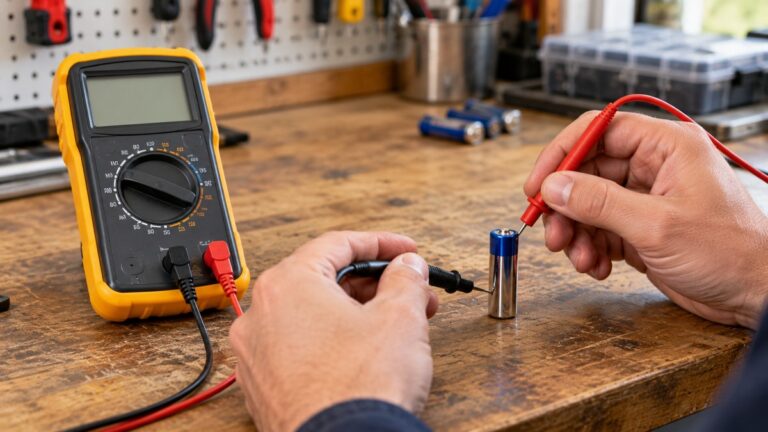
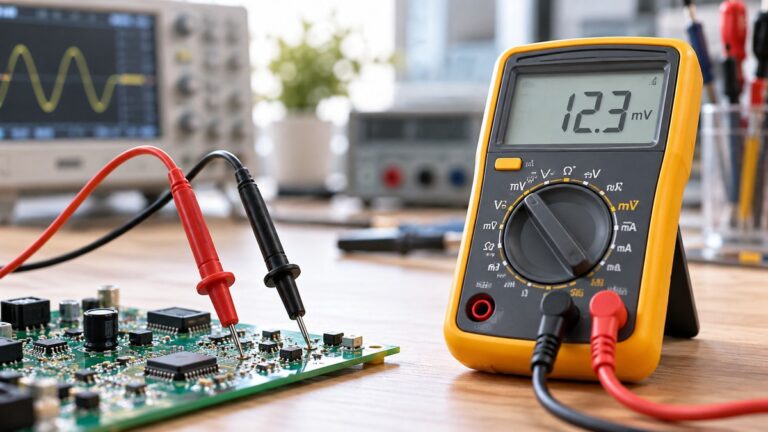
Automation Products Group describes a multimeter as an instrument for measuring current, voltage, and resistance. For current, the common settings run from micro- or milliamps up to amps. For voltage, they run from millivolts to hundreds of volts. For resistance, they run from ohms to megaohms. The same guide notes that more advanced models add settings for capacitance, decibels, frequency, inductance, or temperature.
The guide’s sensor check follows three stages. First, a continuity test confirms that the wiring is intact. The sensor is disconnected from its power source, the meter is set to continuity, and the red probe goes on the positive wire while the black probe goes on the ground wire. Second, a voltage check confirms that the sensor receives its supply. Third, the output is checked against the sensor’s documentation. The guide notes that communication wiring can vary, so the sensor’s manual should confirm which wires to test.
For the supply check, the guide says to select the DC voltage range that is closest to, yet bigger than, the source voltage. It then says to turn the power on and verify that the voltage at the sensor falls within the range suggested in the sensor’s documentation. A meter with a clear DC voltage range is therefore the first feature to check.
Feature 1: DC voltage ranges
A meter that reads DC volts across several ranges lets you pick a range just above the supply voltage, as the sensor guide describes. Check the listing for the DC voltage ranges and whether the meter selects its range automatically. The listing does not state a range table for every model, so read the manual for the exact limits.
Feature 2: Resistance and continuity
Resistance checks on a sensor need the sensor disconnected from its circuit. Fluke explains that its meters do not all source the same voltage and current in resistance mode. As a result, the same sensor can read differently on two Fluke models outside simple resistor measurements. Fluke’s note says it uses a DC technique for resistance on all of its multimeters, but the source voltage and current differ by model. It gives examples from the 28-II, 80 Series V, and 170 Series manuals. Compare a resistance reading with the sensor’s own specification and with the meter’s manual, not with a reading from another model.
Continuity mode is useful for the wiring check described above. Choose a meter whose listing shows a continuity mode, and use it before you move on to voltage checks.
Feature 3: Milliamp input and fuse protection
Some sensors send a current signal instead of a voltage. For that job the meter must measure current in series, not in parallel. The sources we opened do not describe a full procedure for a 4 to 20 mA loop, so we do not give one here.
Fuse protection matters on this input. Fluke states that when an electrical short occurs during a current measurement, the user relies on the high-energy fuse in the test tool for protection. Its 440 mA, 1000 V fuse is described as high-energy and fast-release, and it is designed for measuring current. Fluke says the fuse is sand-filled to cut off available oxygen quickly in case of a short. The listing does not state the fuse rating for every meter model, so confirm it in the manual before you buy.
A university engineering page explains that the low-current input is often blown when current is measured in parallel across a resistor instead of in series, and that more than 1 A through that input blows the fuse. Its advice is to start on the higher-current input before the more sensitive one. Check which input your meter uses for the mA range, and keep the mA input for a series connection.
Feature 4: Frequency and duty cycle
Some sensors send a pulse or square-wave output rather than a steady voltage. A meter with a frequency or duty-cycle mode lets you read how often the pulse repeats and how long it stays high. Fluke’s how-to describes the duty-cycle setup: the dial is turned to DC V, the Hz button is pressed, and the meter is ready once a percent sign appears on the display.
Duty-cycle readings depend on the trigger level and the slope setting. Fluke explains that the meter reports the share of time the signal is above or below a fixed trigger level, and that the slope setting decides which side is reported. Fluke also notes that a positive reading typically indicates a circuit’s ON time, and a negative reading its OFF time. Check the manual for how your model sets the trigger and the slope.
The sources we opened do not cover sensor-specific pulse issues, such as the pull-up resistor an open-collector output needs or the signal threshold a given sensor uses. The listing does not state those figures for any meter discussed here.
Feature 5: True RMS for distorted signals
True-RMS matters when the signal is not a clean sine wave. Fluke states that a true-RMS meter can accurately measure both sinusoidal and non-sinusoidal waveforms. It says an average-responding meter can be up to 40% low or 10% high on distorted waves. Fluke gives nonlinear loads such as variable speed drives and computers as sources of that distortion.
If your sensor sits near an AC motor drive, a true-RMS meter is the safer choice for AC readings. Check the listing to confirm that the meter is true-RMS.
How we chose
The feature order follows the steps in the sensor guide. DC voltage and continuity come first, because the guide starts there. The milliamp input and its fuse come next, followed by frequency and duty cycle for pulse outputs, and true-RMS for distorted AC. We did not compare individual meter models, and this guide names no product. It uses no prices, star ratings, or review counts.
The sources were opened by curl on 2026-10-21. Pages that returned HTTP 403 or 404 were not used. Each quote in this guide was checked against the fetched text of its page, and the sources file lists the sentence behind each claim.
Buying checklist
- DC voltage ranges that cover the supply voltage your sensor needs. Check the range table in the manual.
- Resistance and continuity modes. The listing does not state the test conditions for every model.
- A milliamp input if your sensor outputs current, with the fuse rating shown in the manual.
- Frequency or duty-cycle mode if your sensor outputs a pulse.
- A CAT rating and voltage rating that match the circuit you plan to test. Read them from the listing or the manual.
- True-RMS, only if you expect AC signals that are not clean sine waves.
Mistakes to avoid
- Measuring the sensor while it is still wired to its power source. The sensor guide disconnects the sensor before its continuity test.
- Measuring current in parallel across a resistor. The university page ties this to blown low-current fuses.
- Using a reading from another meter model as the pass or fail limit. Fluke’s resistance note shows that models differ.
Reading the results
The sources we opened do not give a pass or fail band for sensor resistance or output values. Use the sensor’s own specification. The sensor guide asks you to compare the supply voltage at the sensor with the range in the sensor’s documentation. If that check fails, the sources do not say which part is at fault, so check the sensor’s documentation and the wiring before you assume the sensor is faulty.
FAQ
Do I need true-RMS for sensor testing?
Not always. Fluke says true-RMS is needed to measure non-sinusoidal AC accurately, for example near variable speed drives. Many sensor checks use DC voltage and resistance, where true-RMS does not change the reading.
What does the CAT rating tell me?
Fluke advises choosing a tool rated for the highest category you could use it in, with a voltage rating that matches or exceeds that situation. The rating is usually near the input jacks. Check the listing or manual for the exact category.
Why do two meters give different resistance readings on the same sensor?
Fluke explains that its meters do not all source the same voltage and current in resistance mode, so readings can differ outside simple resistor measurements. Compare with the sensor’s specification.
What should I check if my mA reading is zero?
The sources we opened do not give a full troubleshooting sequence for mA readings. The university page describes fuse damage from measuring current in parallel, so check the input jack and fuse first. The meter’s manual gives the fuse replacement steps.
Can I use a meter for a Hall-effect sensor?
A meter with frequency or duty-cycle mode can read a pulse output. The sources we opened do not cover the supply and pull-up requirements of Hall-effect sensors, so check the sensor’s datasheet before you connect the meter.
Does a clamp meter replace a multimeter for sensor work?
The sources we opened do not compare clamp meters for sensor work. The checks in this guide use DC voltage, resistance, and continuity, so decide by those features.
Internal links
For the basic continuity check, see the guide to using a continuity tester. For a meter that selects its own range, see the auto-ranging multimeter guide. For a comparison of tester types, see the circuit tester and multimeter comparison.
What we could not verify
The sources we opened do not cover the output signal levels of specific sensor types, such as thermistors, thermocouples, or 0 to 5 V outputs. They do not give resistance values for any sensor. They do not state the pull-up resistor or threshold needed for open-collector or Hall-effect outputs. The listing does not state the CAT rating for every meter, and the sources do not state the fuse rating for each model. This guide names no meter, so it cannot state a CAT rating for any model. Confirm these items in the sensor datasheet and the meter manual before you test.
Sources
- https://apgsensors.com/troubleshooting-your-sensor-with-a-multimeter-guide/
- https://fluke.com/en-us/learn/blog/safety/multimeter-guide
- https://www.ccohs.ca/oshanswers/safety_haz/electrical.html
- https://fluke.com/en-th/product/accessories/fuses/fluke-440ma-1000v-fuse
- https://physics.randolphcollege.edu/psheldon/classes/p3331/multimeter.html
- https://my.fluke.com/en-US/article/KA-02908
- https://www.gambica.org.uk/static/d96bb734-348d-478e-b0cba3b50fc35940/Guide-to-Overvoltage-Categories-and-Measurement-Categories.pdf
- https://www.fluke.com/en-us/learn/blog/electrical/what-is-true-rms
- https://www.fluke.com/en-us/learn/blog/digital-multimeters/how-to-measure-duty-cycle