How to Troubleshoot an LED Circuit with a Multimeter
As an Amazon Associate we earn from qualifying purchases.
How to troubleshoot an LED circuit with a multimeter means working in a fixed order: the power supply first, then the wiring and polarity, then shorts, and finally each LED with the diode function. Most of these checks are low-voltage DC work on a bench or in a small circuit, and the steps below stay in that range. The sources name supply, connection and polarity faults as the most common causes of a dark strip, so those are ruled out first.
Electrical safety
Work on mains circuits can kill. Before you measure anything, check that the meter’s CAT rating suits the circuit you are testing, and read the rating from the listing or the manufacturer’s manual. Panel and service work belongs to a licensed electrician.
This guide covers only low-voltage DC LED strips, loose LEDs, the low-voltage output of a power supply, and bench circuits. It gives no steps for LED bulbs or fixtures wired to a switch, outlets, breaker panels, or service wiring. Those are out of scope.
The Klein MM400 manual warns that failure to observe its warnings “can result in severe injury or death.” The same manual gives that meter a “Safety Rating: CAT III 600V.” That rating belongs to the MM400 only. The Fluke 15B and 17B manual lists “CAT I 1000 V, CAT II 600 V, and CAT III 300 V” for that model, so each meter needs its own check. The listing or manual of your meter is the only valid source for its rating. If your meter’s paperwork does not state a CAT rating, the listing does not state a CAT rating, and you should not use that meter on any circuit that could reach household mains.
The Fluke category guide places single-phase commercial lighting under CAT III and utility connections and service entrances under CAT IV. A lighting job inside a building can therefore sit in a higher category than a bench strip. Fluke advises choosing a tool rated for the highest category you could potentially use it in.
Quick answer
- Check the supply’s output, and confirm its rating matches the strip’s input voltage.
- With the power off, check connections, polarity, dimmers, and shorts.
- Test each LED with the diode function: a good diode shows a forward drop one way and OL the other.
How we chose
The checks in this guide follow the order that the LED strip troubleshooting pages and the meter manuals we opened describe. The criteria were three. First, a step is included only if at least one opened source states it or describes it closely enough to paraphrase. Second, a step must be low-voltage bench work, so the guide skips any test that needs a live mains connection. Third, a step must help separate a supply fault, a connection fault, a short, and a bad LED. No product is recommended here.
Before you start
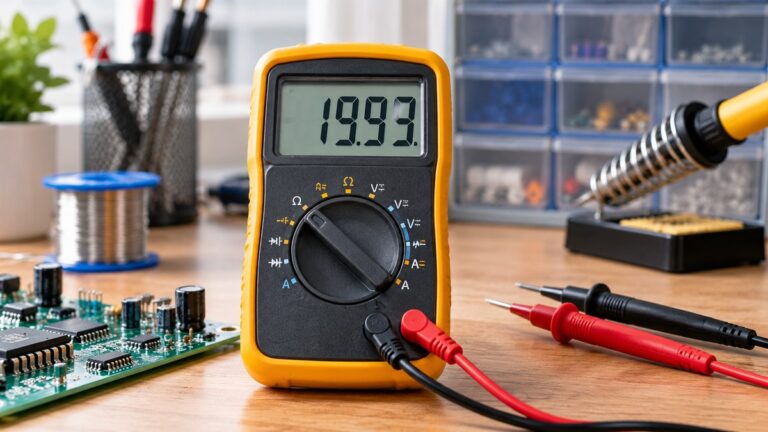
Set the meter before you connect it. The main functions used in this guide are DC volts for the supply and strip, a resistance or continuity setting for shorts with the power off, a diode test setting for each LED, and a DC milliamp range for current. The Fluke DC voltage guide says to insert the black probe in COM and the red probe in the V jack for voltage checks. The Klein MM400 lists its diode test as “Diode Test: 1.5 mA max, open circuit voltage 3.0V DC,” which is a small test current, so the sources treat it as a check, not a power test.
Check the fuse rating on the mA input before you use it. The Klein MM400 manual lists “Overload Protection: 500mA / 600V and 10A / 600V,” so a fused 500 mA range is the one that matters for LED strips. The listing for your own meter should state its own fuse rating. If it does not, the listing does not state a fuse rating, and you should not rely on the mA input for a current measurement.
Have the supply’s rated output and the strip’s input voltage in front of you. The Waveform page says the supply’s output voltage is marked on the back of the power supply unit and the strip’s input voltage is marked at its connection points. Write both down before you start.
Step 1: Check the power supply output
Start with the supply, with the power on and with the strip disconnected. The Waveform page says to confirm that the supply is working by measuring the voltage across the two output wires, or between the inner pin and outer barrel of a DC plug, with the supply powered up. A reading below the supply’s rated voltage may point to a faulty supply.
The Fluke DC voltage procedure is the same in principle: connect the black probe to the negative or circuit-ground point and the red probe to the positive point. Most modern meters detect polarity automatically, but the red lead should still be on the positive side for a clear reading.
Step 2: Confirm the supply and strip voltage match
Compare the supply’s output with the strip’s input voltage. The Waveform page says the first check is that the supply’s voltage and current rating are compatible with the strip. It gives the example of a 12 V supply, which will not work with a 24 V strip. A mismatch can keep a strip dark even when the supply reads correctly. The sources do not say how a strip behaves when its supply is rated lower than the strip needs, so this guide does not guess at it.
Step 3: Remove dimmers and controllers
Before you blame the strip, take out any optional dimmer or controller that sits between the supply and the strip. The Waveform page recommends removing those accessories and seeing whether the strip lights. The Govee guide adds that flicker can come from incompatible dimmers or controllers, especially those that do not match the strip’s voltage and current requirements.
Step 4: Check the connections and polarity
Turn the supply off or unplug it before you touch any connector. The AspectLED guide strongly recommends turning off or unplugging the power supply before any troubleshooting. Then check the connections. The HitLights checklist asks whether the terminal screw is tight and suggests a tug test on each wire, and it asks whether the strip contacts are clean. The Govee guide lists loose connectors, bent pins, and broken solder joints as common faults.
Polarity is the next check. The HitLights checklist says to check polarity with “red = positive, black = negative.” The Govee guide states that one reversed connection may not allow the strip to light at all. The sources we opened do not say whether a reversed strip is damaged, only that it may not light.
Step 5: Look for a short with the power off
With the supply disconnected, set the meter to resistance and measure between the strip’s pads or across the supply wires. The Waveform page says an infinite reading means there is no short, and any resistance reading means there is a short. If a short is found, disconnect any accessories and wires and check whether the short remains on the strip itself.
The Klein MM400 manual says to avoid measuring resistance or continuity on a live circuit. The Fluke diode guide says the same thing in its own words: all power to the circuit must be off, and any charged capacitor must be discharged before a resistance or diode check. Also check for wires that touch each other. The Waveform page notes that this is especially likely after soldering your own wires.
Step 6: Test each LED with the diode function
With the power off, set the meter to diode test. The Fluke guide says a diode is forward-biased when the red lead is on the anode and the black lead is on the cathode. In that orientation the meter shows the forward drop as a small voltage across the device. Reverse the leads and record the reading again.
A good diode should show a forward drop in one direction and “OL” in the other. The Fluke guide says “The multimeter displays OL when a good diode is reverse-biased.” It also says “The diode is bad if readings are the same in both directions.” Use those rules on each LED in the circuit, one at a time. An LED with OL in both directions is open, and one with the same reading in both directions is bad.
For a loose LED, the Klein diode test current is 1.5 mA at most. The sources we opened do not say whether that current is enough to light a given LED, so a dim or no reading on the meter does not settle whether the LED works. Treat the diode test as a pass or fail check on polarity and junction, not as a brightness test.
Step 7: Measure current in series only when needed
Current is measured in series, which means the circuit must be broken and the meter placed in the path. The Fluke burden article says that inserting the meter’s mA input in series “can significantly reduce the actual current flowing in the circuit.” The Fluke article gives a low-voltage example, a pair of AA batteries, where the meter’s mA input causes a significant loading error. Use a DC milliamp range with the fuse rating in mind.
Current readings are not needed for every fault. Use them after the supply, polarity, connection and diode checks. The sources we opened do not give a target current for any specific LED or strip, so compare the reading with the manufacturer’s rating for that product.
Reading the results
Read the results in this order. A supply that reads below its rated output points to the supply. A strip that does not light with a correct supply reading points to the connections, polarity, or a short. An LED with OL in both directions points to an open LED, and the same reading both ways means the diode is bad, as the Fluke guide says. The Fluke guide is the source for the diode readings, and the Waveform page is the source for the short and supply readings.
The sources do not say what a normal LED current is for a given colour, what the forward voltage range is for each colour, or how to check the output of a constant-current driver. Those are the limits of this guide. For a driver, use the datasheet for that driver.
Common mistakes
- Testing resistance or continuity on a live circuit. The Klein MM400 manual says not to do this.
- Leaving the supply connected while you touch the connectors. The Waveform and AspectLED pages both recommend unplugging first.
- Reversing the leads on the strip. The Govee guide says one reversed connection may stop the strip from lighting.
- Leaving a dimmer or controller in the circuit when the strip is tested. The Govee guide links incompatible dimmers to flicker.
- Reading the diode test as a brightness test. The Klein 1.5 mA diode test current is a small check, not a measure of light output.
- Using the mA input without checking its fuse. The Klein MM400 lists 500 mA fused protection on that range.
FAQ
Do I need the power on to troubleshoot an LED strip?
Only for the supply output check. The Waveform page says the supply must be powered up for the output test, and the AspectLED page says to unplug the supply before other troubleshooting steps.
Why does my LED strip not light at all?
The Waveform page says to start with the supply’s voltage rating and the strip’s input voltage, then check the supply output. The HitLights checklist adds polarity and terminal checks. The sources do not give a single cause for every case.
How do I know if an LED is reversed?
Set the meter to diode test. A forward drop with the red lead on the anode and the black lead on the cathode, and OL when the leads are reversed, is the pattern the Fluke guide describes for a good diode.
Can I measure LED current with the mA input?
Yes, if the meter has a DC milliamp range with a working fuse. The Fluke burden article warns that putting the meter in series can reduce the current you are trying to measure. The listing for your meter must state its fuse rating.
Do dimmers affect an LED strip?
The Govee guide says incompatible dimmers or controllers can cause flicker and faults, especially when they do not match the strip’s voltage and current requirements. The Waveform page recommends removing them to test the strip alone.
What we could not verify
The sources we opened do not cover the following, and this guide does not give steps for them.
- Typical forward voltage for red, green, blue or white LEDs. The sources do not say.
- A target current for any specific LED or strip. The sources do not say.
- How to check a constant-current driver’s output under load. The sources do not say.
- The CAT rating or fuse rating of any meter other than the Klein MM400 and the Fluke 15B and 17B. The listing does not state those ratings for other models that this guide does not name.
- Whether a dim glow at the diode test means an LED works at full brightness. The sources do not say.
Related guides
For the basics of how a voltage tester works before you start on a circuit, read how voltage testers work. For a continuity check that uses the buzzer function, see the guide to using a continuity tester.
Sources
- https://www.fluke.com/en-us/learn/blog/digital-multimeters/how-to-test-diodes
- https://www.fluke.com/en-us/learn/blog/digital-multimeters/how-to-measure-dc-voltage-with-a-digital-multimeter
- https://www.fluke.com/en-us/learn/blog/electrical/can-you-live-with-the-burden
- https://www.fluke.com/en-us/learn/blog/safety/multimeter-guide
- https://www.fluke.com/en-us/learn/blog/safety/iec-category-ratings-use-the-right-tools-for-the-job
- https://www.waveformlighting.com/home-residential/troubleshooting-led-strip-problems
- https://assets.fluke.com/manuals/15b17b__umeng0400.pdf
- https://data.kleintools.com/sites/all/product_assets/documents/instructions/klein/MM400_1390110ART_WEB.pdf
- https://hitlights.com/blogs/premium-led-strip-lighting/led-strip-not-working-7-step-troubleshooting-checklist
- https://www.aspectled.com/blog/post/trouble-shooting-strip-lights/
- https://us.govee.com/blogs/led-strip-lights/how-to-fix-led-strip-lights