Pico Technology Oscilloscope
As an Amazon Associate we earn from qualifying purchases. Details
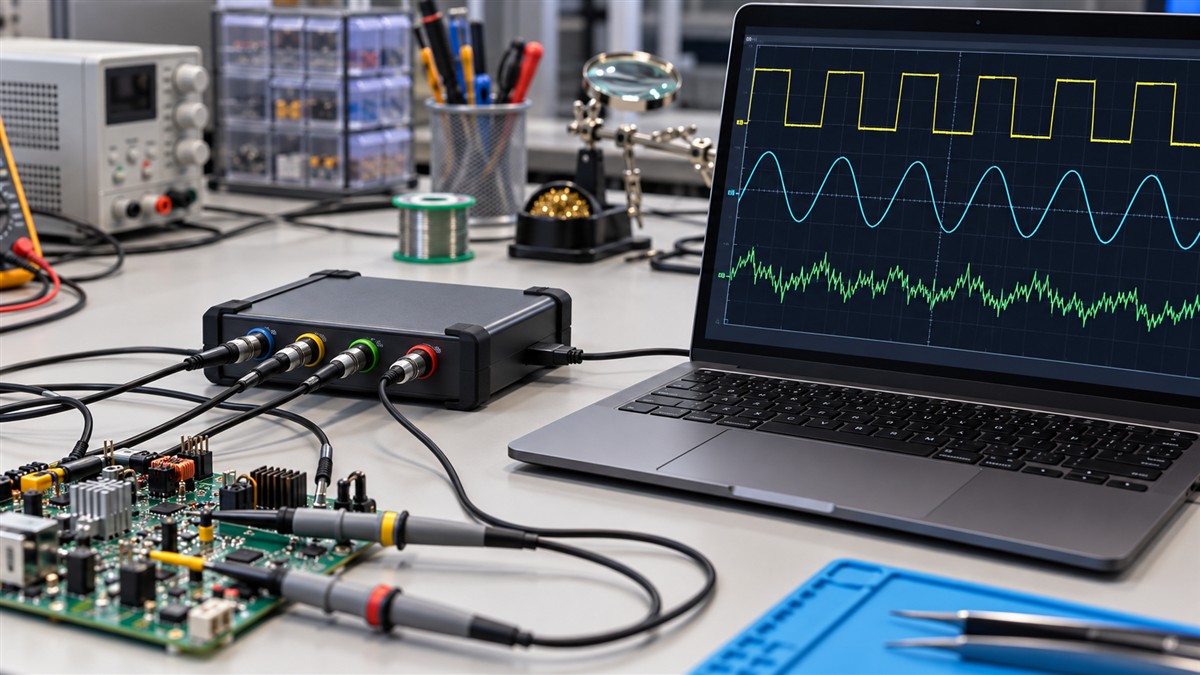
A Pico Technology oscilloscope is a USB instrument that you control from a computer, and the maker publishes several families for different jobs. The pico technology oscilloscope you are looking at may be a compact 2000 Series unit or a high-resolution differential model. This explainer covers the families the maker publishes, what the manuals say about mains and ground, and the questions to answer before you connect one to any circuit.
Quick answer
- Pico’s manuals describe its oscilloscopes as USB units that work with a computer. The PicoScope 2000 Series is listed with up to 100 MHz bandwidth and up to 1 GS/s sampling.
- The PicoScope 2000 Series quick start says not to connect the oscilloscope directly to the mains. Mains voltages need a differential isolating probe that is CAT rated for mains use.
- The oscilloscope has no protective safety ground. Check with a voltmeter for voltage between the oscilloscope ground and the point you plan to connect it to.
- The PicoScope 4444 is a high-resolution differential USB oscilloscope, and its page lists CAT III probes as accessories.
What Pico Technology makes
The maker’s website lists oscilloscope families under the PicoScope name. The 2000 Series is described as a series of affordable, high-performance oscilloscopes, and the page for it gives up to 100 MHz bandwidth and up to 1 GS/s sampling. The 4444 is described as a high-resolution differential USB oscilloscope. Those two pages show the range from a compact entry unit to a differential model for higher-resolution work.
Pico’s quick start guide for the 2000 Series makes the USB connection central to the instrument. The USB cable carries the power and the ground connection, and the manual says to use the high-quality USB cable supplied with the oscilloscope. Treat the cable as part of the measurement, not as a spare accessory.
The model number matters when you compare units. The 2000 Series page and the 4444 page describe different designs, so do not carry a figure from one page over to the other. Read the page for the exact model you are buying before you compare any figure in this guide.
Mains and high-voltage limits in the manual
The PicoScope 2000 Series quick start gives the most direct safety warning. It says: “To prevent injury or death, do not directly connect the oscilloscope to the mains (line power).” The same passage says that to measure mains voltages you should use only a differential isolating probe that is specifically CAT rated for mains or high-energy use, and that such measurements must only be made by competent persons. The manual names the TA041 as an example of that type of probe.
The manual also says the oscilloscope should not be connected directly to hazardous live voltages. That warning is broader than the mains line. The manual does not limit that warning to mains, so treat any live circuit as covered unless the setup uses a suitable isolating probe and the work is within your competence.
The 4444 page shows the probe side of the same issue. Its listing includes a 1000 V CAT III attenuated voltage probe (PicoConnect 442) and a 40 A AC/DC 300 V CAT III current probe (TA300). A probe carries its own rating, so the category on the scope alone does not tell you the full picture.
Accessory chains and the lowest rating
The quick start says that when you connect one or more accessories to an instrument channel, the lowest voltage rating in the chain applies to that channel. That is the most useful rule for planning. If a probe is rated lower than the scope input or the circuit, the probe sets the limit. Check every rating in the chain before you connect it.
In practice, write down the probe rating, the adapter rating and the scope input limit, and use the lowest one as your working limit. If the circuit can exceed that figure, do not connect. Pick an accessory set that covers the circuit, or leave the work to a licensed electrician.
Ground: the scope is not a safety ground
The grounding section of the quick start is the second essential warning. It says the oscilloscope’s ground connection through the USB cable is for measurement purposes only, and that the instrument does not have a protective safety ground. The manual tells users never to connect the ground input to any electrical power source, and to use a voltmeter first to check that there is no significant AC or DC voltage between the oscilloscope ground and the point where you intend to connect it.
The manual also says never to apply a voltage to the ground input, because that can damage the oscilloscope, the attached computer and other equipment. Those two lines sum up the grounding rule: measure first, then connect only where the meter shows no significant voltage between the two points.
Who a Pico scope suits
A Pico scope suits someone who wants to see waveforms on a computer, learn how a signal changes over time, or check a low-voltage electronic circuit. It is a measurement tool, not a substitute for a clamp meter or a multimeter when the job is simply to read a voltage, a current or a resistance. The 2000 Series page describes that series as affordable. The 4444 suits work that calls for differential inputs and higher resolution.
If your task is a household electrical check, a clamp meter or a multimeter with a stated CAT rating is usually the better first tool. For a waveform question, a scope helps. For an outlet, a panel or a service conductor, use a meter rated for the location and a licensed electrician for the work.
Before you connect: a short checklist
- Confirm the model family. The 2000 Series and the 4444 differ in design and accessories.
- Confirm you do not need a mains probe. If the signal is mains, use only a differential isolating probe that is CAT rated for mains use.
- Measure ground first. Use a voltmeter to check the voltage between the scope ground and the connection point.
- Check every rating in the chain. The lowest rating applies to the channel.
- Use the supplied USB cable. The manual calls for the high-quality cable supplied with the instrument.
- Confirm the bandwidth you need. The 2000 Series page gives up to 100 MHz; check the page for your model.
How we chose
This explainer uses only three documents: the PicoScope 2000 Series quick start and user guide PDF, the Pico Technology PicoScope 2000 Series overview page and the PicoScope 4444 overview page, all opened on 2026-10-27. We did not compare Pico products with other oscilloscope makers and did not rank the families. We chose the safety statements because they are the parts of the manual that apply to any user who connects a scope to a live circuit.
What we could not verify
The sources we opened do not cover every Pico family. We did not open the 3000E, 5000, 6000 or 9000 Series pages, so this guide does not give their bandwidths or ratings. The 2000 Series quick start is one manual for one series, and other series may carry different isolation or input limits. The sources do not give a full input-impedance table in a form we can quote. Check the user guide for your exact model before you connect it to anything.
Mistakes to avoid
- Connecting the scope directly to mains. The 2000 Series quick start says not to do this.
- Assuming the scope ground is a safety ground. The manual says the instrument has no protective safety ground.
- Skipping the voltmeter check on ground. The manual asks you to check for significant voltage before you connect the ground.
- Ignoring the lowest rating in the chain. One low-rated probe sets the limit for the channel.
FAQ
Can I connect a Pico oscilloscope directly to mains?
No. The PicoScope 2000 Series quick start says not to connect the oscilloscope directly to the mains, and to use a CAT rated differential isolating probe for mains voltages.
Does the scope have a safety ground?
The manual says the oscilloscope does not have a protective safety ground. Its USB ground is for measurement purposes only.
What bandwidth does the 2000 Series offer?
The 2000 Series overview page gives up to 100 MHz bandwidth and up to 1 GS/s sampling. Check the model page for your exact unit.
What is the 4444?
The PicoScope 4444 page describes it as a high-resolution differential USB oscilloscope, with CAT III probes listed as accessories.
Bottom line
A Pico Technology oscilloscope is a USB instrument with several families, and the most important rules come from its manuals: no direct mains connection, no reliance on the scope ground as a safety ground, and a check of every rating in the accessory chain. Use a CAT rated probe for any mains measurement, and leave panel and service work to a licensed electrician. For a simpler first tool, compare Clamp Meter vs Multimeter: Which One Do You Need? and read Best Current Clamp: Six Picks for AC, DC and Leakage if your work involves current on a scope.
For the basic steps before any clamp reading, read How to Use a Clamp Meter Safely, Step by Step, then return to the checklist above.
Sources
- Pico Technology, “PicoScope 2000 Series User’s Guide” (quick start guide PDF). https://www.picotech.com/download/manuals/picoscope-2000-series-quick-start-guide.pdf (opened 2026-10-27)
- Pico Technology, “PicoScope 2000 Series” overview page. https://www.picotech.com/oscilloscope/2000/picoscope-2000-overview (opened 2026-10-27)
- Pico Technology, “PicoScope 4444” overview page. https://www.picotech.com/oscilloscope/4444/picoscope-4444-overview (opened 2026-10-27)