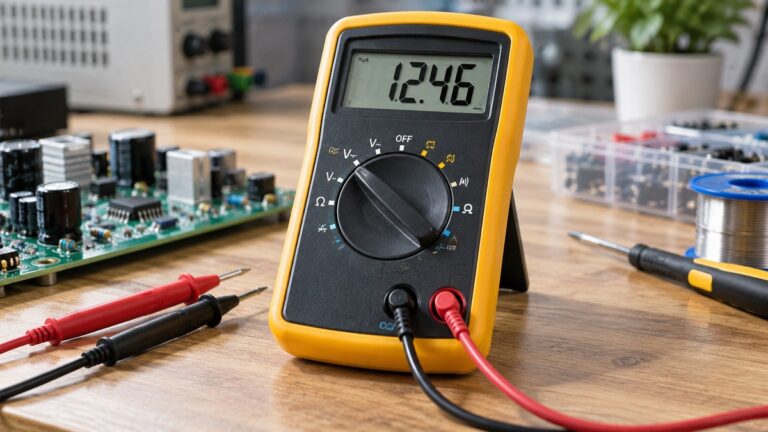
How to Test a PLC Input With a Multimeter
As an Amazon Associate we earn from qualifying purchases.
How to test a PLC input with a multimeter comes down to two readings: the voltage or current at the input terminal while the field device is switched, and that reading compared with the module’s rated ON and OFF levels. The sources we opened describe this check for low-voltage DC input modules, such as 24 VDC modules on a bench rig or an isolated control circuit. They do not describe energized cabinets, and this guide does not either.
Electrical safety comes first
Work on mains circuits can kill. Before you measure anything, check that the meter’s CAT rating suits the circuit you are testing, and read the rating from the listing or the manufacturer’s manual. Panel and service work belongs to a licensed electrician.
This guide covers low-voltage DC control circuits only. It does not cover mains supplies, outlets, breakers, service wiring, or the inside of an energized cabinet. Some steps need the input supply switched on, so run them only on a bench rig you have wired yourself, or on a control circuit that a licensed electrician has isolated and labeled. Fluke’s safety guide makes the basic point that “Shock occurs when the human body becomes part of an electrical circuit,” and it advises choosing a tool rated for the highest category you could potentially use it in.
The category depends on where you measure, not only on the meter. Electrician U says that “Using a multimeter or leads with an insufficient CAT rating can expose you to dangerous voltage spikes.” Check the leads as well as the meter body. The sources we opened do not give a CAT rating for any specific meter, so this guide names none.
Fluke’s lockout guidance is written for electrical panels, but its habit applies to any voltage check. It says to test the voltage detector on a known live circuit to make sure it works, and to check it again “After each test” on that known live circuit. Treat a meter the same way: confirm it reads a known source before and after you test the input.
Quick answer
- Read the module manual first, then decide whether the input is sinking or sourcing.
- Set the meter to DC volts and use a high-impedance input for control circuits.
- Switch the field device, then measure at the input terminal against the common the module uses.
- Compare the reading with the input LED and the PLC status, not with the LED alone.
- Do not rely on continuity mode for a solid-state input, and check leakage on any two-wire sensor.
What you need before you start
Have two diagrams open before you touch a probe: the module’s wiring diagram from its manual, and the wiring diagram for the field device. The Control.com mirror article says to consult the manual, because “many digital modules require a common connection to both voltage and ground, so first impressions may be deceiving.”
A digital multimeter with a DC volts setting and a milliamp (mA) input covers the checks below. The sources we opened do not name a meter model. If your meter is not auto-ranging, the Starting Electronics tutorial says to “start by selecting the highest voltage on the dial and then turn down to a lower voltage” if the reading looks low.
Step 1: Identify whether the input is sinking or sourcing
The Control.com mirror article gives the rule. A common ground (-V) terminal on the input module marks a sinking module, and a common supply (+V) terminal marks a sourcing module. Some modules show both connections, which is why the manual matters more than a quick look at the terminal block.
The field device has to match the module. The Industrial Monitor Direct guide on sinking and sourcing warns that a mismatch “will result in the input never turning on.” A sensor can also carry its own setting, so the same guide advises you to “Verify the switch position with a multimeter before commissioning.”
Step 2: Set the meter and connect the probes
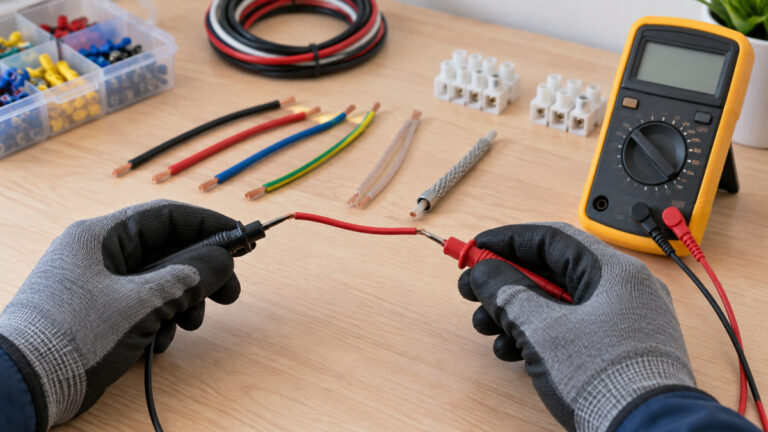
Start with the setting. The Control.com mirror article says to “Configure your multimeter to read the correct voltage,” either AC or DC, according to the electrical drawings. A 24 VDC input calls for DC volts. Then place the positive probe on the input terminal and the negative probe on the ground or common that the module uses.
Input impedance matters on a control circuit. Fluke’s dual-impedance application note says that most DMMs have input circuits “greater than 1 megohm,” so the meter has little effect on the circuit. That is “especially important for sensitive electronics or control circuits.” The same note says older low-impedance tools “aren’t fooled by ghost voltages,” but it limits them to circuits where the low impedance will not change performance. For a control input, use the high-impedance setting.
Step 3: Switch the field device and measure at the terminal
Activate the input device with its normal action: press the push button, close the relay, or flag the sensor. The Control.com mirror article then says that on a sinking input you “should see voltage at the input terminal.” If you do not, that source says to check each upstream device in turn until you find the one that is not completing the circuit.
The same article makes a point that matters more than the reading itself. For a sinking input, you must determine whether there is actual, physical voltage at the input, “and not simply rely on assumptions or LEDs dictated by the CPU logic.” A meter reading at the terminal is the evidence. A light or a program bit is not.
The sourcing case needs care. The same article suggests a continuity test for a sourcing input. A second source says the opposite: for modern modules “it is impossible to use a continuity test” in the way you would use it on standard pushbuttons. The sources we opened do not settle this. This guide therefore does not use continuity mode on an input.
Step 4: Compare the reading with the LED and the PLC status
Automation Forum says to “Use a multimeter to measure the input voltage and compare it with the PLC requirements.” It also warns that “LED indications by themselves cannot verify that the field equipment is receiving the right voltage.”
The same source adds that you should “Always use a calibrated multimeter to measure the actual input and output voltages.” If the LED and the meter disagree, the sources we opened do not say which one is right. Trust the reading taken at the terminal, check the wiring and the field device, and compare the module with its manual.
A current check is the other option. The Control.com mirror article on troubleshooting modules and devices says a module can “easily be tested by using an inline ammeter,” meaning the mA or A terminals of a standard digital multimeter. The article gives no expected current for any module, so note the reading and check it against the module’s rated input current.
Step 5: Check the OFF state and leakage on two-wire sensors
Two-wire sensors need care because they can pass a small current when they are supposed to be off. The DigiKey forum article explains that “When off, there is leakage current,” and that a sensor “takes a minimum current to operate the electronics.” If the leakage is larger than the input’s OFF current rating, the input can read ON when it should be OFF.
The article’s worked example shows the risk. It describes a sensor with 0.8 mA of leakage and a residual voltage of up to 3 VDC when on. For a PLC where a logic TRUE needs “an input voltage above 11 VDC,” the article says the PLC “may detect the ON state of the sensor but not the OFF state until the voltage drops below about 9 VDC.” A single reading can hide that behavior. Check the sensor’s leakage and minimum load current in its datasheet, and check the module’s OFF rating too.
A reading near a threshold is therefore inconclusive until both datasheets are checked. Do not add a bleed resistor until the datasheets show the value is safe for the circuit, because the sources we opened do not give one.
Step 6: Read the results against the module’s rating
The only ON and OFF numbers in the sources we opened come from a single module, so they show the kind of rating to look for, not what every input does. The AutomationDirect D2-32ND3 specification lists an input voltage range of 20 to 28 VDC, an ON voltage of 19 VDC minimum, an OFF voltage of 7 VDC maximum, and an input current of 8.0 mA at 24 VDC.
| Reading at the input terminal, device switched | What the sources support | Source |
|---|---|---|
| No voltage on a sinking input when the device is switched on | Check each upstream device in turn to find the open circuit | Control.com mirror article |
| Voltage at the terminal, but the input LED is off | LED indications alone cannot confirm the field voltage; check the module against its manual | Automation Forum |
| Above 19 VDC on the example module | Within its stated ON level (example module only) | AutomationDirect D2-32ND3 specification |
| Below 7 VDC on the example module | Within its stated OFF level (example module only) | AutomationDirect D2-32ND3 specification |
| Between 7 VDC and 19 VDC on the example module | The sources we opened do not say; check the datasheet for your module | AutomationDirect D2-32ND3 specification |
| Reading near a threshold on a two-wire sensor circuit | Possibly leakage; treat as inconclusive until the sensor’s leakage is checked | DigiKey forum article; Fluke application note |
Common mistakes
- Trusting the LED alone. Automation Forum says LED indications cannot confirm the voltage the field device receives.
- Using continuity mode on a solid-state input. A second source states that a continuity test is “impossible” on modern modules.
- Mixing sinking and sourcing. The sinking and sourcing guide says a mismatch “will result in the input never turning on.”
- Missing sensor leakage. The DigiKey forum article shows that leakage can keep a two-wire input from turning off.
- Using a low-impedance tool on a control circuit. The Fluke application note limits these tools to circuits where the low impedance will not change performance.
For a basic meter routine, see our guide to how to use a voltmeter, and for a related check on a DC current path, see DC current meters.
How we chose
We chose the sources by four rules. Each page had to be publicly readable and open with curl on the date in the header. Each page had to state the point it supports in its own text. Manufacturer and application pages were preferred for ratings, and retailer or forum pages were used only for a worked example or a listing fact, never for a safety claim. Pages that returned 403 or 404 were left out, and the sources file lists them with their status.
What we could not verify
The sources we opened do not cover energized cabinets, mains supplies, or any work inside a panel, so this guide does not describe those tasks. They do not give a CAT rating for any meter, or an expected current for an inline mA check on an input. They do not give ON and OFF levels for typical modules across brands, and the one module rating in this guide applies only to that model. The sources we opened do not include official Siemens, Omron or Allen-Bradley input specifications. The continuity question stays open, because the sources disagree about sourcing inputs. Finally, they do not give a bleed resistor value for a leaking two-wire sensor.
Frequently asked questions
Can I test a PLC input with a continuity beep?
The sources we opened disagree. One says a continuity test is “impossible” on modern modules, as it would be on standard pushbuttons. Another suggests continuity for a sourcing input. Use voltage and current readings for input checks, and treat a continuity beep as a weak result.
Why does a two-wire sensor leave a voltage on the input when it is off?
The DigiKey forum article says a two-wire sensor has leakage current when it is off. That current can be large enough to keep the input ON, so check the sensor’s leakage against the module’s OFF current rating.
How do I tell a sinking input from a sourcing input?
A common ground (-V) terminal marks a sinking module, and a common supply (+V) terminal marks a sourcing module, according to the Control.com mirror article. Confirm with the module’s manual, since some modules show both connections.
Which meter setting should I use for a 24 VDC input?
Use DC volts. The Control.com mirror article says to set the meter from the electrical drawings, and the Fluke application note favors a high-impedance input for sensitive control circuits. If the meter is not auto-ranging, start on the highest voltage setting, as the Starting Electronics tutorial advises.
Can I check a live cabinet this way?
No. This guide is limited to bench rigs and isolated low-voltage control circuits. Fluke’s lockout guidance describes verifying that equipment is de-energized before work starts, and it is written for electrical panels.
Bottom line
Identify the input type from the manual, measure the voltage at the terminal while the device is switched, and compare that reading with the module’s ON and OFF levels, not with the LED alone.
Sources
- https://ca118.webteractive.co/technical-articles/troubleshooting-plcs-and-i-o-modules-using-tools-and-instruments/ (opened 2026-10-21)
- https://ca118.webteractive.co/technical-articles/troubleshooting-for-plc-modules-and-i-o-devices/ (opened 2026-10-21)
- https://industrialmonitordirect.com/blogs/knowledgebase/sinking-and-sourcing-plc-io-explained-pnp-vs-npn-wiring (opened 2026-10-21)
- https://automationforum.co/plc-input-on-but-output-not-energizing/ (opened 2026-10-21)
- https://www.fluke.com/en-us/learn/blog/digital-multimeters/dual-impedance-digital-multimeters (opened 2026-10-21)
- https://forum.digikey.com/t/connecting-a-2-wire-proximity-sensor-to-a-plc-what-can-go-wrong/71717 (opened 2026-10-21)
- https://www.fluke.com/en-us/learn/blog/safety/multimeter-guide (opened 2026-10-21)
- https://electricianu.com/understanding-multimeter-cat-ratings/ (opened 2026-10-21)
- https://www.fluke.com/en-us/learn/blog/electrical/verifying-lockout-tagout-electrically-safe-status (opened 2026-10-21)
- https://users.obs.carnegiescience.edu/crane/pfs/man/PLC/AutomationDirect-d232nd32-spec.pdf (opened 2026-10-21)
- https://startingelectronics.org/beginners/first-steps-in-using-a-multimeter/ (opened 2026-10-21)
As an Amazon Associate we earn from qualifying purchases.