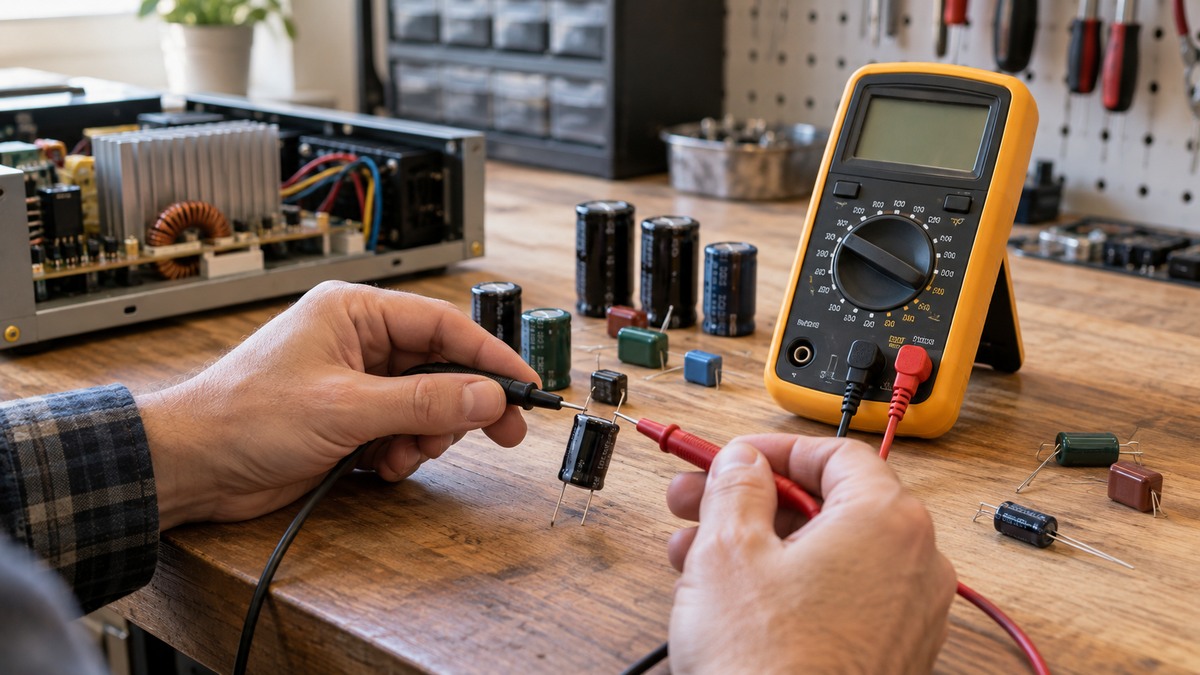
How to Choose a Multimeter for Checking Capacitors
As an Amazon Associate we earn from qualifying purchases.
How to choose a multimeter for checking capacitors comes down to four things on the listing: whether the meter has a capacitance function, the range that function covers, the display resolution, and the CAT rating. This guide covers low-voltage bench checks on capacitors that are out of their circuit. It does not cover capacitors wired into mains equipment such as HVAC units or motors, and the sources we opened do not describe that work.
Electrical safety
Work on mains circuits can kill. Before you measure anything, check that the meter’s CAT rating suits the circuit you are testing, and read the rating from the listing or the manufacturer’s manual. Panel and service work belongs to a licensed electrician.
Fluke’s buying guide says that transients riding on mains, feeder or branch circuits can trigger a sequence of events that may lead to serious injury. That is the reason test equipment carries a measurement category. The Fluke 116 manual also warns you to disconnect circuit power and discharge all high-voltage capacitors before testing capacitance. A good capacitor can hold energy after the power is removed, so the discharge step comes before any lead touches the part.
Quick answer
- Choose a meter whose listing or manual names a capacitance function. The Fluke spec sheet lists capacitance for the 115, 116 and 117 models only.
- Check that the stated capacitance range covers the largest part you expect to test.
- Look for a stated accuracy formula as well as a counts figure, then calculate the error at the size you need.
- Confirm the CAT rating on the listing, and discharge each capacitor before you connect the leads.
What checking capacitors asks of a meter
A capacitance function and its range
Capacitance is a specialty function. Fluke’s buying guide groups capacitance with frequency, temperature, non-contact voltage and similar features, and it presents them as choices rather than standard items. The spec sheet lists capacitance for the 115, 116 and 117 only, so two meters from the same product line can differ on this point.
The ranges differ a lot. The Extech EX330 listing states 0.001 nF to 200 µF. The Fluke 115 listing shows ranges that start at 1000 nF with 1 nF resolution and top out at 9999 µF. One comparison table on Fluke’s 87-series page lists 9,999 µF for most models and 100,000 µF for the 289 column. Pick the range from the largest capacitor you expect to test, not from the top figure on a listing.
Counts and accuracy
Counts describe display resolution. The Fluke 114 listing and the Fluke 114 to 117 spec sheet both state a digital display of 6,000 counts, and the Extech EX330 listing states a 4000-count display. Fluke’s guide names 6,000, 20,000 and 50,000 counts as resolution levels a buyer can choose between, so the count figure alone does not tell you how accurate a reading will be.
Reading the accuracy figure
The spec sheet gives capacitance accuracy as a percentage of the reading plus a number of counts. On the 10.00 µF range the figure is 1.9 % plus 2 counts, with 0.01 µF resolution. Above 1000 µF the figure changes to 5 % plus 20 counts. The spec sheet also says accuracy is specified for one year after calibration. Two calculations from those figures show how much the numbers matter:
- A 10 µF capacitor on the 10.00 µF range: 1.9 % of 10 µF is 0.19 µF, and 2 counts at 0.01 µF is 0.02 µF. The error is about ±0.21 µF, or roughly 2.1 %.
- A 2,000 µF capacitor on the 9999 µF range: 5 % of 2,000 µF is 100 µF, and 20 counts at 1 µF is 20 µF. The error is about ±120 µF, or roughly 6 %.
These are calculations from the spec sheet values, not measured results, and they hold only while the meter is within its calibration period.
Low-impedance capacitance mode
The Fluke 116 manual describes a low-input-impedance capacitance mode for making capacitance measurements on cables with ghost voltage. You turn it on by holding a key while the meter powers up. The manual says these readings have a lower accuracy and a lower dynamic range. The Fluke 115 listing gives a Lo-Z capacitance range of 1 nF to 500 µF, with 10 % plus 2 counts typical accuracy. If your work involves cables, check whether the listing or manual names this option before you buy.
Ranging
The Fluke 116 manual says the meter defaults to autoranging and selects the range with the best resolution. You can switch to manual ranging if you need to. An older Adafruit guide, last edited July 16, 2012, notes that some people dislike auto-ranging because it is slower and not as precise. The Fluke capacitance steps say to keep the leads connected for a few seconds so the meter can select the range. The Extech EX330 listing describes the meter as autoranging, and the Fluke 114 listing states manual and automatic ranging.
Relative mode for lead capacitance
The Fluke steps say that for low values, the Relative mode corrects for the test leads’ capacitance. A low reading can be mostly lead capacitance, so a relative function is worth checking in the manual before you buy.
Listing facts for four meters
The table uses only figures stated on the listings or spec sheet named in the sources. It is a reading aid, not a ranking. Shortlists of meters with capacitance features are in the site’s capacitance meter roundup, and tester models are in the capacitor tester roundup.
| Meter (source) | Capacitance range | CAT rating | Counts | Other stated items |
|---|---|---|---|---|
| Extech EX330 listing | 0.001 nF to 200 µF | CAT II 1000 V, CAT III 600 V | 4000-count display | Autoranging; the listing does not state a Lo-Z option |
| Fluke 114 listing | The listing does not state a capacitance range. The spec sheet lists capacitance for the 115, 116 and 117 only. | CAT III 600 V | 6,000 counts | Manual and automatic ranging |
| Fluke 115 listing | 1000 nF to 9999 µF (spec sheet and listing) | Listing gives ratings by model, including CAT III 600 V | 6,000 counts (spec sheet) | Lo-Z capacitance 1 nF to 500 µF, 10 % plus 2 counts typical |
| Fluke 117 listing | 1000 nF to 9999 µF (spec sheet) | CAT III 600 V | 6,000 counts (spec sheet) | True-rms; capacitance selected on the dial |
Buying checklist
- A capacitance function named in the listing or manual, with its range printed on the listing.
- A stated capacitance accuracy figure, not just a counts figure.
- A Lo-Z capacitance option, if you check capacitors on cables.
- A CAT rating and voltage rating taken from the listing or manual. If the listing does not state a CAT rating, write that down and do not treat the meter as rated for household mains.
- Autoranging as the default, with manual ranging described in the manual.
- A fuse rating for the amps input, where the listing gives one. The spec sheet lists an 11 A, 1000 V fuse for the 115 and 117 only.
Steps for a de-energized capacitor on the bench
These steps follow Fluke’s capacitance procedure. They apply only to a capacitor that is out of its circuit and on a bench.
- Use your digital multimeter to ensure all power to the circuit is OFF. Fluke’s article lists this as its first step.
- Connect a 20,000 Ω, 5-watt resistor across the capacitor terminals for five seconds. Fluke’s article gives these figures for the discharge.
- Use your multimeter to confirm the capacitor is fully discharged. The 80 Series V manual says to use the DC voltage function for this check.
- Set the dial to the capacitance mode. The symbol often shares a dial position with another function, and a function button may be needed. Consult your multimeter’s manual for the exact keys.
- Detach the capacitor from the circuit, because Fluke says this avoids measurement errors.
- Connect the leads to the capacitor terminals and keep them connected for a few seconds so the meter can select the range.
- Read the display, then use the Relative mode for low values as described above.
Reading the results
- Faults: Fluke’s article says faulty capacitors may have a short circuit, an open circuit, or may physically deteriorate.
- Drift: deterioration can also change the capacitance value of a capacitor, which can cause problems in the circuit.
- Continuity beeps: SparkFun explains that a capacitor acts like a short for a split second while it charges, so a beep followed by silence on a continuity test can be the capacitor charging.
The sources do not say how far a reading can sit from a part’s marked value before the part should be replaced, and they do not give a pass or fail value for any capacitor type.
Common mistakes
- Testing a capacitor that still holds charge. Fluke’s article notes that a good capacitor “may remain energized after power is removed.”
- Measuring with the capacitor still connected to its circuit, which Fluke links to measurement errors.
- Reading an OL display as a number. Fluke uses OL to mark a value outside the range or a faulty part, so it is not a reading to write down.
- Skipping the lead correction on low values, which Fluke’s steps say to make with the Relative mode.
- Choosing a meter by counts alone, without checking the accuracy formula.
- Assuming that a meter with a capacitance mode is rated for mains work. The CAT rating is a separate figure that you must read.
FAQ
Do I need a meter with a capacitance function?
For capacitance checks, yes. Fluke’s buying guide lists capacitance among specialty features, and the spec sheet shows it for only some models.
What capacitance range should I look for?
Start from the largest capacitor you expect to test, then find a range that covers it on the listing. The sources we opened do not give a standard range for any job.
Can I check a capacitor while it is still in the circuit?
The Fluke steps remove power, discharge the part, and detach the capacitor before measuring. The sources we opened do not describe an in-circuit capacitance method.
What does OL mean on the display?
According to Fluke’s article, OL appears when the value is above the range the meter can show, or when the capacitor is faulty.
Does a standard multimeter measure ESR?
The sources we opened do not say that. They cover capacitance only, so check the listing for an ESR function before you assume one exists.
Does a higher counts figure mean a better capacitance reading?
Not by itself. Counts set the display resolution, while the accuracy formula sets how close a reading can be to the true value, so check both.
How we chose
The criteria are the ones the sources name for capacitance work: whether a capacitance function exists, its stated range, the accuracy formula and counts, the Lo-Z option, the ranging mode, the CAT rating, and the discharge steps. The figures come from the manufacturer pages, the Fluke spec sheet and manuals, and the Extech listing, all opened on 2026-10-21. Other pages were opened and left out where they did not state a capacitance figure. The Adafruit guide is used only for its note on auto-ranging. This guide does not rank meters and does not recommend a brand or model.
What we could not verify
The sources we opened do not cover ESR (equivalent series resistance), and the capacitance steps describe capacitance only. The listings do not state leakage current limits, and the sources do not give pass or fail values for capacitors. The Fluke 114 listing does not state a capacitance range, and the Extech EX330 listing does not state a Lo-Z option. The 100,000 µF figure comes from one column of a comparison table, and the sources do not show it for any other model. The sources also do not cover capacitors in mains equipment, so that work sits outside this guide. The Adafruit guide is dated, last edited in 2012.
Sources
- Fluke, How to Measure Capacitance with a Digital Multimeter: https://www.fluke.com/en-us/learn/blog/digital-multimeters/how-to-measure-capacitance
- Fluke 116 True-rms Multimeter Users Manual: https://media.fluke.com/a2b5d6f0-7ff2-4ff3-bed9-b10800c0e897_original%20file.pdf
- Fluke 80 Series V Multimeters Users Manual: https://media.fluke.com/72b063d9-22bd-44a7-a91b-b2c100f399c5_original%20file.pdf
- Fluke 114, 115, 116 and 117 Detailed Specifications: https://media.fluke.com/ce54d963-3be9-4e70-8a3e-b1060070fdfd_original%20file.pdf
- Fluke, How to choose the best DMM for your job: https://media.fluke.com/f21b7f1f-90bf-44cb-bce1-b2c100f470ea_original%20file.pdf
- Fluke 117 product page: https://www.fluke.com/en-us/product/electrical-testing/digital-multimeters/fluke-117
- Fluke 114 product page: https://www.fluke.com/en-us/product/electrical-testing/digital-multimeters/fluke-114
- Fluke 115 product page: https://www.fluke.com/en-us/product/electrical-testing/digital-multimeters/fluke-115
- Fluke 87V product page: https://www.fluke.com/en-us/product/electrical-testing/digital-multimeters/fluke-87v
- Extech EX330 product page: https://www.extech.com/products/EX330
- Adafruit, Multimeters guide: https://learn.adafruit.com/multimeters
- SparkFun, How to Use a Multimeter: https://learn.sparkfun.com/tutorials/how-to-use-a-multimeter/all