How to Choose a Multimeter for LED Lighting
As an Amazon Associate we earn from qualifying purchases.
How to choose a multimeter for LED lighting starts with the circuit you plan to measure. The Waveform Lighting troubleshooting page covers LED strips run from 12 V and 24 V DC power supplies, so most LED strip checks are low-voltage DC work. For that job, look for a DC voltage function with fine resolution, a DC current range in milliamps with a fuse you can check, a diode test mode, and a CAT rating that matches the highest circuit you might reach. This guide covers low-voltage work only.
Electrical safety first
Work on mains circuits can kill. Before you measure anything, check that the meter’s CAT rating suits the circuit you are testing, and read the rating from the listing or the manufacturer’s manual. Panel and service work belongs to a licensed electrician.
The Klein MM400 manual warns that failure to observe its warnings “can result in severe injury or death.” The same manual gives the meter a safety rating of CAT III 600V and describes CAT III as the category for the distribution part of a building’s low-voltage mains installation. That rating applies to one model, so a different meter needs its own check against its own manual.
The Fluke 15B manual rates that meter CAT II 600 V and CAT III 300 V. It also says to use caution with voltages above 30 V ac rms, 42 V ac peak, or 60 V dc, because those voltages pose a shock hazard.
The Fluke category guide places single-phase commercial lighting under CAT III and service entrances under CAT IV. A lighting job inside a building can therefore sit in a higher category than a bench LED strip. The Fluke rating guide advises choosing a meter rated for the highest category you could reach.
The Waveform Lighting page says low-voltage DC electronics pose a relatively low shock hazard. The same page warns never to connect a low-voltage DC LED strip directly to a mains wall outlet.
Scope: this guide covers low-voltage DC work on LED strips, the low-voltage output of a power supply or driver, and bench circuits. It does not give steps for mains LED bulbs, fixtures wired to a switch, outlets, or panels.
Quick answer
- Match the meter’s CAT rating to the highest circuit you might reach, and read the rating from the listing or the manual.
- For LED strips, pick a DC volts range and check the supply and strip voltage with the power on, as the steps below describe.
- For LED current, pick a DC mA range, check the fuse, and break the circuit path before you connect the leads.
- Use diode test mode for LED checks, and use resistance with the power off to look for shorts on the strip pads.
What to check on a listing
The listing should state each item in the table below. If it does not, write down that the listing does not state the figure, and do not assume a value. No product listing was opened for this guide, so the table names what to look for, not what any model offers.
| Feature | Why it matters for LED work | What to look for on the listing |
|---|---|---|
| CAT rating and voltage | Sets the highest circuit the meter suits | A stated category and voltage, such as the CAT III 600V rating in the Klein MM400 manual |
| DC volts, low range | Strip checks read supply and pad voltages, which can be a few volts | A DC range and its resolution |
| DC current in mA | Measures current through an LED circuit placed in series | A mA range and the fuse that protects it |
| Diode test | Shows the forward voltage drop across a junction | Test current and open-circuit voltage; the Klein MM400 manual states 1.5 mA maximum and 3.0 V DC |
| Resistance | Checks for a short across strip pads with power off | An ohm range |
Prepare the meter before you measure
Check the fuses first. The Fluke 15B manual says to check the meter’s fuses before measuring current, and to turn power off to the circuit before connecting the meter. The same manual lists a 500 mA fuse (F1) among its replacement fuses. The Klein MM400 manual lists 500 mA and 10 A fuses as overload protection.
Next, confirm the jacks. The Fluke DC voltage guide warns that if you place test probes in the A or mA input and then measure voltage, you create a short in the measurement circuit. Keep the red lead in the V jack for voltage, and move it only when you switch to a current measurement.
Finally, confirm the supply rating. The Waveform Lighting page says to confirm that the power supply’s voltage and current rating are compatible with the strip. Its example is a 12 V supply that will not work with a 24 V LED strip. Read the output voltage on the power supply and the input voltage on the strip before you connect anything.
Check the supply and strip voltage
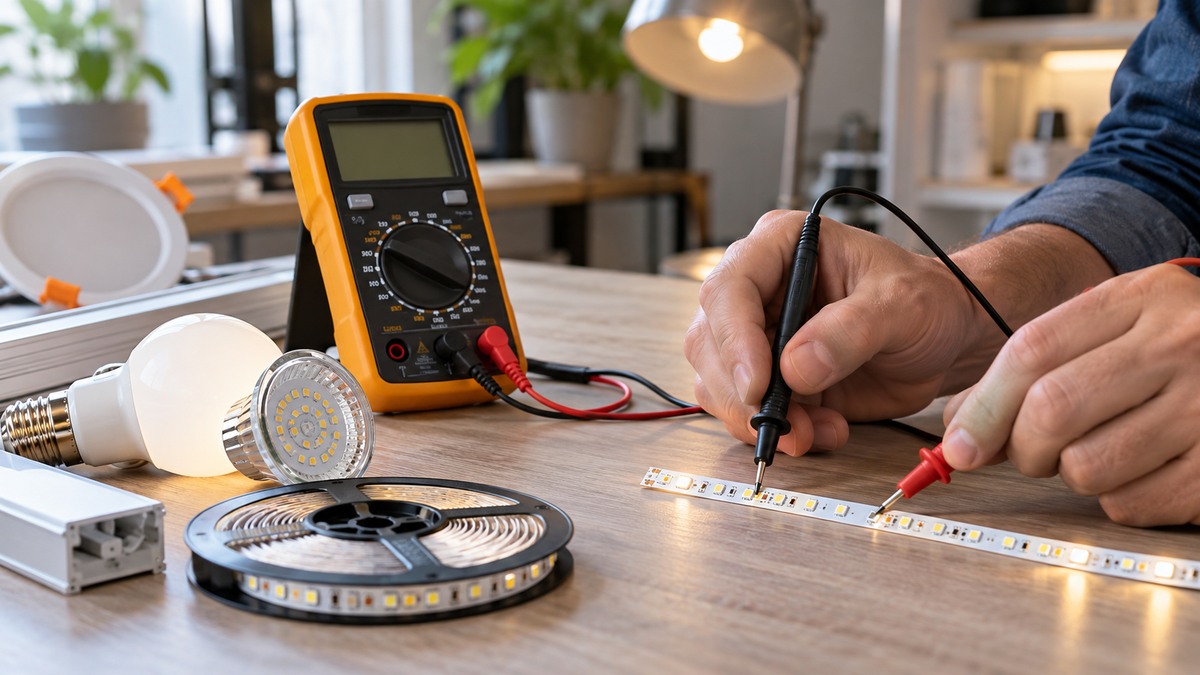
These steps cover low-voltage DC checks on an LED strip. They follow the order the Waveform Lighting page uses for diagnosing a strip.
- Set the meter to DC volts and keep the red lead in the V jack. Confirm the display shows the DC symbol before you read anything.
- Power the supply and measure its output. The Waveform Lighting page says a reading below the rated voltage may point to a malfunctioning supply.
- Move along the circuit, measuring at each point between the supply and the strip, and note where the reading changes. The page says to test each point along the circuit for a voltage difference between the positive and negative wires.
- Measure at the strip input and at the far end of the strip. Compare each reading with the rated voltage on the label.
A low reading has different causes depending on where it appears. The Waveform Lighting page says that an input reading below the expected voltage, such as 10 V on a 12 V strip, points to the supply or to a loose or corroded connection. A small drop along a long strip is different. The page says almost all LED strips show some voltage drop, and that a 12 V strip may read 11.5 V at the far end. A reading that falls further, to below 10 V on that strip, is the case the page treats as a problem.
Measure LED current with the meter in series
Current is a different job from voltage. The meter must sit in the path of the current, so the circuit has to be opened at one point. The Fluke 15B manual gives this sequence for current with its leads:
- Turn power off to the circuit before you connect the meter.
- Turn the rotary switch to the current function, then press the yellow button to choose DC current.
- Connect the red lead to the mA or A terminal, based on the current you expect, and the black lead to COM.
- Break the circuit path to be measured, then connect the test leads across the break.
- Apply power and read the current on the display.
The Fluke 15B manual says to break the circuit path, so the leads go across the gap rather than across a load that is still connected. The sources we opened give no LED-specific current method.
The meter also takes a small share of the circuit’s voltage while it reads current. The Fluke burden voltage article says the 87V’s 400 mA range is typically 1.8 mV per mA. In that article’s example, a 3 V source feeding 100 mA loses 0.18 V in the meter, which is 6% of the supply. At 1 mA the drop is about 0.06% of the supply. A low-voltage LED circuit with a small supply can therefore read a different current than the circuit draws without the meter. For a broader look at how DC current meters differ, see our guide to DC current meters for amp readings.
Use diode test mode for LED checks
Diode test mode applies a small voltage across the leads and displays the voltage drop when the leads sit across a diode. The Fluke diode guide calls diode test mode almost always the best approach for diodes. It says a good silicon diode, forward-biased, shows a voltage drop of 0.5 to 0.8 volts. The Fluke 15B manual activates diode test by pressing the yellow function button once.
The Klein MM400 manual states its diode test current as 1.5 mA maximum, with an open-circuit voltage of 3.0 V DC. Those two figures matter for LED work, because a listing that states neither gives you nothing to compare.
Polarity matters. The Fluke diode guide says a diode is forward-biased when the red lead is on the anode and the black lead is on the cathode. The sources we opened do not say what an LED reads in diode test mode, so the expected forward drop must come from the LED maker’s datasheet. For a step-by-step on the diode and continuity functions, see our guide to using a continuity tester.
Check for shorts with resistance
Resistance checks are done with the power off. The Waveform Lighting page says that across the positive and negative copper pads of a good strip, the multimeter should indicate infinite resistance. Any resistance value instead of infinite points to a short. The page says one common short location is the cut line where scissors were used, because a rough cut can damage the insulation between the two copper layers.
The page suggests cutting off the last 1 to 2 inches at each end when a short shows on a segment and you cannot see its cause. It does not give a retest step after that cut, so this guide does not add one. For a broader look at continuity tools, see our continuity tester buying guide.
Common mistakes
- Leaving the red lead in the A or mA input and then reading voltage. The Fluke DC voltage guide says this creates a short in the measurement circuit.
- Measuring current without checking the fuse. The Fluke 15B manual says to check the meter’s fuses before measuring current.
- Applying power before breaking the circuit path for a current reading. The Fluke 15B procedure requires the break, with the leads across it.
- Calling a strip bad before checking the supply output. The Waveform Lighting page checks the supply output before it checks the strip.
- Using a low-voltage meter on mains LED fixtures or outlets. The Waveform Lighting page warns against connecting low-voltage LED strips to mains, and this guide does not cover mains work.
Frequently asked questions
Do I need a CAT rating for LED strip work?
The Fluke rating guide says to choose a meter rated for the highest category you could reach. A bench LED strip on a DC supply is a low-voltage circuit, but the listing should still state a CAT rating so you know what the meter is built for. If the listing does not state one, write down that the listing does not state a CAT rating.
Does an LED strip need a true RMS meter?
The sources we opened do not cover true RMS for LED drivers or dimmed LED circuits. The Waveform Lighting page describes the strip circuit as fed by a DC supply. Check the listing for an AC function only if your project includes AC readings.
Can I measure LED current without opening the circuit?
The Fluke 15B procedure for current with leads requires breaking the circuit path and connecting the leads across the break. The sources we opened do not describe a non-contact method for LED current, so this guide does not give one.
Why is one end of my LED strip dimmer?
The Waveform Lighting page names voltage drop as the usual cause. Each section of the strip carries the current for all the sections after it, so the voltage falls along the strip. Measure at several points along the strip to see how far the voltage falls.
What does a resistance reading across the strip pads mean?
With the power off, the Waveform Lighting page expects infinite resistance across the positive and negative pads. A reading that is not infinite suggests a short, and the page names the cut line as a common location.
How we chose
This guide does not rank products or name a model. The criteria come from the manuals and guides listed in the sources. They cover the category rules that set a CAT level, the voltage and current checks that an LED strip needs, and the diode and resistance checks that the manuals describe. The pages were opened on 2026-10-21. We did not open any product listing, so the guide gives no listing figure for any meter.
What we could not verify
The sources we opened do not cover these points, so this guide makes no claim about them.
- The forward voltage of any LED color or driver. The sources we opened do not give it, and the listing does not state it. Use the LED maker’s datasheet.
- LED driver output ripple, PWM dimming, or how a given meter reads those signals.
- Burden voltage for any meter in this guide. The only figure we opened is the Fluke article’s example for the 87V’s 400 mA range.
- The CAT rating of any listed product. We did not open a listing, so no rating for a product appears in this guide.
- Mains LED bulbs, fixtures on a switch, outlets, and panels. The Waveform Lighting page warns against connecting low-voltage strips to mains, and this guide gives no steps for mains work.
Sources
- Fluke 15B and 17B Users Manual: https://assets.fluke.com/manuals/15b17b__umeng0400.pdf
- Klein Tools MM400 Instruction Manual: https://data.kleintools.com/sites/all/product_assets/documents/instructions/klein/MM400_1390110ART_WEB.pdf
- Fluke, How to Test Diodes: https://www.fluke.com/en-us/learn/blog/digital-multimeters/how-to-test-diodes
- Fluke, Can You Live With the Burden?: https://www.fluke.com/en-us/learn/blog/electrical/can-you-live-with-the-burden
- Fluke, How to Measure DC Voltage with a Digital Multimeter: https://www.fluke.com/en-us/learn/blog/digital-multimeters/how-to-measure-dc-voltage-with-a-digital-multimeter
- Waveform Lighting, Troubleshooting LED Strip Problems: https://www.waveformlighting.com/home-residential/troubleshooting-led-strip-problems
- Fluke, IEC Category Ratings: Use the Right Tools for the Job: https://www.fluke.com/en-us/learn/blog/safety/iec-category-ratings-use-the-right-tools-for-the-job
- Fluke, Multimeter Guide: https://www.fluke.com/en-us/learn/blog/safety/multimeter-guide