How to Test a Breadboard With a Multimeter
As an Amazon Associate we earn from qualifying purchases.
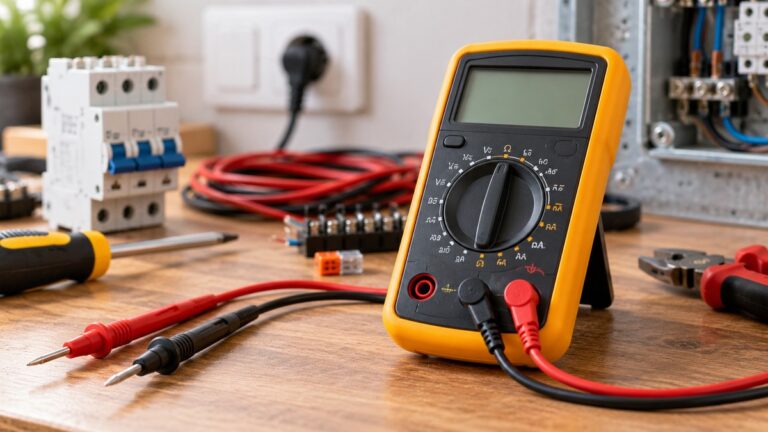
How to test a breadboard with a multimeter comes down to continuity mode: set the meter to continuity, leave the board unpowered and empty, and touch the two probes to two holes that should share a connection. A beep means the metal inside the board joins those holes. The person typing this question usually wants two answers: which holes are joined, and whether the power rails run the full length of the board. The sources below cover both, along with the limits of what a meter can show.
Electrical safety comes first
Work on mains circuits can kill. Before you measure anything, check that the meter’s CAT rating suits the circuit you are testing, and read the rating from the listing or the manufacturer’s manual. Panel and service work belongs to a licensed electrician.
This guide covers only a breadboard that is unpowered, with nothing connected to it. It does not cover outlets, panels, service wiring or any supply that is plugged into mains. The University of Washington multimeter guide says: “Be careful when working with voltages above 60 V DC or 30 V AC rms.” It adds that “Such voltages pose a shock hazard.” Fluke’s safety guide says: “Working with electricity always carries a risk.” It also says to “always assume every electrical component in a circuit is energized until you’ve taken the steps to positively discharge it.”
Check the meter and leads before each session. The University of Washington guide says: “Never use the meter if the meter or the test leads look damaged.”
This guide names no meter model and opens no meter listing, so it gives no CAT rating for any meter. Electronics Notes says that “For professional multimeters the markings CAT III or even CAT IV may be seen,” so the rating has to be read from your own meter.
Quick answer
- Turn the power off and remove every part and jumper wire before you test.
- Set the meter to continuity mode, then check each power rail and each five-hole strip.
- Read a beep as a complete path, not as a resistance value.
- A meter cannot show how firmly a clip grips a part.
How we chose
We chose sources that describe three things: how a breadboard is built, how a multimeter’s continuity mode works, and the safety rules for meter use. Breadboard maker tutorials from SparkFun and Adafruit describe the rails, the five-hole strips and the split rails. Fluke and the University of Washington describe continuity mode, the beep and the power-off rule. Electronics Notes covers CAT markings in general terms only.
We opened each page with curl on 2026-10-22 and searched the fetched text for every quoted sentence. Pages that returned 403, 404 or 429 were not used. Search snippets were not used as evidence. The breadboard sources are maker company tutorials, not standards documents, so the rules below describe common breadboard construction and not a specification for any one board.
Before you start
Turn the power off and leave it off. SparkFun’s multimeter tutorial says: “In general, turn OFF the system before checking for continuity.” The University of Washington guide adds: “Never measure resistance in a circuit when power is applied.” Continuity and resistance checks belong on an unpowered board.
Remove every jumper wire, component and power lead from the breadboard first. Fluke’s continuity guide asks you to make sure the part under test is isolated from other components in the circuit. For a bare board, the simplest way to meet that is to start with an empty board.
Set the meter’s dial to continuity. Fluke’s guide says: “Turn the dial to Continuity Test mode.” It also notes that “Some models require you to press a continuity button to activate this specific testing mode.” Check your meter’s manual for the button, because some meters need it and some do not.
Step 1: Find the rails and the strips
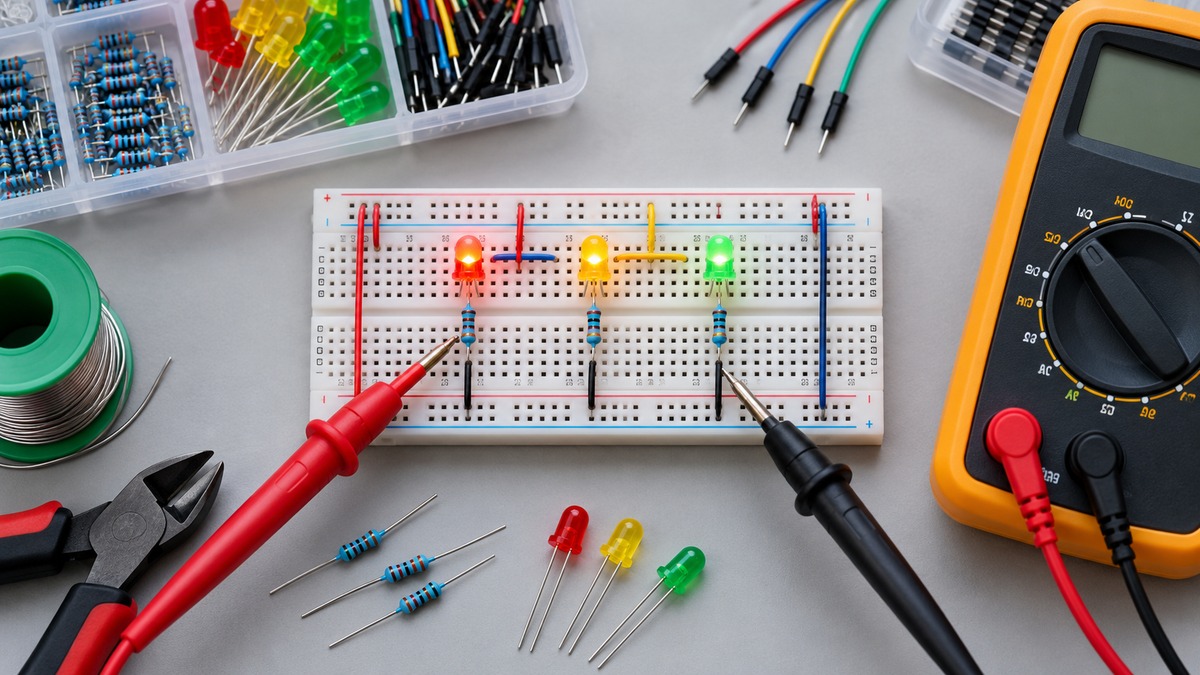
Adafruit’s breadboard guide says that “Just about every breadboard is made of three sections,” which are two sets of long power rails and a large middle section. The middle section holds the terminal strips. Adafruit describes the rows as having five teeth, “one for each hole on the top of the breadboard,” so each strip is a row of five connected holes on one side of the board.
SparkFun explains the layout the same way. Apart from the horizontal rows, breadboards “usually have what are called power rails that run vertically along the sides.” Adafruit notes that the rails usually carry a “red (+) and blue (-) stripe down the sides of the rails,” which helps you tell the positive rail from the negative rail. The stripes are markings only. They do not show whether a rail is continuous, so test the rail itself.
Step 2: Check each power rail
Put one probe on a hole at one end of a rail and the other probe on a hole at the other end. A continuous rail should beep. SparkFun’s tutorial describes the same idea on an unpowered board, saying to use the probes to “poke at two separate ground pins.” If the rail is split, the beep stops at the gap.
Adafruit warns that large breadboards “sometimes have ‘power rails’ that are split in the middle.” Its consequence is plain: a voltage applied at the top of the board does not appear at the bottom. Adafruit says you can tell a split rail “by using a multimeter (best!),” and it adds that a gap in the red or blue stripe also shows a split. Test both halves of each rail, because the stripe alone is not enough. Adafruit also recommends marking the splits on the board when you first get it, so you can see them without testing again.
Then test the two sides of the board against each other. SparkFun says that “the power rails on either side are not connected,” so a beep between the left rail and the right rail is not the expected result. If your circuit needs the same supply on both sides, SparkFun says to connect the two sides with jumper wires.
Step 3: Check each five-hole strip
Pick a row on one side of the center channel. Put the probes in two holes of that row, both on the same side of the channel. A beep means the strip is continuous between those two holes. SparkFun explains why: “the metal rows are conductive and allow current to flow from any point in that strip.” It also points to the clips inside the strip, noting that “there are only five clips on this strip.”
Now test across the center channel. SparkFun says that “each horizontal row is separated by a ravine, or crevasse, in the middle of the breadboard.” Two holes on opposite sides of the channel, in the same row, should therefore not beep. If one does, the sources do not describe that condition, and the board should be checked against its maker’s layout before you rely on it.
Step 4: Finish the session
When you finish, remove the leads in reverse order. Fluke’s guide says to “remove the leads in reverse order” and specifies “red first, then black.”
Reading the results
A beep means a complete path. Fluke says that “The digital multimeter (DMM) emits a beep if a complete path (continuity) is detected.” The same guide says that “If the circuit is open (the switch is in the OFF position), the DMM will not beep.” On a breadboard, no beep between two holes means no complete path was found between them in that test.
A beep does not give a resistance value. The University of Washington guide states its own threshold: “If continuity exists (resistance less than 210 ohms), the beeper sounds continuously.” Fluke describes a different example: “at a 400.0 Ω range setting, a multimeter typically beeps if the component has 40 Ω or less resistance.” Thresholds differ by meter, so read your meter’s manual before you treat a beep as a number.
A single beep that stops may not be a connection. SparkFun notes that “Capacitors will act like a short for a split second,” so a brief beep can come from a charging part rather than a path. Repeat the check and watch whether the beep holds.
Common mistakes
- Testing with power on. The University of Washington guide says never to measure resistance in a circuit when power is applied.
- Assuming a long rail is one connection. SparkFun says the two sides are not connected, and Adafruit says many large boards have split rails.
- Leaving parts on the board. Any part still plugged in can complete a path you did not intend to test.
- Reading a beep as an exact value. The beep threshold differs by meter, as the two examples above show.
- Trusting one brief beep. SparkFun says capacitors can cause a short, momentary beep.
- Using damaged leads. The University of Washington guide says not to use leads that look damaged.
What a meter cannot show
A continuity beep shows a complete path between two holes at the moment of the test. It does not show how firmly a clip grips a leg. Adafruit says the springiness of a clip “slowly weakens” with use, and that “you wont feel the clip gripping onto the part when you press it in.” That is a feel test, and the sources do not describe a meter reading for grip force.
A beep also does not show the board’s voltage or current rating, which the sources do not state for any breadboard. It does not show a resistance value beyond the meter’s threshold. And it does not tell you whether a board is suitable for a particular circuit.
What we could not verify
The sources we opened do not give a rail resistance threshold for any breadboard, and they do not give a voltage or current rating for a breadboard. They do not name a meter model, so the meter’s CAT rating and beep threshold are not stated here. The SparkFun and Adafruit pages describe boards in general. They do not describe the strip layout of every model, so check the maker’s layout for your board. The University of Washington PDF has a breadboard heading that is cut off in the text, so this guide takes no steps from it.
Frequently asked questions
Can I test a breadboard with the power on?
The sources say no. The University of Washington guide says never to measure resistance in a circuit when power is applied, and SparkFun says to turn the system off before a continuity check.
How do I know whether a power rail is split?
Adafruit says a multimeter is the best way to check. It also says a gap in the center of the red or blue stripe shows a split rail, but the stripe alone is not a test.
Why did the meter beep once and then stop?
SparkFun says capacitors act like a short for a split second, so a single beep can come from a charging part. Repeat the check to see whether the beep holds.
Does a beep mean a clip grips a part well?
No. A beep shows a complete path. Adafruit describes grip as something you feel when you press a part in, and the sources do not describe a meter test for grip.
How long does a breadboard last?
Adafruit says each clip can handle at least a hundred plugs and unplugs before it slowly weakens. It adds that this takes years to happen, and the sources do not give a replacement schedule.
What beep threshold should I expect?
It depends on the meter. The University of Washington guide gives a threshold of 210 ohms, and Fluke gives 40 ohms as a typical example at a 400.0 ohm range. Read the threshold from your meter’s manual.
Bottom line
Test the rails and strips with the board unpowered and empty, and treat a beep as a complete path rather than a measured value.
Related guides
For a short primer on continuity mode, read how to use a continuity tester. For a comparison of meters with a continuity function, see the best continuity testers. For a voltage check before you touch a circuit, see how to use a non contact voltage detector.
Sources
- SparkFun, How to Use a Breadboard: https://learn.sparkfun.com/tutorials/how-to-use-a-breadboard/all (opened 2026-10-22)
- Adafruit, Breadboards for Beginners, Breadboards: https://learn.adafruit.com/breadboards-for-beginners/breadboards (opened 2026-10-22)
- Adafruit, Breadboards for Beginners, Other Breadboard Sizes: https://learn.adafruit.com/breadboards-for-beginners/other-breadboard-sizes (opened 2026-10-22)
- SparkFun, How to Use a Multimeter: https://learn.sparkfun.com/tutorials/how-to-use-a-multimeter/all (opened 2026-10-22)
- Fluke, A Guide to Continuity Testing with a Multimeter: https://www.fluke.com/en/learn/blog/digital-multimeters/how-to-test-for-continuity (opened 2026-10-22)
- University of Washington, ESS 205 Multimeter and Breadboard Guide: https://pita.ess.washington.edu/wp-content/uploads/sites/4/2016/04/multimeterguide.pdf (opened 2026-10-22)
- Fluke, Guide to digital multimeter safety: https://fluke.com/en-us/learn/blog/safety/multimeter-guide (opened 2026-10-22)
- Electronics Notes, What do DMM Category Safety Ratings Mean: https://www.electronics-notes.com/articles/test-methods/meters/dmm-catIII-catIV-safety-ratings.php (opened 2026-10-22)