What Is a Multimeter Range
As an Amazon Associate we earn from qualifying purchases.
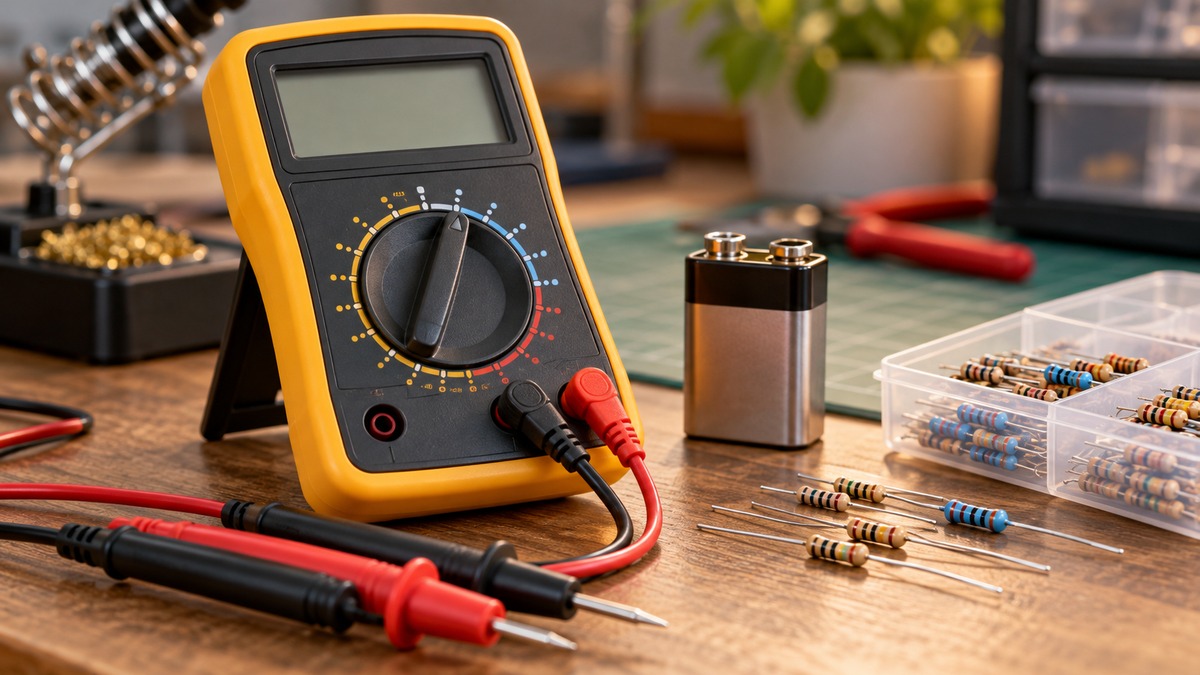
What is a multimeter range? It is the largest value that one setting on the meter can measure. A 20 V DC range, for example, reads direct current voltages up to 20 volts, and a reading above that limit shows an overload indication instead of a valid number. Meters have several ranges because one fixed scale cannot show both very small and very large values with good resolution. Some meters pick the range automatically, and others leave the choice to you. This article explains the idea in general terms and notes what the sources do not say about any named meter. For a broader introduction to the device itself, see the guide to what a digital multimeter is.
Electrical safety
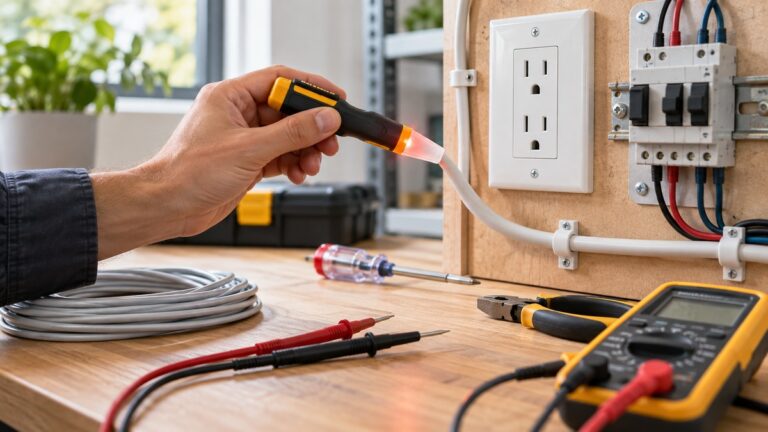
Mains wiring can be lethal, so treat every mains circuit as dangerous. Confirm that the meter’s CAT rating matches the circuit before you connect anything, and take that rating from the listing or the manufacturer’s manual rather than from memory. Work on panels and service equipment is a job for a licensed electrician.
A range is a measurement scale, not a safety rating. Choosing a high voltage range on a meter does not show that the meter suits every circuit at that voltage. The Klein MM400 manual states a Safety Rating of CAT III 600V and describes CAT III as applicable to test and measuring circuits connected to the distribution part of a building installation. The Klein MM300 manual gives the same CAT III 600V rating for that model. Those ratings belong to those two models only, and the sources do not give a CAT rating for any other meter.
The Fluke 175 manual asks for caution with voltages above 30 V ac rms, 42 V ac peak, or 60 V dc, and it says those voltages pose a shock hazard. The Klein MM400 manual warns that improper use of the meter can lead to risk of electrical shock. This article gives no steps for live mains, outlets, breaker panels or service wiring. It explains what a range is and does not describe measurements on live circuits.
What a range means
Every range sets a ceiling. The SparkFun Learn tutorial gives a plain example: a 2 V setting measures voltages up to 2 volts, and a 20 V setting measures voltages up to 20 volts. The same tutorial notes that a 20 V setting reads from 2.00 to 19.99. The first digit on many multimeters can only show a 1, so the setting is labelled 20 V instead of 99 V.
The range is tied to the display as well as to the input. A Keysight application note defines the count of a DMM as how large a number the display can show before the meter has to change measurement ranges. The same note says a 4-digit DMM can be specified with a display count of 19,999 or 20,000. Count is therefore a property of the display, while the range is the scale the meter applies to the input.
Put simply, a range tells you the top of the scale and the count tells you how many steps the display can show before it runs out. Our own example, not taken from any source: on a range that displays 20.00 V, each step in the last digit is 0.01 V. Any other range on the same meter will have a different step size, which is one reason meters offer several ranges.
Quick answer
- A multimeter range is the maximum value one setting can measure, for example 20 V on a 20 V DC range.
- Meters have several ranges because one fixed scale cannot show both small and large values with good resolution.
- Auto-ranging meters pick the range themselves. Manual-ranging meters leave the choice to you, although some functions may still autorange.
- The sources do not give ranges for named meters except in their own manuals, and the CAT rating is a separate check.
Terms used in this article
A range is the maximum value one setting can measure. A count is the largest number a display can show before the range must change. Resolution is the smallest change the meter can show at a given setting. Autoranging means the meter selects its own range, and manual ranging means you select it. Overload means the input is larger than the range the meter is currently showing, and CAT rating is the category rating in the manual that describes the electrical environments a meter is designed for. Each term is used below in the sense given here.
Why meters have several ranges
Resolution is the main reason. On one fixed scale, a small value may show with only a few digits, while a large value on the same scale would go past the display limit. Several ranges let the meter place the decimal point where it is useful for each value. The Fluke 87 manual states the idea directly: in autorange mode the meter “will automatically select the range with the best resolution” for the input. Each range is a trade-off between the largest value it can show and the finest step it can show.
Ranges are also set per function. The Klein MM400 manual lists separate voltage, current and resistance ranges in its specifications, each with its own top value. A 20 V DC voltage range therefore tells you nothing about the top value of a resistance range on the same meter.
Manual ranging and auto ranging
Manual ranging means you choose the range. The Learning About Electronics article describes a manual ranging multimeter as one with preset ranges, so you have to find the range that fits the value. The Klein MM300 is titled a manual-ranging digital multimeter in its own manual.
Auto ranging means the meter chooses the range. The Klein MM400 manual says its meter defaults to auto-ranging measurement mode, and that this automatically determines the most appropriate measurement range for the testing being done. The Learning About Electronics article says autoranging removes the need to know in advance which range a value falls into. The Fluke 175 manual says the meter defaults to autorange when it is turned on, and that pressing RANGE switches it to manual range.
Manual and auto are not always fixed for a whole meter. The Klein MM300 manual, a manual-ranging model, says that when measuring current the meter will autorange to display the measurement in the most appropriate range. The manual’s own wording is the authority for a given unit, so a manual-ranging label does not mean every function is manual.
Auto ranging can cost speed in some cases. A Keysight note on bench digital multimeters says that the longer settling times needed for low-frequency measurements can slow the auto-ranging feature significantly. The same note recommends a manual range when the maximum level of the signal is known. That note is about bench instruments, so it does not describe handheld meters in general.
The sources disagree on how common auto ranging is. The SparkFun tutorial says multimeters are generally not autoranging. The manuals for the Fluke 87, Fluke 175, Klein MM400 and Klein MM1000 all describe auto-ranging modes. This article does not settle the question and only reports what each source says. For a roundup of meters that auto range, see the auto-ranging meter roundup on this site.
Overload and out-of-range readings
An overload means the input is larger than the range you have selected, or larger than the meter’s top range. The SparkFun tutorial says the meter may simply display a 1 when it is overloaded or out of range, and it says that a reading of OL means the same thing. Its suggested response is to try the next highest setting. The Fluke 87 manual uses an overrange arrow in manual mode, which stays on until you select a range suited to the input.
The sources do not describe how an auto-ranging meter displays an input above its top range beyond the overload symbols above, and this article gives no further detail for it.
Named meters: what the manuals state
The range list for any named meter should come from that meter’s own manual. The sources in this article include manuals for four named models, and each statement below applies to that model only. The Fluke 87 manual says that in autorange mode the meter ranges up at 4096 counts and ranges down at 360. The Klein MM1000 manual says that pressing the auto/manual range key cycles through the manual ranges, and that holding it for two seconds returns the meter to auto ranging. The Klein MM400 manual says it defaults to auto ranging, and the Klein MM300 manual is titled manual-ranging.
A reader comparing two meters should look at both manuals before trusting any range figure. A table of ranges copied from a retailer page is not a manufacturer statement, and this article does not use one.
Common mistakes
- Expecting the top of a range to read 20 V in full. The SparkFun tutorial’s first-digit point shows that a 20 V range reads from 2.00 to 19.99.
- Treating the range as the rating. The CAT rating is a separate specification in the manual, and the Klein manuals list it apart from the ranges.
- Assuming every meter autoranges. The Klein MM300 is titled manual-ranging, and the SparkFun tutorial says multimeters are generally not autoranging.
- Reading an overload indication as a value. A 1 or OL on the display means the input is outside the selected range, as the SparkFun tutorial describes.
- Confusing count with range. The count is the largest number the display can show, and the range is the scale applied to the input.
- Assuming that a manual meter cannot change range at all. The Klein MM300 manual says that its current measurement autoranges.
Frequently asked questions
What does range mean on a multimeter?
It is the maximum value that one setting can measure. The SparkFun tutorial uses the 2 V and 20 V settings as examples.
Why does a 20 V setting read only up to 19.99 V?
The SparkFun tutorial says the first digit on many multimeters can only show a 1. That is why the setting is labelled 20 V rather than 99 V.
Is auto ranging always better?
The sources do not say that. Learning About Electronics describes autoranging as saving the work of choosing a range. The Keysight note says auto ranging can slow low-frequency measurements and recommends a manual range when the maximum level is known.
What does a 1 or OL on the display mean?
The SparkFun tutorial says a 1 or OL means the meter is overloaded or out of range, and a higher setting may be needed. The Fluke 87 manual uses an overrange arrow in manual mode for the same purpose.
Can a manual-ranging meter still autorange?
Yes, for some functions. The Klein MM300 manual says current measurement autoranges to the most appropriate range, even though the model is titled manual-ranging.
Does the range setting tell me whether a meter is safe for a circuit?
No. The range is a measurement scale. The CAT rating in the manual or listing is the separate figure to check before measuring, as the safety section above explains.
How we chose
The explanations in this article use the sources listed below. Each source was opened with curl on 2026-10-22, and each quoted sentence was checked against the text that came back. Paraphrased statements were checked against the same text.
- Manufacturer manuals for named meters, used only for statements about that meter: Fluke 87, Fluke 175, Klein MM300, Klein MM400 and Klein MM1000.
- A Keysight application note on DMM count and a Keysight note on auto-ranging speed, used for general points about bench digital multimeters.
- Education pages for the general explanation: the SparkFun Learn tutorial and a Learning About Electronics article.
- Retailer listings were not used. Pages that returned HTTP 403 or did not connect were left out, including a Keysight blog post and an All About Circuits lab page.
Where two sources disagree, the article says so and does not choose a winner. The order of the article follows the method: the safety rules first, the general idea of a range next, and then what each named manual states about its own meter.
What we could not verify
The sources we opened do not cover every meter, so this article cannot list the ranges for any model whose manual was not opened. The sources do not give the following:
- A standard set of ranges used across all multimeters. The examples in the SparkFun tutorial are examples, not a standard.
- The share of auto-ranging meters on the market. The SparkFun tutorial and the manuals disagree on how common auto ranging is.
- Autorange speed or accuracy figures for any named meter.
- A CAT rating for any model whose manual was not opened. This article does not state one for those models.
- A complete list of overload symbols. The sources name a 1 and OL on some displays, and an overrange arrow on one manual.
Sources
- Fluke 87 True RMS Multimeter Users Manual: https://assets.fluke.com/manuals/87______umeng0800.pdf
- Fluke 175/177/179 True RMS Multimeters Users Manual: https://assets.fluke.com/manuals/175_____umeng0000.pdf
- Klein Tools MM400 Auto-Ranging Digital Multimeter instruction manual: https://data.kleintools.com/sites/all/product_assets/documents/instructions/klein/MM400_1390110ART_WEB.pdf
- Klein Tools MM300 Manual-Ranging Digital Multimeter instruction manual: https://data.kleintools.com/sites/all/product_assets/documents/instructions/klein/MM300_1390109ART_WEB.pdf
- Klein Tools MM1000 instruction manual: https://data.kleintools.com/sites/all/product_assets/documents/instructions/klein/MM1000_Manual_English.pdf
- Keysight application note 5989-4279, 8 Hints for Making Better Digital Multimeter Measurements: https://keysight.zinfi.net/concierge/OEMs/keysight/wwwcontent/Attachments/pdf/5989-4279.pdf
- Keysight application note 5990-5197, DMM digits and count: https://keysight.zinfi.net/concierge/OEMs/keysight/wwwcontent/Attachments/pdf/5990-5197.pdf
- SparkFun Learn, How to Use a Multimeter: https://learn.sparkfun.com/tutorials/how-to-use-a-multimeter/all
- Learning About Electronics, What is the Advantage of Having Autoranging on a Digital Multimeter?: https://www.learningaboutelectronics.com/Articles/What-is-the-advantage-of-having-autoranging-on-a-digital-multimeter