How to Test a Proximity Sensor With a Multimeter
As an Amazon Associate we earn from qualifying purchases.
How to test a proximity sensor with a multimeter begins with the datasheet, not the meter. Confirm the supply voltage range and the output type first, then check the sensor and its cable with the power off. This method covers low-voltage DC proximity sensors on the bench, disconnected from any controller, PLC or mains-powered equipment. The sources we opened describe one inductive three-wire DC sensor family, so the figures below apply to that family only.
Electrical safety
Work on mains circuits can kill. Before you measure anything, check that the meter’s CAT rating suits the circuit you are testing, and read the rating from the listing or the manufacturer’s manual. The sources we opened do not state a CAT rating for any sensor named in this post, so this post gives no rating of its own.
The elcosh electrical safety manual says grounding does not guarantee that a person will not be shocked, injured or killed by defective equipment. The Fluke 12 manual says to use caution above 60 V DC or 30 V AC rms, because those voltages pose a shock hazard. The Fluke application note on CAT ratings gives the same advice in its own words: work on de-energized circuits whenever possible. OSHA’s rule for electrical work says live parts must be de-energized before a worker works on or near them, unless the employer can show that de-energizing adds hazards or is infeasible.
OSHA’s rule also says a qualified person must use test equipment to verify that circuit elements are de-energized. The Fluke application note adds that if lock-out and tag-out procedures are not in place or are not enforced, the circuit should be assumed live. Both points apply to panel and service work, which this post does not cover.
CAT ratings sort the places where a meter may be used. The Fluke CAT guide places single-phase receptacle-connected loads in CAT II, and it places 3-phase distribution, including switchgear and fixed equipment, in CAT III. The Fluke application note says a manufacturer can self-certify its meter’s category without independent verification, so the label alone does not show that a third party checked it.
The same guide places 3-phase at the utility connection, outdoor conductors, electricity meters and service entrances in CAT IV. It also says that CAT ratings on test equipment have no relation to the PPE hazard risk categories in NFPA 70E, so the two systems should not be read as the same thing.
A non-contact voltage detector is a different tool from the meter used in this post. For that tool, see the non-contact voltage detector guide.
Panel and service work belongs to a licensed electrician. That is this site’s rule, not a finding from the sources we opened. The OSHA rule and the elcosh manual say the de-energized check must be done by a qualified person, and they do not use the term licensed electrician.
Quick answer
- Check the datasheet first. The Autonics PSN series manual gives a power supply of 12-24VDC, with a voltage range of 10-30VDC.
- Switch off the supply and disconnect the sensor before any resistance or continuity check.
- In continuity mode, a continuous beep means the resistance is below the threshold in your meter’s manual. The Fluke 12 manual gives a threshold of 25 ohms.
- The sources do not give a resistance or diode value that a healthy sensor should show, so no such value appears here.
Before you start
Have the datasheet for your exact model. The Autonics PSN manual covers a square, three-wire DC inductive sensor, and its model table lists NPN and PNP outputs separately. The same manual gives a residual voltage of at most 1.5V and a current consumption of at most 10mA. Those figures belong to that series, so check the datasheet for your own part before you rely on them.
| Item | What the Autonics PSN manual states |
|---|---|
| Power supply | 12-24VDC, voltage range 10-30VDC |
| Brown lead | +V in the control output diagram |
| Blue lead | 0V in the control output diagram |
| Black lead | Output, shown with the load in each circuit |
| Output type | NPN and PNP listed as separate models |
| Residual voltage | Max. 1.5V |
| Current consumption | Max. 10mA |
| Protection circuit | Reverse polarity protection circuit, plus surge and overload and short protection |
| Protection rating | IP67 (IEC standard) |
| Operation indicator | Red LED |
The same manual says to use the unit within its rated specifications, and to clean it with a dry cloth rather than water or an organic solvent. The sensor cable in the sample specification has three cores. For the meter itself, the Fluke 10 and Fluke 12 manuals both describe a continuity and ohms function, and both say the beeper sounds when continuity exists. For a general overview of the meter, see the multimeter buying guide.
Check the meter before you start. The Fluke 12 manual says not to use the meter if the meter or its test leads look damaged, or if you suspect it is not operating properly. It also says to replace the battery as soon as the battery indicator appears, because false readings could lead to possible electric shock or personal injury.
Steps
Step 1: Turn off the power and disconnect the sensor
The Autonics manual says not to connect, repair or inspect the unit while it is connected to a power source. The Fluke 10 manual says to turn off power to the circuit under test before you measure, because external voltage across the components causes invalid readings. The same manual says to turn off power before cutting, unsoldering or breaking the circuit.
Step 2: Set the meter to continuity
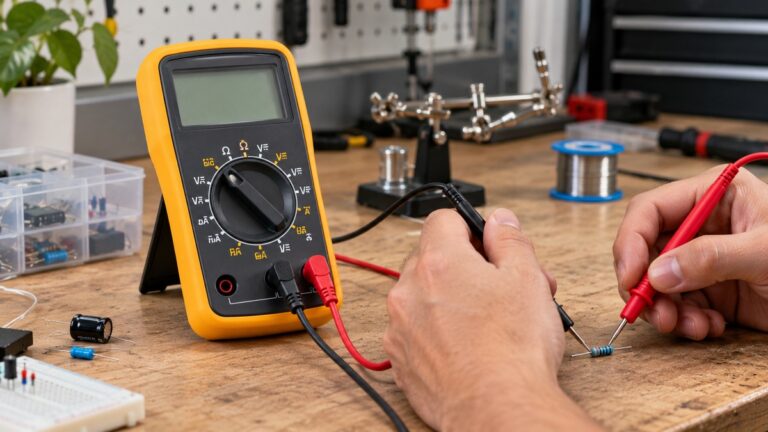
The Fluke 10 manual says to insert the test leads in the jacks, then put the slide switch in the continuity or ohms position. It also says to press SELECT to toggle between the continuity and diode function and the ohms function. The Fluke 12 manual gives the same toggle, using the g key. The Fluke automotive guide sets up the same meter in a different order: black lead into COM, red lead into the V/Ω jack, dial to Ω, then press the continuity button until the sound symbol shows on the screen.
Step 3: Check each cable core from end to end
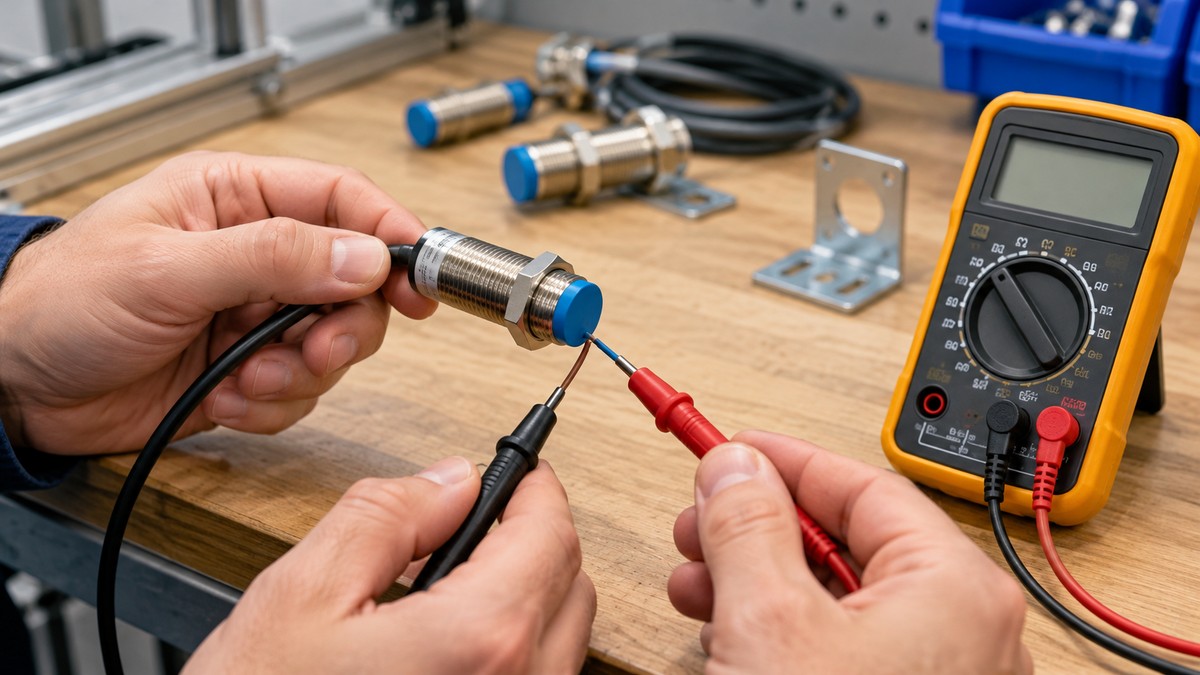
The Fluke automotive guide describes touching the probes to each side of the circuit path, and it gives an example of end-to-end on a wire harness. A steady beep with a near-zero reading indicates continuity. Test one core at a time, with one probe at each end of that core.
Step 4: Read the beep
The Fluke 10 manual says the beeper sounds continuously if continuity exists, with resistance below 25 ohms. The Fluke 12 manual gives the same 25-ohm threshold, and it says the meter catches opens and shorts that last longer than 250 microseconds. Your meter’s own threshold may differ, so check its manual.
Step 5: Reconnect only after the check
The Autonics manual says to check the connections before wiring. Match each lead to its role in the diagram, brown for +V, blue for 0V and black for the output, before you reconnect the sensor to anything.
Reading the results
- A continuous beep on one core means the resistance is below the threshold in your meter’s manual, which is 25 ohms on the Fluke 10 and Fluke 12.
- No beep on one core means the meter did not see continuity below that threshold. The sources we opened do not say whether that is normal or abnormal for a sensor cable, so this post does not call it either.
- No beep with OL or a high reading means an open circuit or very high resistance. The Fluke automotive guide links that reading to a break, corrosion or a bad connection.
- In diode mode, the Fluke 12 manual says a silicon diode drops about 0.6 V in the forward direction and shows OL in reverse. The sources do not say what a sensor’s output stage should show in diode mode, so this post gives no expected reading.
Common mistakes
- Measuring with the sensor still powered. The Autonics manual says not to inspect the unit while it is connected to a power source. The Fluke automotive guide says to avoid continuity or resistance checks on powered circuits, because this can damage the meter.
- Assuming NPN and PNP sensors are interchangeable. The Autonics manual gives separate NPN and PNP main circuit diagrams.
- Reconnecting before comparing the leads with the diagram. The Autonics manual says to check the connections before wiring.
- Disconnecting the test leads in the wrong order. The Fluke 12 manual says to disconnect the live test lead before disconnecting the common test lead.
How we chose
The sources in this post were picked by four criteria. Each had to be a manufacturer manual or application note, a manufacturer blog, an OSHA rule, or a training manual used only for the fatal-shock wording. Each had to load with curl and return text that contains the sentence we quote, so search snippets were not used as evidence. Power-state instructions come only from manufacturer manuals and the Fluke guides. Retailer and distributor pages are not used for any procedure or safety claim; the distributor-hosted copies below are used only for the manufacturer’s own documents.
The sources were opened on 2026-10-22. Several candidates were dropped. A Balluff blog returned 403, two Pepperl+Fuchs datasheets returned 404, an Omron copy returned 403, and a Turck copy returned 404. The Autonics manuals used here are hosted by a distributor, chipdip.ru, and the Fluke manuals are hosted on xdevs.com. The search results did not return the manufacturers’ own copies of these manuals, so the mirrors are disclosed here.
In total, we attempted 18 URLs with curl. Nine are cited. Two returned 403, three returned 404, two could not connect, and two returned 200 without being cited: an eCFR page whose extracted text was too short to quote, and a vendor blog post that is not used as a procedure source.
What we could not verify
The sources we opened do not cover the following, and this post does not guess at them:
- A resistance, continuity or diode value that a healthy proximity sensor should show. The Autonics manual gives none.
- Capacitive and photoelectric sensors. The sources we opened include no capacitive or photoelectric manual, and the photoelectric search returned only reseller guides and blogs.
- Wire colors for sensors from other makers. The Autonics diagram uses brown, blue and black, but the sources do not confirm that convention for other brands.
- Whether an insulation tester or other high-voltage test is allowed on a sensor.
- A CAT rating for any meter or sensor in this post. Read the rating from the meter’s own manual or listing.
- Whether the automotive reading guidance applies to a sensor cable. The Fluke guide is written for automotive circuits, and the sources we opened do not apply it to sensors.
- Any check made with the power on. This post leaves those out by scope.
- The term licensed electrician. The sources use qualified person.
FAQ
Can I test a proximity sensor while it is powered?
Not in this post. The Autonics manual rules out inspection while the unit is energised from a power source, and the Fluke guides say to avoid continuity or resistance checks on powered circuits.
What supply voltage does the sensor need?
The Autonics PSN series manual lists 12-24VDC, with a voltage range of 10-30VDC. Use the figure in the datasheet for your own model.
How do I tell an NPN sensor from a PNP sensor?
The Autonics manual lists NPN and PNP as separate models and gives a diagram for each. The sources we opened do not give a multimeter check, made with the power off, that tells the two apart, so this post does not offer one.
What beep threshold does the meter use?
On the Fluke 10 and Fluke 12, continuity sounds below 25 ohms. Other meters differ, so check the manual for your model.
Does a two-wire sensor use the same wiring?
No. The Autonics DC 2-wire manual shows the load on one of its two leads, so the three-wire roles in this post do not apply to that type.
Can I use an insulation tester on the sensor?
The sources we opened do not cover insulation testing on these sensors, so this post does not describe one.
Sources
Each line gives a source opened with curl on 2026-10-22.
- https://static.chipdip.ru/lib/051/DOC038051683.pdf (Autonics PSN series instruction manual, DRW171503AA)
- https://static.chipdip.ru/lib/012/DOC038012617.pdf (Autonics DC 2-wire instruction manual, DRW171496AA)
- https://xdevs.com/doc/Fluke/FLUKE%2012%20User.pdf (Fluke 12 users manual)
- https://xdevs.com/datashort/pre2018/FLUKE%2010%20User.pdf (Fluke 10 users manual)
- https://www.fluke.com/en-ca/learn/blog/digital-multimeters/how-to-perform-automotive-continuity-checks-with-a-multimeter (Fluke, automotive continuity checks)
- https://fluke.com/en-in/learn/blog/safety/iec-category-ratings-use-the-right-tools-for-the-job (Fluke, IEC category ratings)
- https://fluke.syncforce.com/efulfillment/13315-eng (Fluke application note on CAT ratings)
- https://www.osha.gov/laws-regs/regulations/standardnumber/1910/1910.333 (OSHA 29 CFR 1910.333)
- https://elcosh.org/document/1624/893/d000543/section7.html (elcosh electrical safety student manual)