How to choose a multimeter with a flashlight
As an Amazon Associate we earn from qualifying purchases.
How to choose a multimeter with a flashlight starts with one check: confirm that the listing or manual actually states a light, then check whether that light is built into the meter or sold as a separate tool. Some meters in the sources have a built-in LED flashlight, many have only a display backlight, and a light does not change the CAT rating or count that decide whether a meter suits a job. The listings we opened do not state a lumen figure for any meter light, so brightness has to be judged from the product page or manual when it is given.
Quick answer
- This guide covers low-voltage and bench work only. Mains, outlet and panel work is outside its scope.
- Confirm that the light is built into the meter, not on a separate tester or work light in the kit.
- Check the switching method and the timeout. The backlight timeouts in two of the manuals are about 3 minutes and 40 seconds.
- Read the CAT rating and count as written. The sources give no lumen figure for any meter light.
Electrical safety
Work on mains circuits can kill. Before you measure anything, check that the meter’s CAT rating suits the circuit you are testing, and read the rating from the listing or the manufacturer’s manual. Panel and service work belongs to a licensed electrician.
This guide covers low-voltage and bench work only, such as batteries, DC circuits, components, cables and switches. It gives no steps for outlets, breaker panels or service wiring, and a flashlight on a meter does not change that scope. The sources we opened do not cover household mains use of a flashlight meter, so no such use is described here.
The sources support the basic risk. The Extech DM220 user’s guide says to use extreme caution above 25 VAC or 35 VDC, because those voltages are considered a shock hazard. The Fluke 110 to 117 manual includes a warning to disconnect circuit power to avoid electric shock and injury. Fluke’s safety guide advises choosing a tool rated for the highest category you could potentially use it in, and gives a 480 V distribution panel as an example that needs at least CAT III 600 V. Fluke’s distribution article says tools used in distribution systems should be at least CAT III rated.
The IHSA safety bulletin on multimeters adds two checks. A meter designed to a category is not automatically tested to it, so look for independent testing marks such as the CSA logo. Test leads should also be rated at the same or greater voltage than the meter.
How we chose
The criteria come from the manufacturer’s own wording. Each feature in this guide is taken from a manual, a manufacturer fact sheet, or a listing that states it, and the sources are listed at the end. There are four criteria: the kind of light the product has (a built-in flashlight, a display backlight, or a separate light sold apart), how the light is switched on and when it turns off, the CAT rating and count as stated, and any stated brightness or runtime.
Pages that returned 403, 404 or 405 were not counted, and neither were pages with empty bodies. No products are ranked here, and no model is recommended. Brand names appear only where a manual or listing is quoted.
What a light on a multimeter can be
A built-in flashlight
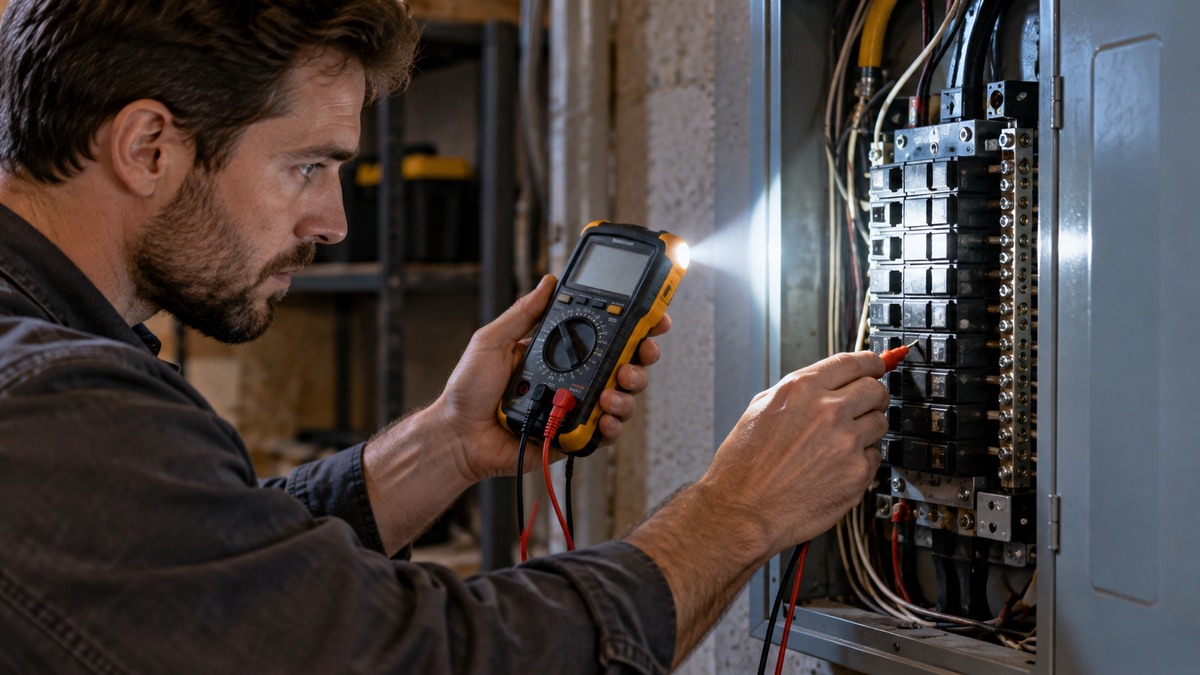
The Extech DM220 user’s guide describes a built-in non-contact AC voltage detector plus flashlight, and gives the flashlight its own button: press and hold it to turn the light on, and release it to turn the light off. The same manual lists a 3-3/4 digit display with a 4000 count, and a 200 mA, 500 V resettable fuse for current input. The Keysight U1230 fact sheet describes a similar layout: a built-in LED flashlight, audible and visual alerts, and non-contact AC voltage detection in one handheld. It says the light lets you illuminate the test area with one hand while the rotary dial selects a function.
A backlight on the display
Many meters have only a backlight, which lights the display. The Klein MM400 manual says to press and hold the backlight button for more than one second to switch it on or off, and that the backlight turns off automatically after approximately 3 minutes. The Fluke 110 to 117 manual says the backlight turns off after 40 seconds, and that the auto-off can be disabled with a power-up option. The Fluke 115 retailer listing describes a large white LED backlight that aids work in poorly lit areas, and it states no flashlight. The Klein MM325 listing states “Backlight: Yes” and does not mention a flashlight.
A separate light sold with the meter
Some kits include a light on a different tool. A distributor listing for a Klein electrical test kit describes a “Bright flashlight illuminates work area and may be used independent of voltage detection function.” In that kit the flashlight is on the NCVT3P voltage tester, and the MM320 meter is listed as CAT III 600V. A stand-alone Klein flashlight with a work light, model 56028, lists 235 lumens for 6 hours on the flashlight and 100 lumens for 12 hours on the work light. That product page says it is no longer in production. A separate light is not a meter feature, but it shows what a stated lumen figure looks like.
Steps to check a listing before you buy
The steps below use only what a listing or manual states. Each step names the source it relies on.
Step 1: Confirm the light type
Find out whether the light is built into the meter, is a backlight, or sits on another tool in the kit. The DM220 manual names its flashlight as a feature, and the Keysight fact sheet names a built-in LED flashlight. The MM325 and Fluke 115 listings name a backlight and no flashlight. A kit listing may name a flashlight on a separate tester, so read the description line by line.
Step 2: Check how the light is switched and when it turns off
Look for the switching method and the timeout. The DM220 manual uses press and hold for the flashlight. The MM400 manual uses press and hold for the backlight, with an auto-off after approximately 3 minutes. The Fluke 110 to 117 manual lists a 40 second auto-off, and a power-up option to disable it. If a listing does not mention a timeout, the sources we opened do not say whether that light times out. For a wider look at how meters differ in functions and display, see the auto-ranging digital multimeter guide.
Step 3: Read the CAT rating as written
Take the CAT rating from the label, the listing or the manual, and match it to the circuit you will test. The DM220 manual cover shows two ratings, “CAT III – 1000 V” and “CAT IV – 600 V”. The MM400 manual states “CAT III 600V, Class 2, Double insulation”. The MM320 kit listing states “CAT III 600V”. Fluke’s guidance is to choose the highest category you might meet. A light does not change any of these ratings, so it is never a reason to pick a lower one.
Step 4: Check the count and the functions
The count sets the resolution of the display. The DM220 manual states a 4000 count, the MM400 manual states a 4000 count LCD, and the Fluke 110 to 117 manual describes a 6000-count display with a bar graph. Check the functions as well. The DM220 manual lists AC/DC voltage, AC/DC current, resistance, capacitance, frequency, duty cycle, diode test and continuity. The sources we opened do not say which count or function set a particular trade needs.
Step 5: Check the battery figure and the backlight runtime
The Fluke 110 to 117 manual gives battery life for alkaline cells without the backlight: 400 hours typical for models 110, 114, 115 and 117, and 300 hours typical for model 113. The manual gives no figure with the backlight on. Our own assumption is that a backlight left on uses more of the battery, but the sources do not give a figure for how much more. Check the battery type the listing states as well, since the Fluke manual rates its figures on alkaline cells.
Step 6: Compare the light to the job
For a light on a meter, the listing should say what it does: illuminating a work area, showing a backlight, or giving an alert. The Keysight fact sheet describes a flashing backlight that alerts during continuity tests in noisy areas. For the continuity part of that job, see the continuity tester how-to. The sources do not give a lumen figure for any meter light, so brightness claims cannot be checked from the sources we opened.
Reading the listing
A light is only one line of the spec. The CAT rating decides where the meter can be used, the count sets resolution, and the functions decide what you can measure. The sources we opened do not give a normal or abnormal range for any flashlight, so a listing cannot be judged by its light alone. Before you buy a pocket meter with a light, also read the non-contact voltage limits, since a built-in detector is a separate function. For how that detector works on wires and outlets in a low-voltage context, see the non-contact voltage detector guide.
Common mistakes
- Reading “with a flashlight” as a feature of every meter in a kit. In the kit described above, the light sits on the NCVT3P tester, not on the MM320 meter.
- Assuming a backlight is the same as a flashlight. The MM400 backlight is a display light with an auto-off of approximately 3 minutes.
- Forgetting the timeout. The Fluke 110 to 117 backlight turns off after 40 seconds unless the power-up option is used.
- Choosing a meter on its light alone. The DM220 manual lists two CAT labels, and the choice still depends on the CAT rating that matches the circuit.
- Assuming a category label means independent testing. IHSA says a meter designed to a category is not automatically tested to it.
- Ignoring the test leads. IHSA says test leads should be rated at the same or greater voltage than the meter.
What we could not verify
The sources we opened do not state a lumen figure for the flashlight on any meter, so brightness cannot be compared from them. They also do not give a runtime for a meter flashlight or for a backlight left on. The Fluke battery figures are stated without the backlight only.
The sources do not say whether every model in a product line has the same light. The Fluke 115 and Klein MM325 listings describe a backlight, the Klein MM400 manual does not describe a flashlight at all, and the DM220 manual describes one. The sources we opened do not settle whether every unit of the DM220 carries the CAT III 1000 V label, so check the label on the unit you buy.
FAQ
Does a multimeter need a flashlight?
The sources do not say that any measurement needs a light. The listings describe the light as a way to see a work area or a display in poor light, such as the Fluke 115 backlight for poorly lit areas.
Is a meter with a built-in flashlight safe for household outlets?
The sources do not support that. Outlets, breaker panels and service wiring are outside this guide. Check the CAT rating against the circuit, and leave panel and service work to a licensed electrician.
What is the difference between a backlight and a flashlight?
A backlight lights the display. A flashlight is a separate lamp, such as the DM220 flashlight that has its own button. The two can appear on the same meter, so check the listing for each one.
Why does the backlight turn off by itself?
The sources do not give a reason for the timeout. The Klein MM400 manual gives approximately 3 minutes, and the Fluke 110 to 117 manual gives 40 seconds, which can be disabled with a power-up option. Fluke’s manual also lists a separate Battery Saver sleep mode.
How bright is a meter flashlight?
The sources we opened do not give a lumen figure for a meter flashlight. The only lumen figures among them are for a separate Klein flashlight and work light, which list 235 lumens and 100 lumens.
Can a pocket meter with a light replace a bench meter?
The sources do not compare pocket and bench meters directly. Check the functions and CAT rating each listing states. The MM400 manual lists AC/DC voltage, AC/DC current, resistance, temperature, capacitance, frequency, duty cycle, diode test and continuity. Compare that list and the DM220 list with the job in front of you.
Sources
- Fluke, Guide to digital multimeter safety: https://www.fluke.com/en-us/learn/blog/safety/multimeter-guide
- Fluke, safety article on distribution systems: https://www.fluke.com/en-us/learn/blog/safety/how-to-go-home-safely-at-the-end-of-the-day
- IHSA, safety bulletin on multimeters: https://www.ihsa.ca/pdfs/safety_bulletins/safety_bulletin_multimeters.pdf
- Extech DM220 user’s guide (third-party copy): https://core.instrumart.com/assets/DM220_UM.pdf
- Keysight U1230 Series product fact sheet: https://www.keysight.com/content/dam/keysight/en/doc/ungate/product-fact-sheets/5990-7919.pdf
- Klein Tools MM400 instruction manual (third-party copy): https://www.eoas.ubc.ca/courses/atsc303/Instruments/manuals/0_Klein-Tools-MultiMeter-MM400-UsersManual.pdf
- Fluke 110, 113, 114, 115 and 117 user manual (third-party copy): https://images.toolsid.com/fluke-electronics/items/pdf/2538790-manual.pdf
- Fluke 115 retailer listing: https://www.testequipmentdepot.com/fluke-115-factory-reconditioned-true-rms-multimeter.html
- Klein MM325 retailer listing: https://www.testequipmentdepot.com/klein-tools-mm325-digital-multimeter-manual-ranging-600v.html
- Electrical test kit distributor listing (MM320 and NCVT3P): https://www.am-ind.com/Catalog/testing-and-measuring/electrical-testing/electrical-tester-accessories/5676568
- Klein Tools LED flashlight with work light 56028: https://www.kleintools.com/catalog/flashlights-and-work-lights/led-flashlight-work-light