Best Digital Voltage Detector
As an Amazon Associate we earn from qualifying purchases. Details
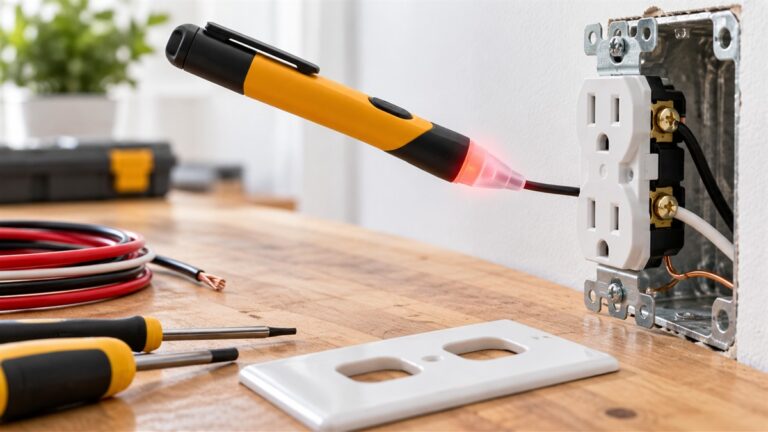
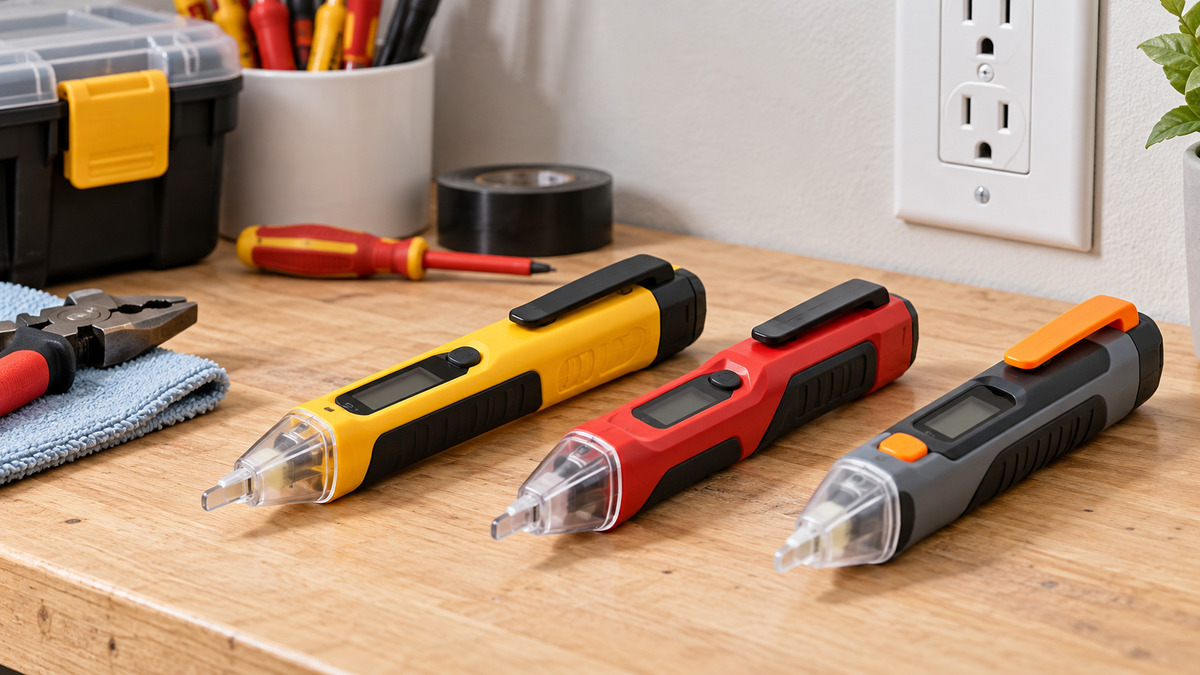
Search for a digital voltage detector and you get two quite different tools under one name. One is the pen-style non-contact detector that you hold near a wire, outlet or cord. The other is a small two-lead tester that you touch to the conductors. What both share is some kind of readout that is more than a single blinking light: a bar graph, a percentage, a colored screen, or a ladder of LEDs that climbs with the voltage. This guide compares five listings that use the word “digital”, an LCD or a similar display, and shows what each one actually documents.
All five listings were opened on 2026-10-17, and every specification here comes from the listing text. A detector is a screening tool: it shows that voltage is probably there, not that a conductor is safe to touch.
Quick answer
If you want the clearest signal-strength readout on a pen-style detector, start with the Klein Tools NCVT7 (bar-graph LCD, 3-color LED tip, 12-1000V AC). If you want two sensitivity ranges and a color-changing screen at the lowest documented complexity, look at the WGGE dual-range tester. If you want a percentage readout plus a screwdriver tip, the AstroAI VTS1000H is the only one of the five that documents both. If you want to tune sensitivity in small steps, the Auroland listing documents nine gears. If you need to confirm low-voltage DC or the polarity of a 12V source, the Klein Tools ET40 is a different kind of tool, a lead-based tester, and it is the only one here that documents DC.
| Listing | Type | Documented range | What the “digital” part is | Auto off |
|---|---|---|---|---|
| Klein Tools NCVT7 | Non-contact pen | 12-1000V AC | Backlit LCD bar graph, 3-color LED tip | Not stated in the text I read |
| WGGE dual range | Non-contact pen | 12-1000V and 48-1000V AC | LCD with red/green screen | 3 minutes |
| AstroAI VTS1000H | Non-contact pen with screwdriver | 12-1000V and 70-1000V AC | Backlit screen with analog bar and percentage | 5 minutes |
| Auroland (HANMATEK in text) | Non-contact pen | 9 gears, 12-1000V to 90-1000V | Display wording differs by section (see below) | 3 minutes |
| Klein Tools ET40 | Two-lead contact tester | 12-240V AC and 1.5-24V DC | LED level indicators and DC polarity | About 2 minutes |
What “digital” means on these listings
None of these five shows a measured voltage in volts. That is worth saying plainly, because a “digital” label invites the assumption of a numeric readout, and a multimeter is the tool that gives one. The NCVT7 listing describes a bar graph in which more bars light up as voltage increases or as the detector moves closer to the source. The AstroAI listing describes a screen where the analog bar, the percentage value and the buzzer volume all increase with the sensed signal, and it adds that readings can change based on distance, even when testing the same object. The WGGE listing describes a color-coded screen, red for high voltage or a live wire and green for low voltage or a null wire. The ET40 uses bright LEDs to show the type and level of voltage across four levels.
So the display on a detector is a proximity and level hint. If you need a number, you need a meter. Our guide to AC voltage detectors covers the pen category more broadly, and the pen voltage detector guide compares the form factor itself.
The five listings
1. Klein Tools NCVT7 Non-Contact Voltage Tester with LCD Signal Strength Display (Clearest signal-strength readout)
Specs from the listing (checked 2026-10-17):
- Detection range: 12-1000V AC
- Display: backlit LCD bar graph indicating signal strength
- Tip: 3-color LED (blue low signal strength, red high signal strength, green no voltage detected)
- Alert: audible, with a rate that follows the bar graph
- Size option: NCVT w/Signal Strength
- In the box: the tester only
This is the listing that is most explicit about what the screen does. The bar graph lights more bars as voltage increases or as the detector moves closer to the source, the audible alert speeds up or slows down to match, and the tip changes color. That is three signals that agree with each other, which helps when you are trying to tell a strong source from background pickup. The listing also states the range as a single 12-1000V AC window and mentions cables, cords, circuit breakers, lighting fixtures, switches, outlets and wires as places to test.
One thing the listing does not give in the text I read is an auto-off time or a safety category, so check those against the manual if either matters to your use. The size selector on the page also offers a plain NCVT variant, so confirm that you have the signal-strength option selected before ordering.
Pros
- Documents a bar-graph LCD, a color tip and an audible alert that all follow signal strength
- Backlit display is stated
- Single range, so there is no sensitivity setting to forget
Cons
- No sensitivity adjustment is described; a reviewer on the page says it can be too sensitive near several wires
- No auto-off time or safety category in the text I read
Best for: someone who wants to see how strong a signal is while tracing, not only hear it.
Skip if: you need to choose between a low-voltage and a high-voltage sensitivity mode.
View on Amazon (affiliate link)
2. WGGE AC Voltage Tester, Dual Range 12-1000V/48-1000V with LCD Display (Dual range with a color screen)
Specs from the listing (checked 2026-10-17):
- Ranges: low 12-1000V and high 48-1000V AC, switched with a button
- Display: LCD, red screen for high voltage or live wire, green for low voltage or null wire
- Auto power off: after 3 minutes of inactivity or no signal
- Low-battery icon: appears when power drops below 2.5V
- Listed rating: CAT III 1000V / CAT IV 600V, CE certified, double insulation
- Warranty: 12 months
The WGGE listing is the most thorough of the five on the housekeeping details: it states the auto-off time, the battery warning threshold and a warranty. It also describes the beeping as speeding up as you approach the voltage source. The two ranges matter in practice. A lower threshold finds weaker fields, which is useful for tracing a low-voltage run, while a higher threshold reduces nuisance alerts when wires are bundled close together.
The listing says the tester can distinguish live from neutral wires. Treat that as a hint, not an identification, and confirm any wire you plan to handle with a meter.
Conflict to know about: the title and bullets say LCD, but a long customer review on the page describes “the green LED display” on the pen. Reviewers do not always use the manufacturer’s terms, so this may only be loose wording, but if the display type matters to you, check the product photos.
Pros
- Two documented ranges and a color-coded screen
- Auto-off time, low-battery threshold and warranty are all stated
- Rating is stated in the listing (CAT III 1000V / CAT IV 600V)
Cons
- “Live/neutral detection” is a convenience claim, not a verification method
- Display type described differently by the listing and a reviewer
Best for: a household or light-commercial user who wants a sensitivity choice and clear housekeeping specs.
Skip if: you want a percentage or bar-graph readout rather than a two-color screen.
View on Amazon (affiliate link)
3. AstroAI VTS1000H Voltage Tester with Screwdriver, LCD Percentage Display (Percentage readout and screwdriver tip)
Specs from the listing (checked 2026-10-17):
- Ranges: high sensitivity 12-1000V, low sensitivity 70-1000V, switched with the S button
- Display: backlit screen with an analog bar and a percentage value
- Rating in the listing: CAT IV 600V, CAT III 1000V
- Auto power off: after 5 minutes with no detected signal or user input
- Extras: steel screwdriver at the tail, flashlight, pen hook
- In the box: voltage tester, AAA batteries, user manual, storage bag
The VTS1000H is a pen with a flat-blade screwdriver at the tail, which suits the common situation of removing a cover plate and then checking what is behind it with one tool. The screen shows a bar and a percentage that rise with the sensed signal, and the red backlight, red tip light and buzzer all trigger when voltage is detected.
The percentage needs a caveat that the listing itself gives: readings can change based on distance, even when testing the same object. A reviewer on the page makes the same point, asking what the percentage is a percentage of. Read it as relative strength at that moment, not a fraction of 1000V.
Pros
- The only one of the five that documents both a percentage and a bar
- Screwdriver, flashlight and pen hook are listed
- Rating and auto-off time are stated
Cons
- Percentage depends on distance, as the listing itself says
- A reviewer mentions a loud beep when it powers off automatically
Best for: someone who wants a relative-strength number on screen and a screwdriver in the same pen.
Skip if: you need a fixed lower threshold below 12V, since neither range goes lower.
View on Amazon (affiliate link)
4. Auroland Non-Contact Voltage Tester with 9 Gear Adjustable Sensitivity (Finest sensitivity control)
Specs from the listing (checked 2026-10-17):
- Sensitivity: 9 adjustable gears
- Range: the bullets say the detection range can be switched between 12-1000V and 90-1000V
- Auto power off: after 3 minutes with no operation or detection
- Signal indicators: two red lights for high, two green lights for medium, one green light for low signal strength
- In the package: a contactless stylus, a manual and two 1.5V AAA batteries
Nine gears is the finest sensitivity control among the five. In a panel with many conductors, dialing sensitivity down is how you separate a strong source from stray pickup. The listing pairs the gear setting with a three-level strength indicator and different buzzer alarms.
Conflicts to know about: this listing is the least consistent of the five.
- The title says “LCD Display”, while the product description says the gear setting is shown on a “LED digital display”.
- The title gives the range as 12V-1000V, while the bullets describe adjusting between 12-1000V and 90-1000V.
- The page header names Auroland, while the bullets and description refer to HANMATEK.
None of these is necessarily a problem with the tool, but together they mean you should not rely on the listing alone for the display type or the lowest and highest thresholds. A reviewer on the page also mentions very small print in the instructions, which makes the manual harder to read.
Pros
- Nine sensitivity gears
- Three-level strength indication plus different alarms
- Batteries and a manual are included
Cons
- Display type and range wording differ inside the listing
- No safety category in the text I read
Best for: troubleshooting in crowded boxes where you want to tune sensitivity.
Skip if: you want a rating stated in the listing, or a clearly documented display.
View on Amazon (affiliate link)
5. Klein Tools ET40 Digital AC/DC Voltage Tester, 12-240V AC, 1.5-24V DC (Different tool: lead-based AC/DC tester)
Specs from the listing (checked 2026-10-17):
- AC range: 12V to 240V, at four levels
- DC range: 1.5V upward, at four levels
- Indication: bright LEDs showing voltage type and level, and DC polarity
- Auto off: after approximately 2 minutes of non-use
- Rating: CAT III 250V, Class 2, double insulation, IP41
- Drop protection: 9.8 ft (3 m)
- Test lead holders: on the back, spaced for tamper-resistant US-style outlets
- In the box: tester, user manual and two AAA batteries
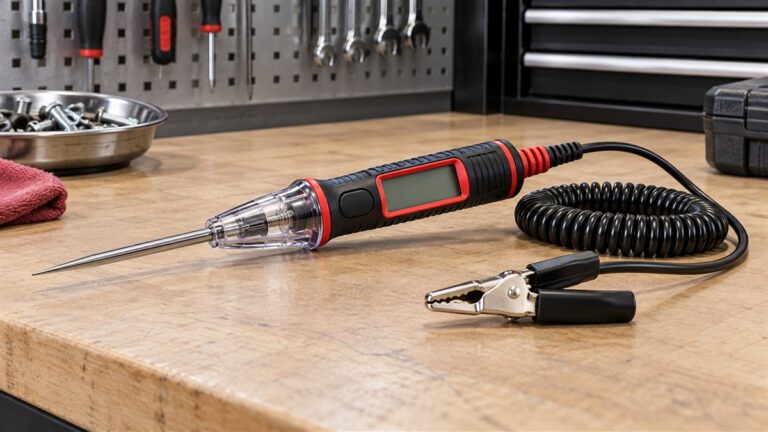
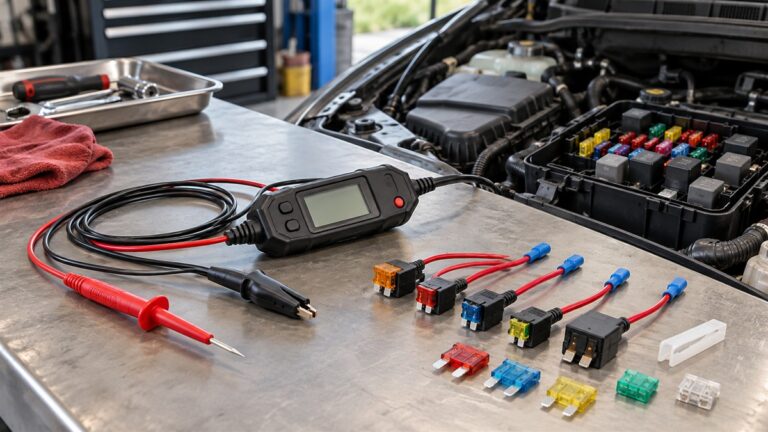
The ET40 belongs in a “digital voltage detector” search only loosely. It is not a non-contact pen. You touch two leads to the conductors, and the LEDs show the type and level of voltage. In exchange you get DC detection with polarity, which no pen on this list documents. That makes it relevant to someone checking batteries, low-voltage DC runs or an RV system as well as a household outlet. Reviewers on the page note that the leads are short and sometimes hard to hold while keeping the tester steady.
Conflict to know about: the title says “1.5-24V DC”, while the bullets say “1.5V to over 17V”. Both appear on the page, and the description says “DC voltages as low as 1.5V up to 24V”. The documented levels are the thing to rely on, and if your use is near the top of that range, confirm against the manual. The word “Digital” in the title refers to electronics, not a numeric readout: the page describes LED indicators, not a screen.
Pros
- Only listing here that documents DC voltage and polarity
- Auto-off time, drop rating and IP rating are stated
- Built-in lead holders for outlet slots
Cons
- Needs contact with the conductors, unlike the four pens
- Rated CAT III 250V, so the AC range stops at 240V
- Short leads, per several reviewers
Best for: checking outlets, batteries and low-voltage DC, with polarity.
Skip if: you want non-contact detection or voltages above 240V AC.
View on Amazon (affiliate link)
Comparing the display types side by side
If the display is the reason you are looking at “digital” detectors, this is the practical difference among the five:
- Bar graph (NCVT7): shows relative strength in steps and is easy to read at a glance. It does not give a number.
- Percentage plus bar (VTS1000H): adds a number, but the number is relative and distance dependent, per the listing.
- Color screen (WGGE): tells you, at a glance, whether the detector considers the source strong or weak, but with less resolution than a bar.
- LED lights in steps (Auroland, ET40): least detail, and the Auroland listing describes the display inconsistently.
Listing conflicts in one place
We list these so you do not have to find them yourself, and we have not picked a side on any of them:
- WGGE: LCD in the title, “green LED display” in one reviewer’s description.
- Auroland: LCD in the title, LED digital display in the description; 12V-1000V in the title, 12-1000V or 90-1000V in the bullets; Auroland versus HANMATEK naming.
- Klein ET40: 1.5-24V DC in the title, “over 17V” in the bullets, “up to 24V” in the description.
- AstroAI: the listing says AAA batteries are in the box, while a reviewer describes a single AAA battery. The listing is the more specific source here.
Worked example: picking for a basement junction box
For example, say you are tracing which cable in a crowded basement junction box is still carrying power. A single-range pen with no adjustment, such as the NCVT7, gives you only the bar count to compare, and a reviewer on its page says it can start alerting before it is near a wire when several are bundled. A pen with two ranges (WGGE, AstroAI) lets you switch to the higher threshold, 48V or 70V and up, which is the purpose of that setting when you want to ignore weaker fields. Nine gears (Auroland) give you finer steps between those two. If the same junction box also has a 12V landscape-lighting feed, the ET40 is the one that tells you its polarity, because the pens are documented for AC only. The pick follows from the question you are asking, not from the display alone.
How to choose
Start with non-contact versus contact
Four of the five are non-contact pens. They are quick, but they respond to an electric field, and a field can come from a nearby conductor, not only the one you are testing. The ET40 touches the conductor, which means less ambiguity about what it is reading, at the cost of getting your probes into the circuit. Pick the form that fits the question you are asking.
Match the lowest threshold to the job
A 12V lower limit covers many low-voltage lines. A 48V or 70V lower limit on a second range cuts down on nuisance alerts in dense wiring but will not see a weak source. Auroland lists a 90V lower limit at one end of its adjustment. If you work on doorbell, thermostat or lighting-control wiring, the 12V windows matter. If you mostly check mains outlets and fixtures, a higher setting is easier to live with.
Check the housekeeping details
Auto-off time, battery type and warranty are not exciting, but they decide whether the tool is ready when you reach for it. WGGE (3 minutes, 12 months), AstroAI (5 minutes) and ET40 (about 2 minutes) state their auto-off times; the NCVT7 listing does not in the text I read.
Treat a rating as a claim until you see it on the device
WGGE and AstroAI state ratings in their listings, and the ET40 states CAT III 250V. Ratings printed on the body and in the manual are the ones that count. If a listing is silent on rating, as the NCVT7 and Auroland texts are in what I read, check the product itself.
Safety: what a detector does and does not tell you
OSHA’s electrical work-practice standard, 29 CFR 1910.333, which I opened for this guide, says that live parts an employee may be exposed to shall be deenergized before the employee works on or near them, with exceptions where deenergizing adds hazards or is infeasible. For fixed equipment it also requires lockout or tagging, and it says a qualified person shall use test equipment to test the circuit elements and electrical parts and verify that they are deenergized. You can read the section at OSHA 1910.333.
That standard is written for workplaces, but it shows the ordering that a detector fits into: first remove the power, then test, then work. A pen that stays silent is an input to that test, not the whole test, particularly because the listings above say readings change with distance and a reviewer reports false alerts in crowded wiring. Panel and service work belongs to a licensed electrician.
Related guides
For more on pen-style detectors, see the Klein non-contact voltage detector guide, the AC voltage detector guide and the pen voltage detector guide.
Frequently asked questions
Does a digital voltage detector give me a voltage reading?
Not in the five listings above. They show strength or level through a bar, a percentage, a color or LEDs. A multimeter is the tool for a numeric reading.
Which of these detects DC?
Only the Klein Tools ET40 documents DC, from 1.5V upward with polarity indication. The four pens document AC only.
Which one has the most sensitivity control?
The Auroland listing documents nine gears. WGGE and AstroAI each document two ranges, and the NCVT7 documents a single range.
Why do the listings disagree with themselves?
We cannot say why. When a title and a bullet disagree, as on the Auroland and ET40 pages, use the manual or the printed body of the product as the final word.
Final recommendation
For a pen with the clearest on-screen signal, the Klein Tools NCVT7 is the best-documented choice here. For two sensitivity ranges with tidy housekeeping specs, WGGE. For a relative number and a screwdriver, AstroAI. For fine sensitivity tuning with the caveat about inconsistent listing text, Auroland. For DC and polarity with leads, the ET40 is a separate class of tool. Whichever you pick, use it as a first check and confirm with a rated meter before you touch a conductor.