Fluke 8808A Multimeter: Specs, Uses and Safe Use
As an Amazon Associate we earn from qualifying purchases.
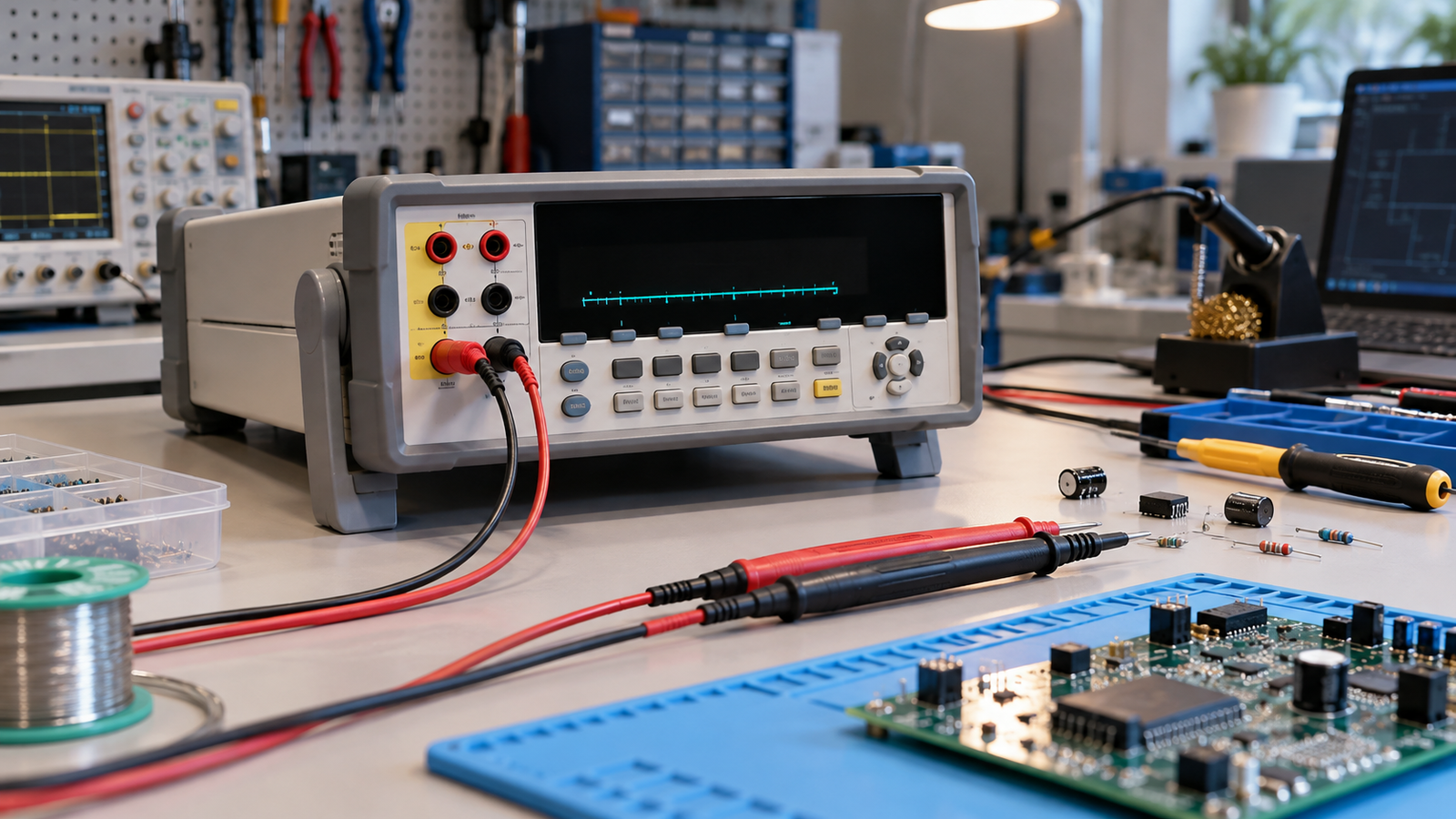
The Fluke 8808A is a 5-1/2 digit, dual-display digital multimeter for bench-top, field service and system work. Fluke’s manual describes True-RMS AC measurement, two- and four-wire resistance, frequency from 20 Hz to 1 MHz, continuity and diode tests, and an RS-232C remote interface. The published safety rating is CAT II 600 V, so this is a bench and field meter, not a meter for mains distribution work. This guide explains what the meter does, how to use it safely, which figures Fluke publishes, and what to check before you buy.
Quick answer
- It is a 5-1/2 digit meter with a dual display, so it can show two properties of one signal at once, such as AC voltage and frequency.
- The manual states True-rms AC, 1000 V DC and 750 V AC rms voltage ranges, 200 ohm to 100 megohm resistance, and frequency from 20 Hz to 1 MHz.
- Safety: the manual’s safety statement is CAT I 1000V and CAT II 600V. It does not state CAT III or CAT IV for this meter.
- Current inputs are protected by an 11 A, 1000 V fast fuse and a 440 mA, 1000 V fast fuse.
- The warranty is one year, per the specifications section.
What the 8808A measures
The manual describes the meter as a 5-1/2 digit dual-display multimeter with a vacuum fluorescent display. The dual display lets one reading sit beside another, for example AC volts in one window and frequency in the other. The manual gives the following measurement ranges: 200 mV to 1000 V DC with 1 microvolt sensitivity, 200 mV to 750 V AC rms, 200 microamps to 10 A DC, 20 mA to 10 A AC, and resistance from 200 ohms to 100 megohms.
The meter also performs continuity and diode tests, and the manual lists frequency measurements from 20 Hz to 1 MHz. It offers three measurement rates, 2.5, 20 and 100 samples per second, which the manual describes as slow, medium and fast. Faster rates trade resolution for speed, so choose the rate that matches the job.
The manual describes the AC voltage function as true-rms, AC-coupled, and able to measure the AC component of an input with up to 1000 V DC bias on any range. The manual also describes a 2×4-wire resistance technique, which Fluke presents as a patented method. For most readers, the practical point is that the meter handles AC signals whose waveform is not a clean sine wave better than a basic average-reading meter, as long as the signal stays within the stated bandwidth and range.
The meter has a remote RS-232C interface and a command set described in the manual. Bench users who need logging or automated test sequences will find that section in the manual. Readers who mainly need a handheld meter for household checks should compare the category rating with their work before choosing it.
Ratings and what they mean in plain words
The manual defines measurement categories in its safety section. CAT I is for measurements not directly connected to mains. CAT II is for circuits directly connected to the low-voltage installation, and the Getting Started guide gives socket outlets and similar points as examples. The manual also states the safety standard as IEC 61010-1, with CAT I 1000 V and CAT II 600 V.
The Getting Started guide states the same CAT II 600 V figure in its specifications, and adds that the meter’s maximum voltage between any terminal and earth ground is 1000 V. Read that as a limit on what the meter can take, not as permission to measure at that voltage in an installation. The category rating decides where the meter can be connected. Any measurement near mains should use a meter and leads rated for that category, and the sources we opened do not state a higher category for this meter.
How to use it safely
The manual’s safety list is specific, so use it as the first checklist. Use caution when working with voltages above 30 V AC rms, 42 V AC peak or 42 V DC, because these voltages pose a shock hazard. The following steps come directly from the manual’s safety section, with some plain-language grouping.
- Check the leads and terminals. Use the proper terminals, function and range for each measurement. Keep fingers behind the finger guards when using probes.
- Connect in the right order. The manual says to connect the common test lead before the live test lead, and to disconnect the live lead before the common lead.
- Turn power off for resistance and continuity. The manual says to disconnect circuit power and discharge all high-voltage capacitors before testing resistance, continuity, diodes or capacitance.
- Check fuses before measuring current. The manual says to check the meter’s fuses and turn off power to the circuit before connecting the meter in a current path.
- Keep the case closed. The manual says never to remove the cover or open the case without first removing the meter from its main power source, and never to operate it with the cover removed.
- Use the correct parts. The manual says to use only the replacement fuses specified by the manual, and only specified replacement parts when servicing.
Work inside a panel, on a service entrance, or on fixed wiring is a job for a licensed electrician, not a reason to open a live enclosure with any meter. This article does not describe any such procedure.
Fuses and power
The parts list in the manual names two current-input fuses. F1 is an 11 A, 1000 V fast fuse, with part number 803293. F2 is a 440 mA, 1000 V fast fuse, with part number 943121. The manual notes that the fuses are tool-accessible. The meter also has a line-power fuse that depends on the line voltage selected on the rear panel, so check the rear-panel setting and the fuse rating table before you plug the meter in.
The safety and input protection figures state that the meter is protected at 1000 V on all ranges. The specifications also list shunt resistance for the 2 A and 10 A ranges and for the 20 mA and 200 mA ranges, and the manual’s current-input section should be read in full before you use those inputs.
Published specifications
The table lists the figures from Fluke’s own documents. Where the Getting Started guide and the full manual are both cited, the figure is the one printed in the document named in the row.
| Item | Figure stated | Where stated |
|---|---|---|
| Resolution | 5-1/2 digits, dual vacuum fluorescent display | Users Manual, introduction |
| DC voltage | 200 mV to 1000 V, 1 microvolt sensitivity; maximum input 1000 V on any range | Users Manual, features and specifications |
| AC voltage | 200 mV to 750 V AC rms, 1 microvolt sensitivity; AC-coupled true-rms | Users Manual, features and specifications |
| Resistance | 200 ohms to 100 megohms, 1 milliohm sensitivity | Users Manual, features |
| DC current | 200 microamps to 10 A, 1 nA sensitivity | Users Manual, features |
| AC current | 20 mA to 10 A, 100 nA sensitivity | Users Manual, features |
| Frequency | 20 Hz to 1 MHz | Users Manual, features |
| Measurement rates | 2.5, 20 and 100 samples per second (slow, medium, fast) | Users Manual, features |
| Safety | IEC 61010-1, CAT I 1000V and CAT II 600 V | Users Manual, specifications |
| Maximum voltage to earth | 1000 V | Getting Started guide, specifications |
| Operating temperature | 0 to 50 C | Getting Started guide, specifications |
| Operating altitude | 2000 m | Getting Started guide, specifications |
| Remote interface | RS-232C | Users Manual, specifications |
| Warranty | One year | Users Manual, specifications |
Fluke’s Getting Started guide carries the revision date “Rev. 1, 10/2026” in its header, while the full Users Manual is dated July 2007. The third-party distributor copy of the Users Manual is labelled July 2007, Rev. 1, 12/09, and repeats the safety, fuse, interface and warranty figures listed above.
How we chose
The criteria here are simple. The article covers one model. It uses only figures printed in Fluke’s manuals or in the distributor copy of the Users Manual, and it names the document for each figure. Retail prices, customer ratings and marketplace listings were not used. The sources were opened on 27 October 2026. Two of the three sources are Fluke-hosted documents. The third is a distributor copy of the Users Manual, which this article labels as a third-party copy.
What we could not verify
- The sources do not state a CAT III or CAT IV rating for the 8808A. The highest category the sources state is CAT II 600 V.
- The sources do not give a full accuracy table in this article, and this article does not restate one.
- The sources do not describe how the meter performs in a particular real-world setting.
- The sources do not give a price or a current model-year variant, and this article does not treat any such figure as a fact.
Buying checklist
- Match the category to the work. The sources state CAT II 600 V as the highest rating, so the rating does not cover CAT III or CAT IV mains distribution work.
- Check that you need RS-232C remote control. The manual describes it in a dedicated command section.
- Confirm you have the fuse part numbers before you need them: 803293 for the 11 A fuse and 943121 for the 440 mA fuse.
- Check the line-power setting on the rear panel before the first power-up.
Mistakes to avoid
- Measuring current without checking the fuses. The manual says to check the fuses and turn power off first.
- Changing the connection order. The manual asks for common first on connection and live first on disconnection.
- Testing resistance on a live circuit. The manual says to disconnect circuit power before testing resistance, continuity, diodes or capacitance.
- Using the meter at mains voltage as if it were a CAT III or CAT IV meter. The sources state CAT II 600 V as the highest rating.
FAQ
Is the Fluke 8808A True RMS?
The manual describes True-rms AC measurement, and it describes the AC voltage function as AC-coupled true-rms.
What safety category does the 8808A have?
The manual states CAT I 1000V and CAT II 600 V. The Getting Started guide repeats the CAT II 600 V figure. Neither source states CAT III or CAT IV for this meter.
What fuses does it use?
The parts list names an 11 A, 1000 V fast fuse (part 803293) and a 440 mA, 1000 V fast fuse (part 943121).
How many digits does it show?
The manual describes 5-1/2 digit resolution with a dual display.
Does it connect to a computer?
The manual describes an RS-232C remote interface and a command set for computer control.
How long is the warranty?
The specifications section of the Users Manual states one year.
Related reading
If the category terms are new, read what a CAT rating means on a multimeter before you compare any meter’s ratings. For the dial and symbol set, see how to read multimeter symbols. Readers who want the basic steps can start with how to use a multimeter step by step. For how a bench meter compares with a clamp meter, see clamp meter vs multimeter.
Bottom line
Choose the Fluke 8808A if you need a 5-1/2 digit bench or field meter with a dual display and the remote interface described in the manual. Do not choose it for mains distribution work, because the highest rating the sources state is CAT II 600 V. Follow the manual’s order of connection and fuse checks every time.
Sources
- Fluke Corporation, “8808A Digital Multimeter Users Manual”, July 2007, https://assets.fluke.com/manuals/8808a___umeng0000.pdf (manufacturer copy, opened 2026-10-27)
- Fluke Corporation, “8808A Digital Multimeter Getting Started Manual”, PN 2716412, July 2007 (English), Rev. 1, 10/2026, https://media.fluke.com/6f7a22fb-9c63-4501-a7a4-b10800c2ba1a_original%20file.pdf (manufacturer copy, opened 2026-10-27)
- Fluke-Direct, “8808A Digital Multimeter Users Manual”, July 2007, Rev. 1, 12/09, https://www.fluke-direct.com/pdfs/cache/www.fluke-direct.com/8808a/manual/8808a-manual.pdf (third-party distributor copy of the Fluke document, opened 2026-10-27)