How to Choose a Multimeter for 24 V DC Control Circuits
As an Amazon Associate we earn from qualifying purchases.
How to choose a multimeter for 24 V DC control circuits comes down to three checks: DC volts that read cleanly at 24 V, the ability to catch ripple and brief dips, and a CAT rating that suits the circuit. This guide covers low-voltage bench work on 24 V DC control wiring, such as PLC inputs and outputs, sensors and relay coils. It does not cover live mains, panels or service wiring, and it does not name a model to buy.
Quick answer
- Choose a meter whose DC volts range covers 24 V and whose listing prints a CAT rating.
- For ripple, look for AC volts or true RMS. For brief dips, look for min and max recording.
- Read the supply at the source, at the device and across the wiring. Measure resistance and continuity only with the power off.
Electrical safety first
Work on mains circuits can kill. Before you measure anything, check that the meter’s CAT rating suits the circuit you are testing, and read the rating from the listing or the manufacturer’s manual. Panel and service work is outside this guide.
The sources we opened do not say who may do panel work. The university programs do set a line. The Florida State program says electrocution concerns may arise at voltages from 50 volts and above. The University of Washington manual says not to work with exposed conductors carrying 50 volts or more without training and a Qualified Person designation, and the UC Riverside program bars adjustment, maintenance and repair on energized systems above 50 volts unless the worker has the training and supervisor authorization. Mains voltage is far above that line, so this guide keeps to low-voltage bench work.
Low voltage is not the same as no hazard. The NIOSH-based electrical manual hosted by Duke says the degree of injury depends on the current and on how long the body is in contact with the circuit.
The Fluke 87 manual defines CAT III as measurement on equipment in fixed installations and warns to use caution when working above 60 V DC or 30 V AC rms. A CAT rating applies to the meter that carries it. If the listing does not state a CAT rating, write that down, and do not use that meter on household mains.
How we chose
Meter specifications come from a manufacturer manual, and device ranges come from datasheets. Bench steps come from published technical guides, and each step is matched to one opened page. The meter criteria are the ones those sources tie to this job: DC voltage at 24 V, brief-dip capture, a readable ripple measurement, and a stated CAT and fuse rating. We did not rank or compare models. Pages that returned HTTP 403 to curl, including an OSHA page, are not used. All sources were opened on 2026-10-21.
What a 24 V DC control circuit contains
A 24 V DC control circuit usually feeds PLC inputs and outputs, sensors, relay coils and solenoids from a regulated supply. A Siemens digital input module lists a rated value of 24 V DC with a permissible range from 19.2 V to 28.8 V DC. A Phoenix Contact QUINT4-PS/1AC/24DC/5 supply lists a nominal output of 24 V DC and a setting range up to 29.5 V DC. These belong to two different devices, so check the ones in your own panel.
Inputs differ in how they draw current. The Beckhoff application note says the standard separates digital inputs for 3-wire and 2-wire sensors. Type 1 suits electromagnetic switching devices such as relay contacts and push buttons. Type 2 suits 2-wire semiconductor sensors that need a higher quiescent current.
For a PNP sensor, one tutorial describes the brown wire as the power wire, connected to the positive terminal, and the blue wire as the connection to the negative terminal. With no target in range, the output is expected to be practically zero volts. When a target is detected, the PNP transistor switches on with a small voltage drop, so the output reads close to the supply voltage.
A relay coil can be checked with the power off. The Omron MY datasheet lists a 24 V DC coil at 636 ohms, with a tolerance of about 15 percent on DC coil resistance. That figure belongs to the MY series in that datasheet. Compare your reading with the datasheet for your own part number.
What to check on the listing
Look for these items on the listing, and write down the ones it does not state. For the meter basics behind these checks, see our multimeter overview.
- CAT rating. It must be printed on the listing. If it is missing, the listing does not state a CAT rating, and that is a reason to choose another meter for control work.
- DC volts range. The range must cover 24 V with headroom above it. The sources we opened do not give a required headroom figure.
- DC input impedance. The Fluke 87 manual states that each of its ac and dc voltage ranges presents an input impedance of approximately 10 M in parallel with less than 100 pF. It also says loading error is negligible, 0.1 percent or less, when the source impedance is 10 kilohms or less. Compare a listing’s figure with this.
- Ripple measurement. Ripple is unwanted AC voltage on top of a DC supply. The Realpars guide says a DMM can measure it in AC volts across the output terminals, but a ripple waveform looks more like a sawtooth than a sine wave, and an RMS-reading meter needs care. The Fluke application note says an average-responding meter can read low on a distorted waveform, reporting 32 percent low in its example of a non-linear load. Check that the listing states true RMS.
- Min and max recording. The Fluke 87 manual describes a MIN MAX recording mode, and a Peak MIN MAX mode that captures changes as short as 1 millisecond. These matter when a device resets for a moment.
- Fuse rating. The Fluke 87 manual says to check the meter fuses before measuring current. A current test needs a stated fuse rating, and the listing does not always give one.
Bench checks, step by step
Use DC volts for these checks. Measure resistance and continuity only on de-energized circuits.
Step 1: read the supply at the source
Measure the supply at its output terminals with the load connected as it normally runs. Compare it with the range in the supply datasheet. The Phoenix Contact datasheet for its 5 A unit gives a 24 V DC nominal output and a setting range up to 29.5 V DC.
Step 2: read the voltage at the device
Move the probe to the device input or coil terminal and read the voltage against the common. In a Joe Guardian example of a solenoid that did not actuate, the readings were 24.2 V DC at the PLC output terminal, 24.1 V DC at a panel terminal and 24.1 V DC from the solenoid’s positive wire to a known 0 V reference, but 0 V across the coil. The guide traced the fault to an open common conductor.
Step 3: calculate the voltage drop
Read the source, then read the load. The difference is the voltage drop. The Realpars guide says voltage drop equals current times wire resistance, so a long or thin wire, or a corroded terminal, can cause one. The sources we opened give no drop limit for these circuits, so use the device datasheet for any pass or fail figure.
Step 4: check ripple in AC volts
Set the meter to AC volts and measure across the 24 V output terminals, as the Realpars guide describes. The Phoenix Contact datasheet states residual ripple below 30 mVpp for its 5 A unit under nominal values. That figure belongs to one model and does not apply to every 24 V supply.
Step 5: capture dips with min and max
If a device resets or drops out without a clear fault, turn on the meter’s MIN MAX recording mode and leave it on the supply or device terminals for the period you need. The Fluke 87 manual describes this mode for minimum and maximum readings over time.
Step 6: trace the circuit with a sequence of readings
Measure from a fixed reference, then move the probe one point at a time along the circuit. The Electrimancer guide describes voltage present at each point, then absent past the break. The transition point is the break.
Step 7: check a PNP sensor output
With the sensor powered and no target in range, expect near zero volts. Bring a metal target into range and read again. The output should move close to the supply voltage. If it does not, the sources we opened do not say whether the sensor, the wiring or the target is at fault, so check each in turn.
Step 8: check a relay coil
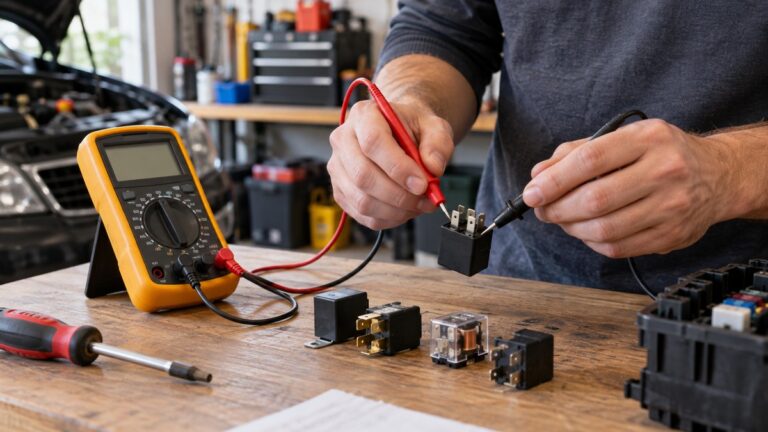
Turn the power off, isolate the coil as needed, and measure its resistance in ohms. For the continuity method on de-energized wiring, see our continuity tester guide. Compare the reading with the datasheet value and tolerance for your part. The Joe Guardian guide advises using continuity only when the circuit is de-energized and verified safe, and the same caution applies to a coil check.
Reading the results
Use the datasheet value as the reference. Each value below is for one device or family.
| Check | Value stated in an opened source | Source |
|---|---|---|
| Digital input supply window | Rated 24 V DC, permissible 19.2 V to 28.8 V DC | Siemens input module manual |
| Power supply setting range | 24 V DC to 29.5 V DC, residual ripple below 30 mVpp | Phoenix Contact 5 A datasheet |
| PNP sensor, no target | Practically zero volts at the output | PNP sensor tutorial |
| Relay coil, 24 V DC | 636 ohms, tolerance about 15 percent | Omron MY datasheet |
| Meter DC input impedance | Approximately 10 megohms per range | Fluke 87 manual |
A reading inside the stated window does not prove the circuit is sound. A reading outside it is a prompt for the next check.
Common mistakes
- Trusting the LED. The Joe Guardian guide describes a PLC output LED that was on while the output terminal showed no voltage. Measure the terminal before you decide the output works.
- Missing common. The same guide describes a positive side that read 24 V DC while the device did not energize, because the 0 V return was open.
- Checking continuity on a live circuit. The Joe Guardian guide limits continuity to de-energized circuits.
- Reading ripple on an averaging meter. The Fluke application note shows that an average-responding meter can read low on a distorted waveform.
- Mixing up sensor input types. A relay contact and a 2-wire semiconductor sensor draw current differently, as the Beckhoff note explains, so the same reading can mean different things.
Frequently asked questions
Can a basic multimeter read 24 V DC?
The Fluke 87 manual describes DC voltage ranges with about 10 M input impedance. The sources we opened do not say that any basic meter is adequate, so check the DC range and accuracy on the listing.
Is 24 V DC safe to touch?
The sources we opened do not give a blanket answer. The Duke-hosted NIOSH manual says low voltage does not mean low hazard, and that injury depends on current and time. Treat every energized measurement with care.
Do I need a true-RMS meter for a 24 V DC supply?
The sources tie true RMS to distorted or AC waveforms, such as ripple. For a plain DC voltage check, the sources we opened do not say that true RMS is required.
What ripple is too high for a 24 V supply?
The sources we opened do not give one ripple limit for all 24 V supplies. The Phoenix Contact datasheet gives below 30 mVpp for its own 5 A unit. Use the limit in your supply’s datasheet.
What we could not verify
The sources we opened do not cover the following points.
- They do not state a CAT rating for the supplies, input modules or relays named in this guide. For any meter you buy, the listing must print its own CAT rating.
- They do not give one ripple limit for 24 V control supplies. The 30 mVpp figure belongs to one Phoenix Contact unit.
- They do not say that panel or service work must be done by a licensed electrician. The university programs we opened set a 50 V training line instead.
- They do not confirm a single voltage threshold for PLC input types. A blog figure was found but not confirmed against the standard, so it is not used.
- The relay figure in this guide is for one Omron family. Other relays differ, and no general coil value for 24 V relays is given.
Sources
- Fluke 87 True RMS Multimeter User Manual, https://assets.fluke.com/manuals/87______umeng0800.pdf (opened 2026-10-21)
- NIOSH electrical safety student manual, hosted by Duke, https://www.safety.duke.edu/sites/default/files/NIOSHElectricalSafetyManualforStudents.pdf (opened 2026-10-21)
- Florida State University Electrical Safety Program, https://www.safety.fsu.edu/safety_manual/Electrical%20Safety.pdf (opened 2026-10-21)
- University of Washington Electrical Safety, https://www.ehs.washington.edu/fire-life/electrical-safety (opened 2026-10-21)
- UC Riverside Basic Electrical Safety, https://ehs.ucr.edu/basic-electrical-safety (opened 2026-10-21)
- UC Irvine High Voltage Electrical Safety Program, https://www.ehs.uci.edu/programs/_pdf/safety/high-voltage.pdf (opened 2026-10-21)
- Realpars, 24VDC power supply issues, https://www.realpars.com/blog/24vdc-power-supply-issues (opened 2026-10-21)
- Solis PLC, PNP sensors, sourcing outputs, PLC wiring and testing, https://www.solisplc.com/tutorials/pnp-sensors-sourcing-outputs-plc-wiring-testing (opened 2026-10-21)
- JoeGuardian, Multimeter Basics for Control Panel Troubleshooting, https://joeguardian.com/11-multimeter-basics-for-control-panel-troubleshooting/ (opened 2026-10-21)
- Electrimancer, Measure Voltage on a Control Circuit, https://electrimancer.com/learn/how-to-measure-voltage-on-a-control-circuit (opened 2026-10-21)
- Siemens SIMATIC digital input module DI 16x24VDC ST manual, https://media.eecoonline.com/asset/documents/SIEMNSE78368_12_24_27 (opened 2026-10-21)
- Phoenix Contact QUINT4-PS/1AC/24DC/5 datasheet, https://www.tti.com/content/dam/tti-commons/supplier/phoenix-contact/doc/phoenix-contact-quint4-ps-1ac-24dc-5-quint-power-power-supply-unit-datasheet-specifications.pdf (opened 2026-10-21)
- Beckhoff application note DK9222-0909-0008, digital inputs for 2-wire and 3-wire sensors, https://download.beckhoff.com/download/Document/Application_Notes/DK9222-0909-0008.pdf (opened 2026-10-21)
- Omron MY miniature power relays datasheet, https://files.omron.eu/downloads/latest/datasheet/en/j224_my(s)_miniature_power_relays_datasheet_en.pdf (opened 2026-10-21)
- Fluke application note on true-RMS measurement, https://www.newark.com/pdfs/techarticles/fluke/whyTueRMS.pdf (opened 2026-10-21)