Best Voltage Tester for Low Volt Lighting: Where to Measure
As an Amazon Associate we earn from qualifying purchases. Details
Updated 19 October 2026
Author: Editorial team, bestmultimeter2020.com
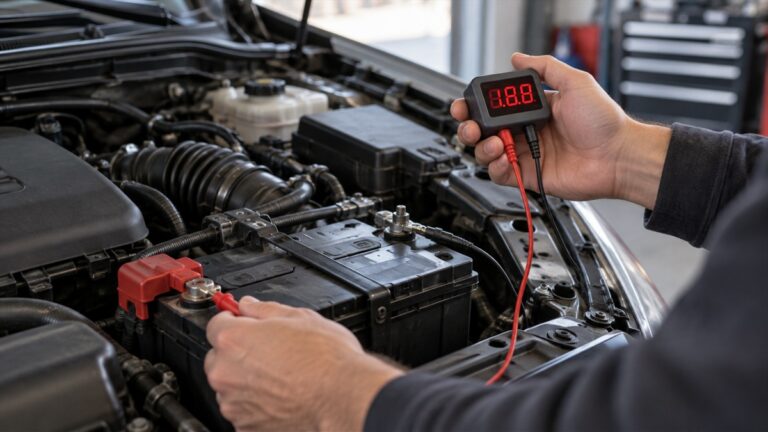
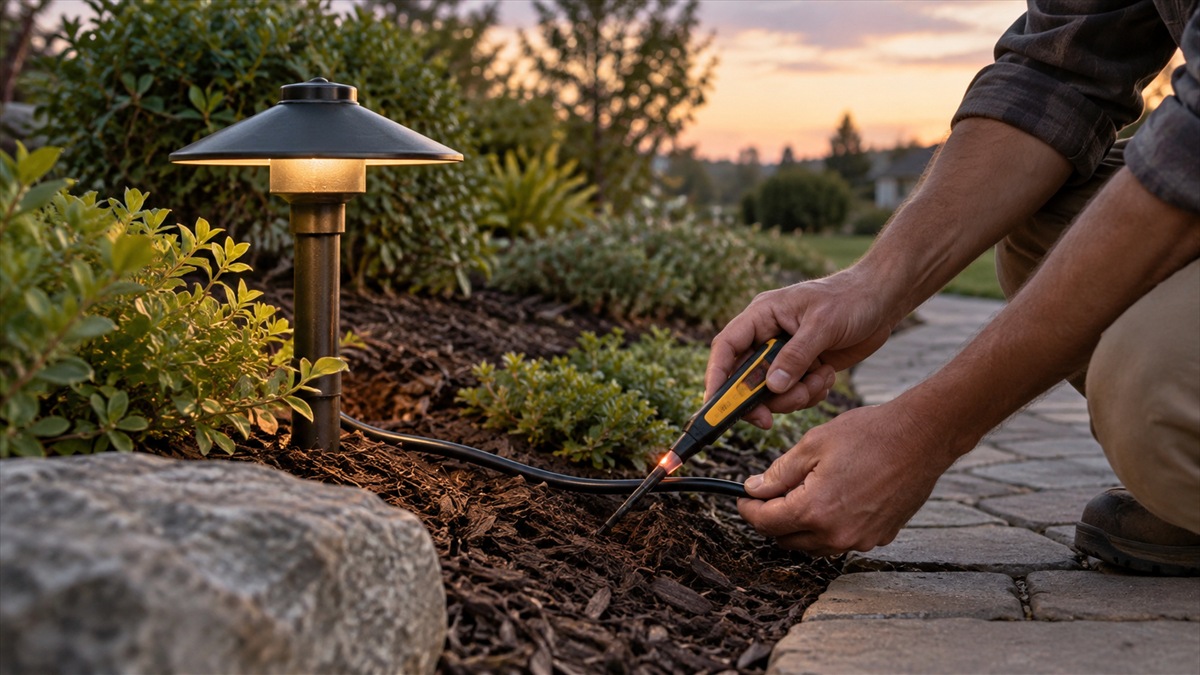
The best voltage tester for low volt lighting is a two-probe digital voltmeter that you can set to AC volts and read at several points along the run. Landscape lights that dim or stay dark usually have a voltage problem somewhere between the outlet and the fixture, and a meter is the only way to find where the voltage falls. This guide sets out the test points, the settings, the readings to expect and how voltage drop follows from cable length and fixture load. It also notes what the pages we opened do not say about tester types.
Quick answer
- Use a digital voltmeter with two probes and set it to AC volts. The AMP guide sets the dial to “Ṽ (AC)” for the outlet, transformer, photocell and fixture checks.
- Measure in order from the outlet to the fixtures. The AMP guide says “A digital voltmeter tests the voltage at your electrical sockets, transformer, and fixtures to find a drop in voltage along your lines.”
- Expect about 118 to 125 at the outlet on the 200 V AC range, about 11 to 12 volts at the first transformer tap, and LED lamps that light from 9 to 15 volts.
- Voltage drop grows with cable length, cable size and fixture wattage. Shorter runs and heavier cable are the usual fixes.
Why low volt lighting shows voltage drop
Low volt landscape lighting runs at 12 volts from a transformer. The transformer takes its power from a 120 V outlet and steps it down, and the cable carries that low voltage to the fixtures. Because the voltage is low, a small loss along the cable becomes a large fraction of the total. The Alcon design guide makes the point about length and load: “Voltage drop is a function of cable length, cable size, and total fixtures wattage.” It also says “Voltage drop occurs along the length of cable and lamps at the end of run dimmer than beginning.”
The AMP guide describes the symptom and the cause. It says “Voltage drops in a landscape lighting system can cause the light fixtures to dim and not illuminate at full brightness.” It adds that they “can occur when a transformer is overloaded, or the light fixtures are too far from the power source.” It also says the connection points are a common place for the drop, because a poor connection adds resistance at that point.
This is why a single reading at the transformer is not enough. A transformer that reads correctly can still feed a run that drops too much at the far end. The meter has to read along the run, so you can see where the voltage changes.
What the tester has to read
The job needs a two-probe digital voltmeter with an AC volts function. The AMP guide reads the outlet and the transformer on AC, and it uses a 200 V AC range for the outlet and a 20 V AC range for the low-voltage parts. The guide begins the outlet test with “setting the digital voltmeter’s settings to Ṽ (AC) and the voltage to 200V”, and it reads the connection terminals with “the voltmeter’s settings on Ṽ (AC) and the dial on 20V.”
The meter also has to read two different voltage levels. The AMP guide says “In landscape lighting, you will mainly use the voltmeter to test low voltage (12V) and line voltage (120V).” A meter that reads both is the right tool. The line side needs care, because the outlet is 120 V.
For the autorange question, the Fluke DC voltage guide says “Modern DMMs default to Autorange based on the function selected on the dial.” Autorange helps on a low-voltage run, but the AMP instruction to set the range by hand is clear enough for a beginner, and it avoids a range change in the middle of a reading.
| Test point | Dial setting | Expected reading from the AMP guide | What a low reading suggests |
|---|---|---|---|
| Outdoor outlet | AC, 200 V | 118 to 125 | The supply is low before the transformer |
| Transformer or timer | AC, 200 V | Similar to the outlet | A fault in the timer or its plug |
| Photocell plug | AC, 200 V | Consistent with the outlet | A poor connection or a faulty photocell |
| Transformer terminals | AC, 20 V | 11 to 12 V at the first 12 V tap; 14 to 15 V at the higher tap | A wrong tap or a fault inside the transformer |
| Wire hubs and fixtures | AC, 20 V | LED lamps light from 9 to 15 V | A drop along the run or a poor hub connection |
Step-by-step: the AMP method
The AMP guide gives a clear order. Follow it in sequence, and write each reading next to its test point.
Step 1 is the outlet. Set the meter to AC volts and 200 V, insert the probes into the outdoor outlet’s sockets, and read. The guide says “The voltmeter should display a reading between 118-125.” A reading well below that points to the supply before the transformer.
Step 2 is the transformer. Keep the meter on AC and 200 V. Take the timer out, place the probes into its plug contacts, and read. The guide says “You should receive a similar reading as before.” Put the timer back before moving on.
Step 3 is the photocell. Use the same settings and place the probes in the top two contacts of the plug. The guide says “If the voltage is consistent, then move to the next part.” It also says the power flows through the photocell even if you use only a timer, so this check matters either way.
Step 4 is the transformer terminals. Change the dial to AC and 20 V. Place one probe on the COM tap and the other on the first 12 V tap. The guide says “the voltmeter should read 11-12V.” Then repeat through the 14 V and 15 V taps.
Step 5 is the wire hubs and fixtures. Follow the supply line from the transformer and check each hub’s connections. The guide says “Check that the copper ends have a secure connection to the wire hub.” At each fixture, check the voltage on the lamp. The guide notes “AMP® LED lamps will activate from 9-15V.”
Step 6 is the fix. The guide says to replace the fixture’s lamp if it works, and to check the wire connection if the fixture produces little light. Where the copper ends are “blunt and fray,” the guide says to cut back the wire to a solid copper end and make the connection again.
Reading the drop: a worked example
Voltage drop is a difference between two readings, and a percentage makes it easy to compare. Suppose the first tap reads 12 V and a fixture at the end of the run reads 9.6 V. The difference is 12 V minus 9.6 V = 2.4 V. As a share of the starting voltage, that is 2.4 V divided by 12 V = 0.2, or 20%.
The 9.6 V reading is still inside the 9 to 15 V range that the AMP guide gives for LED lamps, but a drop of this size may leave the fixture dim. This example uses numbers chosen to show the method. It is not a reading from any installation. The point is the calculation: compare each fixture with the first tap and write down the difference.
Cable, wattage and the transformer
The Alcon guide gives the design rules that set the drop. It says “The total lamp wattage of all fixtures connected to a transformer must be less than the capacity of transformer.” It also says the cable comes in sizes and that “The lower gauge, the thicker cable and the more current it carries.” The cable sizes it lists are “12-2, 10-2 and 8-2.”
Its advice for reducing the drop is practical. “Shorten cable length or runs” is the first point. Its list also includes using heavier cable, reducing the wattage of each fixture, using multiple transformers and reducing the number of fixtures on one run. A meter tells you which of these you need, because it shows where the drop starts.
The Alcon guide also gives a cable length table, but the table did not extract cleanly from the PDF we opened, so this guide does not quote values from it. Use the manufacturer’s table for your own cable and wattage.
Safety for low voltage and line voltage
Most landscape lighting is low voltage, but the outlet and the transformer input are not. The AMP guide says “Most landscape lighting systems in homes are low voltage and safe. Practice safety and use caution when testing electrical components!” The outlet test is a 120 V test, so use the probes carefully and keep the leads clear of metal parts.
The federal workplace electrical rule in 29 CFR 1910.303 says that “Listed or labeled equipment shall be installed and used in accordance with any instructions included in the listing or labeling.” That rule applies to workplaces, but the same principle applies at home. Use the transformer’s instructions and the fixture’s instructions when you install, test or repair a run.
What a non-contact tester can and cannot show
The AMP guide describes a two-probe digital voltmeter for these readings. It does not describe a non-contact tester, and the pages we opened do not compare non-contact testers with two-probe meters for 12 V lighting. This guide therefore does not claim that a non-contact pen can or cannot read a low-voltage run. For the readings in this guide, use the two-probe method the AMP guide gives.
How we chose
We chose pages from the people who make the lighting and the design rules. The AMP guide is a how-to from a lighting maker, and it sets the test points and the expected readings. The Alcon guide is a design guideline from a lighting maker, and it sets the cable and wattage rules. The federal rule is the only government source here, and it covers the general principle of following the equipment’s instructions. We opened each page and checked every quoted line against the page text.
This guide does not name a voltage tester model or list products. The pages we opened do not compare testers for landscape lighting, and this batch has no product listing data to rank from. The guide gives the test points and the readings so that any two-probe meter can be checked against the same list.
What we could not verify
The pages do not give a voltage threshold below which a fixture is unsafe. The AMP guide gives an LED range of 9 to 15 V, but it does not say what happens for other lamp types.
The Alcon cable length table did not extract cleanly from the PDF we opened, so this guide quotes no table values.
The tap values above are the ones the AMP guide lists. Other transformers may use different taps, so check the transformer’s own instructions before you compare readings.
The pages we opened do not discuss non-contact testers for low-voltage lighting, so this guide makes no claim about them.
We did not check any meter’s accuracy for low-voltage readings, because no meter specification is in the pages we opened.
FAQ
Can I use a non-contact voltage pen on low volt lighting?
It does not describe a non-contact pen. For the readings in this guide, use the two-probe method.
What should the outlet read before I test the transformer?
The AMP guide gives a reading between 118 and 125 at the outdoor outlet, on the AC 200 V range. A reading well below that means the problem is before the transformer.
Why do the far lights dim when the near ones are bright?
Voltage drops along the cable and at connections. The Alcon guide says the lamps at the end of a run are dimmer than the ones at the beginning. Measure along the run to see where the drop starts.
What reading should a fixture show?
The AMP guide says LED lamps activate from 9 to 15 V. The transformer’s first tap should read 11 to 12 V on the AC 20 V range.
What is the fastest fix for a dim run?
The Alcon guide lists shortening the run as a simple fix, along with heavier cable and fewer fixtures per run. Use the meter readings to decide which one fits your layout.
Bottom line
Use a two-probe digital voltmeter on AC volts, measure from the outlet to the far fixture in order, and treat the difference between the first tap and the last fixture as the drop you need to fix.
For related meter guidance, see the outlet test guide and the voltage drop tester guide.
Sources
- AMP Lighting: How To Use A Digital Voltmeter: the test points, the AC 200 V and 20 V settings, the outlet and terminal readings and the LED range
- Alcon Lighting: Landscape Design Guidelines (PDF): the voltage drop factors, the transformer sizing rule and the cable sizes
- Cornell Law School LII: 29 CFR 1910.303 General requirements (electrical): the instructions rule for listed or labeled equipment
- Fluke: How to Measure DC Voltage with a Digital Multimeter: the autorange default and the range button