How to Choose a Multimeter for Checking USB Chargers
As an Amazon Associate we earn from qualifying purchases.
How to choose a multimeter for checking USB chargers comes down to what the meter must read on the charger’s output, the low-voltage DC side that feeds your device. That means a DC volts range that covers 5 V and the higher voltages used by USB Power Delivery, DC current jacks with a fuse rated as the manual states, and a continuity mode for the cable. This guide covers that output side only.
Quick answer
- Pick a DC voltage range that covers 5 V and the Power Delivery profiles up to 20 V.
- Read the current jacks and fuse rating from the manual before you measure current.
- Use continuity on a disconnected cable, and check VBUS and GND end to end.
- Read the CAT rating from the listing or manual. The sources we opened do not give one for any model.
Electrical safety comes first
Work on mains circuits can cause shock and burns. A USB charger plugs into a wall outlet, so its input side is mains, and this guide describes no test on that side. Fluke’s fuse article says a fuse exists for “protecting the user from electric shock and burns”, and it describes how a meter’s fuse limits a high-energy short. Electronics Notes says CAT ratings exist because transient spikes can occur, and that a meter used beyond its category can cause an electric shock in extreme cases. Triplett’s example describes a CAT II meter used on a breaker panel, which it calls a CAT III environment, and says that setup risks exposure to intense voltage spikes. Triplett describes CAT I as covering low-energy electronic circuits not connected directly to the mains, and CAT II as covering equipment connected to standard wall outlets. Triplett ties the categories to the IEC 61010 standard.
Check the CAT rating against the circuit you test. The sources we opened do not give a CAT rating for any specific meter, so read the rating from the listing or the manufacturer’s manual before you buy. Panel and service work is outside this guide. The sources we opened do not give a rule for who should do that work, beyond Triplett’s example of an electrician working on a breaker panel.
How we chose
We chose four criteria from the pages we opened on 2026-10-21: the voltage a USB output is expected to show, how the meter’s voltage and current inputs are wired and protected, whether the meter has a continuity mode for the cable, and what the CAT rating covers. We left out product models, prices, ratings from shoppers and any claim about how a particular meter performs. Each figure below comes from a page named in the sources list, or is labelled as our own assumption.
What a USB output should read
The USB 2.0 window is the first number to know. Texas Instruments’ reference design states that the specification “allows a tolerance of 5% from the nominal 5 V”, which gives a host voltage range of 4.75 V to 5.25 V. The same document notes that cable and connector drop can bring the voltage at the load down to 4.35 V in the worst case. A meter that reads 5 V with two decimal places is therefore more useful than one that rounds to whole volts. That resolution requirement is our own assumption, since the sources do not set a resolution for chargers.
Power Delivery changes the range you need. Acroname says that source devices fall into fixed profiles along with “9v, 12v (deprecated), 15v, and 20v”, and SparkFun says sources “will advertise some combination of 5V, 9V, 12V, 15V, or 20V” when negotiating with a device. Acroname also says that “the latest and greatest laptops can take up to 20 Volts at 5 Amps”. A DC voltage range that stops at 10 V will not read those profiles, so check the listing for its top DC voltage range. The listing does not state the range unless the page says so.
Choose the DC voltage setting
Fluke’s DC voltage guide advises that “If uncertain of which to choose, start with dc voltage, which handles higher voltage.” That matters for a charger, because the same meter may be used for both the 5 V check and a higher profile. Fluke also notes that the meter’s MIN/MAX function can “capture the lowest and highest measurement”, which helps when you want to see how far a reading moves while the charger runs.
Input resistance is the other voltage spec to read. Fluke’s loading article says the usual “1 or 10 Megohm input resistances offered on most meters generally minimize circuit loading effects on the measured source”. The sources we opened do not discuss the output resistance of a USB charger, so they do not tell you whether loading matters for your charger.
Measure the 5 V output step by step
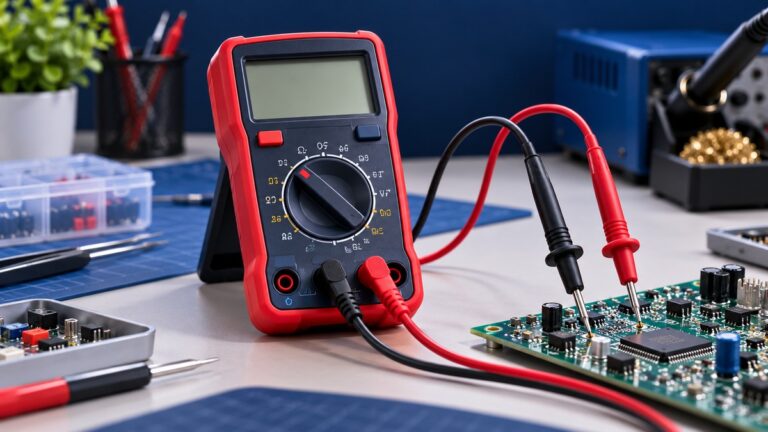
Fluke’s voltage steps start with the leads. Insert the black probe into the COM jack and the red probe into the V and ohm jack. Then connect the black probe to the negative test point, which is circuit ground, and the red probe to the positive test point. Fluke notes that if the probes touch opposite terminals, “a negative symbol will appear in the display.” Fluke adds that most modern multimeters automatically detect polarity. Read the value on the display, and use the reference function if you want to see how later readings move away from a set value.
Check the current jacks and fuse before you measure current
Most meters have separate jacks for current. Fluke’s voltage guide warns that “Placing test probes in A or mA inputs and then measuring voltage will create a short in the measurement circuit.” Its fuse article describes the same mistake: a voltage measurement made while the leads are still in the amps jacks “effectively places a short across the voltage source.”
The fuse article also gives a worked example. It says a CAT III 1000 V meter with the leads in the amps jacks has a “series resistance of approximately 0.1 ohms”, so a 1,000 V source would drive about 10,000 A through the leads. That example is about a high-voltage source, not a USB output, but it shows why the jack and fuse matter. Fluke’s guidance on replacement is direct: “Always refer to the tester’s manual”, and use the fuse the engineer designed into the meter. Check the fuse rating in the manual on the listing page, and treat any meter whose listing does not state its current fuse rating as unverified. Fluke adds that “Your safety is worth much more than the money” spent on the correct fuse.
The sources we opened do not give a procedure for measuring charger current in series, and they do not say how much current a USB charger can supply. Do not assume a meter’s current range suits a charger until you have read its ranges in the manual.
Check the cable with continuity
A continuity mode tells you whether a path exists without reading a number. Fluke says the meter “emits a beep if a complete path (continuity) is detected”, and that “If the circuit is open (the switch is in the OFF position), the DMM will not beep.” Fluke lists fuses as a typical check, and says that “a good fuse should show continuity.” Fluke also says that “Some models require you to press a continuity button to activate this specific testing mode”, so check the manual for your meter’s steps.
Fluke’s continuity method starts with the circuit “de-energized”, which for a cable means disconnecting it from both the charger and the device. Connect the leads across the conductor you are testing. Access Communications lists the standard USB 2.0 wiring as pin 1 red VBUS (+5V), pin 2 white D-, pin 3 green D+ and pin 4 black GND. Industry Electronics describes the same four pins: two data lines, a power supply at VBUS and +5 V, and ground. Check VBUS and GND end to end, and treat a cable with no beep on either as faulty. The sources we opened do not give a resistance threshold for a USB cable, so a numeric pass or fail limit is not in this guide.
What to check on a listing
- A DC voltage range that covers 5 V with room for the Power Delivery profiles above. The listing does not state a top DC range unless its page says so.
- A DC current input and its fuse rating. Read the fuse rating from the manual, and do not rely on a generic amp rating.
- A continuity mode, and whether the listing says the continuity button must be pressed first.
- A CAT rating for the meter, with its voltage, read from the listing or manual.
- A MIN/MAX function, if you want to record how a reading moves.
For product picks, see our USB voltmeter guide and our guide to USB multitesters. Check the features in those guides against the list above, and confirm each figure in the manual.
Mistakes to avoid
- Leaving the red lead in the amps jack. Fluke says this short happens when a voltage measurement is made with the lead still in an A or mA input.
- Guessing the fuse. Fluke says to refer to the tester’s manual and use the fuse the engineer designed in.
- Testing a live cable for continuity. Fluke’s method starts with the circuit de-energized.
- Reading 5 V as a pass for every load. The TI document notes that cable drop can bring the load voltage to 4.35 V in the worst case.
Frequently asked questions
Does a 5 V reading mean the charger is good?
Not by itself. The USB 2.0 window is 4.75 V to 5.25 V at the host, and cable drop can reduce the voltage at the load. The sources we opened do not describe a load test for a charger, so a reading at one moment does not show how the charger behaves under load.
Do I need a meter that reads above 5 V?
Yes, if you want to check Power Delivery profiles. Acroname lists 9 V, 15 V and 20 V profiles, so a DC range that stops at 10 V will not read the higher ones.
What does the continuity beep tell me?
Fluke says the beep means a complete path exists. No beep means an open circuit. It does not show a resistance value.
Can I measure charger current with the leads in the amps jack?
Only after you check the manual for that jack and its fuse. Fluke warns that the amps jacks create a short when a voltage is measured through them, and the sources we opened do not give a charger current procedure.
Which wire is VBUS on a USB cable?
On a standard USB 2.0 cable, Access Communications lists red as VBUS. Other colors are not covered by the pages we opened, so check the pins rather than the colors when the cable is unknown.
Does the CAT rating of the meter apply to a charger?
The sources we opened do not assign a CAT level to a USB charger. Read the meter’s CAT rating from its listing or manual, and do not use a meter with no stated rating on a mains circuit.
Bottom line
Choose a meter whose DC voltage range covers 5 V and the Power Delivery profiles, whose current jacks and fuse are documented in the manual, and whose continuity mode you can use on a disconnected cable.
What we could not verify
The sources we opened do not cover a USB charger’s ripple, its load behavior, its output current limit or a pass limit for cable resistance. The USB-IF pages we opened contain no voltage figures, so the USB 2.0 window comes from the Texas Instruments document. We did not open any product listing, so the guide makes no statement about a specific meter’s ranges, CAT rating or fuse. Forum threads found in search were not used as evidence.
Sources
- https://www.fluke.com/en-us/learn/blog/digital-multimeters/how-to-measure-dc-voltage-with-a-digital-multimeter
- https://www.fluke.com/en-us/learn/blog/digital-multimeters/choosing-the-correct-fuse-for-your-tester
- https://www.fluke.com/en-us/learn/blog/digital-multimeters/how-to-test-for-continuity
- https://www.fluke.com/en/learn/blog/electrical/can-you-live-with-the-burden
- https://www.electronics-notes.com/articles/test-methods/meters/dmm-catIII-catIV-safety-ratings.php
- https://www.triplett.com/blogs/news/understanding-cat-ratings-in-electrical-test-instruments
- https://ti.com/document-viewer/lit/html/TIDUF26/GUID-6FEF7EB9-D30E-40CF-AAB2-676BA10F3841
- https://www.accesscomms.com.au/usb-pinouts-wiring/
- https://industry-electronics.com/knowhow/usb-pin-assignment
- https://acroname.com/blog/basics-usb-power-delivery-negotiations
- https://learn.sparkfun.com/tutorials/power-delivery-board—usb-c-qwiic-hookup-guide/usb-c-power-negotiation
As an Amazon Associate we earn from qualifying purchases.