How to Choose a Multimeter for Solar Charge Controllers
As an Amazon Associate we earn from qualifying purchases.
How to choose a multimeter for checking solar charge controllers comes down to the voltages on each side of the controller: the solar input from the panels, and the battery terminals. A DC voltage meter with a range above the highest voltage you will read, and a CAT rating that matches the circuit, covers most of that job. The sources we opened treat the solar side as the higher-risk side, because some controllers may have PV voltages up to 250 V DC. This guide covers the meter features that matter, the checks the manufacturers describe, and the points the sources do not settle.
Electrical safety first
Work on mains circuits can kill. Before you measure anything, check that the meter’s CAT rating suits the circuit you are testing, and read the rating from the listing or the manufacturer’s manual. Panel and service work belongs to a licensed electrician.
This guide does not cover mains, wall outlets, breaker panels or service wiring. The battery side of a small system is low voltage, but the solar side may not be. Victron’s troubleshooting manual says that “Voltages exceeding 50V are generally considered dangerous” and that “Only a qualified technician should handle dangerous voltages.” OSHA’s electrical training material makes a related point about exposed equipment operating at 50 volts or more: it should be accessible only to people qualified to work with it.
Victron’s inverter manual warns that “A very high voltage is present on the PV cabling” even when the array is disconnected or switched off. The same manual says not to perform its PV cable procedures unless you are a trained solar electrician, and that PV voltage can be up to 450 V DC. OSHA’s electrocution training document says that electrocution is fatal. Nothing in this guide makes a meter safe for household mains.
Quick answer
- Pick a DC voltage range above the highest reading you expect, and confirm the CAT marking on the meter.
- Read the battery at the controller first, then compare the PV side against it.
- Victron gives a 5 V PV-over-battery margin as the point where charging can begin.
- Measure PV current with a clamp, not with probe tips, and keep DIY checks below 50 V.
What the controller check involves
A solar charge controller sits between the panels and the battery. Its manual sets the conditions for charging, and the checks below read those conditions with a meter. Victron’s manual says the charger starts when the PV voltage is 5 V above the battery voltage, and that charging continues while the PV voltage stays 1 V higher than the battery voltage. Morningstar’s ProStar manual says the open-circuit battery voltage must be over 10 V to start that controller. Each manual sets its own threshold, so use the figure in the manual for your controller.
Two readings matter most. The first is the battery voltage at the controller’s battery terminals. The second is the voltage at the controller’s solar input, which should be higher than the battery voltage when the sun is strong enough for charging to begin. A meter that reads both accurately covers the basic check.
Meter features that matter for this job
- A DC voltage range above your highest reading. Fluke says DC voltages on the solar side can range from 30 to 40 V for a single module to 1500 V for large-scale PV arrays. Identify the maximum voltage in your application, then select a tool whose voltage rating exceeds it.
- A CAT rating for the environment. Fluke says rooftop residential PV systems can use tools rated CAT III 600 V, while rooftop commercial or industrial systems call for CAT III 1000 V. Its guidance is written for PV arrays, not for a bench check of a small battery.
- Test leads with a matching rating. Fluke’s basics guide says the test leads should have an equal or greater CAT rating than the meter. Victron recommends a fully insulated MC4 test lead set for PV cable checks, and says standard multimeter probes are not advisable for that operation.
- A readable CAT marking. Fluke says a multimeter’s CAT rating is usually displayed near its input jacks, and recommends looking for markings directly on the tool. If you cannot find the rating on the meter or in the listing, do not use the meter on the solar side.
- Current capability. Measure PV current with a clamp rather than with probe tips in the circuit. The sources do not say which clamp meters read DC current at the small values a bench check uses, so check that in the listing.
One solar-rated meter in Fluke’s range lists CAT III 1500 V and CAT IV 1000 V, with Staubli MC4 leads that test DC voltage up to 1500 V DC. That is a manufacturer’s specification for one model, quoted here to show what a high-voltage rating looks like on a product page. It is not a recommendation.
How we chose
We opened the manufacturer manuals and vendor guides listed at the end of this guide, all on 2026-10-21, and kept only the facts that the fetched text states. Four criteria decided what went into the guide: the voltage points the manuals tell you to read, the CAT and voltage language used for solar work, warnings that change how a meter should be connected, and figures that come with a named test condition, such as Fluke’s 10 percent check under direct sunlight. We left out product comparisons, prices, star ratings and any figure that appeared only in a search snippet.
What we could not verify
The sources we opened do not cover the charge settings for every battery type, so this guide does not give a target battery voltage. They do not state the CAT rating of any particular controller, and they do not say which meters read DC current at the small values a bench check uses. They do not say what a normal PV reading is for a particular panel beyond Fluke’s 10 percent check under direct sunlight.
The sources also disagree on one point. A TheGreenWatt article says to briefly short a panel through the multimeter’s amp port to read short-circuit current. Fluke’s ground-fault guide says never to measure current in a PV circuit with the probe tips of a multimeter, because the short-circuit current flows through the meter and may damage it. This guide follows Fluke, and it does not describe the short-circuit method.
Before you start
- Read the controller manual first. The manuals cited here set their own voltage thresholds and their own procedures, and they differ from one model to the next.
- Set the meter to DC voltage. Fluke’s solar module test uses the same setting.
- Keep the work to a single module or a bench battery that stays below 50 V. Victron calls voltages above 50 V dangerous, and strings above that level are a job for a qualified technician.
- Pick a sunny period for panel readings. Fluke says to place the module in direct sunlight or under a bright artificial light source.
Steps for the voltage checks
Step 1: Read the battery voltage at the controller
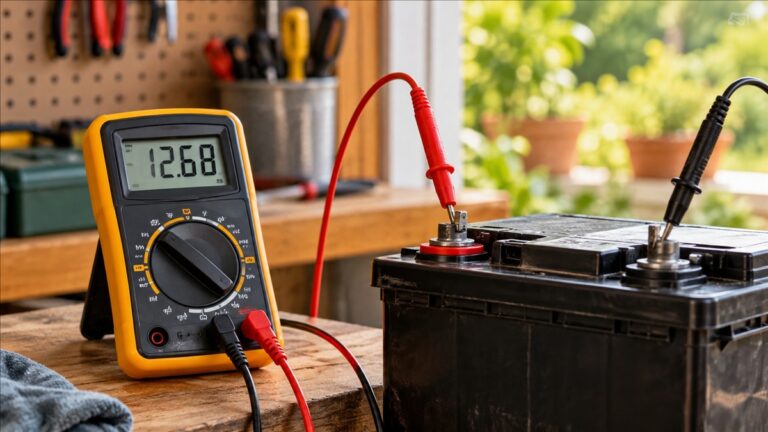
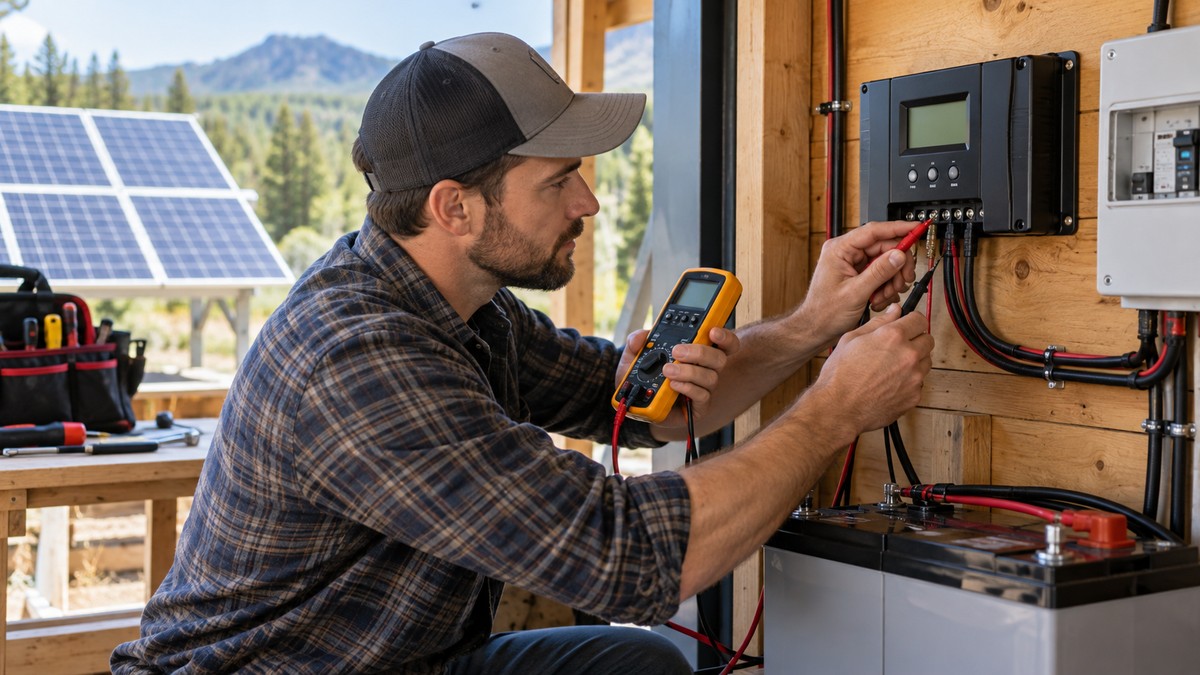
Victron’s troubleshooting procedure says to set a multimeter to DC mode and measure the battery voltage at the solar charger terminals, or to read it from the app or display if one is connected. If the two readings differ, the manual says to trace the path from the charger to the battery, check that all cabling is connected without wiring errors, and inspect the connections. Morningstar’s ProStar manual says to measure the open-circuit battery voltage before connecting the battery, and that it must be over 10 V to start the controller.
Step 2: Measure the module output in sunlight
Fluke’s solar module test has you attach the red lead to the positive terminal of the module, the black lead to the negative terminal, and read the DC voltage in direct sunlight. The sources say the output of a solar module should be within 10 percent of its rated output. Inverter.com’s guide adds that the measured open-circuit voltage should be compared with the panel’s rated value under similar sunlight conditions.
Step 3: Compare the PV voltage with the battery voltage
Victron says the PV voltage must be 5 V above the battery voltage before charging starts. If it is not, the manual lists possible reasons: night, cloud or bad weather, shade from nearby objects, dirty panels, seasonal sun angle, panel orientation and inclination, and wiring or panel faults. Work through those before you blame the controller.
Step 4: Read the battery voltage while charging
Inverter.com says to measure the voltage at the battery terminals while the controller is charging, and to check that it matches the stage the controller should be in. The guide describes three stages: bulk, where maximum current goes to the battery until it reaches a set voltage; absorption, where voltage is held at a set point while current falls; and float, where voltage is reduced to keep the battery charged without overcharging.
Step 5: Check the solar input with the panel connected
With the panel connected to the controller, measure the voltage at the controller’s solar input terminals. Inverter.com says a significant drop from the panel’s own reading may point to faulty wiring or shading. Keep this check on modules and circuits below 50 V.
Step 6: Measure current with a clamp, not with probes
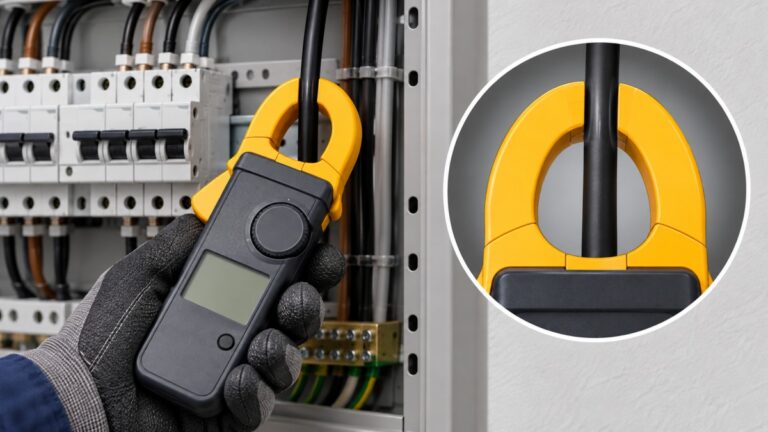
Inverter.com describes a clamp meter for reading current flow from the panels to the controller and from the controller to the battery. Fluke’s ground-fault guide says never to measure current in a PV circuit with the probe tips of a multimeter. Use the clamp for current, and check the listing to confirm that the clamp reads DC.
Step 7: SunKeeper bench check (SunKeeper only)
The SunKeeper manual gives a check for that model. Measure the voltage on the solar input leads, which should be approximately half of the measured battery voltage. If the voltage is zero, or about the same as the battery voltage, the manual says there is a problem with the SunKeeper. The manual also says the output on the battery leads is a pulsed waveform, so the multimeter shows the average or RMS of the waveform.
Reading the results
- PV voltage 5 V or more above battery voltage: Victron’s manual says charging can begin. Check the controller display for its status.
- PV voltage at or below battery voltage: Victron lists night, cloud, shade, dirt, orientation and wiring as possible reasons. The sources do not give a PV threshold for a particular module.
- Module reading within 10 percent of rated output in sunlight: this is the result Fluke’s module test treats as normal.
- SunKeeper solar input near half the battery voltage: the manual’s expected value. Zero, or near the battery voltage, is a fault per the same manual.
- A large drop between panel and solar input: inverter.com lists wiring and shading as the likely causes.
Common mistakes
- Probing for current in the PV circuit. Fluke warns that short-circuit current flows through the meter and may damage it.
- Reverse polarity. Victron lists reverse battery polarity and reverse PV polarity as causes of a charger that does not charge. The SunKeeper manual also asks you to verify polarity, and says that connecting the battery with correct polarity clears its reverse-battery fault.
- Working on the PV cabling without the right leads. Victron says standard multimeter probes are not advisable for that operation, and recommends fully insulated MC4 test leads.
- Trusting a voltage figure without a CAT rating. Fluke says the voltage rating is the maximum a tool can safely handle within its category. A large number on the meter does not replace the CAT marking.
- Testing in weak light. Victron lists weak sun as a reason the PV voltage can be too low, so a low reading at dusk is not a fault by itself.
For a clamp option, see our guide to DC current meters. For the rating on a meter, see our guide to CAT III 600 V meters.
Frequently asked questions
Do I need a CAT III meter for a solar charge controller?
Fluke says rooftop residential PV systems can use tools rated CAT III 600 V. The sources do not say what CAT rating a bench check of a small battery needs. Check the marking on the meter and the controller manual before you connect it to the solar side.
Can I read PV current by putting the probes in the circuit?
No. Fluke’s ground-fault guide says never to do this, because the short-circuit current flows through the meter and may damage it.
Why does the controller show no charging when the panel reads voltage?
Victron says charging needs the PV voltage to be 5 V above the battery voltage. Night, cloud, shade, dirty panels and wiring faults can keep the PV voltage too low even when the panel has voltage at its terminals.
What battery voltage does a ProStar need to start?
The ProStar manual says the open-circuit battery voltage must be over 10 V to start the controller. Measure it before you connect the battery.
Can I test a string of panels above 50 V myself?
The sources say no. Victron says voltages above 50 V are generally considered dangerous and should be handled only by a qualified technician. Its inverter manual also asks that PV cable procedures be left to a trained solar electrician.
Is a clamp meter enough to check a controller?
A clamp meter covers current, which inverter.com lists as one of several checks. The sources do not say whether a given clamp reads small DC currents, so the voltage checks above still come first.
Sources
- https://www.victronenergy.com/media/pg/Manual_SmartSolar_MPPT_150-70_up_to_250-100_VE.Can/en/troubleshooting.html
- https://www.victronenergy.com/media/pg/Inverter_RS_Smart_Solar/en/mppt-rs-troubleshooting.html
- https://www.morningstarcorp.com/wp-content/uploads/operation-manual-prostar-en.pdf
- https://www.morningstarcorp.com/wp-content/uploads/operation-manual-sunkeeper-en.pdf
- https://www.fluke.com/en-us/learn/blog/renewable-energy/the-right-solar-tools-based-on-cat-and-voltage-ratings
- https://www.fluke.com/en-us/learn/blog/digital-multimeters/how-robust-is-your-handheld-meter
- https://www.fluke.com/en-us/product/electrical-testing/digital-multimeters/283-fcpv-solar-digital-multimeter
- https://www.fluke.com/en-us/learn/blog/renewable-energy/test-solar-panel
- https://www.inverter.com/how-to-test-the-performance-of-solar-charge-controller
- https://www.osha.gov/sites/default/files/publications/OSHA3075.pdf
- https://www.osha.gov/sites/default/files/electr_ig.pdf
- https://media.fluke.com/b5da072b-a796-4f53-b93f-b10600818eac_original%20file.pdf
- https://www.thegreenwatt.com/how-to-test-solar-panel-with-multimeter/ (cited only for the disagreement noted above)