How to Choose a Multimeter for 4 to 20 mA Loops
As an Amazon Associate we earn from qualifying purchases.
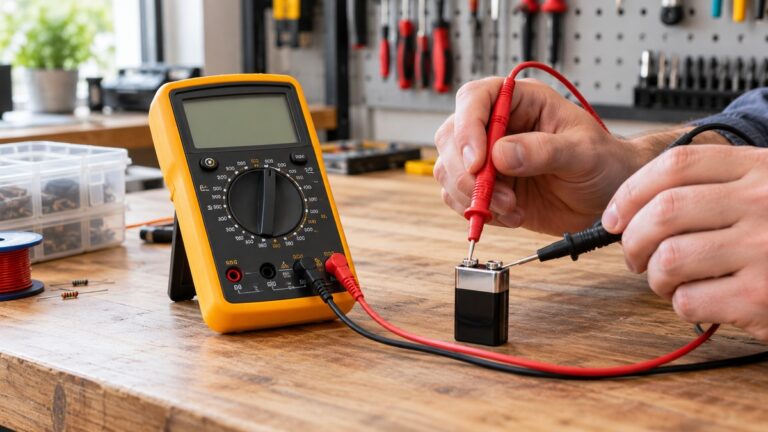
How to choose a multimeter for 4 to 20 mA loops comes down to two questions: can the meter read direct current in the milliamp range, and can it show you whether the loop is healthy? A 4 to 20 mA loop carries a current that stands for a sensor reading, so the meter has to read DC milliamps. The sources we opened describe two ways to read that current, a series connection that opens the loop and a clamp that does not.
Electrical safety first
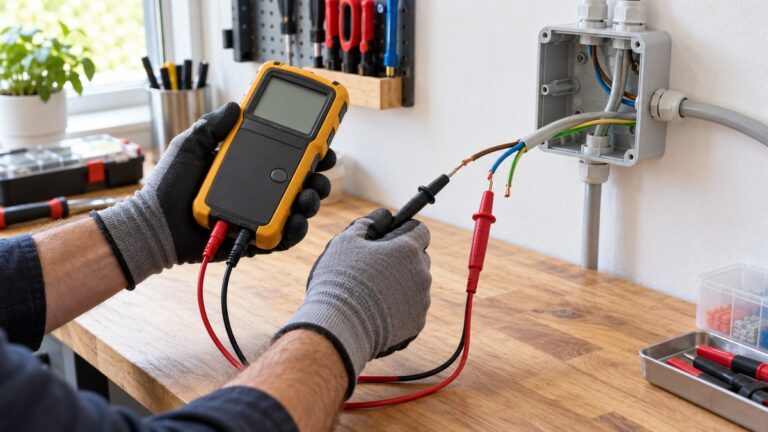
Work on mains circuits can kill. Before you measure anything, check that the meter’s CAT rating suits the circuit you are testing, and read the rating from the listing or the manufacturer’s manual. Panel and service work belongs to a licensed electrician.
A 4 to 20 mA loop is a low-voltage DC circuit, usually run from a 24 VDC supply. Low voltage does not make the work harmless, and the same meter may later be used on higher-voltage equipment. The Fluke safety guide says, “Always assume every electrical component in a circuit is energized until you’ve taken the steps to positively discharge it.” A training page from electrical-contractor.net notes that “a difference of less than 100 milliamperes exists between a current that is barely perceptible and one that can kill.”
The rating checks come from three sources. Fluke says CAT-rated meters are designed to minimize or reduce the possibility of an arc flash inside the meter, and that you should choose a tool rated for the highest category you could use it in, with a voltage rating to match or exceed it. The University of Washington guide says lead CAT ratings must meet or exceed the meter rating. The IHSA trade advisory says test leads should be rated at the same or greater voltage than the multimeter, and that “Momentary high-voltage transients or spikes can travel through a multimeter at any time and without warning.”
This guide covers the meter and the loop check at the instrument end only. It gives no steps inside a control panel, on a service, or on any supply connected to mains. If a loop check needs a panel opened or a transmitter cover removed, a licensed electrician or a qualified instrument technician should do that work.
Quick answer
- Choose a meter with a DC milliamp range that covers 20 mA and above, a stated fuse rating for the mA input, and a CAT rating you can read in the manual.
- A series reading opens the loop. A clamp reads the loop without breaking it, where the meter supports that.
- Read 4 mA as the live zero, 0 mA as an open loop, and a reading well above 26 mA as a possible excess load.
What a 4 to 20 mA loop is
The Fluke explainer describes the loop as a two-wire current loop in which “a single twisted-pair cable supplies power to a transmitter and also carries the output signal.” Texas Instruments uses the same idea when it describes “2-wire loop powered 4 to 20mA field transmitters.”
The zero and full-scale points matter for the reading. Fluke says 4 mA normally represents the sensor’s zero-level output and 20 mA represents its full-scale output. For a direct-acting valve, 20 mA means the valve is 100% open and 4 mA means it is closed; the opposite is true for a reverse-acting valve. Readings in between mean the loop is controlling the valve.
AutomationDirect calls the 4 mA minimum a “live zero.” It gives the field device a baseline current, and it makes an open loop easy to spot, because a broken or disconnected wire drops the loop to 0 mA. A 0 mA reading therefore points to a fault, not to a process value of zero. The same source says each 4-20 mA loop must be powered, usually with 24 VDC for industrial systems.
What to check on the meter before you buy
Check four things in the manual, since a listing may not show them.
- A DC milliamp range that covers 20 mA and above. The Klein MM400 manual lists DC current ranges of 40.00 mA and 400.0 mA. The loop itself stays between 4 and 20 mA, but a fault can push the reading higher, so the range should not stop at 20 mA. The Fluke 771 listing shows a 0 to 20.99 mA band at 0.2% + 2 counts and a 21.0 to 100.0 mA band at 1% + 5 counts, so a reading above 20.99 mA falls into a band with a wider stated accuracy.
- A stated fuse rating for the mA input. The MM400 manual lists overload protection of 500 mA and says a fuse may blow if more than 500 mA is applied to the mA jack. A healthy loop sits far below that limit. The replacement fuse listing for the MM400 family shows a 5×20 mm, 500 mA, 600 V fuse, so check that a spare fuse of the same rating is available before you need one.
- A DC voltage range that covers the loop supply. The MM400 manual lists DC voltage ranges of 4.000 V, 40.00 V, 400.0 V and 600 V. A 24 VDC supply sits inside the 40.00 V range, and so does the 1 V to 5 V signal from the 250 ohm resistor method described below. The 4.000 V range stops short of 5 V.
- A CAT rating that you can read in the manual. The MM400 manual lists a safety rating of CAT III 600 V. The Fluke 771 page we opened does not state a CAT rating, so the listing does not state one for that clamp meter.
If you want to measure without opening the loop, a clamp-style process meter is the other option. The Fluke 771 listing says it measures 4 to 20 mA signals “without breaking the loop,” and that it can measure low level DC current. AutomationDirect notes that a clamp-on 4-20 mA meter can inspect the loop current without breaking a connection, but adds that “not everyone has this style of meter handy.” For general DC current meters, see our guide to DC current meters, and for clamp-style options see our explainer on whether a clamp meter can measure DC current.
How to read the loop: four methods
Each method below comes from a source we opened. Choose the one your job allows.
Method 1: series milliamp reading (opens the loop)
Fluke describes the series method. You select the mA DC function, disconnect one lead of the signal wire, place the meter in series with it, and read the current. Fluke also says to check with operations before starting the measurement, and notes that “This measurement technique interrupts (breaks) the loop.” The automationforum troubleshooting guide describes the same idea: connect a milliamp meter between the supply and the disconnected wire.
Method 2: clamp reading (does not break the loop)
Fluke describes a clamp reading as a method that “does not interrupt (break) the loop.” The steps are to access the signal wires, zero the clamp meter, and confirm that the reading falls between 4 and 20 mA. Fluke notes that access is typically by removing the transmitter cover. That is device-level work, so it belongs to a qualified technician, and the same safety limits in the first section apply.
Method 3: voltage across a 250 ohm resistor
AutomationDirect describes an alternative in which a 250 ohm resistor is placed in the loop, which turns the current into a voltage that a DC volt range can read. Its expected values are 1 V at 4 mA (0%), 2.5 V at 12 mA (50%) and 5 V at 20 mA (100%). The same source says most loops need a total loop resistance under 500 ohms, and that a minimum of about 100 ohms should be used to ensure a usable voltage reading. The page places this check at the control panel, and this guide gives no steps there.
Method 4: loop calibrator in mA simulate mode
A loop calibrator is a separate tool from a multimeter. Fluke describes its mA simulate function as replicating a transmitter. With 4 mA simulated, the HMI or controller should show the 0% value of the transmitter, and with 20 mA simulated it should show 100%. Fluke also says that multifunction process calibrators “can also be used to test 4-20mA loops.” A Fluke product comparison on the same page describes the Fluke 773 as able to “Source, simulate 4 to 20 mA signals, and provide loop power.”
Reading the results
A reading between 4 and 20 mA is in the normal range. Outside it, the sources point to these faults.
- 0 mA. AutomationDirect says a 0 mA reading means an open loop, such as a wire that is disconnected or broken. Because the live zero starts at 4 mA, 0 mA is not a valid process value.
- Above 26 mA. The automationforum guide says a loop current significantly larger than 26 mA indicates an excess load on the loop. It lists miswiring, a ground loop, or a transmitter fault as possible causes.
- Below 22 mA with low supply voltage. The same guide says that if the current is less than 22 mA and the supply output voltage is still low, the power supply might be faulty.
- Voltage at the transmitter. Fluke gives a check in which the full 24 V should be measured at the transmitter wires. A lower value points to a defective or overloaded supply, or to an open connection. AutomationDirect says a 1 V to 5 V reading across the 250 ohm resistor is expected, and that a voltage below 1 V or above 5 V indicates a problem with the device or wiring.
- Scaled display. The automationforum guide notes that an improperly scaled display will react to the 4 to 20 mA signal but will not show the correct values. A correct current with a wrong display points to scaling, not to the loop.
Common mistakes
- Leaving the meter in the loop. A series reading opens the loop, and the process signal stays interrupted until the wire is reconnected.
- Using the wrong mode. The MM400 manual says the meter defaults to AC measurement, and that the SEL button toggles between AC and DC modes. A loop signal is DC, so the DC icon must show before you read the value.
- Ignoring polarity. The automationforum guide says to verify the transmitter’s polarity installation.
- Reading a clamp meter with no DC capability. A clamp that is not built for process signals may not read low-level DC. The sources we opened do not state how general-purpose clamp meters perform on a 4 to 20 mA signal, so check the model’s manual before you rely on the reading.
- Ignoring the range band. On the Fluke 771 listing, a reading above 20.99 mA falls into a band with wider stated accuracy.
How we chose
This guide uses five criteria: a DC milliamp range that covers 20 mA and above, a stated fuse rating for the mA input, a DC voltage range that covers a 24 VDC supply and the 1 to 5 V signal, a way to read the loop without breaking it, and a CAT rating stated in a manual or listing. Each criterion is tied to a source opened on 2026-10-21, listed below. We did not rank products or name a model as a pick, and no price, rating or review count was used. We opened 16 pages with curl and cite 12 of them. Pages that did not open were not counted, and retailer or product listing pages were used only for listing facts.
What we could not verify
The sources we opened do not say which loop supply voltage fits every transmitter. They give 24 VDC as the usual value, and the transmitter datasheet is the place to check its compliance voltage. The sources do not state the breaking capacity of the MM400 mA fuse. No source we opened gives a CAT rating that a 24 VDC loop requires, and the Fluke 771 page does not state a CAT rating. The sources do not say how general-purpose clamp meters read a 4 to 20 mA signal. Several thresholds, including the 26 mA and 22 mA levels and the 500 ohm loop limit, come from AutomationDirect and automationforum, which are trade and vendor pages rather than standards. No standard we found confirms them.
Frequently asked questions
Can a regular multimeter read a 4 to 20 mA loop?
A multimeter with a DC milliamp range can read the loop in series, but that method opens the loop. The MM400 manual lists DC current ranges of 40.00 mA and 400.0 mA. Check the manual for the model you have before you rely on it.
What does a 4 mA reading mean?
It is the live zero. For a sensor it is the zero-level output, and for a direct-acting valve it means the valve is closed.
Why would a loop read 0 mA?
AutomationDirect says a 0 mA reading points to an open loop, such as a broken or disconnected wire.
What does a current above 26 mA mean?
The automationforum guide says it indicates an excess load on the loop, with miswiring, a ground loop or a transmitter fault as the likely causes.
Does the 250 ohm method need a special meter?
It needs a DC voltage range that covers the expected 1 V to 5 V signal. The MM400 manual lists a 40.00 V range that covers it, while its 4.000 V range does not reach 5 V.
Sources
- Fluke, “How to measure a 4-20mA loop signal”: https://www.fluke.com/en-us/learn/blog/electrical/how-to-measure-a-4-20ma-loop-signal
- Fluke, “Troubleshooting a 4-20 mA loop using mA simulate”: https://www.fluke.com/en-us/learn/best-practices/test-tools-basics/process-tools/troubleshooting-a-4-20-ma-loop-using-ma-simulate
- AutomationDirect, “4-20mA Analog Transmitter Troubleshooting”: https://library.automationdirect.com/4-20ma-analog-transmitter-troubleshooting/
- Fluke, “Guide to digital multimeter safety”: https://www.fluke.com/en-us/learn/blog/safety/multimeter-guide
- IHSA (Ontario), Safety Advisory: Multimeters: https://www.ihsa.ca/pdfs/safety_bulletins/safety_bulletin_multimeters.pdf
- University of Washington Facilities, “Acquisition and Use of Electrical Test Equipment”: https://facilities.uw.edu/partner-resources/files/media/electrical-test-equipment.pdf
- Automationforum, “How to do troubleshooting of a 4-20mA loop?”: https://automationforum.co/how-to-do-troubleshooting-of-a-4-20ma-loop/
- Klein Tools, MM400 Instruction Manual (copy hosted by UBC): https://www.eoas.ubc.ca/courses/atsc303/Instruments/manuals/0_Klein-Tools-MultiMeter-MM400-UsersManual.pdf
- Klein Tools, Replacement Fuse 69033 listing: https://www.kleintools.com/catalog/test-measurement-accessories/fuse-5×20-500ma-600v-mm400
- Fluke 771 Milliamp Process Clamp Meter, product page: https://www.fluke.com/en-in/product/calibration-tools/ma-loop-calibrators/fluke-771
- Electrical-contractor.net, electrical hazards training page: https://www.electrical-contractor.net/ESF/Controlling_Elec_Hazards_1.htm
- Texas Instruments, SLAAEH7, isolated loop powered 4 to 20 mA field transmitter designs: https://edgeworker.ti.com/lit/pdf/slaaeh7