How to Test a Power Supply With a Multimeter
As an Amazon Associate we earn from qualifying purchases.
How to test a power supply with a multimeter means measuring its low-voltage DC output and comparing the reading with the output rating in the supply’s manual or listing. This guide covers bench power supplies and battery-powered sources only. The steps cover two cases: the labeled DC output of a bench supply and the terminal voltage of a battery-powered source. Mains-powered adapters and supplies are out of scope, and this guide gives no steps for testing inside or on the mains side of one.
Quick answer
- Set the meter to DC volts, with the black lead in COM and the red lead in V/Ω, then read the output across the supply’s negative and positive terminals.
- Compare the reading with the output rating in the manual or listing. If neither states an output voltage, do not score the check.
- Read the meter’s CAT rating before you measure anything, and do not assume one if the listing does not state it.
Electrical safety
Work on mains circuits can kill. Before you measure anything, check that the meter’s CAT rating suits the circuit you are testing, and read the rating from the listing or the manufacturer’s manual. Panel and service work belongs to a licensed electrician.
OSHA states that its electrical standards are designed to protect employees from “electric shock, electrocution, fires, and explosions.” The CPSC home wiring guide says that removing the service-panel cover is a job for a qualified electrician, and it warns that electrical systems can start fires or cause electrical shock.
A CAT rating describes the kind of circuit a meter’s inputs are built for. Fluke advises choosing a tool rated for the highest category you could potentially use it in, with a voltage rating that matches or exceeds that situation. Fluke’s knowledge base lists the four categories as follows.
| Category | What Fluke’s knowledge base lists |
|---|---|
| CAT I | Protected electronic equipment. |
| CAT II | Single-phase receptacle-connected loads such as appliances and portable tools. |
| CAT III | 3-phase distribution including single-phase commercial lighting and equipment in fixed locations such as switchgear and polyphase motors. |
| CAT IV | 3-phase at the utility connection, outdoor conductors, electricity meters, and service entrances. |
HBM’s isolation guide says the category indicates the amount of energy that can be released in the event of a short circuit. B&K’s technical note says the label near the inputs generally indicates the safety level of the inputs, based on the voltage they can withstand. Its example is a meter rated for safety up to 1000 V in a CAT I environment and only 300 V in a CAT II environment, so the voltage figure applies only to the category it is paired with.
Low-voltage bench and battery work still needs a meter whose inputs suit the job. HBM’s guide also says measurement inputs not specified for mains connection have no CAT rating and are referred to as O. That category covers measurements not directly connected to mains, such as signal levels and regulated low-voltage circuits. A meter with only that rating is not rated for mains work.
This guide does not ask you to open any enclosure, and it gives no steps for live panels, outlets or service wiring. If a task reaches that work, stop and call a licensed electrician.
Before you start
- Find the rating first. Look up the stated output voltage and current limit for the channel or battery you will check, in the manual or the listing. Fluke’s troubleshooting guide says to check the reading against the manufacturer’s specified output voltage. If neither document states an output voltage, do not score the check.
- Inspect the leads. Fluke’s troubleshooting guide says the meter and its test leads must be rated for the voltage you expect and for the environment, and the leads must have no exposed wiring or damage.
- Note the CAT rating. Read it from the meter’s labeling or manual. If the listing does not state a CAT rating, write that down and do not assume one.
For a wider look at DC meters, see our DC volt meter roundup.
How to check a bench power supply output
The steps below draw on Fluke’s DC voltage guide, Fluke’s DC power supply troubleshooting guide, the Northeastern quick guide to bench equipment, and the UCSB ECE2A Lab 1 handout.
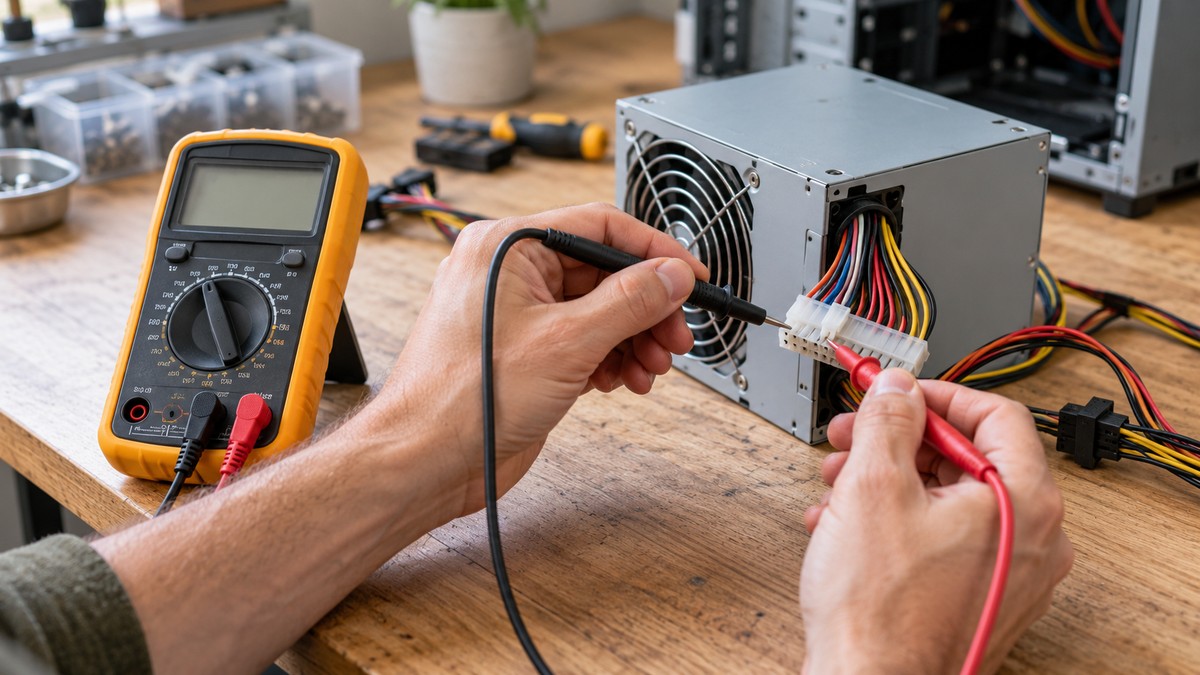
- Step 1. Turn the dial to DC voltage, the setting marked with the symbol ⎓. Fluke’s DC voltage guide says that if you are unsure whether to use DC volts or DC millivolts, start with DC voltage, since it handles higher voltage.
- Step 2. Put the black lead in the COM jack and the red lead in the V/Ω jack. The Fluke guides use these jacks for DC voltage.
- Step 3. Set the range. Fluke’s DC voltage guide says modern meters default to autorange. On a meter that does not autorange, Fluke’s troubleshooting guide says to choose a range one step above the voltage you expect. The UCSB handout reads an output labeled +18V on a 20 V range.
- Step 4. Clear the output. Fluke’s troubleshooting guide says to power off or disconnect any device attached to the DC output, if possible, to avoid sudden voltage spikes during the reading. The Northeastern guide says each output channel has its own on/off control, so one channel can be switched off without switching off the whole unit.
- Step 5. Connect the black lead to the negative (−) output terminal and the red lead to the positive (+) terminal. Fluke’s troubleshooting guide says outputs are usually marked with a + and a −. Fluke’s DC voltage guide adds that a minus sign appears on the display when the probes touch opposite terminals. If the supply also has a COM terminal and a ground terminal, the UCSB handout asks you to verify whether a jumper ties them together, and to measure against both.
- Step 6. Turn the output on and set the supply to the voltage you want to check. The UCSB handout adjusts the supply until the DMM reads the target value.
- Step 7. Compare the two readings. The UCSB handout asks whether the DMM reading agrees with the voltage shown on the supply’s own display. It also says: ‘Be sure the “METER” switch on the power supply is set correctly.’
- Step 8. Compare the reading with the stated output rating. Fluke’s troubleshooting guide says the reading should align with the manufacturer’s specified output. For a steady display, press HOLD to freeze it. To catch the extremes, press MIN/MAX, which Fluke’s DC voltage guide describes as capturing the lowest and highest measurements. On a multi-output supply, the UCSB handout also says to verify that each output is still at its set value after you change another one.
- Step 9. Remove the probes in reverse order: red first, then black. Fluke’s DC voltage guide gives this order.
How to check a battery-powered source
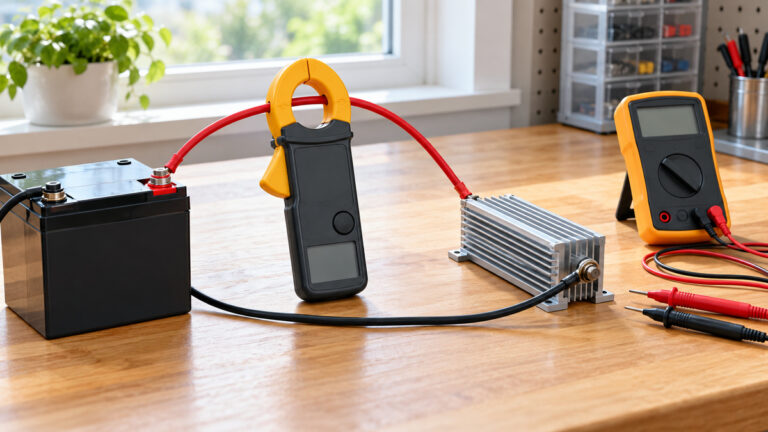
A battery check uses the same DC voltage setup. The steps below draw on Fluke’s battery voltage guide and the DC voltage guide. This section covers the terminal voltage only.
- Step 1. Look at the terminals. Fluke’s battery guide says to inspect battery terminals for corrosion or looseness before testing.
- Step 2. Set the dial to VDC (DC volts), put the black lead in COM and the red lead in V/Ω. Fluke’s battery guide gives this setup.
- Step 3. Touch the red lead to the positive (+) battery terminal and the black lead to the negative (−) terminal. The same order appears in Fluke’s battery guide.
- Step 4. Read the display. For a reading that moves, Fluke’s battery guide suggests MIN/MAX or AutoHOLD to track the change.
- Step 5. Compare the reading with the voltage stated on the battery label, the device manual or the listing. The sources we opened do not give voltage thresholds for AA, 9 V or lithium cells, so a voltage that is not stated cannot be scored.
- Step 6. Remove the probes in reverse order, red first, then black.
Lead-acid batteries need extra care. Fluke’s battery guide says to use caution around them, because they can emit explosive gas and contain acid. The same guide says to check voltage before any load test. This guide does not describe a load test, because the sources we opened do not give a load-test procedure for low-voltage cells. For battery meters in general, see our battery voltage tester roundup.
Reading the result
A reading means little without the rating beside it. Fluke’s troubleshooting guide says a DMM takes a snapshot of the voltage at one moment, and it cannot detect transients, electrical noise or waveform problems.
To express the gap between a reading and the rating as a percentage, use this formula. It is our own arithmetic, not a figure from a source:
Difference (%) = (reading − stated rating) ÷ stated rating × 100
The table uses a 12.0 V rating as our own assumption for illustration. No source named in this guide gives that rating for any supply.
| Reading | Calculation | Difference |
|---|---|---|
| 11.52 V | (11.52 − 12.0) ÷ 12.0 × 100 | −4.0% |
| 11.88 V | (11.88 − 12.0) ÷ 12.0 × 100 | −1.0% |
| 12.00 V | (12.00 − 12.0) ÷ 12.0 × 100 | 0.0% |
| 12.24 V | (12.24 − 12.0) ÷ 12.0 × 100 | +2.0% |
The sources we opened do not say how far a reading may sit from its rating before it counts as a fault. Take the acceptable range from the manual or the listing for your supply, not from this table.
Common mistakes
- Reading the label as the output. The UCSB handout says a label such as +18V marks the maximum value of that output, and the actual voltage is the value you set.
- Leaving the range too low. When the meter does not autorange, Fluke’s troubleshooting guide says to pick a range one step above the expected voltage. For a very small output, Fluke’s DC voltage guide describes switching to the DC millivolt setting with the probes disconnected, then reconnecting them.
- Connecting to the ground terminal by habit. The UCSB handout notes that COM is the common terminal for the outputs and is not the ground terminal.
- Leaving a device on the output during the check. Fluke’s troubleshooting guide says to power off or disconnect devices first where possible.
- Trusting one reading. Fluke’s troubleshooting guide says a DMM gives a snapshot, so a steady display does not rule out noise or a brief spike.
- Reversing the red and black leads on an analog meter. Fluke’s DC voltage guide says that with an analog multimeter, red leads should always touch a positive terminal and black a negative terminal, or the meter can be damaged.
- Assuming a CAT rating from the brand’s reputation. Fluke’s safety guide says to check for the appropriate CAT ratings so you can be sure the meter is safe for your measurements.
How we chose
This guide keeps a narrow scope: low-voltage DC output from a bench supply or a battery, read on a DC voltage setting. We kept manufacturer, university, government and utility pages, plus one newspaper column for the electrician point, that we opened with curl on 2026-10-21 and whose fetched text contains the claim cited here. Every quotation was matched against that text, and any sentence that did not match was rewritten as a paraphrase. Several candidate pages returned 403, 404 or 503 and were left out. One manufacturer page returned navigation text without the procedure, so it was also left out. Each safety claim is backed by at least three of the sources listed below. Two of the electrician sources are a newspaper column and a utility page, which are weaker than a manufacturer or government source, so read that point with care. This guide does not rank meters and does not recommend a brand.
What we could not verify
The sources we opened do not cover every case in this guide. The list below states the gaps in plain words.
- The sources we opened do not give a tolerance for any bench power supply output, so this guide gives no pass band.
- This guide names no supply or meter model, so no listing was used for an output rating or a CAT rating.
- The sources we opened do not give voltage thresholds for AA, 9 V or lithium cells.
- The sources we opened do not describe a load-test procedure for low-voltage cells.
- Fluke’s battery guide uses figures for a lead-acid car battery. Those figures are not used here, because the sources we opened do not cover other battery types.
- The sources we opened do not say which reading is correct when a supply’s display and a DMM disagree.
Frequently asked questions
Can a multimeter check a power supply’s output?
Yes, for low-voltage DC output. Fluke’s troubleshooting guide describes setting the meter to DC voltage, connecting the black probe to the negative output and the red probe to the positive output, and comparing the reading with the manufacturer’s specified output voltage.
What range should I select?
If the meter autoranges, let it pick the range. On a meter without autorange, Fluke’s troubleshooting guide says to choose a range one step above the expected voltage.
Why does the meter disagree with the supply’s display?
The UCSB handout asks whether the two readings agree and reminds the reader to set the supply’s METER switch correctly. The sources we opened do not say which reading is correct if they still differ, so use the stated rating from the manual or listing as the reference.
Does lead color change the reading?
The UCSB handout says the measurement is the same whatever the lead colors. It recommends black for the common lead and red for the V/Ω lead, as a convention for the reader’s own benefit.
Can I use this method on a mains adapter?
No. The scope note at the top covers mains-powered adapters and supplies, and this guide gives no steps for them.
Does a CAT rating tell me what protective clothing to wear?
No. Fluke’s knowledge base says CAT ratings as marked on test and measurement equipment have no relation to the PPE Hazard Risk Categories listed in NFPA 70E.
Bottom line
Check a supply or battery output with DC volts, compare the reading with the stated rating from the manual or listing, and do not score the check when no rating is stated.
Sources
- Fluke, How to Measure DC Voltage with a Digital Multimeter: https://www.fluke.com/en-us/learn/blog/digital-multimeters/how-to-measure-dc-voltage-with-a-digital-multimeter
- Fluke, How to Troubleshoot DC Power Supplies Using a Digital Multimeter: https://www.fluke.com/en/learn/blog/predictive-maintenance/troubleshooting-dc-power-supply-with-digital-multimeter
- Fluke, How to Measure Battery Voltage with a Multimeter: https://www.fluke.com/en-us/learn/blog/digital-multimeters/how-to-test-a-battery-with-a-multimeter
- Fluke, Guide to digital multimeter safety: https://www.fluke.com/en-us/learn/blog/safety/multimeter-guide
- Fluke, IEC Category Ratings (KA-03314): https://my.fluke.com/en-us/article/KA-03314
- OSHA, Electrical: https://osha.gov/SLTC/electrical/index.html
- CPSC, Guide to Home Wiring Hazards: https://www.cpsc.gov/s3fs-public/518.pdf
- UC Santa Barbara, ECE2A Fall 2008 Lab 1, Basic Measurements: https://courses.ece.ucsb.edu/ECE002/2A_F08Shynk/ECE2A_lab1.pdf
- Northeastern University, A Quick Guide to Using Lab Equipment: https://ece.northeastern.edu/courses/eece2150/dimarzio/labs/manuals/Quick_Guide_to_using_Lab_Equipment.pdf
- B&K Precision, What do the input CAT ratings mean?: https://www.bkprecision.com/knowledge/technical-notes/5/what-do-the-input-cat-ratings-mean
- HBM, GN610 and GN611 Isolation and Type Testing: https://www.Hbm.com/fileadmin/mediapool/files/GN610_GN611_Isolation_and_type_testing.pdf
- Atlanta Journal-Constitution, Ask the Inspector column on home electrical safety: https://ajc.com/lifestyles/home–garden/ask-the-inspector-home-electrical-safety/RmnJhSXbJpr2Be8h8JtgSJ
- Georgia Power, Make sure your home is ready to receive power: https://georgiapower.com/news-hub/weather-safety/make-sure-your-home-is-ready-to-receive-power.html