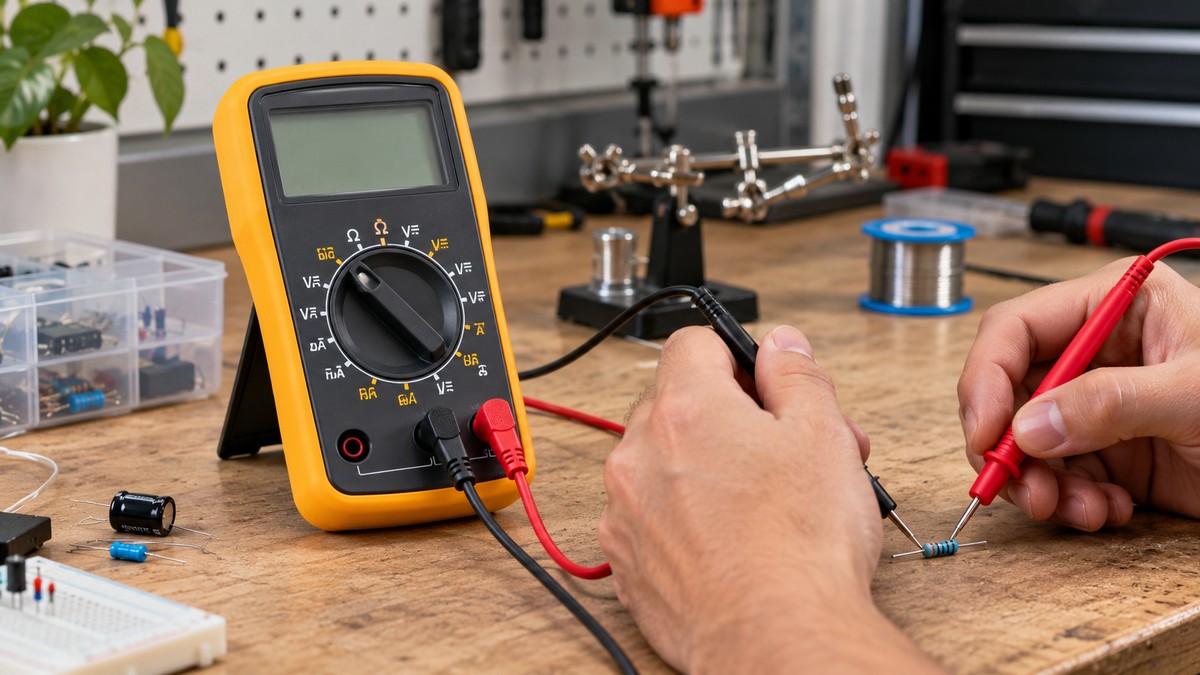
How to Read Multimeter Symbols and Dial Positions
As an Amazon Associate we earn from qualifying purchases.
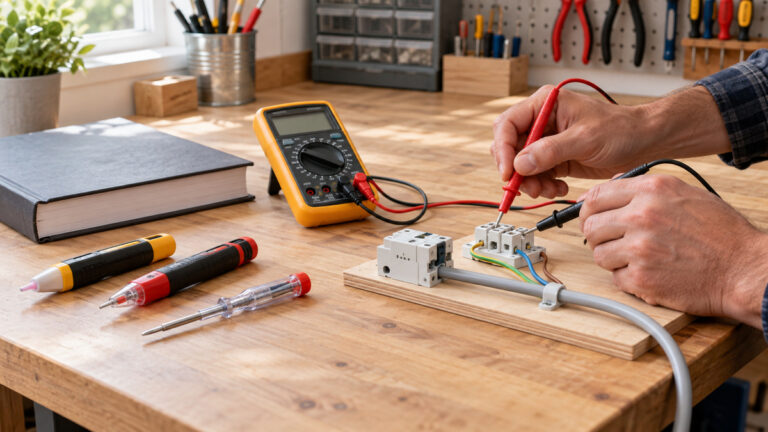
How to read multimeter symbols comes down to two checks. First, match the icon on the dial to the measurement it names. Second, confirm that the red lead sits in the input jack that matches that measurement before the probes touch anything. The dial covers AC and DC voltage, current, resistance, continuity, diode tests and capacitance. Symbol layouts differ between models, so the function table in your own manual is the final reference.
Electrical safety first
Work on mains circuits can kill. This guide covers only meter symbols and low-voltage bench work, such as batteries, components and cables. It gives no steps for outlets, breaker panels or service wiring. Before you measure anything, check that the meter’s CAT rating suits the circuit you are testing, and read that rating from the listing or the manufacturer’s manual. Panel and service work belongs to a licensed electrician or another qualified person.
Electricity is a serious hazard in its own right. OSHA says electricity “has long been recognized as a serious workplace hazard.” The Extech EX503 manual warns of a risk of electrocution from high-voltage AC and DC circuits, and the Fluke safety guide says that working with electricity always carries a risk. Both Extech manuals say improper use can cause damage, shock, injury or death.
The CAT rating is the overvoltage installation category a meter is built for. Fluke advises choosing a tool rated for the highest category you could potentially use it in, and says the rating is usually located near the input jacks. The Extech EX503 manual describes CAT III as equipment in fixed installations, and the Extech EX410A manual says CAT III meters are protected against overvoltage transients in fixed installations at the distribution level.
Panel and service work is for qualified people. OSHA’s training rules for qualified persons cover work on or near exposed energized parts. The Northwestern program says that if the same breaker trips again, the circuit must be examined and repaired by a qualified electrician before it is re-energized. The Arizona State University program limits work on systems that cannot be de-energized to qualified personnel. This guide gives no method for panel work.
Quick answer
- Match the dial symbol to the function, such as ∿ V for AC voltage or ⎓ V for DC voltage.
- Put the red lead in the jack that matches the dial, since Fluke says the two must agree.
- Keep the black lead on COM for every measurement.
- Check the display for HOLD, REL and OL before you record a reading.
Before you start
The Extech manuals say to read and understand the manual before operating the meter. Three habits follow from them.
- Inspect the test leads and the meter for damage, and repair or replace anything damaged before use.
- Turn the function switch to OFF when the meter is not in use.
- Remove the test leads before you replace the battery or fuses.
The WPI handout adds that a meter which stops working has either a blown fuse or a dead battery, so check both first.
Reading the dial, step by step
Each step below rests on a source listed at the end of this guide.
- Step 1: Read the warning symbols near the terminals before you connect anything.
- Step 2: Find the dial symbol for the measurement you need, such as ∿ V for AC voltage.
- Step 3: Put the black lead in COM and the red lead in the jack that matches the dial.
- Step 4: On a manual meter, choose a range. On an auto-ranging meter, wait a few seconds for it to settle.
- Step 5: Check the display for HOLD, REL and OL before you record a number.
Dial symbols at a glance
Fluke’s composite dial lists these functions and the jack it assigns to each red lead. Fluke notes that no single model contains all of them.
| Dial symbol | Function | Red lead jack (Fluke guide) |
|---|---|---|
| ∿ V | AC voltage | V/Ω jack |
| ∿ mV | AC millivolts | V/Ω jack, which Fluke lists for voltage |
| ⎓ V | DC voltage | V/Ω jack |
| ⎓ mV | DC millivolts | V/Ω jack, which Fluke lists for voltage |
| Ω | Resistance | V/Ω jack |
| Continuity, paired with the sound button | Continuity with an audible signal | Not named in Fluke’s jack list; check the manual |
| →| | Diode test | V/Ω jack |
| F | Capacitance | V/Ω jack |
| ° | Temperature | V/Ω jack, if the meter has it |
| A | AC and DC amps | A jack, for current up to 10 A |
| mA | AC and DC milliamps | mA/µA jack, for 0 µA to 400 mA |
| µA | AC and DC microamps | mA/µA jack, the same jack as milliamps |
Voltage, current, resistance, continuity, diode and capacitance
AC and DC voltage
In Fluke’s legend, the wavy V (∿ V) marks AC voltage and the ⎓ V symbol marks DC voltage. The WPI handout describes the DC mark as a bar with three dots below it, so older drawings may look different. For a voltage reading, the handout says to put the probes in parallel with the circuit. On a bench, that means touching the probes across the two terminals of a battery, with the black lead on COM.
AC and DC current
Current is measured with the meter in series, which the WPI handout describes as disconnecting the circuit and bridging the gap with the probes. Fluke puts the red lead on the A jack for current up to 10 A, and on the mA/µA jack for 0 µA to 400 mA. The Extech EX503 manual lists 400 mA and 10 A as its current input limits, with 20 A allowed for 30 seconds. The WPI handout adds that current readings should be brief, since a long connection can blow the fuse.
Resistance
The omega symbol (Ω) marks resistance in ohms. The EX503 symbol legend gives k for kilo (10^3) and M for mega (10^6) as prefixes for ohms. The same legend gives m for milli (10^-3), µ for micro (10^-6) and n for nano (10^-9). The same manual says to disconnect the power when making resistance or diode tests. For the 200 ohms setting on a meter, see the explainer on that setting.
Continuity
Fluke says continuity works together with the sound button, which activates the continuity beeper, and the WPI handout says the meter beeps to indicate a complete, closed circuit between the two probe points. Fluke’s jack list does not name continuity, so check your manual for its jack. For a continuity walk-through, see the continuity tester how-to.
Diode test
The diode symbol (→|) marks the diode test, which the EX503 manual lists among its functions. Fluke assigns the diode test to the V/Ω jack, so set both the dial and the jack before you test a component.
Capacitance
The F symbol marks capacitance, which the EX503 legend spells out as farads, and Fluke assigns it to the V/Ω jack. The EX503 manual says manual ranging does not apply to capacitance. The Fluke safety guide advises that you assume an electrical component is energized until you have taken steps to discharge it. The sources we opened give no discharge method, so this guide gives none. For meters that read microfarads, see our microfarad meter roundup.
Input jacks and the red lead rule
Fluke says the input jack for the red test lead must match the parameter selected on the dial. If it does not, Fluke warns that the meter, equipment and technician are all at risk. Fluke’s jack list reads as follows.
- COM, black lead: all measurements. Fluke calls it the return terminal, and says COM is short for common.
- V/Ω jack, red lead: voltage, resistance, diode test, capacitance, frequency, duty cycle and, if present, temperature.
- A jack, red lead: current up to 10 A.
- mA/µA jack, red lead: current from 0 µA to 400 mA.
Layouts vary by model. The EX503 manual labels its jacks as mA, µA and 10A inputs, a COM input and a positive input. The EX410A manual shows a “Test lead connection error” symbol on its display, which points to a lead problem.
Auto-ranging and manual ranging
An auto-ranging meter picks the range for you. The EX503 manual says it enters autoranging when first turned on, and the Duke wiki says you dial in only the measurement type and wait a few seconds for the range to settle. On a manual meter, the WPI handout says to set the dial one step above the expected value, because a setting that is too high or too low gives an out-of-range reading. On the EX503, pressing RANGE leaves autoranging, holding RANGE for 2 seconds returns to it, and manual ranging does not apply to capacitance, frequency or the millivolt range.
Display icons and what the readings mean
The EX503 legend lists icons for autoranging, Auto, HOLD, REL, battery status, and the Hz and % markers. HOLD freezes the reading, and REL shows the difference from a stored reference. Fluke says some dial functions are printed in yellow and need the yellow function button pressed first. The EX503 manual adds that the meter turns off after 30 minutes and that a low-battery icon means the battery should be replaced.
If the display shows OL, the EX503 manual says the value exceeds the selected range, so change to a higher range. The sources we opened do not say what a normal or abnormal reading is for any part, so this guide does not label readings that way.
Warning symbols on the meter body
The EX410A legend marks a symbol beside a terminal as a sign that hazardous voltages may be present under normal use. Its WARNING marking refers to a hazard that could result in death or serious injury. The EX503 safety symbols include double insulation, which the manual describes as protection throughout the device. The EX410A manual also limits one marked terminal to voltages no higher than 600 V to earth ground. That limit comes from that model’s manual.
Common mistakes
- Leaving the red lead in a current jack while you measure voltage. Fluke treats that mismatch as a risk to the meter and to the technician.
- Connecting the leads across a voltage source in current, resistance or diode mode. The EX503 manual says this can damage the meter.
- Leaving a current reading connected for a long time. The WPI handout says that can blow the fuse.
- Ignoring an OL reading. On the EX503, OL means the value is above the selected range.
- Assuming another model’s symbols match yours. Fluke says no single model contains every function on its composite dial.
- Choosing a meter with a lower category than the work needs. Fluke says to select a voltage rating that matches or exceeds the situation.
Frequently asked questions
What does the wavy V symbol mean?
In Fluke’s legend, the wavy V marks AC voltage, and the wavy mV symbol marks AC millivolts. The sources we opened name these functions but do not explain the symbol’s shape.
Does an auto-ranging meter still need a dial setting?
Yes. The Duke wiki says you still dial in the type of measurement, such as DC V, and the meter picks the range itself.
Is the CAT rating shown on the dial?
The sources we opened do not say that a dial symbol shows the CAT rating. Fluke places the rating near the jacks, and the listing or manual should state it. If the listing does not state a CAT rating, do not assume one.
Why does a continuity beep matter?
The WPI handout links the beep to a complete, closed circuit between the probe points. The sources we opened do not give a resistance threshold for the beep, so this guide states none.
Why must the red lead match the dial?
A mismatch is a safety problem as well as a reading problem, according to Fluke’s warning. Check the jack whenever you change the function.
How we chose
We chose sources by three rules. Each page had to open with curl and contain the sentence we cite. The publisher had to be a manufacturer, a university or a government agency, and each safety claim needed three separate pages. Retailer listings were not used for procedure or safety claims. Search snippets were not treated as evidence. Symbol and jack questions were answered from manufacturer legends, and safety questions from manufacturer, regulator and university pages. Pages that returned 403, 404 or a redirect to a site index were not counted. The pages were opened on 2026-10-21.
What we could not verify
The sources we opened do not cover every symbol on every brand, so a mark on your meter may differ from the Fluke legend or the Extech manuals. This guide names no model, so it gives no CAT rating for any meter. The sources do not cover a capacitor discharge method. The WPI handout gives no date in the copy we opened, and the Duke wiki was last edited in 2015. The sources use the terms qualified person and qualified electrician, and none uses the word licensed. Both Extech manuals are copies on third-party sites, so check your model’s manual before you rely on a figure.
Sources
- Fluke, “The Dials, Buttons, Symbols, and Display of a Digital Multimeter”: https://www.fluke.com/en-us/learn/blog/digital-multimeters/multimeter-dial-button-jacks-display (opened 2026-10-21)
- Fluke, “Guide to Digital Multimeter Safety”: https://www.fluke.com/en-us/learn/blog/safety/multimeter-guide (opened 2026-10-21)
- Extech EX503 user guide (copy hosted by Rapid Online): https://static.rapidonline.com/pdf/122937_an_en_01.pdf (opened 2026-10-21)
- Extech EX410A user manual (copy hosted by a third-party site): https://have-digitap.compano.com/Data/Environments/000077/Attachment/Bijlage/Extech/manual/Extech%20EX410A%20User%20Manual.pdf (opened 2026-10-21)
- Duke University, PrattWiki, EGR 224/Electrical Circuits and Measurements Lab: https://pundit.pratt.duke.edu/wiki/EGR_224/Electrical_Circuits_and_Measurements_Lab (opened 2026-10-21)
- WPI, “How to use a Multimeter” handout (TeachEngineering copy): https://www.teachengineering.org/content/wpi_/activities/wpi_ohm_1/howtouseamultimeter.pdf (opened 2026-10-21)
- OSHA, Electrical overview: https://www.osha.gov/electrical (opened 2026-10-21)
- OSHA, 29 CFR 1910.332 Training: https://www.osha.gov/laws-regs/regulations/standardnumber/1910/1910.332 (opened 2026-10-21)
- Northwestern University, Electrical Safety Program: https://www.northwestern.edu/environmental-health-safety/docs/safety-programs/electrical-safety-program.pdf (opened 2026-10-21)
- Arizona State University, Electrical Safety Program: https://www.asu.edu/ehs/documents/electrical-safety-program.pdf (opened 2026-10-21)