What the 200 Ohms Setting Means on a Multimeter
As an Amazon Associate we earn from qualifying purchases. Details
Updated 19 October 2026
Author: Editorial team, bestmultimeter2020.com
Someone typing “200 ohms on multimeter” wants to know what the 200 mark on the dial means and what the meter will show when it is set there. The short answer: 200 is the top value of one resistance range. The meter reads resistance in ohms up to about that value, and a larger resistor cannot be shown on that range. The setting suits small resistances such as wire runs, jumpers, and good fuses. Readings on it are affected by the test leads, so the leads should be checked first.
Quick answer
- The 200 on the dial is part of the ohms section. It names the top value of that range, so a resistor well above 200 ohms needs a higher range.
- Touch the probes together before you measure. Fluke says the display should show 0 Ω when the leads touch, and that reading is the lead resistance you are measuring against.
- Test leads add a small amount of resistance. Fluke’s learn article says the leads typically account for 0.2 Ω to 0.5 Ω, and the Fluke 87 manual says the error is usually 0.1 to 0.2 ohms for a standard pair. On a small reading, that error is a large share of the result.
- Turn the power off and remove the component from the circuit before you read resistance. Fluke’s resistance guide says the best results come from removing the component.
What the 200 mark means on the dial
Resistance is the property that limits the flow of current. The LibreTexts chapter on ohmmeter usage, written by Tony Kuphaldt and shared under the GNU Free Documentation License, puts it this way: resistance is “the measure of electrical “friction” as electrons move through a conductor.” The unit is the ohm, symbolized by the Greek letter omega (Ω).
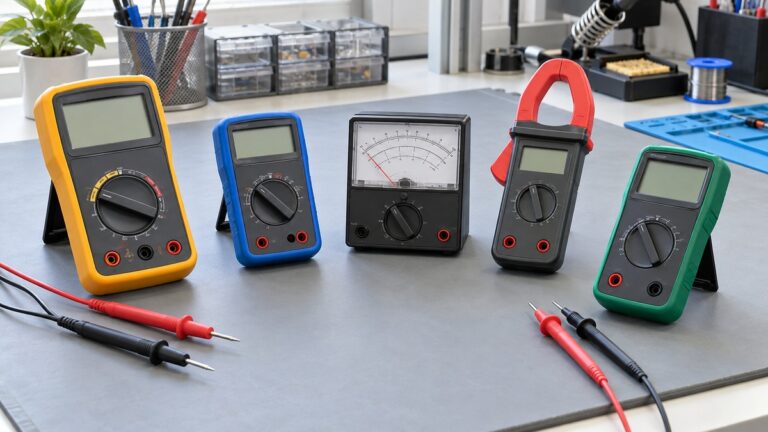
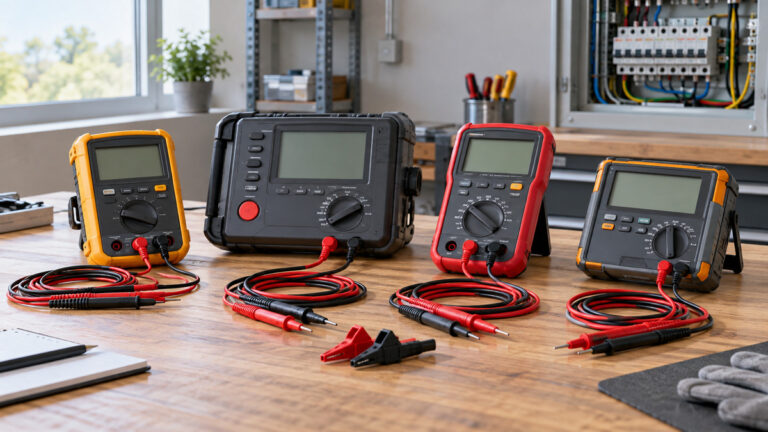
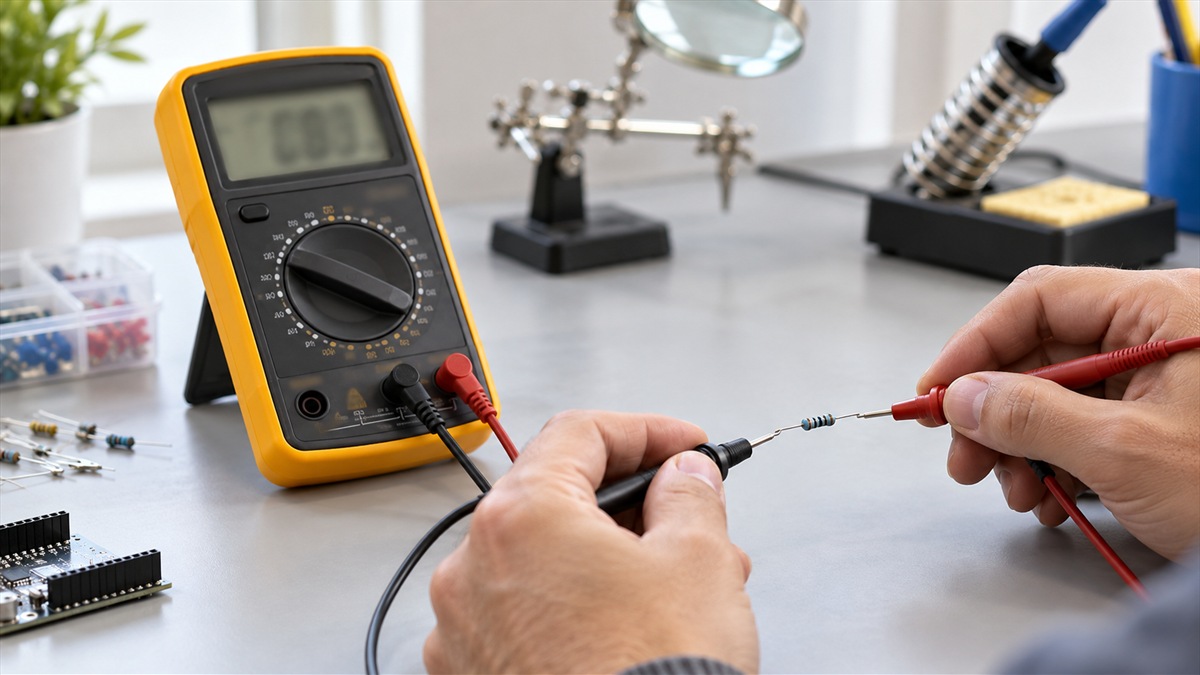
On a typical meter the resistance function shares the dial with other modes. Fluke’s learn article on measuring resistance tells the reader to “Turn digital multimeter dial to resistance, or ohms, which often shares a spot on the dial with one or more other test/measurement modes” (continuity, capacitance or diode). The 200 position is one of the settings inside that ohms section. Some meters offer several ohms ranges, and others choose the range for you. The number on the dial tells you the top value of the range you have selected, and the display shows the reading inside that range. For a wider look at meters built for resistance work, see the digital ohmmeter roundup.
Fluke’s learn article also explains the autoranging behavior: “When the leads are connected to a component, a digital multimeter automatically uses the Autorange mode to adjust to the best range.” On an autoranging meter, you may not need to pick 200 yourself. On a manually ranged meter, the same article notes that “Pressing the Range button allows a technician to manually set the range.” The owner’s manual for your meter says which mode it uses and how to change it.
The range check: does the component fit?
A quick check uses a ratio. Divide the expected resistance of the component by the top value of the range. If the answer is less than 1, the component is below the top of the range. If the answer is above 1, the component is above the top and the range is too low.
Formula: ratio = expected resistance divided by range top.
The Kuphaldt example uses a 10 kΩ resistor. It says that on a digital multimeter you “should see a numerical figure close to 10 shown on the display, with a small “k” symbol.” That reading comes from a higher range, where the value fits. A 200 range cannot show the same resistor, as the calculation below shows.
- 10,000 ohms divided by 200 ohms = 50. A 10 kΩ resistor is 50 times the top of the 200 range, so it does not fit.
- 100 ohms divided by 200 ohms = 0.5. A 100 ohm resistor is half the top of the range, so it fits with room to spare.
- 150 ohms divided by 200 ohms = 0.75. A 150 ohm resistor fits, but it is close enough to the top that the range leaves little margin.
| Component expected value | Range top | Ratio | Fits on the 200 range? |
|---|---|---|---|
| 100 ohms | 200 ohms | 0.5 | Yes, with room to spare |
| 150 ohms | 200 ohms | 0.75 | Yes, but close to the top |
| 10,000 ohms (10 kΩ) | 200 ohms | 50 | No, choose a higher range |
When the expected value is unknown, start on a higher range and step down. Kuphaldt gives the rule for a meter whose needle sits very close to zero: “If the needle points very close to zero, you need to select a lower resistance range on the meter.” That advice is written for analog meters, but the logic carries to digital ones. A value above the top of the range cannot be shown as a number on that range, so the meter gives an overload indication instead. Each meter’s manual states the exact wording it uses, so check that wording in the manual that came with your meter.
Lead resistance matters most on small readings
Every set of test leads has some resistance. On a large reading, such as a 10 kΩ resistor, that small amount barely changes the answer. On a small reading, it can change the answer a great deal. The Fluke 87 manual makes this point about its lowest range: “The resistance in the test leads can diminish accuracy on the lowest (400-ohm) range.” The same manual gives a typical figure: “The error is usually 0.1 to 0.2 ohms for a standard pair of test leads.” Its advice is to short the leads, read them, and then use the relative mode to subtract that value.
Fluke’s learn article gives the same idea in its own words. It explains that relative mode “automatically subtracts test lead resistance-typically 0.2 Ω to 0.5 Ω.” Relative mode is usually labeled REL on the meter. Pressing REL while the probes are touching sets the lead value as the reference, so later readings show only the component.
The error is a share of the reading, so it is easy to calculate.
Formula: lead share = lead resistance divided by component resistance.
- 0.2 ohms divided by 2 ohms = 0.1. If a 2 ohm component is measured with leads that add 0.2 ohms, the reading is about 10 percent high before any zeroing.
- 0.2 ohms divided by 200 ohms = 0.001. On a 200 ohm component the same leads are about 0.1 percent of the reading, which is much smaller.
The two results show why the 200 range needs care when the reading is small. A few tenths of an ohm matter when the component itself is a few ohms. They barely matter when the component is near the top of the range.
Zeroing the leads before you measure
The Fluke learn article describes the simple check: “Ideally, if test leads touch (are shorted together), the display should show 0 Ω.” If the display shows a small number, such as a few tenths of an ohm, that number is the lead resistance. Write it down, or press REL so the meter stores it as zero.
The steps are short:
- Set the dial to the ohms function. On a manual meter, select the 200 range if the expected value fits it.
- Touch the two probe tips together and watch the display settle.
- If the display shows the lead value, press REL so that the meter stores it as zero. If your meter has no REL, subtract the lead value by hand.
- Connect the probes across the component and read the display.
- Compare the result with the expected value using the ratio check above.
Fluke’s learn article also asks for good contact: “Make sure that contact between the test leads and circuit is good.” A reading that does not settle, or that keeps changing when you move the probes, is a sign to check contact before you trust the number. The Fluke 87 manual adds that “Dirt, oil, solder flux, or other foreign matter seriously affects resistance.” Clean the contact points, press the probes firmly, and read again.
Checking a fuse on the 200 range
Fuse checks are one use for a low ohms range. Fluke’s guide to checking a fuse says: “Continuity mode is generally preferred for fuse testing as it provides a clear, audible signal if the fuse is intact.” If you prefer resistance mode, the same guide says that “A low resistance reading (usually 0 ohms or close to it) signifies that the fuse is intact.” A good fuse therefore reads near zero on the 200 range, once the leads have been zeroed. For the continuity side of the same job, see the resistance continuity test guide.
The same guide describes the opposite result: “An infinite resistance reading (often displayed as ‘OL’ or ‘1’ on digital multimeters) indicates that the fuse is blown.” On a meter with a 200 range, a blown fuse usually shows an overload or open-loop indication rather than a number. The manual for your meter names the exact symbol.
Before you test a fuse, take it out of the circuit. The guide’s glass tube fuse steps begin with “Remove the fuse from its holder.” Testing in place can give a false reading. Fluke’s resistance article explains why: “The resistance of all components connected in parallel with a component being tested affects the resistance reading, usually lowering it.” Other parts of the circuit can lower the reading and make a good fuse look questionable, or make a blown one look intact.
Safety before any resistance reading
Resistance readings are made with the circuit de-energized. Fluke’s learn article lists “Turn Off Power to Circuit” as the first step in its guide to measuring resistance. The same article adds a capacitor warning: “If a circuit includes a capacitor, discharge the capacitor before taking any resistance reading.” Read the capacitor step as a requirement, not an option, and follow your own site’s procedure for discharging it.
Your own body can change the reading as well. Kuphaldt’s example says to try “not to touch both probe tips to your fingers,” because doing so measures the component in parallel with your body. His point is that the error can be large on some resistances and small on others, so keep the probe tips clear of your hands while you read.
The meter reads the whole network between the probes. Fluke’s learn article explains: “The resistance measurement displayed by a digital multimeter is the total resistance through all possible paths between the test lead probes.” If the component sits in a circuit, parallel paths lower the reading. That is why the article says “Caution is required when measuring resistance across a component that is part of a circuit.”
Finally, turn the meter off when you finish. Fluke’s steps include “Turn Multimeter OFF to Prevent Battery Drain.” That habit matters because a meter left on the ohms range can run its battery down without anyone noticing.
A worked example on the 200 range
Suppose you want to check a short length of wire with a meter that has a manual 200 range. Set the dial to the 200 position. Touch the probes together and note the lead value, for example 0.3 ohms. Press REL. Then connect the probes across the wire, with the power off and the wire disconnected from the circuit at both ends.
If the display shows 0.5 ohms after zeroing, the wire adds about 0.5 ohms. Compare that with the ratio check. A 0.5 ohm reading is 0.5 divided by 200, which is 0.0025, so the value sits far below the top of the range. The reading is valid, but the decision you make depends on what the wire is supposed to measure. The meter does not say whether 0.5 ohms is acceptable for that job. The wire’s own specification and your local rules decide that.
The example also shows the limit of this range. On the same meter, a 10 kΩ resistor would not fit on the 200 range, so you would need a higher range and would see an overload indication if you stayed on 200. Choosing the range is part of reading the meter. It is not a fixed setting you leave on.
How we chose
This post answers one meaning question: what the 200 mark on the ohms section means, and how to read small resistances on it. The keyword names a setting rather than a product model, so the page is a guide with no product cards.
We chose sources in this order. First, the manufacturer’s own learn articles and user manual, because they describe how the meter’s functions behave. Second, an open university-level text on electronics test equipment, which explains ranges and range selection in plain terms. We did not use Wikipedia for any safety or procedure statement. Every quoted sentence in this post was copied from a page we opened on 19 October 2026, and every number comes either from one of those pages or from a calculation shown in the text.
The selection criteria were simple. The answer has to appear in the first 100 words. Each step must be something a reader can carry out with an ordinary handheld meter. Each number must be quoted from a source or worked out with a formula that the reader can repeat.
What we could not verify
- The exact top value and display resolution of a 200 range on any specific meter. Those figures differ between models and appear only in each manual.
- The overload wording on every meter. The examples use OL and dashed lines named in the sources, and your manual decides what your meter shows.
- The lead resistance of your own leads. The 0.1 to 0.2 ohm and 0.2 Ω to 0.5 Ω figures are typical values from the cited pages, not measurements of your set.
- Whether a particular meter has a 200 range at all. The Fluke 87 manual’s lowest ohms range is 400 ohms, so a 200 position is not on every meter.
- Any claim about how a specific brand or model performs. This page does not rank meters and does not go beyond what the manufacturer pages state about accuracy and ranges.
FAQ
Does 200 ohms on a multimeter mean the meter reads up to 200 ohms?
Yes, in the sense that the 200 mark names the top value of that range. A reading above that top value cannot be shown as a number on the range. On an autoranging meter the range changes by itself. On a manual meter you choose the range, and the manual states what an over-range reading looks like on that model.
Should I always use the 200 range for small resistors?
Use the range that fits the expected value. The ratio check in this guide shows how to decide. If you do not know the value, start on a higher range and step down. Zero the leads first, because on a small reading the lead resistance can be a large share of the result.
Why does my multimeter show a small number when the probes are touching?
That number is the resistance of the test leads and the probe contact. Fluke’s learn article gives a typical range of 0.2 Ω to 0.5 Ω, and the Fluke 87 manual gives 0.1 to 0.2 ohms for a standard pair of leads. If your meter has REL, press it with the probes touching so the meter treats that value as zero.
What does OL mean on the ohms setting?
Fluke’s fuse guide says that an infinite resistance reading is often shown as OL or as 1 on digital multimeters. Kuphaldt’s chapter notes that some models show OL, which it expands as Open-Loop, while others display dashed lines. On a fuse check, OL usually means the fuse is open. Check your manual to see whether the same symbol also appears when a reading is above the top of the range on your meter.
Can I check a fuse on the 200 ohm setting?
Yes, if the fuse is removed from the circuit first. Fluke’s guide says a low reading near zero shows an intact fuse, and an infinite reading shows a blown one. Zero the leads before you start, so the lead resistance does not affect the near-zero reading.
Is it safe to measure resistance on a live circuit?
No. Fluke’s guide to measuring resistance lists turning off the power as the first step, and it says a capacitor must be discharged before any resistance reading. A reading taken on a powered circuit can also mislead, because other paths in the circuit lower the total. Panel and service work belongs to a licensed electrician.
Bottom line
Choose the range whose top value is above the expected resistance, zero the leads first, and measure with the power off and the component out of the circuit. If the value is small and the leads are not zeroed, the reading is not reliable.
Sources
- Fluke learn: How to Measure Resistance with a Digital Multimeter: the dial placement of the ohms function, autorange and manual range, the 0.2 Ω to 0.5 Ω lead value, the zero-ohm check with shorted leads, the contact note and the capacitor and component-removal advice
- Fluke 87 Users Manual (PDF): the lowest-range lead error, the typical 0.1 to 0.2 ohm lead error, the relative mode, the contact and foreign-matter note and the parallel-path note
- Ohmmeter Usage, Kuphaldt (Workforce LibreTexts): the definition of resistance, the highest-range start, the lower range for a reading near zero, the OL and dashed-line indication and the body-resistance error
- How to Check a Fuse with a Multimeter (Fluke learn): continuity or resistance mode for fuses, the near-zero reading for an intact fuse, the OL reading for a blown fuse and the instruction to remove the fuse from its holder