Klein Tools IR1 Infrared Thermometer with Targeting Laser Review
Point, read, and move on
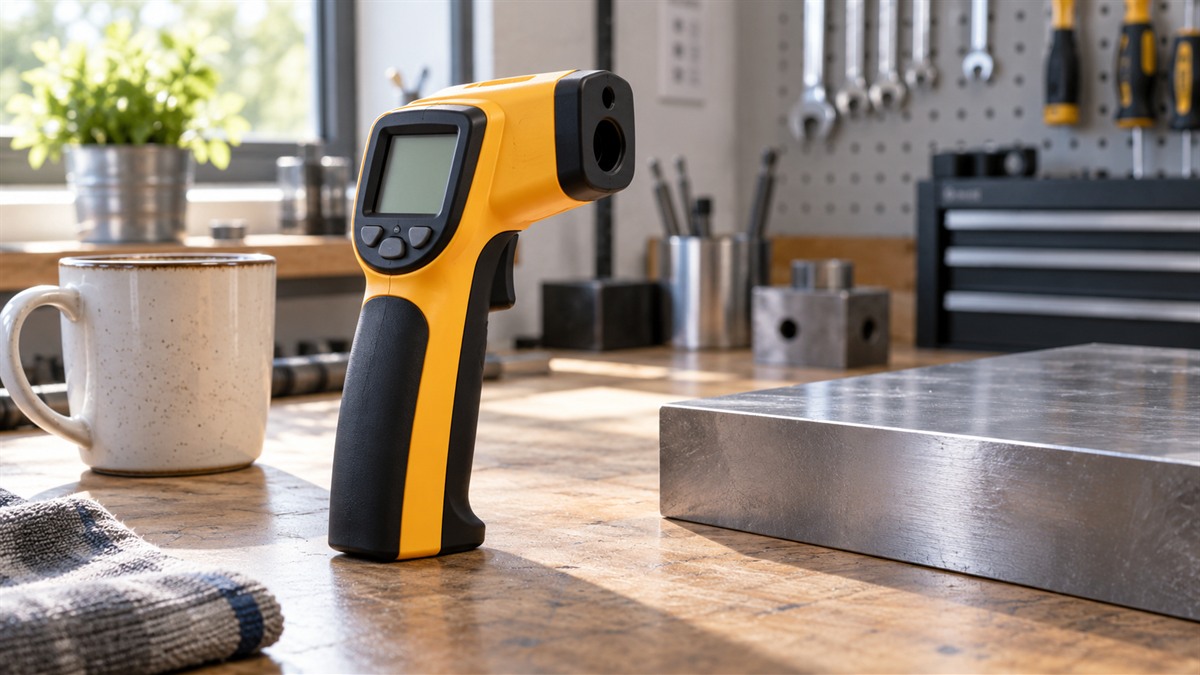
A non-contact thermometer is useful when you cannot or should not touch the surface you are measuring. Think of a hot water pipe, an HVAC duct, a kitchen appliance or a breaker panel. The Klein IR1 is an infrared thermometer with a targeting laser, a backlit display and automatic power off. It is built for surface readings across a wide range, and the listing states it is not a medical device.
See the Klein IR1 thermometer on Amazon
What the specifications mean for you
- Temperature range, -4 to 752 °F (-20 to 400 °C). This covers cold storage checks through hot surface work. It does not cover the higher temperatures found in some kilns or ovens.
- Optics, 10:1. The distance-to-spot ratio is 10:1. At 10 inches from the surface, the spot is about 1 inch across. Move closer to a small target, so the spot covers only that target.
- Response time, 0.5 seconds. You get a reading quickly, so you can scan several points in a row.
- Targeting laser. The laser shows where the sensor is aimed, which helps when you measure a specific point on a pipe, a fitting or a panel.
- Backlit display. The screen is readable in a dim basement, crawl space or under a sink.
- Fixed emissivity, 0.95. Emissivity is a setting that tells the thermometer how well a surface emits heat. The fixed value of 0.95 suits many painted, rubber, plastic and wood surfaces. It is less suited to shiny metal, which tends to read low unless you can adjust the setting. This model does not offer an adjustable setting.
- Auto power off. The unit shuts off after a period of inactivity to save battery.
- Weight, 100 grams. It is light enough to hold for a long scan.
- Indoor use. The listing marks the unit for indoor use.
Key facts that are missing or unclear:
- Warranty. The warranty is referred to the manufacturer’s website.
- Auto-Hold. The title mentions Auto-Hold, but the feature bullets do not describe it.
- Battery. The two battery types do not match, so check what is inside the box before you buy.
Who this thermometer suits
- Technicians checking HVAC ducts, refrigeration lines and heat exchangers.
- Electricians scanning a breaker panel or a wire connection for heat before it becomes a problem.
- Home owners checking a furnace, a hot water pipe, a water heater tank or an appliance without opening it.
- Cooks and food-service staff checking a flat-top griddle or a hot oil surface, where a distance reading is useful.
Who should skip it
- Anyone who needs a body temperature reading. The listing states the unit is not intended for use on people or animals.
- Anyone who needs an accuracy figure before buying. None is given.
- Anyone who measures shiny metal often and needs an adjustable emissivity setting. This unit uses a fixed 0.95 value.
- Anyone working above 752 °F, which is the top of the listed range.
Spot size at common distances
The listing gives a 10:1 distance-to-spot ratio and does not state a spot size. The table applies that ratio to a few distances, so each row shows the approximate spot diameter. It extends the 10-inch example above.
| Distance to target | Approximate spot diameter |
| — | — |
| 5 inches | 0.5 inch |
| 10 inches | 1 inch |
| 20 inches | 2 inches |
| 30 inches | 3 inches |
| 40 inches | 4 inches |
Use the table to plan your approach. Write down the distance you used with each reading, so repeat checks at the same spot can be compared fairly. A surface about one inch across can be read from about 10 inches away. A smaller fitting needs a closer distance, and a target you read from farther away has to be large enough that the spot stays on it.
Auto-Hold, laser, and backlight: what the listing supports
The title names Auto-Hold, but the feature bullets do not describe it.
The features the listing does describe are the targeting laser, the backlit display and auto power off. The laser shows where the sensor is aimed, which helps when you need a specific point on a pipe, a fitting or a panel. The backlit display is described as readable in dim spaces.
A workable sequence is to aim with the laser first, step back to the distance the table gives for your spot size, and then take the reading. Check the display once the spot is on the target, so you know the reading came from the surface you meant to measure.
Practical jobs and how to approach them
- Measure from a distance that keeps the spot on the target. At 10:1, a small target needs a close reading.
- Use the laser to aim, then check that the spot sits on the surface you want.
- Take several readings on the same spot to see whether the value holds.
- Note the surface type. Painted or rubber surfaces are a better fit for the fixed 0.95 setting than polished metal.
Setup and battery check
Before the first use, confirm the battery type and load it. The listing names 2 AA batteries as included, but the box field also names a 9-volt battery. Check the device and the packaging so you know which battery to load. Then check the display, the laser and the auto power off before you rely on the unit.
Buying criteria
- Range. Does -4 to 752 °F cover your work?
- Spot size. Does 10:1 optics suit the distance you measure from?
- Emissivity. Is a fixed 0.95 setting enough for your surfaces?
- Laser. Do you need a laser to aim?
- Power. Do you want auto power off and a backlit screen?
Surface and emissivity: a check to run before you trust the number
The listing describes the fixed 0.95 emissivity as providing consistent readings across different surfaces. Treat that as a claim to check, not an assumption. Painted, rubber and wood surfaces are the kind of material a fixed setting is most likely to suit. A polished metal surface may read differently, and the listing does not offer an adjustment for it.
A simple check is to compare the reading on the bare surface with a reading on a small piece of matte tape stuck to the same spot. If the two readings differ by a large amount, the bare surface is likely reading differently from its true temperature. Record which reading you used, and write the surface type beside each number.
Handling and size
The item length is 6.01 inches and the weight is 100 g. Those two figures make the unit small enough to carry in the custom pouch the listing names, so it can ride in a tool bag between readings. The listing does not describe the grip or trigger design, so check how the unit sits in your hand before you plan long runs of readings across a large area. Compare the 100-gram weight with any heavier unit you already own if you plan to hold one at arm’s length for long sessions.
Warranty information
The warranty description reads “See Manufacturer Website,” so the terms sit with the manufacturer and not in the listing. Keep your purchase record, and check the manufacturer’s site before you rely on coverage for a repair. Until those terms are checked, treat the warranty as unconfirmed.
Limitations and open points
- Battery conflict. The count does not agree, so check the box.
- Warranty. The field refers to the manufacturer’s website.
- Medical use. Not for people or animals.
How it compares with other thermometers in the category
Category examples show how other models handle the same tasks. The TempPro TempScan, another model in this category, lists adjustable emissivity from 0.1 to 1.0, a 12:1 distance-to-spot ratio, a response time under 500 milliseconds and an upper limit of 1,022 °F. That model lets you match the setting to the surface, which the IR1 does not. The KNINE OUTDOORS gun in the same category is listed for a large display. Those specifications belong to those products, not the Klein IR1.
If your work involves polished metal, an adjustable emissivity setting matters more than a large display. If your work involves painted walls, pipes or ducts, the fixed 0.95 setting may be enough.
Comparison by group: IR1 against two category examples
The TempPro TP30 and the KNINE OUTDOORS gun are category examples. Their values belong to those products, and the table lists them only for the groups the IR1 listing covers.
| Group | Klein IR1 (this review) | TempPro TempScan TP30 (category example) | KNINE OUTDOORS gun (category example) |
| — | — | — | — |
| Range | -4 to 752 °F (-20 to 400 °C) | Upper range 1,022 °F | — |
| Distance-to-spot | 10:1 | 12:1 | — |
| Emissivity | Fixed at 0.95 | Adjustable from 0.1 to 1.0 | — |
| Response time | 0.5 seconds | Under 500 milliseconds | — |
| Laser | Targeting laser | Laser connectivity | — |
| Power | 2 AA batteries required (included), with a 9-volt battery also named | 2 AAA batteries required (included) | — |
| Display | Backlit digital display | Digital display | Large display |
| Weight | 100 g | 128 g | — |
| Use | Indoor | Indoor and outdoor | — |
The table makes the IR1’s position clear. It has the wider temperature span of the three, a fixed emissivity and a 10:1 ratio. If you need an adjustable emissivity or a 12:1 ratio, the TP30 category example lists both. The IR1 is the option for indoor work with a fixed setting.
Questions buyers ask
Can I use it on people? No. The listing states the unit is not intended for use on people or animals.
How far away can I measure? The 10:1 ratio sets the spot size at each distance. Use the laser and a close distance for small targets.
Does it read shiny metal well? The fixed 0.95 emissivity is a fit for many surfaces, but polished metal can read low. The listing does not offer an adjustment for that case.
What is the model name? The model name and the part number both read IR1.
How much does the unit weigh? The item weight is 100 g.
Does it come with a case? The included components field names a custom pouch, along with the 9-volt battery.
Is it intended for outdoor use? The indoor and outdoor usage field reads indoor only.
What is the upper limit in Celsius? The listing gives 400 °C as the upper temperature, which matches the 752 °F top of the range.
Final verdict
The Klein IR1 is a reasonable choice for non-contact surface checks across a wide range, from cold storage to hot equipment. Its laser, backlight and auto power off are practical, and its fixed emissivity suits many common surfaces. Before you buy, resolve the battery conflict in the listing, confirm the warranty and check the accuracy claim with the manufacturer, since none of those is stated in the listing.